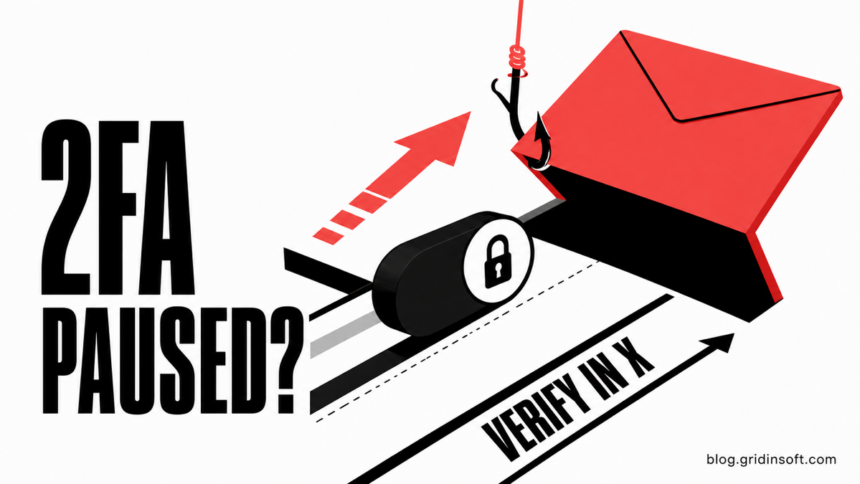
The “X 2FA Manager” email saying that two-factor authentication was temporarily paused is phishing. Do not use its Re-enable 2FA button. The specimen reviewed for this guide came from a domain unrelated to X, sent every visible action to a non-X website, and used urgency to push a one-click account connection. Open the X app or type x.com yourself to check 2FA, sessions, and connected apps.
Reading the message alone does not mean the X account or device was compromised. The response changes if you clicked, entered a password or 2FA code, approved an app, or downloaded something. Use the matching row below instead of treating every interaction as the same incident.
Why the X 2FA Manager email is fake
X says authentic company email comes from addresses ending in @x.com or @e.x.com, and it does not ask for an X password by email. In the reviewed message, the display name said “X,” but the actual sender belonged to an unrelated domain. The action buttons did not lead to x.com. Those two facts are enough to reject it as an authentic X notice [1].
| Message detail | What it means |
| Display name says “X” | A display name is editable. Check the complete sender address, not only the name or avatar. |
Sender is outside x.com or e.x.com |
The message is not from an email domain X identifies as authentic. |
| Button opens a non-X host | Do not sign in. A real account check can be performed from the installed X app or a manually typed x.com address. |
| “Configuration mismatch” and one-click deadline | Vague technical language and urgency are used to prevent independent verification. |
| “No backup codes are required” | The reassurance anticipates hesitation and tries to make the shortcut feel safer than normal account settings. |
The email also hotlinked familiar X imagery and loaded a separate one-pixel tracking image. A copied logo does not prove who sent a message. A tracking pixel can tell a sender that remote content was loaded, but it does not by itself prove that the account was taken over.
What the phishing email says
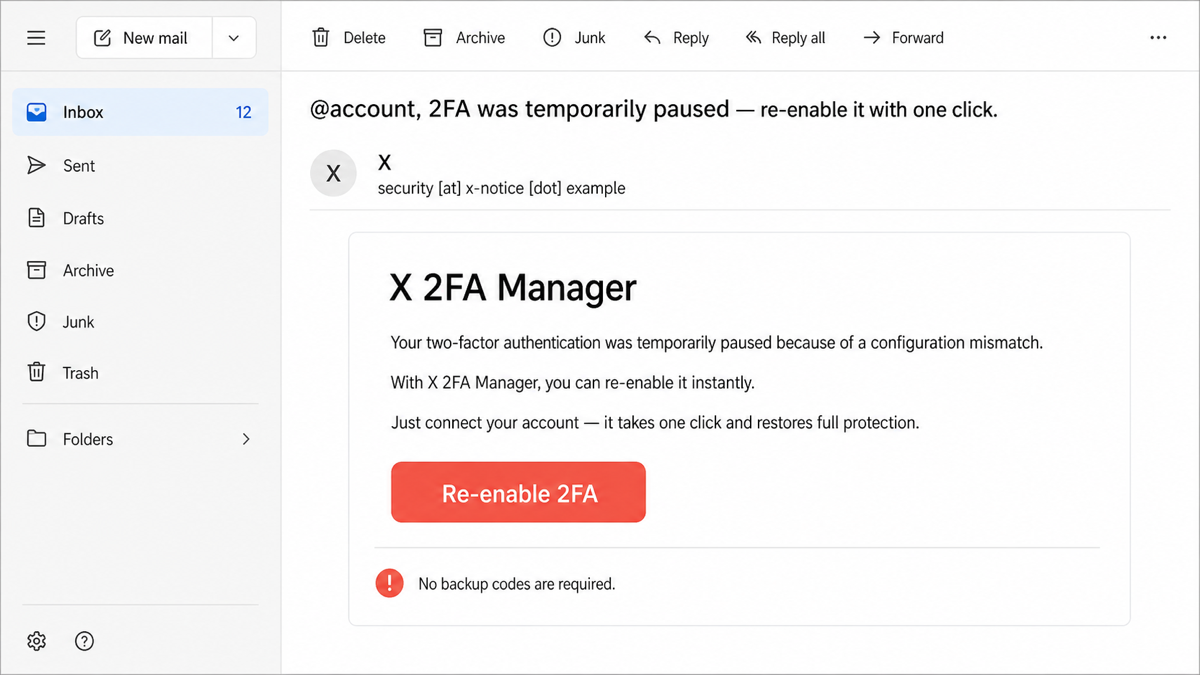
The identifying wording appears in this form:
Subject: @account, 2FA was temporarily paused — re-enable it with one click.
From: X <security [at] x-notice [dot] example>
Hello @account,
Your two-factor authentication was temporarily paused because of a configuration mismatch.
With X 2FA Manager, you can re-enable it instantly. Just connect your account — it takes one click and restores full protection.
Button: Re-enable 2FA
No backup codes are required.
The address above uses the reserved .example domain, and the button is plain text. Do not test a suspicious message by opening its destination. The reviewed live destination was not visited, so this article does not claim what its final page displayed or exactly which data it attempted to collect.
Can SPF, DKIM, and DMARC pass on a phishing email?
Yes. SPF, DKIM, and DMARC can pass when a message was legitimately sent by the domain shown in its technical headers. That proves alignment for that sender domain; it does not prove the sender is X or authorized by X. In this case, successful authentication for an unrelated domain only means the message was sent in a way that domain’s mail policy accepted.
A compromised mailbox, a deliberately registered sender domain, or an abused mailing service can therefore produce authenticated phishing. Compare the authenticated domain with the company being impersonated and inspect the real link destination. Our broader guide explains how to read sender and link clues in phishing email.
How to check the X account without the email button
- Close the message. Do not reply, use its unsubscribe link, load attachments, or press Re-enable 2FA.
- Open X independently. Use the installed app or type
x.cominto a new browser tab. Do not reuse a tab opened by the message. - Review 2FA in account settings. Open Settings and privacy → Security and account access → Security → Two-factor authentication. Confirm that the expected method remains enabled.
- Review active sessions. Under Apps and sessions → Sessions, check locations and times. Log out of sessions you do not recognize, or log out of all other sessions if the account may have been exposed [3].
- Review connected apps. Revoke any application you did not authorize. X notes that connected apps may be able to read or post content, access messages, or view account information depending on their permissions [3].
- Secure the attached email account. If an X password or code was entered on another site, also check the mailbox for unfamiliar forwarding rules, recovery changes, and sessions.
A previous campaign used Twitter Blue’s transition to X as an OAuth lure. It is a different message, but the same verification rule applies: inspect authorization inside X rather than trusting the email. See the Twitter Blue to X phishing case for that related app-authorization pattern.
What to do after interacting with the email
| What happened | Risk and next action |
| You only opened the email | Delete or report it as phishing. Opening a normal static message does not give away the X password, though loading remote images may confirm that the address is active. |
| You clicked but entered nothing | Close the page. Check browser downloads, new extensions, notification permissions, and whether another app opened. Do not return to “see what it was.” Follow the clicked-phishing-link checks if the page requested additional actions. |
| You entered an X password or 2FA code | From a clean route, change the X password immediately, secure the attached mailbox, review active sessions, revoke unknown apps, and remove unexpected posts or messages. X recommends a new password that is not reused elsewhere [2]. |
| You approved a connected app | Open Apps and sessions inside X, revoke the app, log out unfamiliar sessions, and change the password if credentials were also entered. Revocation stops future app actions but cannot undo data already accessed. |
| You downloaded or installed something | Disconnect the device if behavior is suspicious, remove the new app or extension, run a full security scan, reboot, and scan again if alerts or redirects return. Change important passwords from a clean device after the system is checked. |
If the email led to a file, extension, remote-support tool, or app install, account changes alone are not enough. The visible download may be gone while a startup entry, scheduled task, browser change, or bundled module remains. Gridinsoft Anti-Malware can check the device for detections, unwanted apps, browser changes, startup entries, scheduled tasks, and persistence; it cannot prove that no data was exposed.
If the page or email made you download an invoice, coupon, tracking app, browser extension, or support tool, scan the PC before opening it again or logging into sensitive accounts.
Scan after a suspicious downloadFor a wider recovery sequence after credentials, money, or identity data were exposed, use the what to do after being scammed checklist. If the account already shows unauthorized activity, the hacked-account recovery guide covers password, session, mailbox, and contact-warning priorities.
How to report and delete the message
- Use the mail provider’s Report phishing action before deleting the message.
- Do not use an unsubscribe or footer link inside the suspicious email.
- If access to X was lost, use X Help from a manually typed address and submit a support request with the email address associated with the account [2].
- If you need another read-only opinion before clicking, paste only non-sensitive sender and body text into the Gridinsoft Email Checker. Remove private headers, codes, and personal data first.
FAQ
Can opening the X 2FA Manager email steal my account?
Opening a typical static email does not reveal the X password or 2FA code. Remote images may confirm that the message was opened. The account risk increases after entering credentials, approving an app, or running a download.
Does X really pause two-factor authentication by email?
Do not trust that claim from an email button. Check the current 2FA state inside the X app or a manually typed x.com session. The reviewed message came from and linked to domains unrelated to X.
Can a phishing email pass SPF, DKIM, and DMARC?
Yes. Those checks can authenticate the unrelated domain that actually sent the message. They do not prove that the sender represents X or another copied brand.
Should I restore 2FA with the Re-enable 2FA button?
No. Open X independently, review the two-factor authentication setting, then check sessions and connected apps. A security shortcut that leaves the official domain is not a safe recovery route.
Do I need a malware scan after this email?
Not just because the message was opened. Scan the device if the link downloaded a file, installed an app or extension, launched remote-support software, or if redirects, alerts, or other unusual behavior continue.
References
- X Corp. “About fake X emails.” X Help Center, accessed August 11, 2026. https://help.x.com/en/safety-and-security/fake-x-emails
- X Corp. “Help with my compromised account.” X Help Center, accessed August 11, 2026. https://help.x.com/en/safety-and-security/x-account-compromised
- X Corp. “About third-party apps and log in sessions.” X Help Center, accessed August 11, 2026. https://help.x.com/en/managing-your-account/connect-or-revoke-access-to-third-party-apps