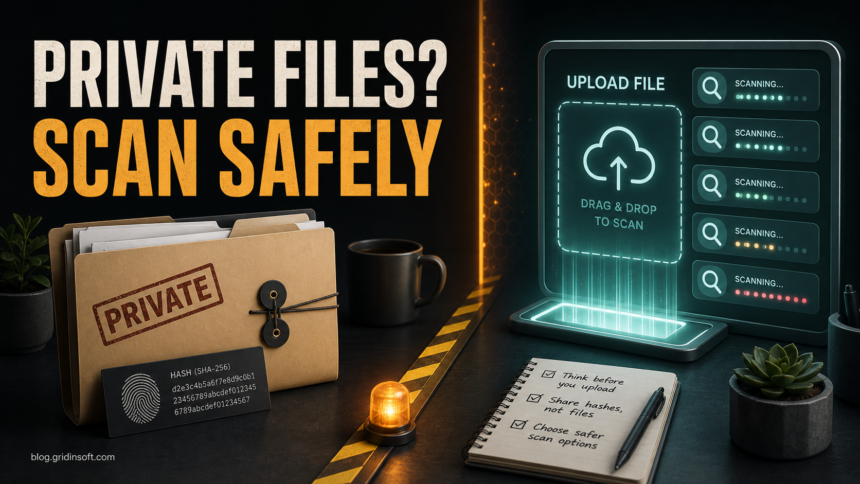
VirusTotal is useful when you need a quick reputation check for a suspicious hash, URL, or public malware sample. It is not the place to casually upload private documents, customer files, source code, invoices, contracts, password exports, or internal company installers. A standard upload may help the security community, but it can also put the submitted file into a sharing and analysis ecosystem that is not designed for confidential material.
The safer rule is simple: search by hash first, scan locally when the file is private, and upload the full file only when the sample is public, sanitized, or intentionally shareable. If you already uploaded sensitive data, treat it as an exposure event, rotate any secrets inside it, and follow your organization’s incident process.
What VirusTotal Does With Submitted Files
VirusTotal aggregates scanner, sandbox, URL, domain, and community signals so defenders can compare suspicious items quickly. Its public documentation explains that submitted files and URLs produce results for the submitter and are also shared with examining partners who use those results to improve their systems. That model is valuable for malware research, but it means the upload decision matters.
For a malicious installer, phishing URL, cracked software bundle, or unknown executable that is already circulating publicly, sharing can help other defenders. For a personal tax PDF, a customer spreadsheet, a proprietary build, or a ZIP with internal logs, the privacy risk can outweigh the scan value.
Files You Should Not Upload Casually
Do not upload a file to any public multi-scanner service just because it looks suspicious if the file contains material you would not publish elsewhere. This includes:
- personal documents, IDs, tax forms, medical files, photos, or legal paperwork;
- customer lists, contracts, invoices, payroll files, or support exports;
- source code, build artifacts, proprietary installers, unreleased apps, and internal scripts;
- mailbox exports, chat logs, browser profiles, password manager exports, cookies, tokens, keys, or configuration files;
- archives that may contain any of the above, even if the top-level ZIP name looks harmless.
If the file came from a suspicious email, a fake download page, a cracked app, or an unknown browser prompt, isolate it first. Do not open it just to see what it does.
A Safer File Scan Flow
Use the privacy decision before the malware decision. A clean-looking scan result does not undo a privacy leak, and a public upload is not required for every safety check.
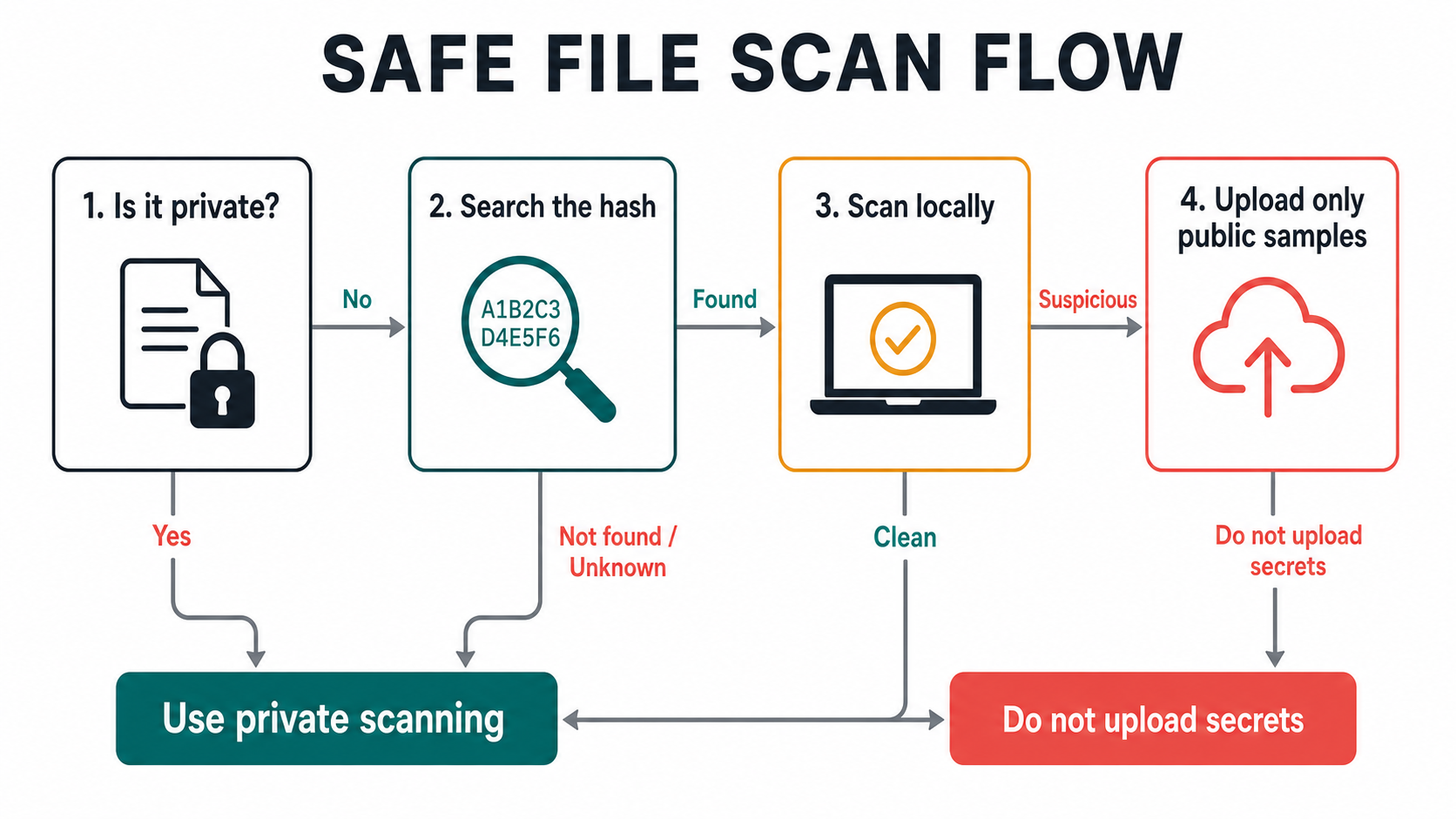
- Decide whether the file is private. If it includes personal, customer, business, source-code, credential, or regulated data, do not upload it publicly.
- Search the hash first. On Windows, right-click the file path only after you know where it came from, or run PowerShell and use
Get-FileHash "%USERPROFILE%\Downloads\file.exe" -Algorithm SHA256. Search the hash instead of uploading the file. - Scan locally. Use your installed security tool or a local anti-malware scan when the file is sensitive. This keeps the file on your machine while still checking for detections and persistence.
- Upload only shareable samples. Use public upload for malware samples, suspicious public installers, URLs, domains, and files that do not contain private data.
- Use private scanning when available. VirusTotal’s Private Scanning is built for cases where files or URLs cannot be shared with other users or partners, but it requires the appropriate license.
Hash Lookup Is Not The Same As Uploading The File
A hash lookup sends a fingerprint of the file, not the file contents. If the same hash is already known, you can often read reputation, detection history, and community context without exposing the file itself. This is the safest first step for private files.
A full upload sends the file for analysis. That can produce richer results, especially for unknown malware, but it is the wrong default for confidential data. If the hash is unknown and the file is private, scan locally, ask the sender for a clean source, or escalate to a private analysis workflow instead of uploading the original file.
How To Read Results Without Overreacting
Do not treat a single number as the whole answer. A safe decision combines the scan result with file context:
- Source: Was it downloaded from the official vendor, a signed update channel, a random mirror, a Discord link, or a fake ad?
- Signature: Does the file have a valid publisher signature that matches the expected vendor?
- Detection names: Generic AI, heuristic, or reputation labels need more context than clear trojan, stealer, loader, or ransomware names.
- Vendor count: One weak detection may be a false positive; several independent detections deserve quarantine and deeper review.
- Behavior: Network beacons, dropped scripts, persistence, browser changes, and credential access matter more than a clean-looking summary.
- Your action: A file you have not opened is easier to handle than a file that already ran with user or admin rights.
For a conflicting result, use the checklist in our VirusTotal vs Hybrid Analysis false-positive guide. For executable files, start with how to check if an EXE file is safe before you run it.
Where Gridinsoft Fits
If the file is public and not sensitive, you can use the Gridinsoft Online Virus Scanner as one more reputation check. If the file is private, already ran, came from a suspicious path, or triggered browser/download symptoms, use a local scan instead. Gridinsoft Anti-Malware can check the machine for detections, hidden files, startup entries, scheduled tasks, bundled apps, browser changes, and persistence without requiring you to publish the private file to a public analysis corpus.
If a suspicious file already ran, remove it from Downloads, disconnect from risky accounts until cleanup is done, scan the system, reboot, and scan again if symptoms return. A scan cannot prove that no account was exposed, so rotate passwords and revoke sessions when the file contained credentials or was connected to account theft.
If the process path is wrong, the name imitates a Windows component, or high CPU started after an unknown installer, scan for hidden miners, services, startup entries, and bundled components.
Scan locally before uploading private filesWhat If You Already Uploaded A Private File?
Do not panic, but do not assume the file is private anymore. Take these steps:
If an AI coding tool sent an entire repository rather than one file, use our Grok Build repository-upload response guide to review Git history, revoke credentials, check provider logs, and request deletion confirmation.
- List what was inside the file: names, emails, contracts, tokens, passwords, keys, source code, or customer data.
- Rotate exposed passwords, API keys, tokens, SSH keys, OAuth secrets, and session cookies.
- If it was a company file, tell the security or IT owner so they can assess notification, legal, or vendor requirements.
- Replace the shared document or installer if it contained unreleased or proprietary material.
- Keep the report URL, hash, upload time, and account used, but avoid sharing the link further.
For a home user who uploaded a personal PDF or photo, focus on the secrets inside it. If there were passwords, account numbers, or ID images, rotate and monitor those accounts. If there was no sensitive content, the practical risk is usually lower, but the upload still was not ideal.
Quick Rules For Safer Scan Decisions
- Use hash lookup before file upload.
- Never upload password exports, private documents, customer data, source code, or internal builds to public scanners.
- Use local scanning for private files and public upload for public samples.
- Do not decide from the detection count alone; check source, signature, behavior, and whether the file already ran.
- Use private scanning or an internal sandbox when business data cannot leave your organization.
FAQ
Is VirusTotal safe to use?
VirusTotal is useful for checking hashes, URLs, domains, and shareable suspicious samples. The privacy risk appears when users upload files that contain personal, customer, business, credential, or proprietary data.
Can I upload a PDF or Word document to VirusTotal?
Only upload it if the document does not contain private information and you are comfortable sharing the sample for security analysis. For contracts, invoices, resumes, tax files, or internal documents, use local scanning or private analysis instead.
Is a hash lookup private?
A hash lookup does not upload the file contents, but it can still reveal that someone is checking a file with that fingerprint. It is usually safer than uploading the full file, especially when the file is private.
What should I do if VirusTotal shows one detection?
Check the file source, signature, age, behavior, and detection name. One generic detection can be a false positive, but a file from a suspicious source or a file that already ran still needs local scanning and cleanup.
Should companies let employees upload files to public scanners?
Companies should define a policy. Sensitive files, customer data, source code, internal builds, credentials, and regulated data should go through approved private scanning or internal analysis, not casual public upload.
References
- VirusTotal Documentation. “How it works.” VirusTotal, accessed July 7, 2026. https://docs.virustotal.com/docs/how-it-works
- VirusTotal Documentation. “Private Scanning.” VirusTotal, accessed July 7, 2026. https://docs.virustotal.com/docs/private-scanning
- VirusTotal Blog. “Maintaining a healthy community.” VirusTotal, May 25, 2016, accessed July 7, 2026. https://blog.virustotal.com/2016/05/maintaining-healthy-community.html