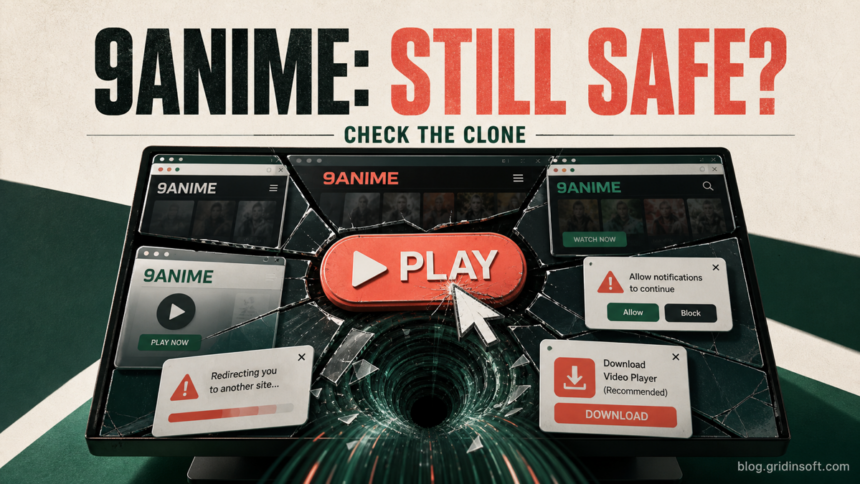
AniWave is not an active official streaming service in 2026. The original 9Anime became AniWave in 2023, and the AniWave operation was shut down in 2024. A website or app using either name now should be treated as an unverified clone—not an official successor. A familiar name, layout, or working video does not verify who runs it. If you only opened a page and closed it, infection is not automatic. Risk rises sharply if you allowed notifications, installed an extension or app, downloaded a player, ran a file, or entered a password or payment card.
What happened to the original 9Anime?
9Anime changed its name to AniWave in August 2023. The operators said the rebrand followed domain blocking and copyright complaints, while reports at the time also warned that fake 9Anime clones were already confusing users.[1] In August 2024, the Alliance for Creativity and Entertainment said Vietnamese authorities had shut down a piracy operation whose associated sites included AniWave.[2]
This timeline changes the safety question. There is no current 9Anime address that this article can endorse as a continuation of the original service. A page may preserve the old name, artwork, and catalog while being operated by someone else. Do not use search ads, social posts, a copied “official domains” page, or a padlock icon as proof of ownership.
Is AniWave or 9Anime safe? Decide by what happened
| What happened | Risk and what to do |
|---|---|
| You opened the page and closed it | Usually the lowest-risk case. Close unexpected tabs, check that no downloads started, and review browser notification permissions. |
| A Play button opened another site | Treat the destination as unrelated and untrusted. Close it without accepting a CAPTCHA, update, support call, wallet connection, or permission request. |
| You clicked Allow on a notification prompt | The site can send fake virus warnings and ads after the tab is closed. Revoke the permission and remove unfamiliar site entries. |
| You downloaded a player, APK, extension, or archive but did not open it | Do not launch it. Delete or quarantine it, then scan the file or device. A download is not required for ordinary browser playback. |
| You ran a downloaded file or installed an app or extension | Disconnect from sensitive accounts, remove the item, inspect startup and browser changes, and run a full malware scan. |
| You entered a password or card number | Use a clean device to change the password, revoke sessions, enable MFA, and contact the card issuer if payment data was submitted. |
Why 9Anime clones can be risky
Fake Play buttons and redirect chains
A page can display a real-looking episode list while the first click opens a different advertising, gambling, fake-update, or scam domain. One URL scan only measures the address that was checked; it does not validate every ad frame, player host, pop-under, or destination loaded after a click. This is the same pattern seen across free movie streaming scams.
Close a new tab if it asks you to prove you are human by running a command, install a “required codec,” call technical support, connect a wallet, or pay a small verification fee. None of those actions verifies a video player.
Notification prompts that outlive the visit
A clone may ask you to click Allow to continue, confirm your age, remove a CAPTCHA, or start the video. Browser notifications are not a playback control. Once allowed, they can deliver ads and fake virus alerts even when the streaming page is closed.
Fake apps, extensions, APKs, and downloads
An unofficial desktop player, Android APK, browser extension, “HD codec,” or update can be a bundled unwanted program or malware. Do not assume a download is safer because the filename contains 9Anime, AniWave, Chrome, Video Player, or Update. Avoid third-party EXE and DLL download pages, and never disable antivirus protection just to make a player run.
Login and payment traps
A copied login page can collect an email address and a reused password. A “free trial,” “age verification,” or one-dollar card check can expose payment details or begin an unwanted subscription. If a password was reused, change it everywhere it was used; changing it only on the clone does not protect the real account.
What to do after visiting a 9Anime-branded site
- Close redirects without interacting. If a page resists closing, end the browser task. Do not call a phone number or install a remote-support tool shown in a warning.
- Check Downloads. Sort by time and remove unexpected installers, archives, APKs, disk images, scripts, and documents. If you need to preserve a suspicious file for review, do not open it.
- Revoke notifications. Remove unfamiliar sites from the browser’s allowed notification list. A page does not need notification access to play video.
- Remove unfamiliar extensions and apps. Pay special attention to items installed at the time of the visit. Restart the browser and confirm that the extension or app does not return.
- Review browser changes. Check the default search engine, home page, startup pages, proxy settings, and managed-browser messages. Reset the browser if redirects continue.
- For an Android installation. If a 9Anime clone persuaded you to install an Android player, Trojan Scanner for Android can check the installed app. Review its findings, confirm unwanted-app removal, and recheck after restarting; a vanished icon alone is not cleanup.
- On Windows, scan if anything ran. A visible installer can disappear while a loader, scheduled task, startup entry, service, browser change, or bundled module remains. Run a full Gridinsoft Anti-Malware scan, remove detections, reboot, and scan again if redirects or alerts return.
If 9anime keeps showing unwanted pop-ups, you likely granted it permission to send notifications. To stop them, you need to revoke that permission in your browser settings.
- Copy and paste this into the address bar:
chrome://settings/content/notifications - Scroll down to the Allowed to send notifications list.
- Find 9anime.
- Click the three dots (...) next to it and select Remove (or Block).
- Open Safari and go to Settings (or Preferences).
- Click the Websites tab and select Notifications on the left.
- Find 9anime in the list on the right.
- Select it and click Remove (or change "Allow" to "Deny").
- Copy and paste this into the address bar:
about:preferences#privacy - Scroll down to Permissions and click Settings... next to Notifications.
- Type 9anime in the search bar or find it in the list.
- Select the site and click Remove Website.
- Copy and paste this into the address bar:
edge://settings/content/notifications - Look under the Allow section.
- Find 9anime.
- Click the three dots (...) next to it and select Remove (or Block).
- Copy and paste this into the address bar:
brave://settings/content/notifications - Scroll to the Allowed to send notifications list.
- Find 9anime.
- Click the three dots (...) and select Remove (or Block).
- Copy and paste this into the address bar:
opera://settings/content/notifications - Check the Allowed to send notifications list.
- Find 9anime.
- Click the three dots next to it and select Remove.
- Launch Chrome.
- Click the three dots (...) in the top right corner.
- Select Extensions > Manage Extensions.
- Click Remove next to the extension you want to delete.
Quick Access: Type chrome://extensions/ in the address bar.
- Open Safari.
- In the menu bar, click Safari and select Settings (or Preferences).
- Click on the Extensions tab.
- Select the extension and click Uninstall.
- Click the menu button, select Add-ons and themes.
- Go to the Extensions tab.
- Click the three dots (...) next to the extension and select Remove.
Quick Access: Type about:addons in the address bar.
- Launch Microsoft Edge.
- Click the three dots (...) in the top right corner.
- Select Extensions.
- Find the extension and click Remove.
Quick Access: Type edge://extensions/ in the address bar.
- Launch Brave browser.
- Click the menu icon > Extensions.
- Find the extension and click Remove.
Quick Access: Type brave://extensions/ in the address bar.
- Launch Opera.
- Click the Opera logo in the top left corner.
- Select Extensions > Extensions.
- Click the X or Remove button next to the extension.
Quick Access: Type opera://extensions/ in the address bar.
Open Extensions/Add-ons again and remove any entry linked to 9anime or clearly out of place.
If you see 9anime or other suspicious applications that you don't remember installing, you should remove them as well.
- Right-click the Start button and select Installed Apps (or Apps & Features).
- Scroll through the list to find 9anime or any other unfamiliar program.
- Click the three dots (...) next to it and select Uninstall.
- Open Finder and go to the Applications folder.
- Locate 9anime or any app you don't recognize.
- Drag it to the Trash.
- Empty the trash to remove it permanently.
- Go to Settings > Apps > See all apps.
- Find 9anime or any suspicious app in the list.
- Tap on it and select Uninstall.
If a 9Anime clone led you to run a Windows player or verification command, check the installed software. Gridinsoft Anti-Malware can help find what keeps redirects or alerts returning after restart.
Scan this Windows PCIf you entered a password or payment card
Move account recovery to a clean device. Change the exposed password and every account that reused it, then sign out other sessions and enable multi-factor authentication. Check email forwarding rules and recovery addresses because an attacker with mailbox access can reset other accounts.
If you entered card details, contact the issuer using the number printed on the card or the official banking app. Ask whether the card should be locked or replaced, review pending transactions, and do not pay a second “refund” or “verification” fee. A malware scan is useful for the device, but it cannot recover a stolen password or card number.
How to check a suspicious 9Anime page without revisiting it
- Copy the exact address from browser history instead of searching for a “working” mirror.
- Look for extra words, misspellings, multiple subdomains, and an unexpected top-level domain.
- Check the address with a reputation service, but treat a clean result as one signal rather than proof.
- Inspect browser history for redirect destinations and Downloads for files created at the same time.
- Do not return to the page to test whether a pop-up appears again.
The 123Movies clone safety guide explains the same visited-versus-clicked-versus-downloaded decision for movie-streaming names. For another anime brand that survived only through unrelated copies, see the KissAnime clone warning.
HiAnime is a separate Zoro.to-to-AniWatch lineage, not another 9Anime name. The HiAnime shutdown and clone guide explains why current comeback claims and apps are unverified.
FAQ
Is there an official 9Anime site in 2026?
The original 9Anime rebranded to AniWave in 2023, and AniWave was included in a 2024 shutdown. Do not assume a current page using the old name is an official continuation. This article does not publish or endorse a mirror list.
Can a VPN make a 9Anime clone safe?
No. A VPN changes how traffic is routed, but it does not verify who operates a clone, stop you from entering credentials, make an APK trustworthy, or neutralize a malicious download.
Am I infected if I only watched a video?
Not necessarily. If you did not allow permissions, download or run anything, install an extension, or enter data, the risk is lower. Still check Downloads and notification permissions, especially if new tabs or fake alerts appeared.
Should I install a 9Anime app or APK?
Do not install an app solely because a clone says it is required. Verify the developer, distribution source, signature, permissions, and reputation independently. Delete an unverified APK or installer without running it.
Does a clean URL scan prove the site is safe?
No. It may describe one domain at one moment. It cannot guarantee that every ad, embedded player, redirect, download, or future page served by the site is safe.
References
- Van der Sar, Ernesto. “9anime Rebrands to AniWave Citing Legal Troubles.” TorrentFreak, August 2, 2023; accessed July 22, 2026. torrentfreak.com/9anime-rebrands-to-aniwave-citing-legal-troubles-230802/
- Alliance for Creativity and Entertainment. “Vietnamese Authorities, with Support from ACE, Take Down World’s Largest Piracy Ring.” ACE, August 29, 2024; accessed July 22, 2026. alliance4creativity.com/news/vietnamese-authorities-with-support-from-ace-take-down-worlds-largest-piracy-ring/