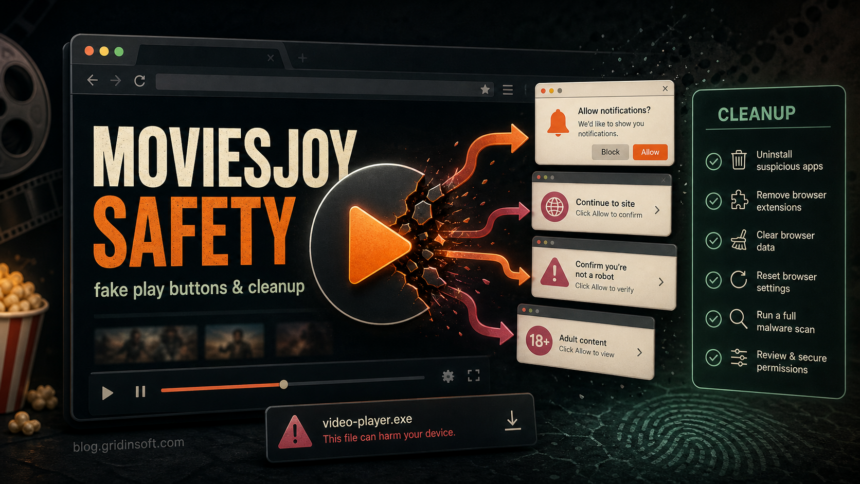
MoviesJoy is not a safe or trustworthy place to approve browser prompts, install video players, enter card details, or download files. The main risks come from clone domains, fake play buttons, pop-under ads, notification prompts, and “codec” or “player” downloads. If you only opened a page and closed it, the risk is usually low. If you allowed notifications, downloaded something, or typed payment/login data, clean up the browser and Windows before you keep browsing.
Names such as moviesjoy.to and moviesjoy.art do not prove that a page is official or safe. Search results and social discussions point to changing mirrors, “no ads” clones, and lookalike sites on different domains. The safer decision is to avoid the site family and treat every prompt or download as untrusted.
Is MoviesJoy Safe?
MoviesJoy is not a safe or trustworthy streaming choice for security-sensitive browsing. Unauthorized streaming sites can disappear, change domains, rotate ad partners, or show different redirects to different visitors. The FTC has also warned that illegal streaming apps and add-ons can bring malware with the pirated content ecosystem [1].
A Gridinsoft reputation check for one observed MoviesJoy-related domain, moviesjoy.art, showed a mixed Caution Advised result rather than a clean trust verdict: no major blacklist hit at that check, but a relatively new domain and streaming-media context still made it unsuitable for important actions [3]. That is the right way to read these sites: a domain may not be actively blacklisted today and still be a poor place to grant browser permissions or run downloads.
What Can Go Wrong On MoviesJoy-Like Sites?
- Fake play buttons. A click that looks like “play” opens another tab, ad chain, fake CAPTCHA, or download prompt.
- Notification spam. “Allow to verify” or “Allow to continue” can give the site permission to send fake virus alerts later.
- Player, codec, APK, or extension traps. The page asks you to install a helper app instead of playing a video in the browser.
- Card verification scams. A “free account” or “age check” asks for payment details and then creates subscription or fraud risk.
- Browser hijacker symptoms. New tabs, search redirects, homepage changes, and unknown extensions can remain after the stream tab is closed.
- Downloaded-file risk. A file named like a video may actually be an installer, script, archive, ISO, or shortcut.
What To Do If You Already Clicked
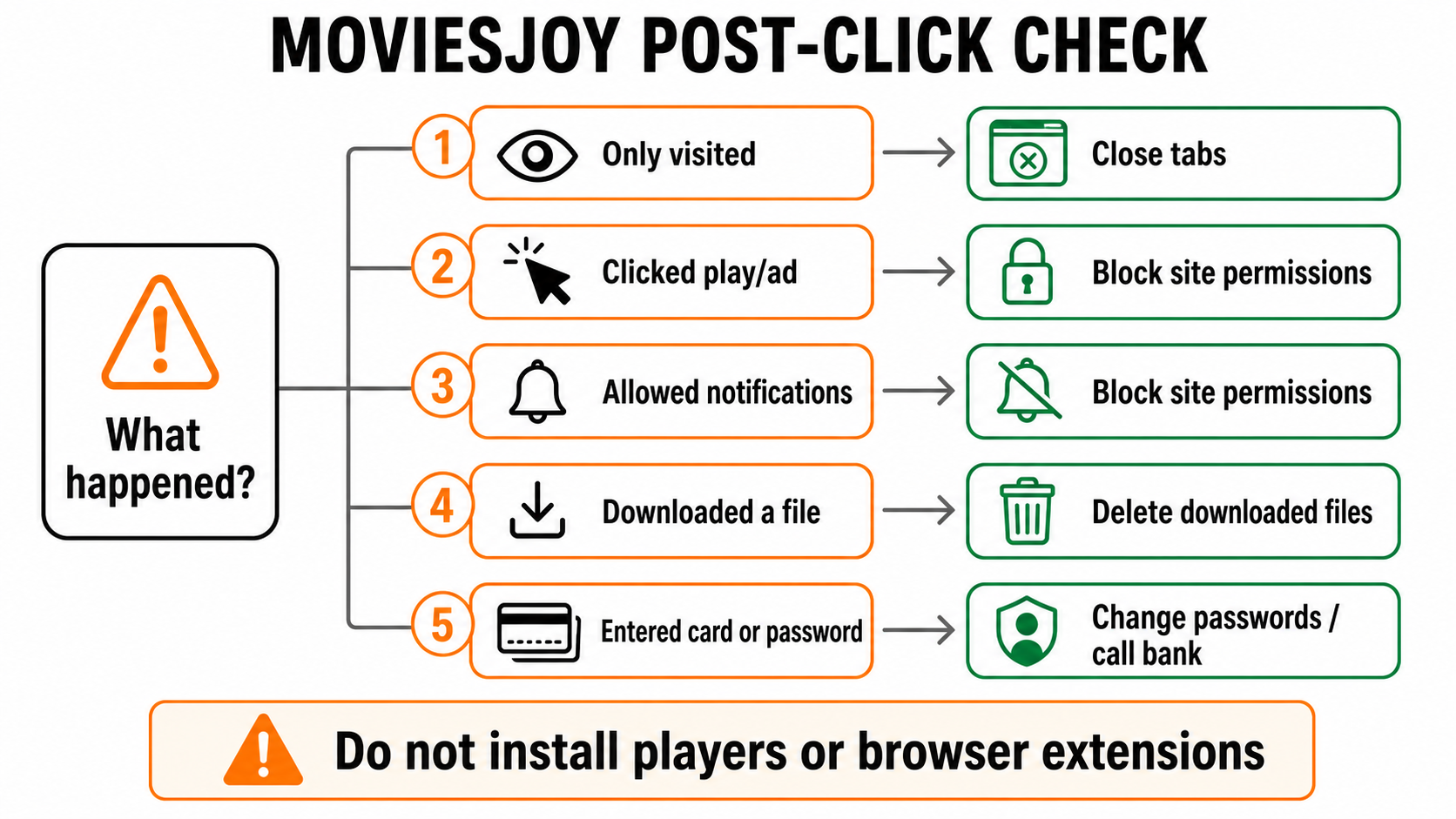
| What happened | Risk and what to do now |
|---|---|
| You only visited the page | Close the tab. Do not restore the session if it keeps reopening the same domain. No password change is normally needed if you did not type anything or download anything. |
| You clicked play or an ad | Close every new tab that opened. Do not continue through fake CAPTCHA, “verify,” “update player,” or “install extension” screens. |
| You allowed notifications | Open browser site settings and remove notification permission for the MoviesJoy-like domain and any suspicious redirect domains. Fake virus alerts often come from this permission, not from a real antivirus scan. |
| You downloaded a file | Do not run it. Delete the download if it is an EXE, MSI, SCR, JS, VBS, BAT, CMD, ISO, LNK, ZIP/RAR archive, APK, or “codec/player” installer. If you already ran it, scan Windows and review startup apps. |
| You entered card or password data | Change the password on the real account, revoke active sessions where possible, watch for account recovery emails, and call the card issuer if payment details were entered. |
Remove MoviesJoy Notification Pop-Ups
If fake virus alerts appear after the visit, check browser notifications first. In Chrome, go to Settings → Privacy and security → Site settings → Notifications, then remove any MoviesJoy-like domain or unknown site from the allowed list. Google’s Chrome Help lists persistent pop-ups, redirects, returning extensions, and fake virus alerts as signs of unwanted software or abusive browser settings [2].
After removing permissions, close the browser completely and reopen it. If the same alerts return, check installed extensions, homepage/search settings, and recently installed apps. Our broader guide to fake virus alerts and browser notifications walks through the same cleanup path in more detail.
Check Any File Downloaded From A Streaming Redirect
A real video file should not require a separate .exe, .msi, browser extension, remote support tool, or “codec” installer from a random redirect page. Be especially careful with files from the Downloads folder, browser cache, or compressed archives. If the final file extension is not a normal media extension, treat it as software, not a movie.
If you already ran a player, codec, APK, extension, archive, or installer from a MoviesJoy redirect, a browser reset alone may not remove the problem. A loader, scheduled task, startup item, extension, proxy/DNS change, or bundled adware module can keep redirects coming back. Run a full Gridinsoft Anti-Malware scan, remove detections, reboot, and scan again if pop-ups or redirects return.
Safer Decisions Next Time
- Do not approve Allow notifications prompts to watch a movie.
- Do not install players, codecs, extensions, VPN profiles, APKs, or “download managers” from streaming redirects.
- Do not enter card details for a “free verification” page.
- Use legal streaming sources when possible; do not trust a clone only because it has fewer ads today.
- For suspicious links, check the domain first with the Gridinsoft Website Reputation Checker.
- If a downloaded file pretends to be a video, compare it with our guide on MP4 malware risk and safe file checks.
Related Gridinsoft Guides
- Free Movie Streaming Site Scams explains the broader fake-play-button and card-verification pattern.
- Browser Hijacker Removal Guide helps if search, homepage, extension, or redirect settings changed.
- Signs of Online Scams covers the warning signs behind payment and account traps.
- How to Check if an EXE File Is Safe helps before you run a downloaded installer.
Related streaming-safety guides: if the brand name is the issue, see the 123Movies safety, clone recognition, and cleanup guide for 123Movies, FMovies, SFlix, and Soap2Day-style redirects.
FAQ
Can I get malware just by opening MoviesJoy?
Usually the higher risk starts when you click redirects, allow notifications, download a file, install an extension, or enter data. Still, close the page if it launches pop-ups, fake security warnings, or download prompts.
Are MoviesJoy virus notifications real?
Most browser notifications that say your computer is infected are scareware messages from a site permission. Remove the notification permission and then check extensions and installed apps if alerts keep returning.
Is a MoviesJoy mirror safe if it has fewer ads?
No. A cleaner-looking mirror can still change redirects, rotate ad networks, or ask for permissions later. Do not use low-ad appearance as a trust signal.
Should I change passwords after visiting MoviesJoy?
Change passwords only if you typed them into a page, installed suspicious software, or later saw account warnings. If you only opened the page and closed it, password changes are normally unnecessary.
Should I scan my PC after a MoviesJoy redirect?
Scan if you downloaded or ran anything, installed an extension, allowed notifications and cannot stop alerts, or see redirects after reopening the browser.
References
- Federal Trade Commission. “Malware from illegal video streaming apps: What to know.” FTC Consumer Advice, May 2, 2019, accessed July 7, 2026. https://consumer.ftc.gov/consumer-alerts/2019/05/malware-illegal-video-streaming-apps-what-know
- Google Chrome Help. “Remove unwanted ads, pop-ups and malware.” Google Help, accessed July 7, 2026. https://support.google.com/chrome/answer/2765944
- Gridinsoft. “Moviesjoy.art – Safe or Scam? Website Reputation Check.” Gridinsoft Website Reputation Checker, June 2, 2026, accessed July 7, 2026. https://gridinsoft.com/online-virus-scanner/url/moviesjoy-art