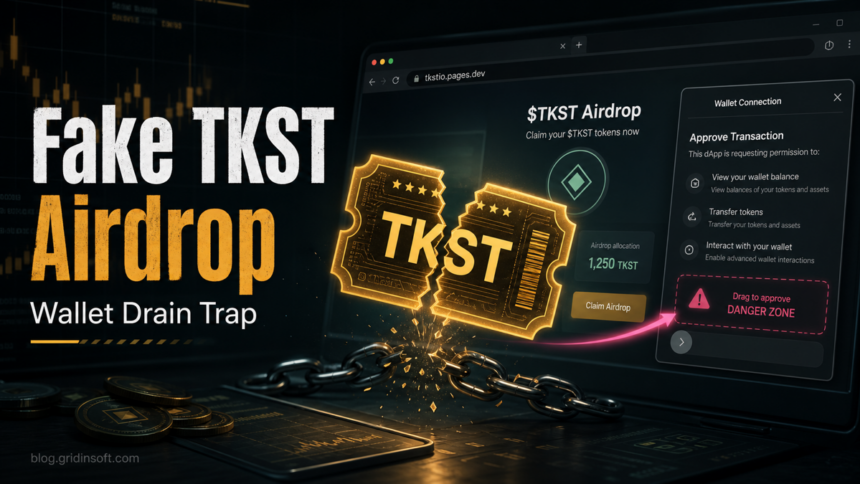
The TokenSight TKST Airdrop page at tkstio.pages.dev is a fake crypto-airdrop lure, not a safe place to connect a wallet. Gridinsoft’s Website Reputation Checker flags the domain as a crypto scam with a 1/100 trust score, and the page follows a familiar wallet-drainer pattern: promise free tokens, ask for a wallet connection, then push the user toward a risky approval. If you already connected a wallet, disconnecting the site is not enough by itself; check approvals and move valuable assets if you signed anything broad.
What Is the TokenSight TKST Airdrop Scam?
The lure uses the name TokenSight and $TKST to make a token claim page look like a legitimate Web3 promotion. The risky domain is tkstio.pages.dev, which is separate from any trusted project page you may have bookmarked or opened manually. The scam angle is simple: a free-token message lowers suspicion, while the wallet connection prompt creates the chance to request token access or a malicious signature.
This is not the same risk as receiving a random token in a wallet. The dangerous step is interacting with the fake claim page, connecting a wallet, approving permissions, signing a message you do not understand, or entering recovery words. That is why the safest answer is to close the page, do not approve anything, and verify the project from a known official source instead of the airdrop link.
Why tkstio.pages.dev Is Risky
- The domain is not a normal project domain. A
pages.devsubdomain can be used for legitimate hosting, but scammers also use disposable subdomains for fast-moving phishing pages. - The offer depends on urgency and free tokens. Fake airdrops often use “claim now” wording, countdown pressure, or eligibility checks to make users click before verifying.
- The wallet prompt is the real danger. A wallet-drainer page may request token approvals or signatures that let attackers move assets after the user clicks approve.
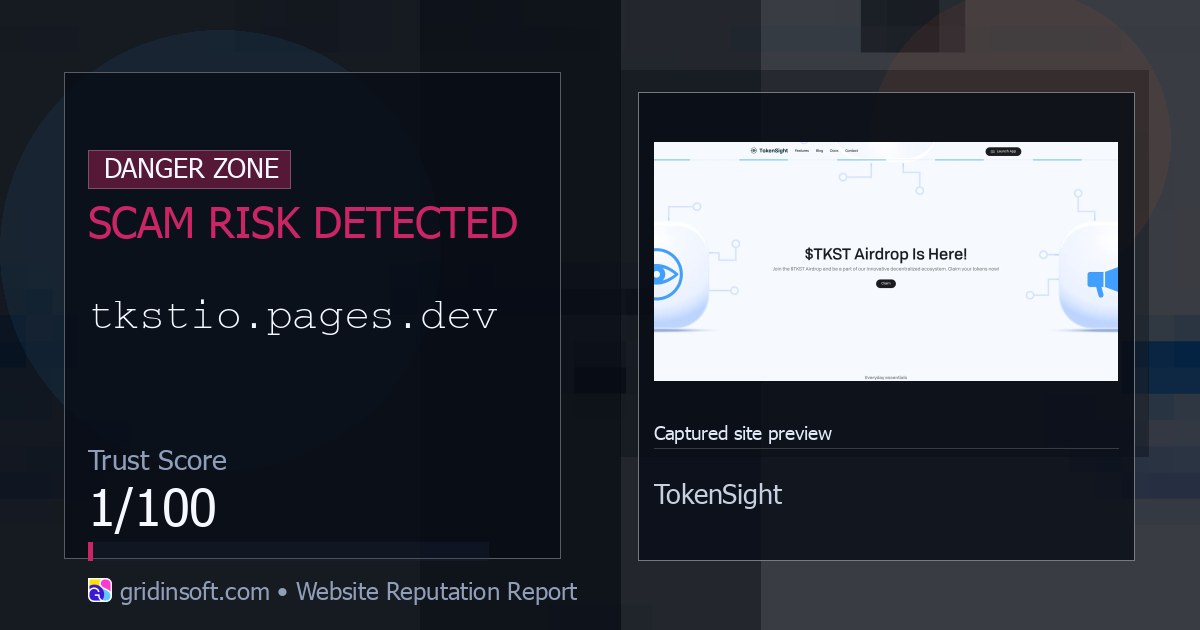
- Gridinsoft already classifies the domain as unsafe. The Gridinsoft safety check for tkstio.pages.dev reports a crypto-scam verdict and a 1/100 trust score.
If You Only Opened the Page
If you opened tkstio.pages.dev but did not connect a wallet, approve a transaction, sign a message, enter a seed phrase, install an extension, or download a helper app, the immediate wallet risk is lower. Close the tab, clear the browser notification permission if the page asked for it, and do not return through the same ad, DM, social post, or email link.
Also check whether the page tried to download anything. If a file, browser extension, mobile app, or “wallet verifier” was installed, treat that as a separate device-security issue and scan the system before using the wallet again.
If You Connected a Wallet
- Do not approve new prompts. Reject pending transactions or signatures from the fake page and close it.
- Disconnect the site in your wallet. This removes the visible connection, but it does not automatically revoke token approvals already granted on-chain.
- Review token approvals from a trusted path. Open your wallet or a reputable block-explorer approval checker manually, not from the scam page, and revoke approvals you do not recognize.
- Move valuable assets if you signed broad permissions. Use a clean device and a fresh wallet if you exposed a seed phrase, signed a suspicious unlimited approval, or already see unauthorized transfers.
- Watch for recovery scams. Anyone promising guaranteed crypto recovery for an upfront fee is likely trying to take more money.
- Scan the device if anything was installed. Use the Gridinsoft Online Virus Scanner for suspicious files or run a local scan if an app, extension, or archive from the lure was opened.
How This Differs From Other Airdrop Scams
The core pattern is the same as other fake airdrop and wallet-drainer campaigns: a branded reward page, a wallet action, and pressure to approve before checking. The distinct value of this warning is the exact domain and lure name. If you are researching broader patterns, compare it with Gridinsoft’s Ethereum Genesis Airdrop scam, fake crypto vote rewards scam, and Solana giveaway scam guides.
How to Check the Next Airdrop Link Safely
- Type the project website yourself or use a saved bookmark instead of a social-media, ad, DM, or email link.
- Never type a seed phrase, private key, or recovery words into a website.
- Read the wallet prompt before approving. A claim page should not need broad transfer rights for unrelated assets.
- Search the exact domain, not only the project name. Scams often borrow a real brand while using a different domain.
- Use a separate low-value wallet for testing risky Web3 pages, and keep long-term holdings in a wallet that never touches unknown claim sites.
FAQ
Is the TokenSight TKST Airdrop real?
The page at tkstio.pages.dev should be treated as fake. It uses a free-token claim to push wallet interaction, and Gridinsoft flags the domain as a crypto scam.
Can my wallet be drained just by visiting tkstio.pages.dev?
Opening the page is not the same as approving a wallet action. The dangerous steps are connecting a wallet, signing a message, approving token access, entering recovery words, or installing something from the page.
Is disconnecting the site enough after I connected?
No. Disconnecting removes the visible dApp connection, but existing token approvals can remain on-chain. Review and revoke suspicious approvals from a trusted wallet or block-explorer path.
Should I move my crypto to a new wallet?
Move valuable assets to a fresh wallet if you entered a recovery phrase, signed an approval you do not understand, or already see unauthorized transfers. Use a clean device and avoid any “recovery agent” who asks for an upfront payment.
Should I scan my computer?
Scan if the lure made you download a file, install an app or extension, enable notifications, or if the browser now redirects to other crypto pages. A wallet approval is an on-chain risk, but downloads and extensions can create a separate device risk.
References
- MetaMask Support. “How to avoid scammers, rug pulls, and airdrop scams.” MetaMask, accessed June 22, 2026. https://support.metamask.io/stay-safe/safety-in-web3/scammers-and-phishers-rugpulls-and-airdrop-scams/
- Chainalysis. “Understanding Crypto Drainers.” Chainalysis, February 2024, accessed June 22, 2026. https://www.chainalysis.com/blog/crypto-drainers/
- Federal Trade Commission. “What To Know About Cryptocurrency and Scams.” FTC Consumer Advice, accessed June 22, 2026. https://consumer.ftc.gov/articles/what-know-about-cryptocurrency-scams