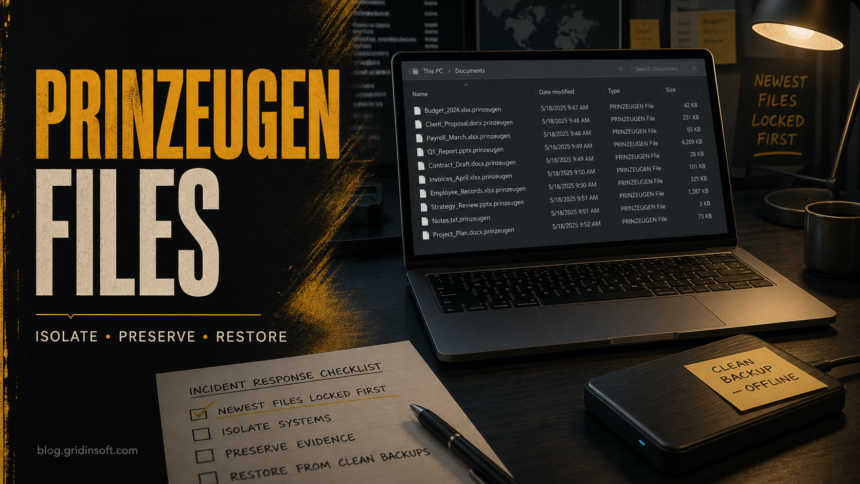
Prinz Eugen ransomware is a file-encrypting threat reported to prioritize recently modified files, rename locked data with the .prinzeugen extension, and in analyzed samples leave no ransom note on disk. If you see files such as report.docx.prinzeugen, disconnect the affected computer from the network, preserve encrypted samples, and check clean backups or reputable decryptor projects before trying any recovery tool. Malware cleanup can stop more damage, but it cannot decrypt files that were already locked.
How to recognize Prinz Eugen ransomware
Public research describes Prinz Eugen as a Go-based ransomware family. Its most useful victim-side clue is the .prinzeugen extension. The lack of a ransom note is also important: do not assume the incident is harmless or incomplete just because there is no README file in the folders.
| Sign | What it means |
Files end in .prinzeugen |
The files were renamed after encryption. Do not bulk-rename them back; that does not reverse encryption and can damage later recovery work. |
| No ransom note appears | Known reporting says Prinz Eugen may extort victims out-of-band instead of dropping a local note. Preserve logs and messages if anyone contacts you. |
| Newest documents are affected first | Recent files, project folders, invoices, spreadsheets, or live work may be hit before older archives. |
| Unexpected remote-access activity | For business systems, check for recent RDP, remote-management tools, unknown admin accounts, and PowerShell activity. |
What to do in the first 30 minutes
- Isolate the system. Unplug Ethernet, turn off Wi-Fi, disconnect VPN, and remove shared drives. If the device is still encrypting files and you cannot isolate it quickly, shut it down to limit further damage.
- Stop sync and backup overwrites. Pause OneDrive, Google Drive, Dropbox, NAS sync, backup agents, and scheduled cleanup jobs so encrypted copies do not replace clean versions.
- Preserve evidence. Keep several encrypted
.prinzeugenfiles, folder paths, file timestamps, screenshots, security alerts, and any contact message from the attacker. - Do not run random decryptors. Fake decryptor pages can install more malware or corrupt files. Work on copies only.
- Check whether other machines are affected. Look at shared folders, mapped drives, servers, and other PCs that used the same credentials.
Can .prinzeugen files be decrypted for free?
At the time of this publication, current checks did not find a public free decryptor specifically for Prinz Eugen ransomware. That may change, so keep encrypted samples and check reputable projects such as No More Ransom before giving up on recovery. Do not upload confidential business files to unknown “recovery” sites; use non-sensitive samples where possible.
If a future decryptor becomes available, it will usually need an encrypted file, a clean original copy, a ransom note or family identifier, or a precise extension pattern. That is why preserving the files unchanged matters. Renaming .prinzeugen files, running repair utilities directly on the only copy, or editing timestamps can reduce future recovery options.
Remove malware before restoring files
Do not reconnect backups or shared folders until the active threat is removed. On a home PC, start with the built-in security history, installed-app list, browser extensions, startup entries, scheduled tasks, and recent downloads. On business systems, include remote-access logs, RDP sign-ins, domain accounts, PowerShell history, and any unexpected remote-management software.
After the manual containment checks, run a full Gridinsoft Anti-Malware scan from a clean download path and remove detected malware, loaders, suspicious startup entries, hidden files, and persistence. Reboot, scan again if symptoms return, and only then reconnect backup media or restore data. A scan can find malware remnants and persistence; it cannot decrypt files already encrypted by the ransomware.
After uninstalling the suspicious app or deleting the visible threat, use Gridinsoft Anti-Malware to check hidden files, startup entries, scheduled tasks, bundled apps, browser changes, and other persistence points that can restore malware.
Download Anti-MalwareSafe recovery options
- Offline or immutable backups: restore to a clean system after scanning the backup storage. Do not restore into the same infected Windows session.
- Cloud version history: check OneDrive, SharePoint, Google Drive, Dropbox, or your backup platform for file versions before the encryption time.
- Clean original copies: look for email attachments, exported reports, removable drives, accounting-system exports, or colleague copies that were not mounted during encryption.
- Shadow copies: check them, but do not rely on them; many ransomware incidents delete or damage local restore points.
- Clean reinstall: if the machine had remote-access abuse, unknown admin accounts, repeated detections, or stolen credentials, rebuild from trusted Windows media and restore only scanned personal files.
If you need a clean rebuild path, use our clean Windows install USB after malware guide before reconnecting data. If your case resembles other extension-based ransomware, compare the recovery order with our Friends ransomware and Hommy ransomware guides.
If the attacker contacts you later
Because Prinz Eugen may avoid a local ransom note, contact can arrive later by email, phone, web form, or another channel. Preserve the message, headers, phone number, URLs, payment demand, and any sample-file offer. Do not send extra files, credentials, ID documents, screenshots of internal systems, or remote-access invitations to the attacker. For business data, involve incident response, legal, and insurance contacts before replying.
Paying is not a reliable recovery plan. It does not prove the attacker will decrypt files, delete stolen data, or leave the environment. Treat the ransom demand as evidence, not as a support channel.
How to reduce repeat risk
- Keep at least one offline or immutable backup set and test restores regularly.
- Disable exposed RDP where possible; protect remote access with MFA, allowlists, and logs.
- Remove unused remote-management tools and audit local admin accounts.
- Patch Windows, browsers, VPN clients, backup agents, and exposed business apps quickly.
- Use least-privilege access for shared folders so one infected account cannot rewrite everything.
- Keep security alerts, PowerShell logging, and backup failure alerts visible to someone who can act quickly.
FAQ
Does removing Prinz Eugen ransomware decrypt .prinzeugen files?
No. Removal stops the active malware and reduces reinfection risk, but encrypted files stay encrypted unless you restore clean copies or a valid decryptor becomes available.
Should I rename .prinzeugen files back to their old names?
No. Renaming only hides the symptom. It does not reverse encryption, and it can make identification or future decryptor work harder.
Why is there no ransom note?
Public analysis says Prinz Eugen samples may not include ransom-note functionality. The operators can still try out-of-band contact, so preserve logs and messages instead of assuming the attack failed.
Can I use a paid recovery service?
Be careful. Legitimate incident-response firms will explain their method, preserve evidence, and avoid guarantees. Avoid services that promise instant decryption, ask for remote access before scoping, or resell random decryptors.
When should I reinstall Windows?
Reinstall when the system had remote-access abuse, unknown admin accounts, repeated detections, stolen credentials, or unclear persistence. Build install media on a trusted device and restore only scanned files.
References
- ThreatDown. “Prinz Eugen ransomware: a deep dive into a new Go-based encryptor.” ThreatDown, June 17, 2026; accessed June 22, 2026. https://www.threatdown.com/blog/prinz-eugen-ransomware-a-deep-dive-into-a-new-go-based-encryptor/
- The No More Ransom Project. “Crypto Sheriff.” Europol and partners, accessed June 22, 2026. https://www.nomoreransom.org/crypto-sheriff.php?lang=en
- CISA, FBI, NSA, and MS-ISAC. “#StopRansomware Guide.” Cybersecurity and Infrastructure Security Agency, May 2023; accessed June 22, 2026. https://www.cisa.gov/news-events/alerts/2023/05/23/cisa-and-partners-update-stopransomware-guide-developed-through-joint-ransomware-task-force-jrtf