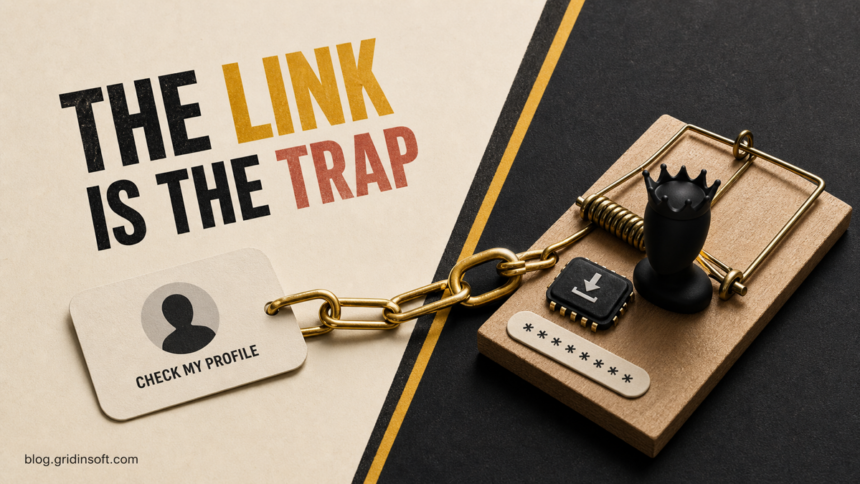
Roblox friend requests from accounts named CheckMy_Profile or CheckMy_Description are profile-bait spam. Receiving the request, declining it, accepting it, or viewing the profile does not by itself install malware or reveal your password. The real risk starts when the profile pushes you to an outside link and you enter credentials or codes, share a cookie, complete a paid offer, grant a browser or app permission, or download something.
Players have recently described receiving dozens of nearly identical requests with matching avatars and profile text promising a free Headless avatar, Robux, or valuable in-game items.[1] Treat the accounts as scam bots: do not follow the profile link, block and report the relevant content, and use the response branch below that matches what you actually did.
What your exposure means
| What happened | Risk and what to do |
|---|---|
| You only received or declined the request | Your account and device are not compromised by the notification. Decline, report, and block the sender. |
| You accepted the request | Accepting alone does not expose your password, but it may let the account contact you. Unfriend or block it and ignore follow-up chat. |
| You viewed the Roblox profile | A normal profile view is not an infection. Do not open any outside URL shown in the description, group, or chat. |
| You opened the outside page but entered nothing | Close it, check for downloads and new permissions, and remove any notification permission or extension the page requested. |
| You entered a password, code, cookie, or recovery token | Assume the account may be exposed. Secure Roblox and the connected email from a trusted device immediately. |
| You paid, completed an offer, installed an extension, or ran a file | Stop the transaction where possible, remove the added software, scan the device, and secure accounts after the device is clean. |
Why the accounts say “check my profile”
The display name is an instruction, not a real identity. A bot can send many friend requests without putting a suspicious URL in the request itself. The user sees the repeated name, opens the profile out of curiosity, and finds a free-item promise or an obfuscated route to another website.
Moving the victim outside Roblox is the important step. On an external page, the operator can imitate a Roblox sign-in, ask for a two-step verification code, request a browser cookie, push a survey or subscription, show a fake item-transfer button, or offer a download. Roblox explicitly warns users not to share passwords, browser cookies, 2SV codes, or backup codes and to sign in only through the official Roblox site or apps.[2]
How to recognize the current friend-request wave
- Several requests arrive close together from accounts with similar avatars or profile layouts.
- The display name says CheckMy_Profile, CheckMy_Description, or a close spelling variation.
- The profile promises free Headless, free Robux, limited items, MM2 godlys, or an “account transfer.”
- The description creates urgency: “working 2026,” “only a few left,” or “claim now.”
- A link, spaced-out domain, social handle, group description, or chat message moves you away from Roblox.
- The outside page asks for information or actions that Roblox does not need for a legitimate friend request.
Do not try the link to find out whether it is dangerous. Scam destinations rotate, and the same profile wording can lead to phishing, offer walls, notification spam, unwanted extensions, or malicious downloads.
What to do if you only received, accepted, or viewed the profile
- Decline the request or remove the account from friends. Accepting did not hack you, but there is no benefit in keeping a bot connected.
- Report the specific profile text, message, or other content. Roblox says specific reports give moderators more useful context than a generic profile-only report.[3]
- Block the account. This cuts off direct contact from that user. A wave may use many accounts, so blocking one sender may not stop every new request.
- Ignore follow-up messages. Do not move the conversation to Discord, Telegram, another social network, or a private website.
You do not need to reset the device or change passwords merely because a request arrived or you viewed a profile on roblox.com. That would not match the exposure.
What to do after opening the outside link
If you opened the page but did not type anything, approve a prompt, or download a file, close the tab. Then check the browser’s Downloads list and site permissions. Remove any notification permission, pop-up permission, extension, or app that appeared during the visit. If the page keeps reopening or the browser starts redirecting, follow the browser-extension persistence checks instead of repeatedly closing the tab.
Entering only a public Roblox username is not the same as giving away a password. However, it may confirm that the username is active and move you deeper into an offer or phishing funnel. Stop there and do not provide credentials, codes, payment information, or downloads.
What to do if you entered Roblox credentials or codes
- On a trusted device, type roblox.com yourself or use the official app. Do not return through the suspicious link.
- Change the Roblox password to a unique one. If you reused it, change it anywhere else it was used.
- Secure the connected email account with a new unique password and strong two-factor authentication.
- Review Roblox security settings, verified email and phone details, linked login methods, and active sessions. Sign out sessions you do not recognize.
- Enable 2-Step Verification or phishing-resistant protection if it is available to the account.
- Check Robux, inventory, trades, purchases, messages, and changed account details. Contact official Roblox Support if you lost access or assets.
Never paste a browser cookie or recovery token into a form or chat. Those values can sometimes authorize a session without the normal password prompt. For a broader recovery sequence across Roblox, Steam, Discord, or Epic, use the gaming account recovery scam guide.
What to do after an offer, payment, extension, or download
If the page asked you to complete surveys or paid offers, stop before the final step. Review any card, mobile-billing, app-store, or subscription activity and contact the payment provider about charges you did not authorize. Do not pay a second “verification” or “release” fee to recover the first payment.
If you installed a browser extension, mobile app, remote-support tool, or Windows file, disconnect the affected device from sensitive account activity. Remove the new item, review browser policies and startup entries, and run a full security scan. A visible download may be only one part of the change: an extension, scheduled task, bundled app, or browser permission can keep redirects and credential theft active after the original file is deleted.
Run a full Gridinsoft Anti-Malware scan, remove detected items, restart the PC, and scan again if the alert or redirect returns. Change important passwords only after you have removed suspicious local software or use a separate trusted device.
If the page or email made you download an invoice, coupon, tracking app, browser extension, or support tool, scan the PC before opening it again or logging into sensitive accounts.
Scan the device for hidden leftoversHow parents can reduce repeat Roblox scam exposure
- Set one simple rule: no free-item link requires a Roblox password, cookie, code, download, or payment.
- Ask the child to show you the request before moving to another app or site.
- Use age-appropriate privacy and communication controls and review who can message or invite the account.
- Keep the verified email under the player’s or parent’s control and use unique passwords.
- Explain that reporting helps moderation, but a new bot account may still send another request.
The broad Roblox Robux generator scam guide explains the survey and fake-reward funnel, while the Blox chat-spam warning covers similar bait placed inside game chat. Keep those adjacent patterns separate from the immediate question here: a friend request or profile view alone is not an infection.
FAQ
Can accepting a Roblox friend request hack my account?
No. Accepting a request by itself does not reveal your password or install malware. The new contact can still send social-engineering messages, so remove and block an unknown bot account.
Can viewing a Roblox profile give the sender my IP address?
Viewing a normal profile on roblox.com does not send your password to the profile owner. The important boundary is an outside link controlled by someone else; do not open it.
Why did I receive dozens of nearly identical requests?
The pattern is consistent with automated accounts distributing the same profile bait at scale. It does not mean your device is already infected or that the bots know your password.
Should I change my password if I clicked the profile?
Not for a profile view alone. Change it if you entered credentials or a code on another site, shared a cookie or token, or see unauthorized account changes.
Will reporting one account stop all the requests?
It may help Roblox act on that account and related content, but a wave can use many accounts. Decline, report the specific bait, block the sender, and repeat only for new requests you actually receive.
References
- RobloxHelp community. “I just opened Roblox to be greeted with this. What is happening?” Reddit, July 17, 2026, accessed July 31, 2026. Public symptom report.
- Roblox Support. “Keep Your Account Safe.” Roblox, accessed July 31, 2026. Official account-safety guidance.
- Roblox Support. “How to Report Rule Violations.” Roblox, accessed July 31, 2026. Official reporting guidance.