Strong passwords still matter, but in 2026 the winning setup is not an eight-character puzzle. Use a unique 16+ character password or passphrase for every account, store it in a reputable password manager, and turn on MFA or passkeys for email, banking, social media, and recovery accounts. A strong password can stop guessing and credential stuffing; it cannot save you if you reuse it after a breach, type it into a phishing page, or log in from a malware-infected device.
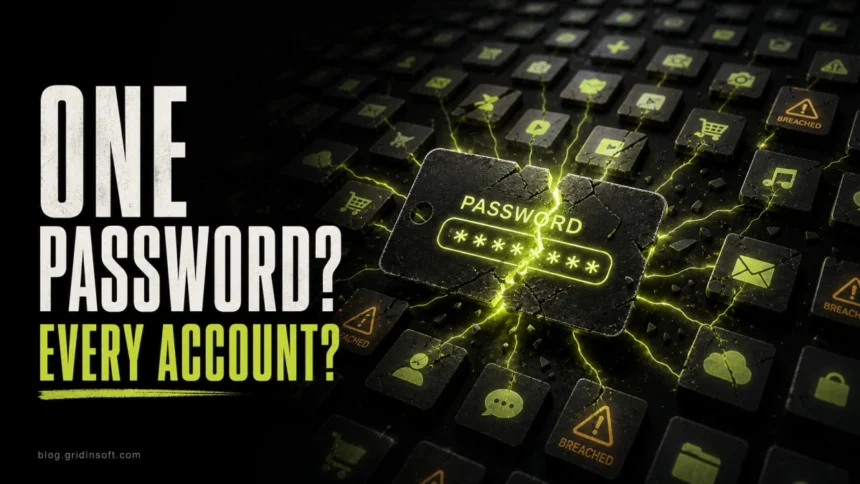
If you only change one habit, stop reusing passwords. One leaked login should not unlock your email, cloud storage, shopping account, bank, and social media at the same time.
What makes a password strong now?
A modern strong password is long, unique, random enough that it cannot be guessed, and not already exposed in a breach. Complexity helps, but length and uniqueness do more real work than forcing people to remember short strings full of substitutions.
| Rule | Why it matters |
|---|---|
| Use 16+ characters when possible | Length makes guessing and offline cracking far less practical. A long passphrase is easier to remember than a short, awkward code. |
| Use a different password for every account | Credential stuffing depends on reuse. If one service leaks, attackers try the same login everywhere else. |
| Let a password manager generate most passwords | Random generated passwords remove the human patterns attackers expect: names, dates, keyboard walks, and simple word-plus-number endings. |
| Avoid personal details and common phrases | Birthdays, pet names, sports teams, and public profile details make dictionary attacks easier. |
| Turn on MFA or passkeys | A password alone is not enough if it is phished, stolen by malware, or exposed in a breach. |
Use one account, one password
Password reuse is the part that usually turns a small breach into a big personal incident. Attackers do not need to “hack” every site you use. They can buy or download credentials from one leak, then automate login attempts against email, streaming, shopping, social media, gaming, and banking services.
Your email account is the most important one because it resets other passwords. Give email a unique long password, MFA, recovery details you control, and no unknown forwarding rules. If email falls, the attacker can often reset everything else.
Password manager or memorized passphrase?
For most people, a password manager is the practical answer. It can generate unique random passwords, warn about reused or weak entries, and autofill only on the correct domain, which also helps against lookalike phishing pages. You still need one very strong master password and MFA on the password manager itself.
Use memorized passphrases only where you truly must type the secret yourself, such as your device login, password manager master password, or a few recovery-critical accounts. A good passphrase uses several unrelated words and is not a quote, song lyric, address, birthday chain, or personal inside joke that someone could guess from your public life.
Do not change good passwords on a calendar
Changing every password every 30, 60, or 90 days can push people toward predictable patterns like adding a month, season, or number. Change a password when there is a reason: a breach notice, password reuse, suspicious sign-in, phishing entry, malware infection, shared password, lost device, or an account recovery event you did not start.
If a password is long, unique, stored safely, and there is no sign it was exposed, spend your effort on MFA, recovery settings, account alerts, and device cleanup instead of arbitrary rotation.
If your password may already be stolen
When you suspect a password was stolen, the order matters. If the device is infected, changing passwords from that same device can hand the new passwords to the attacker too.
If an account is already under someone else’s control, follow the hacked-account recovery checklist for the email-first, session-revocation, payment, and contact-warning steps.
- Use a clean device first. If you saw malware symptoms, fake browser alerts, unknown extensions, cracked software, or a suspicious installer, switch to a trusted phone or another clean computer for account recovery.
- Secure email before other accounts. Change the email password, enable MFA, remove unknown recovery methods, check forwarding rules, and sign out of other sessions.
- Change reused passwords everywhere. Start with banking, payment, cloud storage, social media, work, crypto, and shopping accounts.
- Sign out of active sessions. Many attacks use cookies and tokens, so a password reset alone may not remove every logged-in session.
- Revoke suspicious apps and OAuth access. Check connected apps, browser extensions, mail rules, app passwords, and backup codes.
- Scan the computer before logging back in. A password stealer, keylogger, or browser hijacker can capture the next login if it remains active. Run a full security scan with your trusted antivirus; Gridinsoft Anti-Malware can be used as a second-opinion cleanup scan when there are malware symptoms.
For a deeper cleanup sequence after stealer malware, see the Gridinsoft guide to password stealer malware recovery. If the problem started after a suspicious link, use the clicked a phishing link checklist before entering new credentials.
How criminals get passwords
Credential stuffing
Attackers take usernames and passwords from one breach and try them on other services. This is why a long password is still dangerous if you reuse it. The 2026 Chick-fil-A One credential stuffing incident shows how reused logins can expose rewards and stored account details without evidence that the service lost its own password database. Read more about the broader pattern in our password attacks guide.
Phishing and fake login pages
Phishing does not need to crack a password. It tricks you into typing it into a fake page, fake support flow, QR-code lure, or cloned login screen. A password manager can help because it usually will not autofill on the wrong domain, but you still need to verify unexpected login prompts.
Password stealers and keyloggers
Stealer malware can collect browser passwords, cookies, session tokens, crypto wallet data, and sometimes password-manager-related artifacts. Keyloggers record what you type. This is why account recovery should start from a clean device when malware is suspected.
Data breaches
A service can leak user data even when your own device is clean. If a breach affects a password you reused, treat every account with that password as exposed. Our data breach vs data leak explainer covers the difference and what to check.
Strong password checklist
- Use a unique password for every account.
- Prefer 16+ characters, or a long passphrase for passwords you must remember.
- Use a password manager to generate and store random passwords.
- Turn on MFA or passkeys for email, finance, work, cloud, social, and password manager accounts.
- Do not reuse your email password anywhere else.
- Do not share passwords in chat, email, screenshots, tickets, or shared documents.
- Do not enter passwords on untrusted public computers or devices you suspect are infected.
- Change passwords after evidence of compromise, not just because the calendar says so.
- Review account recovery methods, active sessions, and connected apps regularly.
Password strength is only one layer. Pair it with phishing awareness, malware protection, browser hygiene, and account alerts. For a broader routine, use our personal data protection checklist and the guide on whether a password manager is safe.
FAQ
Can a strong password still be hacked?
Yes. A strong password can resist guessing, but it can still be stolen through phishing, malware, a fake login page, a data breach, or password reuse on another service.
How long should a password be in 2026?
Use at least 16 characters when the service allows it. For a memorized password, a long passphrase made of unrelated words is usually better than a short complex string.
Are password managers safe?
A reputable password manager is safer than reusing passwords or storing them in notes, documents, or screenshots. Protect the manager with a strong master passphrase, MFA, device security, and recovery options you understand.
Should I change all passwords after one account is hacked?
Change every account that used the same or similar password. Also change recovery email and high-value accounts if the attacker may have accessed your mailbox, browser passwords, session cookies, or device.
References
- Cybersecurity and Infrastructure Security Agency. “Use Strong Passwords.” CISA Secure Our World, accessed June 7, 2026. https://www.cisa.gov/secure-our-world/use-strong-passwords
- National Institute of Standards and Technology. “SP 800-63B, Authentication and Authenticator Management.” NIST Digital Identity Guidelines, accessed June 7, 2026. https://pages.nist.gov/800-63-4/sp800-63b.html
- Federal Trade Commission. “Use Two-Factor Authentication To Protect Your Accounts.” FTC Consumer Advice, accessed June 7, 2026. https://consumer.ftc.gov/articles/use-two-factor-authentication-protect-your-accounts