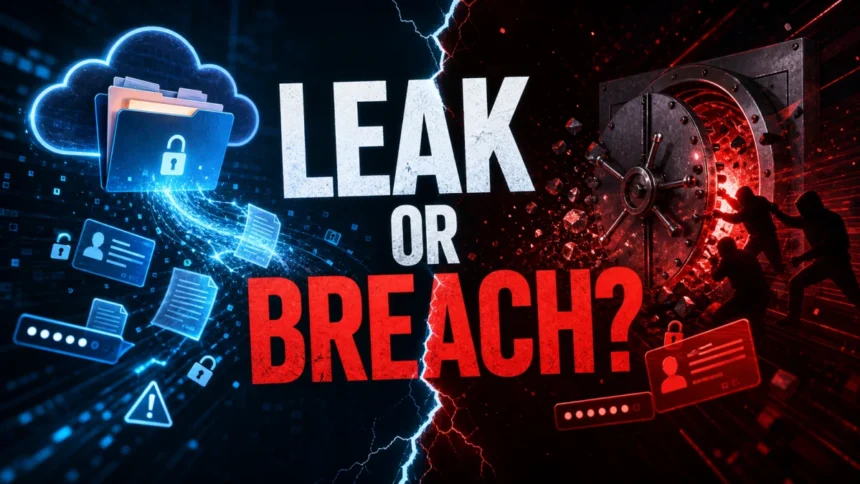
A data breach is unauthorized access to sensitive information; a data leak is sensitive information exposed where it should not be. The difference matters because a breach usually means an attacker got in, while a leak may start as a mistake, misconfiguration, or exposed file before anyone abuses it. A leak can still turn into a breach if criminals find and use the exposed data.
That is why the right question is not only “which word is correct?” but also “what should I do next?” If your password, email, phone number, payment data, or personal document appears in a breach or leak, treat it as exposed until you can verify the source, change risky credentials, and watch for follow-up phishing or identity-theft attempts.
When the exposure starts at a vendor, SaaS platform, contractor, or partner, use our third-party data breach guide to decide what to check first and how to reduce follow-up risk.
Data Breach vs Data Leak: Quick Difference
| Question | Data breach | Data leak |
|---|---|---|
| What happened? | An unauthorized party accessed, stole, or compromised data. | Sensitive data became exposed or accessible outside the intended boundary. |
| Typical cause | Hacking, phishing, stolen credentials, malware, exploited vulnerabilities, or insider abuse. | Cloud misconfiguration, accidental sharing, public database, lost device, wrong email recipient, or poor access control. |
| Intent | Usually deliberate or malicious. | Often accidental, although the exposed data can later be abused. |
| First response | Contain the intrusion, reset credentials, investigate affected systems, notify affected people where required. | Remove exposure, restrict access, rotate exposed secrets, check access logs, confirm whether anyone used the data. |
| Reader risk | Account takeover, fraud, phishing, identity theft, or malware follow-up. | The same risks if the exposed data was copied, indexed, sold, or reused by attackers. |
What Is a Data Breach?
A data breach is a security incident where someone who should not have access gets into systems, accounts, databases, or files and compromises information. The attacker may steal customer records, employee data, passwords, financial details, internal documents, source code, or authentication tokens.
Common breach paths include phishing emails, credential stuffing, malware, stolen session cookies, vulnerable web apps, exposed remote access, compromised vendors, and malicious insiders. In many real incidents, the breach starts with one account and then expands as attackers search for more valuable data.
What Is a Data Leak?
A data leak is exposure of sensitive information without the same clear proof of a successful intrusion. The data may be reachable because a cloud bucket is public, an internal dashboard is indexed, a file was emailed to the wrong person, a contractor stored records insecurely, or a lost laptop was not encrypted.
Leaks are often described as accidental, but they are not harmless. If exposed data includes passwords, API keys, customer records, private messages, or identity documents, criminals can use it for account takeover, scams, impersonation, or a later breach. In other words, a leak can be the open door that makes the breach easier.
How a Leak Can Become a Breach
The two terms overlap in practice. A company may first discover a public database and call it a leak. If logs later show that unknown parties downloaded the data, the same incident may be treated as a breach. Likewise, stolen data from a breach can become a public leak once attackers publish it on a forum, paste site, or ransomware leak page.
For readers, the practical response is the same at the start: assume exposed credentials and personal data can be abused. Do not wait for perfect wording in a company notice before changing reused passwords, enabling MFA, and watching for targeted messages that use the leaked details.
Which Is Worse?
A confirmed data breach is usually worse because it proves unauthorized access happened. It often means attackers had time to move through systems, steal records, install malware, or prepare fraud. A data leak can be less severe if the exposed data was found quickly and logs show no access by outsiders.
But a leak can still be devastating. A public credential file, exposed backup, medical record, source-code repository, or customer list may be copied before the owner realizes it exists. The label matters less than the exposed data type, how long it was accessible, whether it was downloaded, and whether it can help attackers break into other accounts.
What To Do If Your Data Was Exposed
- Find out what data was involved. Email addresses and phone numbers mostly raise phishing risk. Passwords, recovery emails, ID numbers, payment data, or medical records need faster action.
- Change reused passwords first. Start with email, banking, password manager, cloud storage, social accounts, and any account that reused the exposed password.
- Turn on MFA. Use an authenticator app or security key where possible. SMS is still better than no second factor, but it is weaker against SIM-swap attacks.
- Watch for phishing that references real details. After a breach or leak, scam messages may include your name, old password, address, employer, or order history to look legitimate.
- Check accounts for unknown sessions and forwarding rules. Email inbox rules, recovery contacts, connected apps, and active sessions are common places attackers hide persistence.
- Scan the device if malware or a suspicious download was involved. If the exposure came after a fake login page, cracked software, browser extension, or unexpected installer, run a trusted security scan such as Gridinsoft Anti-Malware.
- Monitor credit and identity signals when identity data was exposed. For Social Security numbers, tax IDs, or financial data, review the FTC guidance and consider fraud alerts or credit freezes where available.
For a current healthcare example, the CareCloud breach response separates credit, banking, and medical-identity checks according to the fields named in each notice.
How Organizations Prevent Both
For organizations, breach prevention and leak prevention should work together. Breach controls reduce intrusion risk; leak controls reduce accidental exposure and make it harder for attackers to turn mistakes into compromise.
- Use MFA and least-privilege access for employee, admin, and vendor accounts.
- Patch internet-facing systems and remove unused remote access.
- Encrypt laptops, backups, cloud storage, and sensitive databases.
- Scan for public buckets, exposed dashboards, leaked credentials, and open directories.
- Train employees to report wrong-recipient emails, lost devices, phishing, and unusual login prompts quickly.
- Keep incident-response steps ready before the first customer notification has to be written.
FAQ
Is a data leak the same as a data breach?
No. A data leak is exposed information; a data breach is unauthorized access or compromise. A leak can become part of a breach if someone discovers and uses the exposed data.
Can a data breach happen without a data leak?
Yes. Attackers can access systems without immediately publishing or leaking the stolen data. The breach still matters because the data may have been copied, changed, or used privately.
Can a data leak be accidental?
Yes. Many leaks happen through human error, cloud misconfiguration, public backups, lost devices, or wrong sharing settings. Accidental does not mean safe; exposed data can still be copied by criminals.
What should I do first after a breach notice?
Identify what data was exposed, change reused passwords, enable MFA, check your email and financial accounts for suspicious activity, and be careful with follow-up messages that use real personal details.
References
- National Institute of Standards and Technology. “Breach.” NIST Computer Security Resource Center Glossary, accessed June 6, 2026. https://csrc.nist.gov/glossary/term/breach
- National Institute of Standards and Technology. “Information Leakage.” NIST Computer Security Resource Center Glossary, accessed June 6, 2026. https://csrc.nist.gov/glossary/term/information_leakage
- Federal Trade Commission. “Data Breach Resources.” FTC, accessed June 6, 2026. https://www.ftc.gov/data-breach-resources