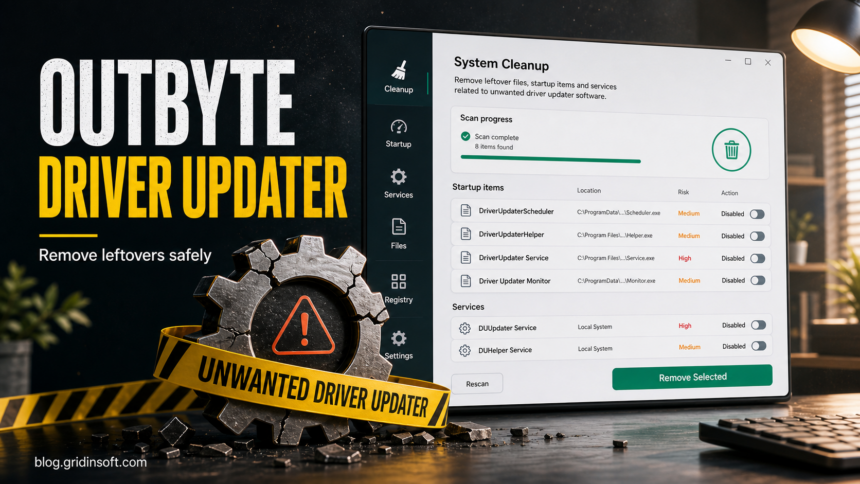
To remove Outbyte Driver Updater, start with the normal Windows uninstall path: open Settings > Apps > Installed apps, choose Outbyte Driver Updater, and select Uninstall. If that button does nothing, restart Windows, try Control Panel > Programs and Features, then use Safe Mode or Microsoft’s Program Install and Uninstall troubleshooter for the broken desktop-program entry.
Do not delete random driver files from C:WindowsSystem32 just because an updater reported urgent driver problems. The cleanup target is the Outbyte updater and any leftover launcher, task, setup file, browser prompt, or related PUP detection. Real driver maintenance should come from Windows Update, Device Manager, or the PC or hardware maker’s support page.
Remove Outbyte Driver Updater on Windows 11 or 10
- Close the Outbyte window first. Do not install suggested drivers from the prompt while you are trying to remove the updater.
- Uninstall it from Windows Settings. Open Settings > Apps > Installed apps, search for Outbyte Driver Updater, choose the three-dot menu, and select Uninstall.
- Try Control Panel if Settings does not show it. Open Control Panel > Programs > Programs and Features, select the Outbyte entry, and choose Uninstall.
- Restart Windows. A reboot releases locked files and shows whether a leftover launcher brings the updater back.
- Delete old setup files. After uninstalling, check
%USERPROFILE%Downloads, the Desktop, and temporary folders for files such as0x80190193-outbyte-driver-updater.exeor other Outbyte installer copies you no longer need. - Check Startup apps. Open Task Manager > Startup apps. Disable Outbyte, TweakBit, WisePCDoctor, or unknown driver-updater entries that remain after uninstall.
- Review scheduled tasks and services. Use Task Scheduler and
services.mscto look for tasks or services with Outbyte, TweakBit, Wise, PC Doctor, driver updater, or installer-updater wording. Remove only entries that clearly belong to the unwanted utility. - Scan after reboot if warnings return. If a security alert, updater prompt, browser notification, or unknown helper process comes back, run a full PUP/malware scan before using the PC for payments or account sign-ins.
If Outbyte Driver Updater Will Not Uninstall
| What you see | What to do next |
|---|---|
| Uninstall does nothing in Settings | Restart Windows, close Outbyte from Task Manager if it is open, then try Control Panel. If it still fails, boot into Safe Mode and run the uninstaller again. |
Outbyte is not listed, but a folder remains under Program Files or Program Files (x86) |
Look inside the folder for an official uninstall file such as unins*.exe, uninstall.exe, or a similarly named remover. Do not delete registry entries first. |
| Windows says the uninstall entry is broken | Use Microsoft’s Program Install and Uninstall troubleshooter for the broken app entry, then reboot and repeat the startup/task checks. |
| Only a registry entry or empty Outbyte folder remains | Take a screenshot or note the path, confirm the app no longer launches, then remove leftover folders only after the main program is gone. |
| Outbyte ads or update prompts return after reboot | Check Startup apps, Task Scheduler, services, browser extensions, and browser notification permissions. A leftover task or browser permission can recreate the visible prompt. |
Outbyte Leftovers to Check After Reboot
| Item you may see | Why it matters | Safe action |
|---|---|---|
Outbyte Driver Updater in Installed apps |
The visible desktop app is still present. | Use Settings or Control Panel before deleting folders by hand. |
0x80190193-outbyte-driver-updater.exe or another Outbyte setup file |
A downloaded installer can reinstall the updater by accident. | Delete the setup copy after uninstall if you no longer want the updater. |
Outbyte folders in Program Files, ProgramData, or AppData |
Leftover folders may contain logs, settings, or a disabled launcher. | Remove them only after uninstall and reboot confirm the app is gone. |
| Startup entry, scheduled task, or service with Outbyte wording | This can relaunch the updater or update prompt. | Disable or remove the entry if the path clearly points to the unwanted utility. |
| TweakBit Driver Updater or WisePCDoctor appears nearby | The PC may have a broader driver-updater or optimizer bundle. | Uninstall each visible app first, then scan if prompts or detections return. |
| Browser notifications, redirects, or cleaner pop-ups | The visible Outbyte app may not be the only source of alerts. | Remove suspicious extensions and notification permissions. Use our browser notification cleanup guide for the browser side. |
Is Outbyte Driver Updater Safe or a PUP?
Outbyte Driver Updater is a third-party driver utility, not a built-in Windows component. The risk depends on how it arrived, what it changes, and whether it returns after removal. Treat it as a potentially unwanted driver-updater cleanup case when it appeared without clear consent, shows repeated paid repair or update prompts, fails to uninstall, or appears next to PUP-style names such as PUP.Optional.Outbyte, PUP.FPL.Outbyte.dd, PUP.RPL.Outbyte.dd, TweakBit Driver Updater, or WisePCDoctor.
That does not mean every file with the Outbyte name is a destructive virus. It means you should judge the install source, exact file path, startup behavior, and whether the same updater comes back after you remove it. If you intentionally installed it but no longer trust it, uninstall it like any other desktop program and then verify that no leftover launcher remains.
Why TweakBit or WisePCDoctor May Appear With Outbyte
TweakBit Driver Updater and WisePCDoctor are not required Windows components. When they appear in the same cleanup case as Outbyte, the practical conclusion is that the PC may have a broader third-party optimizer or driver-updater bundle, not just one leftover filename.
Use the same rule for each related name: uninstall the visible program, remove its setup files, check Startup apps and scheduled tasks, then rescan if warnings return. Do not make a separate allow-list decision just because one filename looks familiar. Also avoid installing a second driver-updater utility to remove the first one; that usually makes cleanup harder.
Use Safer Driver Update Sources
Most home users do not need a paid driver-updater utility. Start with Windows Update and Device Manager. If a specific device still has a problem, use the PC maker’s support page or the hardware vendor’s driver page for that exact model. This is safer than accepting a broad scan result that says dozens of drivers are outdated without naming the device, version, and source.
Our broader fake driver updater cleanup guide explains how to separate a real driver problem from a scare-style updater prompt. If your issue involves another exact updater, see the related guides for Driver Support One, PCHelpSoft Driver Updater, and DriverToolkit.
When to Scan for PUP Leftovers
A normal uninstall may be enough when Outbyte Driver Updater was installed intentionally and leaves quietly. A scan becomes useful when the updater came from a bundle, returns after reboot, appears with TweakBit or WisePCDoctor traces, changes browser behavior, or leaves setup files and launchers in user folders. Those signs can indicate another installed component or leftover launcher is keeping the cleanup alive.
After manual cleanup, you can use a full Gridinsoft Anti-Malware scan as an independent check for unwanted programs, startup entries, browser changes, scheduled tasks, and leftover installers. Remove only detections you can tie to the unwanted utility or another confirmed cleanup issue, reboot, and scan again if warnings or pop-ups return.
FAQ
How do I remove Outbyte Driver Updater completely?
Uninstall Outbyte Driver Updater from Settings or Control Panel, restart Windows, delete old setup files, check Startup apps, Task Scheduler, and services, then scan if warnings or prompts return after reboot.
Why can’t I uninstall Outbyte Driver Updater?
The uninstaller may be damaged, a process may still be running, or a leftover task may relaunch the program. Restart Windows, try Control Panel, use Safe Mode if needed, and use Microsoft’s Program Install and Uninstall troubleshooter for a broken uninstall entry.
What if Outbyte is not listed in Installed apps?
Check Control Panel and the Outbyte folder under Program Files or Program Files (x86) for an uninstall file. Do not delete registry entries first unless you have confirmed the program is already gone and only an orphaned entry remains.
Can I delete the Outbyte folder and registry entry?
Only after trying the normal uninstaller and rebooting. Deleting folders or registry entries first can leave Windows with a broken uninstall record and does not prove that startup tasks, services, or browser prompts are gone.
Should I remove 0x80190193-outbyte-driver-updater.exe?
If it is a downloaded Outbyte installer or setup copy and you no longer want the updater, delete it after uninstall. Do not run it again during cleanup.
Is Outbyte Driver Updater a virus?
It is better to treat it as a potentially unwanted driver-updater cleanup case unless a specific scanner names a malware family. The risk is higher when it arrived in a bundle, keeps returning, or appears with other PUP detections.
Why do Outbyte ads or pop-ups still appear after uninstall?
A leftover startup entry, scheduled task, service, browser extension, or notification permission may still be active. Check those areas after reboot and scan if the same warning returns.
References
- Microsoft Support. “Uninstall or remove apps and programs in Windows.” Microsoft, accessed July 7, 2026. https://support.microsoft.com/en-us/windows/uninstall-or-remove-apps-and-programs-in-windows-4b55f974-2cc6-2d2b-d092-5905080eaf98
- Microsoft Support. “Fix problems that block programs from being installed or removed.” Microsoft, accessed July 7, 2026. https://support.microsoft.com/en-us/topic/fix-problems-that-block-programs-from-being-installed-or-removed-cca7d1b6-65a9-3d98-426b-e9f927e1eb4d
- Microsoft Support. “Update drivers through Device Manager in Windows.” Microsoft, accessed July 7, 2026. https://support.microsoft.com/en-gb/windows/update-drivers-through-device-manager-in-windows-ec62f46c-ff14-c91d-eead-d7126dc1f7b6
- Outbyte. “How to Uninstall Outbyte Software.” Outbyte Computing Ltd., accessed July 7, 2026. https://outbyte.com/support/how-to-uninstall/