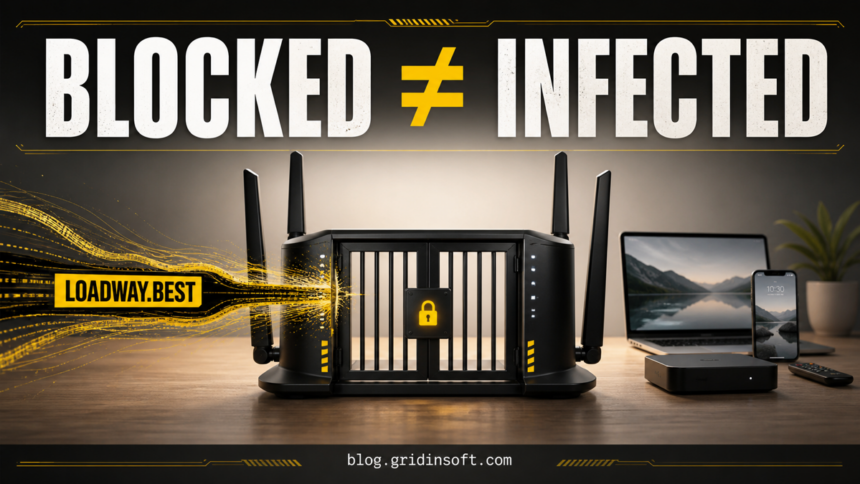
A Loadway.best router alert means your network protection blocked a request to a high-risk domain; it does not, by itself, prove that malware ran on the named device. Gridinsoft’s Website Reputation Checker classified Loadway.best as phishing with a 1/100 trust score and five provider warnings when checked on August 5, 2026. Keep the block in place, note the device and time, and match your response to what actually happened.
The crucial question is exposure. A blocked background lookup from an app, ad, or streaming device needs investigation, but it is not equivalent to opening the page, entering a password, or running a downloaded file.
Is Loadway.best safe?
No. Do not open Loadway.best, allow it through your router, enter information, or download anything from it. The current Loadway.best reputation report identifies phishing risk, a very young domain, and multiple security-provider warnings. That verdict describes the domain at the time of the check. It does not show which app requested it or prove that the request succeeded.
Network-protection products can stop a whole page or only a risky component inside an otherwise normal app or page. Xfinity, for example, documents that its Advanced Security service can block a suspicious site visit or a risky banner without the user noticing the blocked content.[1] Google similarly recommends not bypassing unsafe-site warnings because they can cover phishing, unwanted software, malicious extensions, or malware.[2]
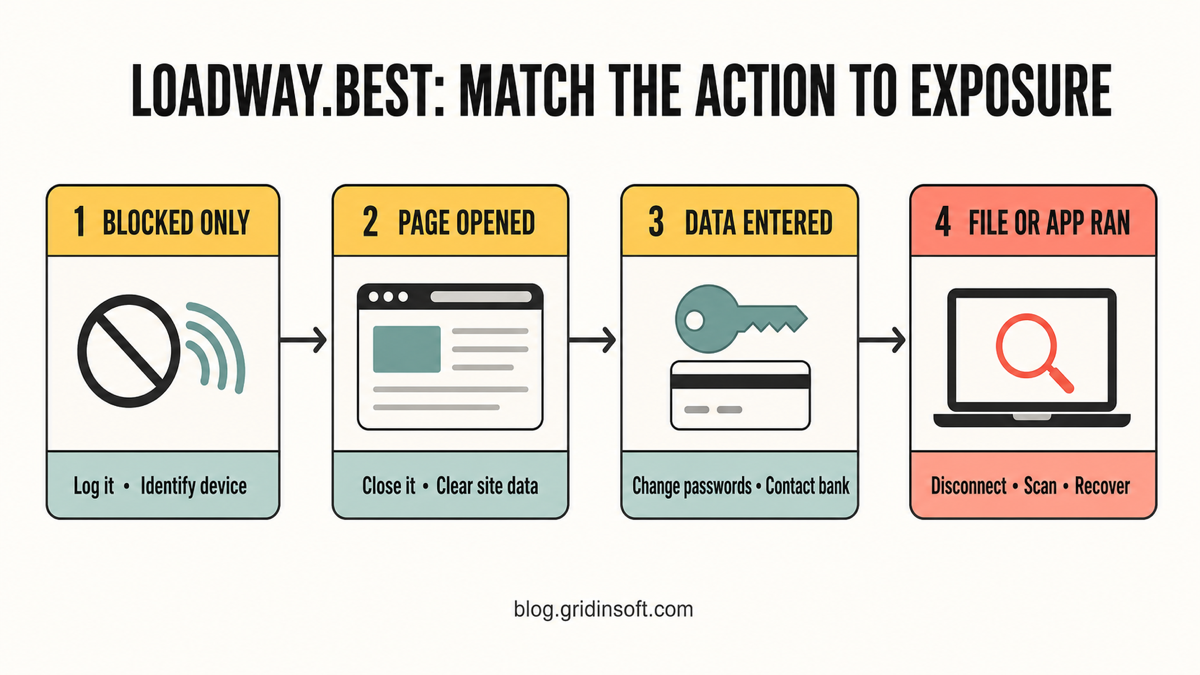
Choose the response that matches your exposure
| What happened | Risk and what to do |
|---|---|
| The router blocked one request | Usually a low-exposure event. Save the timestamp, identify the device, keep the domain blocked, and watch for recurrence. Do not wipe a device solely because of one blocked lookup. |
| The page opened, but you entered nothing | Close it. Clear that site’s browser data, remove its notification permission, review recent extensions, and check whether a redirecting page or app triggered it. |
| You entered a password, card, or personal data | Use a clean device to change the exposed password, end active sessions, enable multifactor authentication, and contact the card issuer or bank if payment data was submitted. |
| A file, extension, app, profile, or command ran | Disconnect the affected endpoint, preserve the alert details, remove the suspicious item, run a full security scan, and recover accounts only from a clean device. |
Find which device and app requested Loadway.best
- Record the exact alert. Save the domain, timestamp, device name, threat type, and whether the router says the request was blocked or merely detected. Do not use an “Allow” or “Visit anyway” option.
- Verify the device identity. Match the router’s device name and MAC address to your laptop, phone, streaming box, console, camera, or other smart device. Renamed or generic devices can be misleading.
- Compare the timestamp with activity. Check what apps, websites, streams, or games were active at that minute. A background app, embedded ad, or stale tab can make a request even when nobody typed the domain.
- Look for repetition. One blocked request is different from the same device contacting the domain every few minutes, after every reboot, or whenever a specific app opens. Repeated attempts deserve deeper app and endpoint review.
- Check other devices separately. If a laptop also shows unrelated redirects such as Search Marquis, do not assume the Apple TV or router shares the same infection. Treat each alert-device pair as its own evidence trail.
If the router identifies the wrong device or multiple devices share a generic label, temporarily pause one device at a time and compare new alerts. Avoid disabling network protection for the whole home.
If the alert names an idle Apple TV or smart device
An “idle” streaming device can still make background requests for apps, content catalogs, ads, analytics, software checks, or cached sessions. That explains how an alert can appear while nobody is actively watching; it does not establish that the request was legitimate or malicious code was installed.
- Keep Loadway.best blocked and restart the device.
- Install the latest tvOS or device firmware. Apple recommends restarting Apple TV and checking for software updates when troubleshooting network behavior.[3]
- Review recently installed or unfamiliar apps. Remove anything you do not recognize or no longer use.
- Watch the router’s security history after the restart. If the request returns, note which app or activity precedes it.
- If repeated suspicious traffic continues after updates and app cleanup, isolate the device and use the manufacturer’s reset procedure. Change the device and router administrator passwords if either was reused or exposed.
Do not assume the router itself is hacked because one client generated a blocked lookup. Check the router separately if DNS settings changed, unknown administrators or devices appeared, firmware is outdated, or many unrelated clients are redirected. Our router and DNS compromise guide covers that broader scenario.
Clean up a browser or computer after a Loadway.best encounter
If the page opened or a browser keeps redirecting to unfamiliar domains, clear the site’s data, close suspicious tabs, remove unknown extensions, and revoke notification permissions. The steps in our browser push-notification guide apply when a site was allowed to send alerts.
Then review downloads and installed apps from the same time window. A blocked URL can be the visible symptom while an unwanted extension, bundled app, scheduled task, or loader continues creating new requests. This deeper check is justified when alerts recur, the source is an unknown executable, or something was installed—not when the router blocked one isolated lookup.
If Loadway.best keeps appearing or something ran
Disconnect the implicated Windows PC from the network if a suspicious file or command ran. Keep the alert and file details, then run a full scan with Gridinsoft Anti-Malware. The scan can check for detected payloads, unwanted apps, hidden files, startup entries, scheduled tasks, browser changes, and other persistence. Remove confirmed detections, reboot, reconnect cautiously, and scan again if the traffic returns.
If the page or email made you download an invoice, coupon, tracking app, browser extension, or support tool, scan the PC before opening it again or logging into sensitive accounts.
Scan the device after a risky download or recurring alertA clean scan cannot undo credentials already submitted to a phishing page. If you entered a password, rotate it from a different clean device, sign out active sessions, and secure the associated email account first. If a browser or session-stealing file ran, follow the account steps in our password-stealer recovery guide. For a broader endpoint check after removal, use the Windows post-malware audit.
How to know the cleanup worked
- The router no longer records requests to Loadway.best after normal use and a reboot.
- No unknown extensions, apps, downloads, profiles, startup entries, or scheduled tasks remain.
- Browser notifications and redirects have stopped.
- Security scans complete without recurring detections.
- Passwords exposed to the page were changed from a clean device and old sessions were revoked.
If requests continue, preserve their timestamps and device identifiers instead of repeatedly resetting everything. A consistent time-and-device pattern is the fastest way to find the responsible app or endpoint.
FAQ
Does a Loadway.best router alert mean my device has a virus?
No. It proves that a protection layer observed and blocked a request. Infection becomes more plausible when the request repeats, a suspicious app or file ran, browser settings changed, or other malware symptoms appear.
Why did an Apple TV contact Loadway.best while nobody used it?
Streaming devices perform background network activity for apps, catalogs, ads, analytics, updates, and cached sessions. Use the alert timestamp, app history, a restart, and recurrence testing to identify the trigger. Do not treat the device label alone as proof of compromise.
Should I factory-reset the router or wipe a computer?
Not for one blocked lookup. Start with attribution and exposure checks. Reset a smart device or router only when suspicious activity continues after updates and targeted cleanup, or when settings and administrator access show signs of compromise.
Should I allow Loadway.best to see whether it is really dangerous?
No. Keep the block in place. Use the alert details and reputation evidence; visiting a suspected phishing domain adds risk and does not help identify which local app made the original request.
References
- Comcast Xfinity. “Use Xfinity Advanced Security.” Xfinity Support, accessed August 5, 2026. xfinity.com/support/articles/using-xfinity-xfi-advanced-security.
- Google. “Manage warnings about unsafe sites.” Google Chrome Help, accessed August 5, 2026. support.google.com/chrome/answer/99020.
- Apple. “If your Apple TV can’t connect to Wi-Fi.” Apple Support, updated April 3, 2026; accessed August 5, 2026. support.apple.com/en-us/102346.