

A Frontier Airlines email promising a “billing and adjustment refund” can quote your real flight and confirmation number and still be phishing. If it asks for your card to release the refund, leave the message alone. Frontier says it does not send that request. To find out whether the airline actually charged or refunded you, open the Frontier app yourself, look up the trip, and compare its payment record with your card statement. If you already typed your card details into the linked page, contact your card issuer now; checking the booking can wait.
Two emails, one request for your card
In a November 2026 passenger discussion, one traveler described an email that included the confirmation number from their genuine booking. Others described a refund offer for a flight they had already taken. The two stories pull in opposite directions: one says a payment problem puts an upcoming trip at risk; the other says the airline owes you money for a past trip. Both give you a reason to enter payment details on a page chosen by the sender.
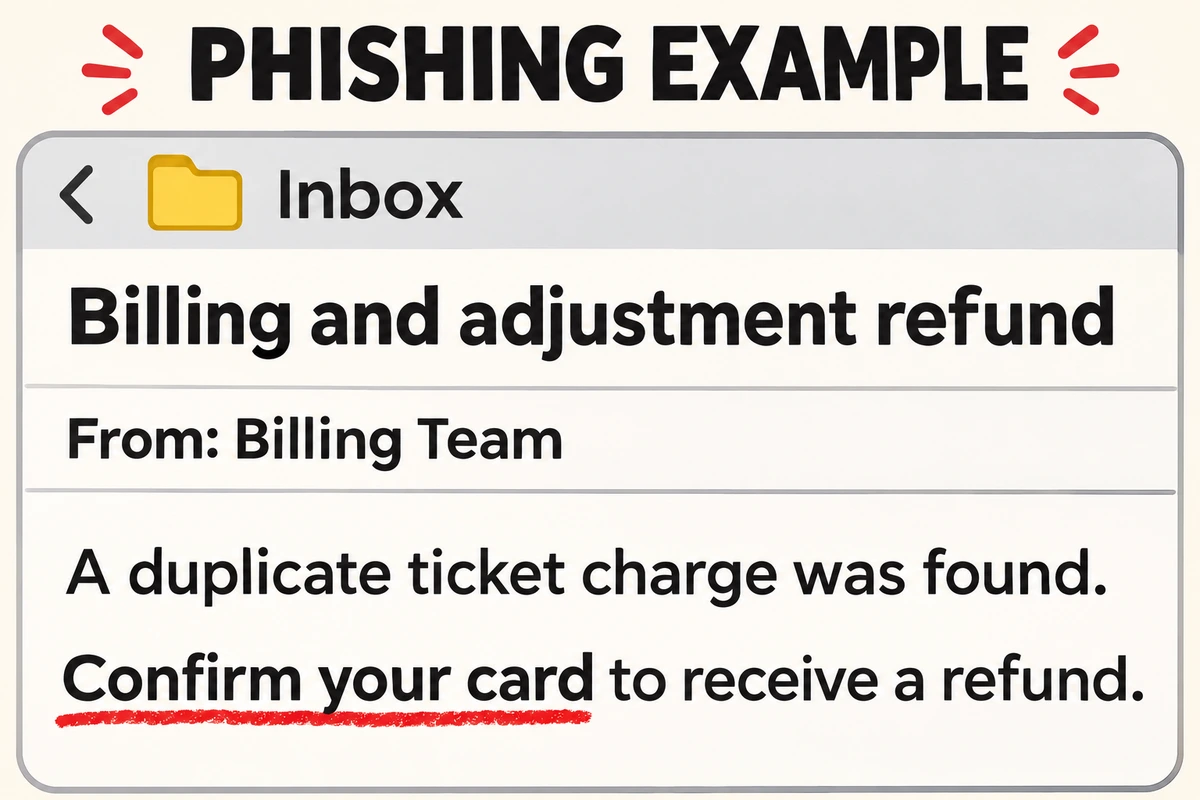
Here is how the refund version reads, paraphrased from passenger reports. The sender label and greeting are illustrative; there are no passenger identifiers.
Subject: Billing and adjustment refund
From: Billing Team
Dear passenger,
Our review found a duplicate charge for your ticket. Confirm your card details to receive the refund.
Requested action: Confirm your card.
The other wording to recognize is “unconfirmed status due to payment.” You do not need to find a typo, a deadline, or a suspicious attachment to make a decision. The request itself conflicts with Frontier’s phishing advisory. A matching code identifies a trip; it does not tell you who wrote the email. Frontier’s warning does not establish how any particular sender obtained the details.
Check the booking and the money separately
- Find the trip on your own. Open the Frontier app and choose My Trips, or type flyfrontier.com into your browser and choose Manage Trip. Use your last name and the six-character confirmation code from your original booking receipt. Check the itinerary there. If the trip is missing or has changed, contact Frontier through the app or the website you opened yourself. Do not pay through the email to “restore” the reservation. Reservation lookup instructions.
- Find the airline’s receipt. On the Frontier website, open the booking and scroll to the payment section. Frontier says this is where it shows receipts for charges, payments and refunds. Signed-in Frontier Miles members can also review past trips and purchases. Where to find payment history.
- Compare the two records. Open your card issuer’s app separately. For example, suppose the email promises a refund for a duplicate ticket, but the booking shows one payment and your statement shows one posted charge. Neither record supports the claim of a second charge. If you do see two posted charges or an unfamiliar transaction, ask Frontier and your issuer to investigate through their own channels. Even a genuine discrepancy does not make the email link safe.
What to do if you opened the email or entered information
- Read the email only: Report it as phishing in your mailbox. You do not need to cancel a real trip because a message mentions it. Keep your confirmation code out of public screenshots.
- Opened the link, entered nothing: Close the page. A visit alone does not mean you disclosed a card number. If a download started or you allowed notifications, follow the steps for what changed after clicking a phishing link.
- Typed card details, even without pressing Continue: Call the number printed on the card or use the issuer’s app. Tell them which fields you filled in and ask whether to lock or replace the card. A webpage can read a filled-in field before you submit it. That is a reason to act, not evidence that this particular site captured it.
- Submitted payment details or see a charge you do not recognize: Report it to the issuer’s fraud team and ask how to dispute the transaction. Keep the date, amount and merchant description. A real refund shown by Frontier is a separate matter from an unauthorized card charge.
- Also entered a password or one-time code: Open the real account directly, change the exposed password, and review recent access. If you reused it on another account, change it there too. Follow the account recovery checklist if someone changed the recovery details or you lost access.
References
- Frontier Airlines. Beware of Phishing Scams. Accessed November 10, 2026.
- Frontier Airlines. How can I find my reservation? Updated February 20, 2026; accessed November 10, 2026.
- Frontier Airlines. Where can I find my history of payments, refunds, and credit card charges? Updated September 11, 2026; accessed November 10, 2026.
- r/frontierairlines participants. PSA Email Scam. Reddit, November 1, 2026; accessed November 10, 2026.