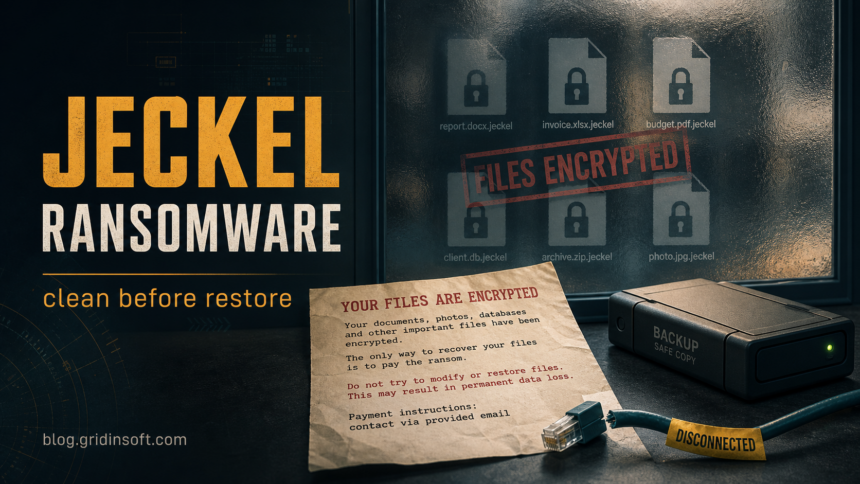
Jeckel ransomware is a file-locking threat reported with the .jeckel-lock extension, an INSTRUCTIONS.txt ransom note, and a changed desktop wallpaper. If your files suddenly carry that extension, disconnect the affected PC from the network, keep copies of the ransom note and several encrypted files, and clean the system before restoring data. Do not pay the demand or run random decryptors found in comments, videos, or file-sharing sites.
The known Jeckel note claims strong encryption, asks for about $1,200 in Ethereum, and points victims to support [at] jeckel [dot] ran. Treat that contact address as an indicator, not as a recovery channel. The practical goal is to stop any remaining malware, preserve evidence for identification, and recover from backups or a trusted decryptor only if one becomes available.
Jeckel ransomware signs
Jeckel is worth separating from generic ransomware advice because victims search for the family name, extension, note, and contact address. Check for these signs before you rename files or delete artifacts:
- Files renamed with the
.jeckel-lockextension. - A ransom note named
INSTRUCTIONS.txtin affected folders. - A desktop wallpaper change that repeats the ransom message.
- A demand for Ethereum payment, commonly described as $1,200.
- The contact address
support [at] jeckel [dot] ranin the note. - Recent suspicious downloads, email attachments, cracked software, remote-access tools, or exposed remote login before encryption started.
What to do first
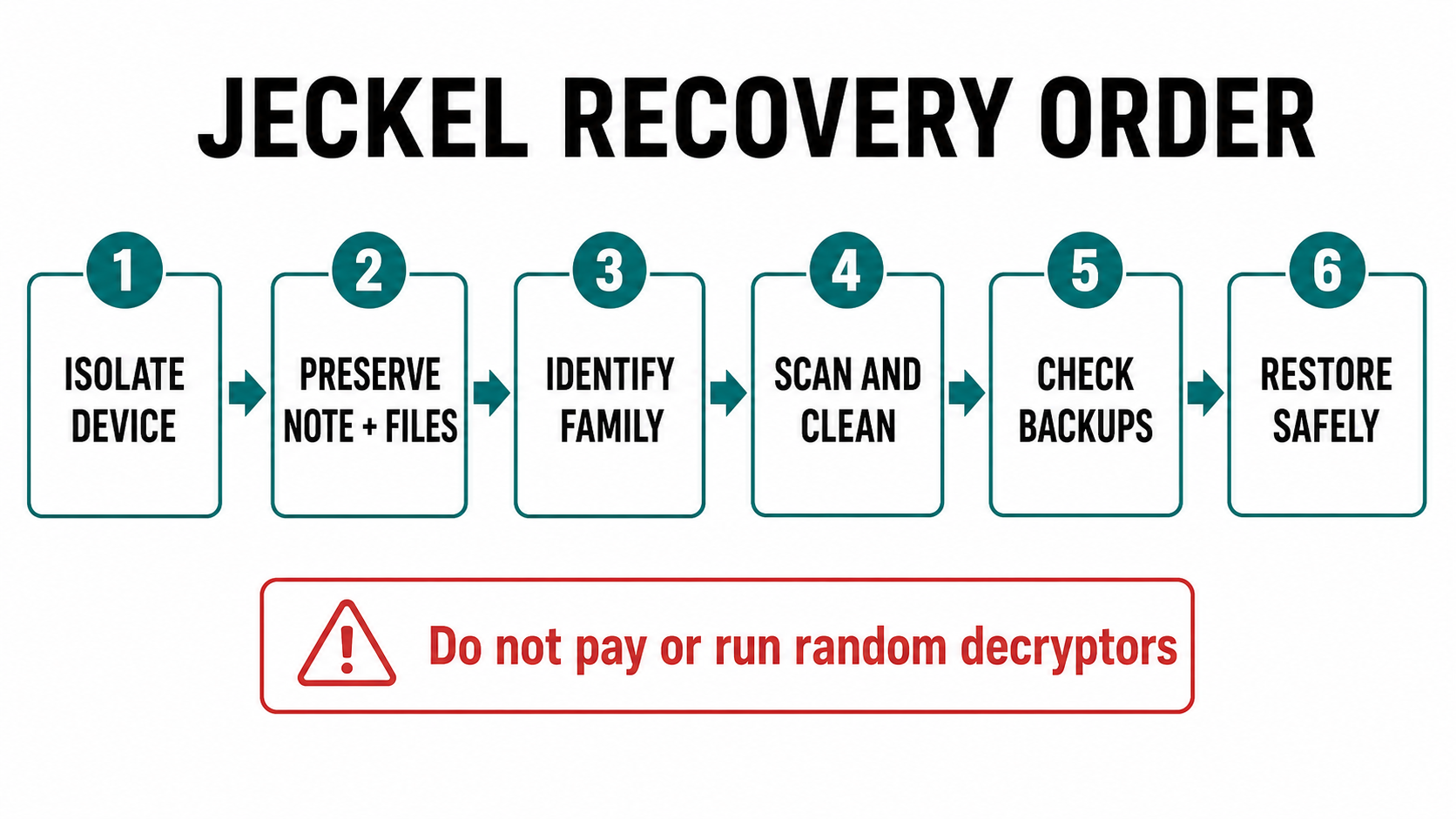
Start with containment, not decryption. Ransomware recovery fails when a victim restores good files onto a machine that still has a loader, scheduled task, stolen remote-access credential, or second-stage malware active.
- Isolate the device. Unplug Ethernet, disable Wi-Fi, and disconnect shared drives. If several systems are affected, isolate each one and stop using shared folders until you know the scope.
- Preserve evidence. Copy the ransom note, a few encrypted files, screenshots of the wallpaper, and security-tool detections to external storage. Keep originals untouched when possible.
- Do not delete encrypted files. Encrypted files may be needed later if a legitimate decryptor appears. Work on copies when testing recovery options.
- Check backups before connecting them. Keep backup drives unplugged until the infected system is cleaned or replaced. Restoring too early can encrypt the backup copy too.
- Clean the system before restore. Scan for the ransomware payload, droppers, suspicious startup items, and remote-access tools before bringing data back.
Can Jeckel files be decrypted?
At publication time on July 7, 2026, we did not find a public Jeckel-named decryptor in the No More Ransom tool list. That does not prove one will never exist. It means you should preserve encrypted samples and the ransom note, check trusted sources such as No More Ransom, and avoid paid “recovery” sites or random executables that claim instant Jeckel decryption.
No More Ransom’s Crypto Sheriff can help identify some ransomware families from encrypted files and note text. Upload only the minimum sample needed for identification, and avoid sending sensitive personal or company documents if you can use non-sensitive encrypted files instead.
Remove Jeckel ransomware safely
If Jeckel ran on a Windows PC, assume the visible encrypted files are only the final symptom. The original access may have come from an email attachment, a fake installer, a cracked program, a remote-access session, or another malware loader. Use this cleanup order:
- Keep the affected PC offline until scanning starts.
- From a clean device, download a trusted security tool or create clean recovery media if Windows is unstable.
- Run a full Gridinsoft Anti-Malware scan on the affected system and remove detections it finds. Pay attention to startup entries, scheduled tasks, temporary folders, suspicious remote-access apps, and recently downloaded installers.
- Reboot and scan again if ransomware notes, new encrypted files, unknown processes, or security warnings return.
- Change passwords from a clean device, especially email, cloud storage, browser-sync, remote desktop, VPN, and admin accounts used on the infected computer.
- Only after cleanup, reconnect backups or restore files to a clean Windows install.
If the ransomware reached shared folders, servers, or business data, preserve logs and involve your IT team or an incident-response provider. CISA’s ransomware response guidance recommends containment, evidence preservation, identifying affected systems and accounts, and restoring from clean offline backups after eradication.
Jeckel cleanup can leave behind more than the encryptor itself: a loader, remote-access tool, stolen credential, malicious scheduled task, or startup entry may still recreate trouble after reboot. A second scan is useful before you trust the machine with restored files.
After uninstalling the suspicious app or deleting the visible threat, use Gridinsoft Anti-Malware to check hidden files, startup entries, scheduled tasks, bundled apps, browser changes, and other persistence points that can restore malware.
Download Anti-MalwareRestore files without making things worse
Use the least risky recovery path first:
- Known-good offline backups: restore only after the system is clean or rebuilt.
- Cloud versions: check version history, but make sure ransomware did not sync encrypted copies over clean ones.
- Shadow copies: check cautiously. Many ransomware families delete them, but if they remain, copy recovered files to clean storage.
- Legitimate decryptors: use only trusted sources such as No More Ransom or vendor advisories. Do not run tools from comment threads or private messages.
- Professional recovery: choose providers that explain the method and do not simply broker ransom payment without telling you.
Jeckel vs. other ransomware families
Do not assume every INSTRUCTIONS.txt note is Jeckel. Other ransomware families use similar filenames, payment language, and wallpaper warnings. The stronger Jeckel indicators are the .jeckel-lock extension and the support [at] jeckel [dot] ran contact in the same incident.
If the extension or note does not match, compare the case with other Gridinsoft ransomware guides such as Kora ransomware, Developer ransomware, and recent document-lure coverage like Avalon/CrownX ransomware. If the infection started after opening an unknown executable, use the EXE safety checklist to review what ran before encryption began.
Prevention after recovery
- Keep at least one offline or immutable backup that ransomware cannot reach from the infected user account.
- Patch Windows, browsers, archivers, VPN clients, and remote-access tools.
- Disable exposed remote desktop unless it is protected by VPN, MFA, and strong monitoring.
- Review startup apps and scheduled tasks after suspicious downloads.
- Do not reuse passwords that were stored in the infected browser or password manager session.
- Train users to pause on invoice, delivery, legal, and software-update attachments.
Related Gridinsoft guides
For another exact-family ransomware workflow, compare Jeckel with the BL4CK SP1D3R ransomware recovery guide, which covers the .bl4ck extension, ransom-note preservation, cleanup before restore, and account-safety checks.
FAQ
Should I pay the Jeckel ransom?
No. Payment does not guarantee working decryption, and it confirms to the criminals that the attack can make money. Preserve the note and files, report the incident when appropriate, and focus on cleanup plus backup recovery.
Can I just delete Jeckel ransomware and open my files?
Removing the malware stops further damage, but it does not decrypt files that were already locked. You still need a backup, a legitimate decryptor if one appears, or another clean recovery source.
Is INSTRUCTIONS.txt always Jeckel ransomware?
No. Many ransomware families use similar note names. Treat INSTRUCTIONS.txt as one clue and verify it against the extension, contact address, wallpaper, and detection results.
Can Gridinsoft decrypt .jeckel-lock files?
Gridinsoft Anti-Malware is used to find and remove malware, suspicious files, startup entries, and persistence. It is not a guaranteed file decryptor. Clean first, then use backups or trusted decryptor resources for recovery.
References
- Cybersecurity and Infrastructure Security Agency. “#StopRansomware Guide.” CISA, updated May 2023, accessed July 7, 2026. https://www.cisa.gov/stopransomware/ransomware-guide
- The No More Ransom Project. “Decryption Tools.” Europol and project partners, accessed July 7, 2026. https://www.nomoreransom.org/en/decryption-tools.html
- The No More Ransom Project. “Crypto Sheriff.” Europol and project partners, accessed July 7, 2026. https://www.nomoreransom.org/crypto-sheriff.php