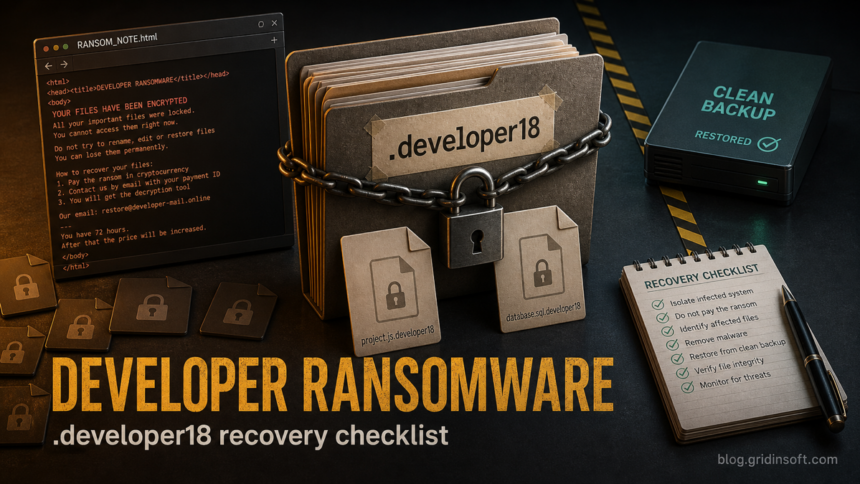
Developer ransomware is a file-locking threat reported with the .developer18 extension and an HTML ransom note named RANSOM_NOTE.html. If those signs appear on a Windows PC or shared folder, disconnect the affected system first, keep copies of encrypted files and the note, and do not restore backups until the active malware and any persistence are removed. Cleanup can stop new damage, but it does not decrypt files that were already locked.
The useful recovery path is evidence first, cleanup second, restore last. Treat the incident as both a file-recovery problem and a possible data-exposure problem, because public reporting says the ransom note claims stolen private data and pushes victims toward attacker email and Tor contact channels.
What Is Developer Ransomware?
Developer is ransomware: malware designed to encrypt personal or business files and pressure the victim into paying for a private decryption key. Current public samples are described with filenames ending in .developer18, though the numeric suffix may vary by build or victim. A file such as invoice.xlsx can become invoice.xlsx.developer18.
The ransom note is reported as RANSOM_NOTE.html. The note tells the victim to contact recovery1 [at] salamati [dot] vip or recovery1 [at] amniyat [dot] xyz, mentions a Tor contact site, and claims that confidential data was taken. Do not use those contact details as proof that recovery is possible. They are attacker-controlled channels.
How To Recognize A .developer18 Infection
| Sign | What it means |
|---|---|
Files end with .developer18 |
The files were likely encrypted by this ransomware family or a closely related build. Renaming them does not decrypt the content. |
RANSOM_NOTE.html appears in affected folders |
Keep a copy of the note. It helps identify the ransomware and may be needed if a legitimate decryptor appears later. |
| Emails or Tor contact instructions appear in the note | Treat them as attacker instructions, not support. Contacting criminals can increase pressure and does not guarantee recovery. |
Security tools mention Sonbokli, Filecoder, or generic ransomware names |
The visible ransomware may have arrived through a loader or trojan. Cleanup must check for persistence, not only the ransom note. |
First Steps Before You Try Recovery
- Isolate the system. Disconnect Ethernet, Wi-Fi, VPN, mapped drives, and external storage. Do not keep shared folders attached while encryption may still be active.
- Match the exact extension. If your current case uses the
.koraextension instead, use the separate Kora ransomware recovery guide so the ransom-note contact, payment clue, and restore order match that family. - Preserve evidence. Save several encrypted files, the original
RANSOM_NOTE.html, suspicious installers, and security-tool alerts. Do not edit or rename encrypted files. - Stop automatic sync. Pause OneDrive, Google Drive, Dropbox, NAS sync, and backup agents until you know whether encrypted copies were already uploaded.
- Do not run random decryptors. Fake “Developer ransomware decryptor” downloads are a common second infection path.
- Work from a clean device. Change passwords, check financial accounts, and review cloud sessions from a computer that was not exposed to the ransomware.
Is There A Free Developer Ransomware Decryptor?
As of July 2, 2026, I did not find a public, trustworthy free decryptor specifically for Developer ransomware or .developer18 files in the common decryptor resources checked for this run. That can change, so keep encrypted samples and the note if storage allows.
Search by the ransomware name, extension, ransom-note filename, and contact emails in reputable decryptor projects such as No More Ransom. If a tool appears later, test it only on copies of encrypted files from a clean machine. If no legitimate decryptor exists, recovery usually depends on offline backups, immutable snapshots, previous file versions, or incident-response work.
Remove Malware Before Restoring Files
File recovery and malware cleanup are separate jobs. Deleting RANSOM_NOTE.html or moving encrypted files does not remove the payload that caused the incident. A loader, scheduled task, service, remote-access tool, stolen admin session, or malicious executable may still be present under paths such as %TEMP%, %APPDATA%, %LOCALAPPDATA%, %USERPROFILE%\Downloads, or C:\ProgramData.
On a personal Windows PC, start from a clean administrative account where possible. Review recently installed apps, Startup entries, Task Scheduler, Services, browser extensions, and unknown remote-access tools. Keep suspicious detections quarantined. Then run a full Gridinsoft Anti-Malware scan to look for ransomware leftovers, droppers, hidden files, bundled malware, startup entries, and persistence before you reconnect backups or shared folders. Reboot and scan again if suspicious activity returns.
If the process path is wrong, the name imitates a Windows component, or high CPU started after an unknown installer, scan for hidden miners, services, startup entries, and bundled components.
Scan for ransomware leftoversWhat About The Data-Theft Claim?
Developer’s note is reported to claim that private data was copied before encryption. Do not assume the claim is true for every case, but do not dismiss it either. Check browser-saved passwords, email sessions, cloud storage, remote-access tools, VPN accounts, and any folders that contained tax, payroll, customer, or identity documents.
- Change important passwords from a clean device, starting with email, banking, cloud storage, and work accounts.
- Revoke unknown sessions and OAuth/app permissions where supported.
- If business data may be involved, preserve logs and involve the organization’s incident-response or legal process before wiping systems.
- Watch for follow-up extortion, fake recovery services, and phishing messages that reference the incident.
Related Gridinsoft Ransomware Guides
If the extension or ransom note is different, compare the artifacts instead of forcing a match. Gridinsoft also has recovery triage guides for Friends ransomware, SquadLocker ransomware, and KalinkaCrypt ransomware. For broader prevention planning, use the ransomware protection checklist.
For another recent family-specific example, see the Jeckel ransomware recovery guide, which follows the same isolate, clean, and restore order for .jeckel-lock files.
FAQ
Can I remove the .developer18 extension to recover files?
No. Removing .developer18 changes the filename but does not reverse encryption. Keep encrypted samples unchanged so future tools or investigators can identify the ransomware correctly.
Will antivirus software decrypt Developer ransomware files?
No. Security software can remove active malware, droppers, and persistence, but already encrypted files need a clean backup, a legitimate decryptor, or a future cryptographic break.
Should I contact recovery1 [at] salamati [dot] vip or recovery1 [at] amniyat [dot] xyz?
Avoid contacting attacker-controlled addresses unless an incident-response professional or legal process specifically directs it. Paying or negotiating does not guarantee a working decryptor and can expose you to more pressure.
What should I keep for investigation?
Keep the ransom note, several encrypted files, suspicious downloaded files, screenshots of alerts, backup timestamps, and the first time you noticed the encryption. Store copies on a clean external drive.
Can I restore from backup right away?
Only after the endpoint is cleaned or rebuilt. Restoring while a loader, scheduled task, stolen session, or remote-access tool remains active can encrypt the restored files again.
References
- Cybersecurity and Infrastructure Security Agency. “#StopRansomware Guide.” CISA, accessed July 2, 2026. https://www.cisa.gov/resources-tools/resources/stopransomware-guide
- No More Ransom Project. “Decryption Tools.” No More Ransom, accessed July 2, 2026. https://www.nomoreransom.org/en/decryption-tools.html