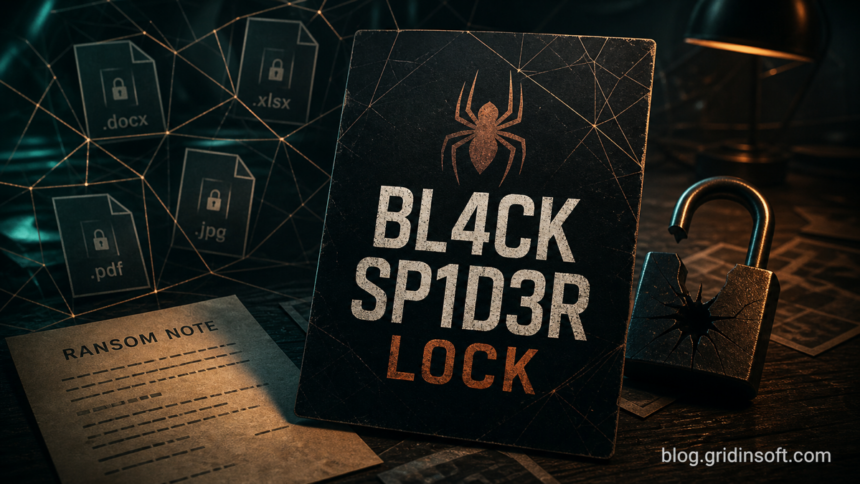
BL4CK SP1D3R ransomware is a file-locking threat reported with the .bl4ck extension, the BL4CK_SP1D3R_README.txt ransom note, and wallpaper or folder notes that point victims to R3ADM3.TXT. If your files suddenly end in .bl4ck, disconnect the affected PC from the network, keep copies of the ransom note and several encrypted files, and clean the system before restoring data. Do not pay immediately, rename encrypted files, or run random decryptors from comments, videos, or file-sharing sites.
The known BL4CK SP1D3R note tells victims to contact darkhelmet [at] onionmail [dot] org and claims that data was stolen before encryption. Treat that claim as a risk signal until you prove otherwise: recovery is not only a file problem, but also an account, cloud-storage, and data-exposure problem.
How to recognize BL4CK SP1D3R ransomware
Look for several signs together. One changed file extension alone can be misleading, but this combination points to the BL4CK SP1D3R family:
- Documents, images, archives, or project files renamed with the
.bl4ckextension. - A ransom note named
BL4CK_SP1D3R_README.txtor instructions that tell you to openR3ADM3.TXT. - A desktop wallpaper warning that files were stolen and encrypted.
- An attacker contact address written as
darkhelmet [at] onionmail [dot] org. - Recent suspicious activity: a cracked installer, fake update, email attachment, remote-access session, torrent download, or unexpected admin login before encryption started.
What to do first
Start with containment. Ransomware recovery fails when clean backups are restored onto a machine that still has a loader, scheduled task, stolen remote credential, or second-stage malware active.
- Isolate the device. Unplug Ethernet, turn off Wi-Fi, and disconnect shared drives. If several computers or NAS shares are affected, isolate each one before opening backups.
- Do not delete evidence. Copy
BL4CK_SP1D3R_README.txt,R3ADM3.TXTif present, the wallpaper image if you can find it, and several encrypted files to external media for later identification. - Do not pay immediately. Payment does not guarantee a working decryptor, and the same actor can return if the entry point remains open.
- Use a clean device for accounts. If the infected PC was used for email, browser passwords, cloud storage, banking, crypto, or work access, change passwords from a known-clean device after the infected machine is isolated.
- Keep backups offline until cleanup is complete. A backup drive or synced cloud folder connected too early can be encrypted again.
Can .bl4ck files be decrypted?
At the time this guide was prepared on July 9, 2026, a public free decryptor for BL4CK SP1D3R was not visible in the usual public decryptor resources. That can change, so check a trusted decryptor project again before giving up on recovery. You can also keep encrypted files and ransom notes in case a future flaw, key release, or law-enforcement action makes recovery possible.
Do not upload private business files, ID scans, tax files, password databases, or customer documents to random “decryptor” websites. If you need ransomware identification, use the ransom note, extension, and a few non-sensitive sample files. For privacy-sensitive samples, read the VirusTotal private-file upload guide before submitting anything to a public scanner.
Remove the ransomware before recovery
Cleanup and recovery are separate jobs. Cleanup removes active malware, dropped payloads, startup entries, scheduled tasks, remote-access tools, and browser or credential-stealing components. Recovery restores files from clean backups, version history, snapshots, or a legitimate decryptor if one appears later.
After the device is isolated, boot normally only if Windows is stable enough to run security tools. Run a full Gridinsoft Anti-Malware scan, remove detections, reboot, and scan again if suspicious processes, new ransom notes, or new .bl4ck files appear. Pay special attention to recent downloads, Startup folders, Task Scheduler, remote-access apps, browser extensions, and folders where the suspected installer was launched.
If BL4CK SP1D3R followed a fake installer, crack, remote-support session, or email attachment, the visible encryptor may not be the only problem. A loader, scheduled task, stolen browser session, or bundled infostealer can remain after the encryption event and interfere with recovery.
If the process path is wrong, the name imitates a Windows component, or high CPU started after an unknown installer, scan for hidden miners, services, startup entries, and bundled components.
Scan before restoring filesSafe recovery order
- Image or copy the damaged system first if the files are important and you have enough storage. This preserves recovery options before cleanup changes the disk.
- Clean or rebuild Windows. If this is a personal PC with limited data, a full scan and manual audit may be enough. If it is a work PC, server, or multi-device incident, prefer professional incident response or a clean reinstall.
- Check restore sources from a clean environment. Use offline backups, version history, cloud snapshots, or NAS snapshots. Do not connect the only backup to the infected system.
- Restore a small test set first. Confirm that restored files open and that no new encrypted files appear after reboot.
- Rotate passwords and sessions. Change email, cloud, browser-sync, banking, crypto, remote-access, and work passwords from a clean device. Revoke unknown sessions and API tokens where possible.
- Audit Windows after cleanup. Use the post-malware Windows security audit to check startup entries, services, scheduled tasks, browser settings, DNS/proxy changes, and remote-access tools before trusting the PC again.
What not to do
- Do not rename
.bl4ckfiles back to their old names and assume they will open. - Do not run decryptors from YouTube descriptions, Telegram channels, file-sharing sites, or comments.
- Do not contact the attackers from your main email account or reveal extra personal details.
- Do not reconnect backup drives until the system is cleaned or rebuilt.
- Do not keep using the same Windows account, browser profile, or remote-access credentials if the ransom note claims theft.
Prevention after BL4CK SP1D3R
After recovery, focus on the controls that reduce a repeat incident: offline or immutable backups, patched Windows and apps, least-privilege daily accounts, macro and script restrictions, protected browser profiles, and no cracked software or unofficial activators. If the first infection path was a USB drive or external disk, follow the USB malware cleanup workflow before moving files between machines again. If the incident started from an unknown installer, use the EXE safety checklist before running similar files in the future.
FAQ
Does removing BL4CK SP1D3R unlock .bl4ck files?
No. Removal stops active malware and helps make the PC safe for recovery, but it does not reverse encryption that already happened. Restore from clean backups or use a legitimate decryptor only if one becomes available.
Should I pay the BL4CK SP1D3R ransom?
Avoid paying unless legal counsel, incident response, or law enforcement gives case-specific guidance. Payment does not guarantee a working decryptor, can lead to repeated extortion, and does not prove that stolen data will be deleted.
Is BL4CK_SP1D3R_README.txt safe to open?
A plain text ransom note is usually safe to view in Notepad. Do not open links, attachments, chat tools, or programs offered by the attackers.
What should I save for identification?
Keep the ransom note, several encrypted files, the wallpaper text if visible, the .bl4ck extension example, and any suspicious installer or email that appeared shortly before encryption. Store copies on external media and avoid uploading private files to public services.
References
- Cybersecurity and Infrastructure Security Agency. “#StopRansomware Guide.” CISA, accessed July 9, 2026. https://www.cisa.gov/stopransomware/ransomware-guide
- The No More Ransom Project. “Crypto Sheriff.” Europol and partners, accessed July 9, 2026. https://www.nomoreransom.org/crypto-sheriff.php?lang=en
- Federal Bureau of Investigation. “Ransomware.” FBI, accessed July 9, 2026. https://www.fbi.gov/how-we-can-help-you/scams-and-safety/common-frauds-and-scams/ransomware