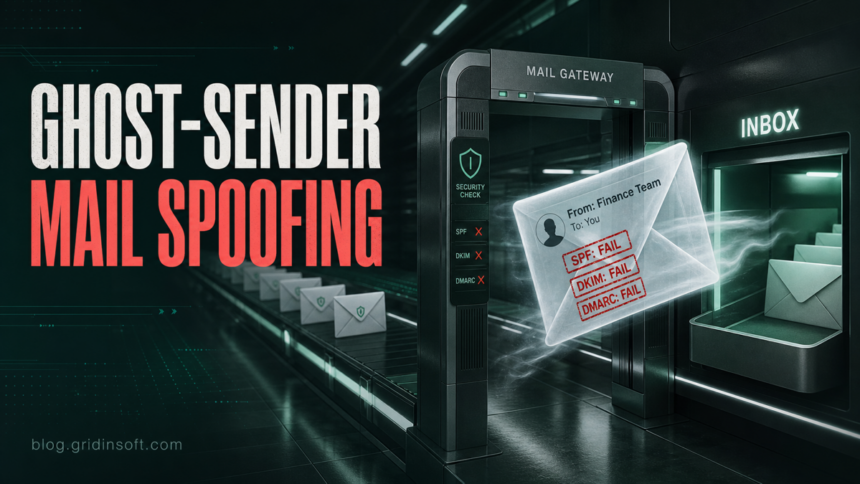
Ghost-Sender is a newly disclosed Exchange Online spoofing issue that matters most to organizations using Microsoft 365 mailboxes behind an external MX gateway, such as a third-party spam filter or on-premises mail gateway. InfoGuard researchers found that in vulnerable setups, an attacker can send mail directly to the tenant’s Exchange Online Protection endpoint and make the message appear to come from an internal or trusted external sender, even when SPF, DKIM, and DMARC fail.
The practical risk is not abstract email theory. A fake invoice from a vendor, a CEO fraud request, or a Microsoft-looking notification can land in the inbox without the warning users expect. The research also says Microsoft support indicated that this issue or a closely related one appears to be abused in the wild, so administrators should treat the check as urgent rather than cosmetic.
Who Should Check Their Tenant
The highest-risk pattern is Exchange Online or hybrid Exchange where the public MX record points to a third-party filtering service instead of directly to Exchange Online Protection. In that layout, organizations often expect the third-party gateway to be the only inbound path, but the tenant’s Microsoft 365 mail endpoint may still accept direct SMTP delivery.
| Mail setup | Ghost-Sender risk |
|---|---|
| MX points directly to Exchange Online Protection | Lower risk for this specific bypass because normal inbound EOP filtering is in the path. |
| External MX with no additional tenant restriction | High risk. Direct delivery to the tenant may bypass the gateway that was supposed to enforce filtering. |
| External MX plus a tightly scoped partner connector or mail flow rule | Lower risk when the rule rejects or quarantines mail that did not come through approved gateway IPs or certificate-authenticated paths. |
Why SPF, DKIM, and DMARC May Not Save the Message
InfoGuard’s examples show messages where authentication results clearly fail, yet the email still reaches the inbox. That is the dangerous part for defenders: administrators may have correct SPF, DKIM, and DMARC records for their domains, but the tenant routing path can still make a forged message look deliverable if direct-to-tenant mail is not constrained.
For users, the takeaway is simple: an email looking internal is not proof that it is safe. Treat unexpected payment changes, password-reset requests, SharePoint links, QR codes, and urgent executive instructions as suspicious even when the From name, profile photo, or sender domain looks familiar. The same logic applies to phishing email red flags and business email compromise: verify through a separate channel before acting.
What Administrators Should Do Now
- Confirm where each accepted domain’s MX record points and whether the organization uses a third-party inbound gateway.
- Test safely with an approved internal tool or controlled mail-flow assessment. Do not use public proof-of-concept commands against domains you do not own.
- If an external MX is used, restrict direct inbound delivery to Exchange Online. InfoGuard points to Microsoft-recommended mitigations such as a partner connector restricted by certificate or source IP, or a priority mail flow rule that quarantines mail not arriving from approved gateway infrastructure.
- Review Exchange message traces for direct-to-tenant mail that did not pass through the expected gateway, especially messages with failed SPF, DKIM, or DMARC and internal-looking senders.
- Warn finance, HR, helpdesk, and executive assistants that internal-looking sender names can be forged. Ask them to verify money movement, payroll, password, and document-sharing requests out of band.
- If a suspicious message was opened, scan the endpoint, check for credential theft, and rotate passwords for any account that submitted credentials or approved MFA prompts.
Gridinsoft Anti-Malware can help users check a Windows endpoint after a suspicious attachment or link was opened, but tenant-side mail routing still needs to be fixed in Microsoft 365. Treat endpoint cleanup and mail-flow hardening as two separate tasks.
If the page or email made you download an invoice, coupon, tracking app, browser extension, or support tool, scan the PC before opening it again or logging into sensitive accounts.
Scan endpoints that opened suspicious attachmentsWhat Users Should Watch For
Ghost-Sender makes familiar sender names less reliable. Be careful with messages that claim to be from payroll, finance, legal, Microsoft, a manager, or an internal ticketing system but ask for a password, MFA approval, gift card, bank change, invoice payment, or file download. A real internal sender can still be compromised, and a forged internal sender can look convincing.
If the message asks for urgent action, open a separate chat or call the sender using a known contact method. Do not reply to the suspicious thread as your only verification step.
FAQ
Is Ghost-Sender a malware infection?
No. It is a mail-routing and spoofing risk in certain Exchange Online configurations. Malware becomes a concern if the spoofed message convinces someone to open a malicious attachment, run a file, or submit credentials.
Does DMARC block Ghost-Sender automatically?
Not in the risky configuration described by InfoGuard. The research shows examples where SPF, DKIM, and DMARC failed, but the message still reached the inbox because of how direct delivery to the tenant was handled.
Should home Outlook users do anything?
This is mainly an organization-level Microsoft 365 and Exchange Online configuration issue. Home users should still treat unexpected internal-looking or Microsoft-looking emails as suspicious and verify sensitive requests through another channel.
References
- InfoGuard Labs. “Ghost-Sender – Universal Email Spoofing against Exchange Online.” InfoGuard Labs, published June 9, 2026, accessed June 9, 2026. https://labs.infoguard.ch/posts/ghost-sender/
- Microsoft Learn. “Anti-spoofing protection for cloud mailboxes.” Microsoft Defender for Office 365 documentation, accessed June 9, 2026. https://learn.microsoft.com/en-us/defender-office-365/anti-phishing-protection-spoofing-about