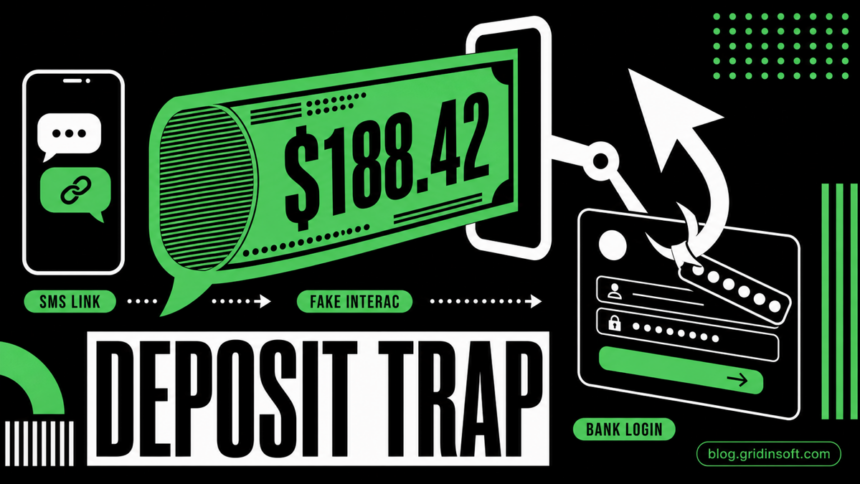
Canadian banking phishing chain
A reported SMS sends victims to etr-invspt.ca, then redirects them to inc-gdep.com, a fake Interac-style “Deposit Your Money” page. The page claims a $188.42 CAD deposit from the Government of Canada and asks the user to choose a financial institution. After a bank is selected, the site displays cloned bank login pages such as CIBC or Manulife.
This is best classified as SMS phishing, banking phishing, Interac e-Transfer scam, and Government of Canada impersonation. Its goal is not to send money to the victim. Its goal is to steal online banking credentials, card details, security questions, and sometimes one-time passcodes.
| Initial domain | etr-invspt.ca |
| Landing / phishing domain | inc-gdep.com |
| Lure | Fake update/review message, then fake Interac deposit |
| Impersonated brands | Interac, Government of Canada, Canadian banks |
| Targeted data | Bank login, card number, passwords, 2FA codes, security answers |
| Risk | Account takeover and financial fraud if credentials were entered |
The SMS message
The reported text message uses vague official language and a direct link:
-QST confirmed and recorded-
-Update review is complete-
-Update accepted for records-
Visit update directly etr-invspt.ca/tael?XXXXXXXXXXX
The wording looks administrative but gives no real organization name, amount, file number, due date, or reason. QST may be used to make the message feel Canadian or Quebec-related, while ETR may make some users think about a toll road or transport notice. The domain is not an official Interac, bank, 407 ETR, or Government of Canada domain.
How the scam works
The chain has two stages. The SMS link on etr-invspt.ca acts as the lure and tracking step. The victim then lands on inc-gdep.com, where the page imitates an Interac deposit screen and offers a fake “Government of Canada” payment.
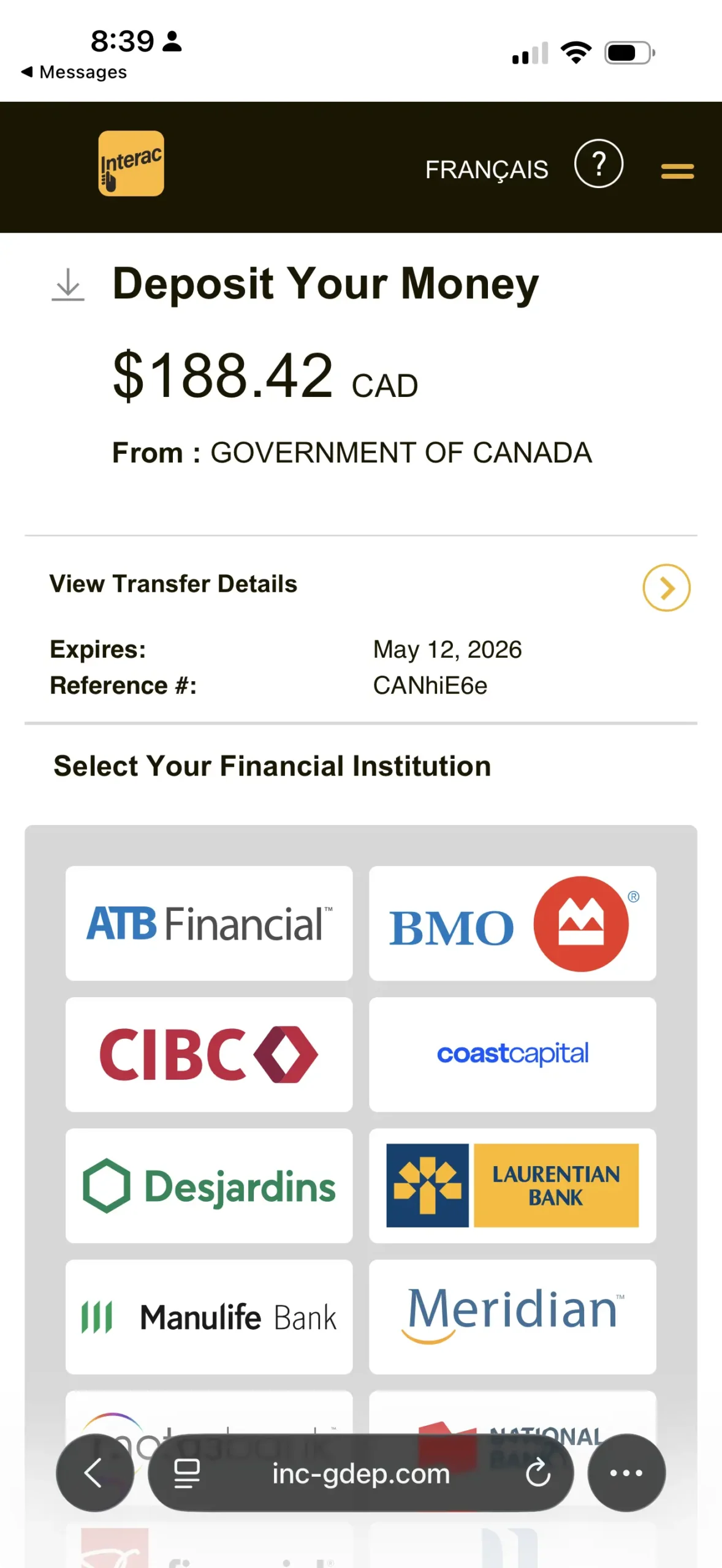
The amount, expiry date, reference number, Interac styling, and bank logos are there to make the page feel familiar. The important red flag is the browser address: inc-gdep.com. A real bank login or Interac flow should not be hosted on a random newly created domain.
Bank selection leads to fake login pages
After the victim selects a financial institution, the phishing site changes into a fake bank login page. The examples below show cloned CIBC and Manulife pages. They are designed to harvest credentials directly from the victim.
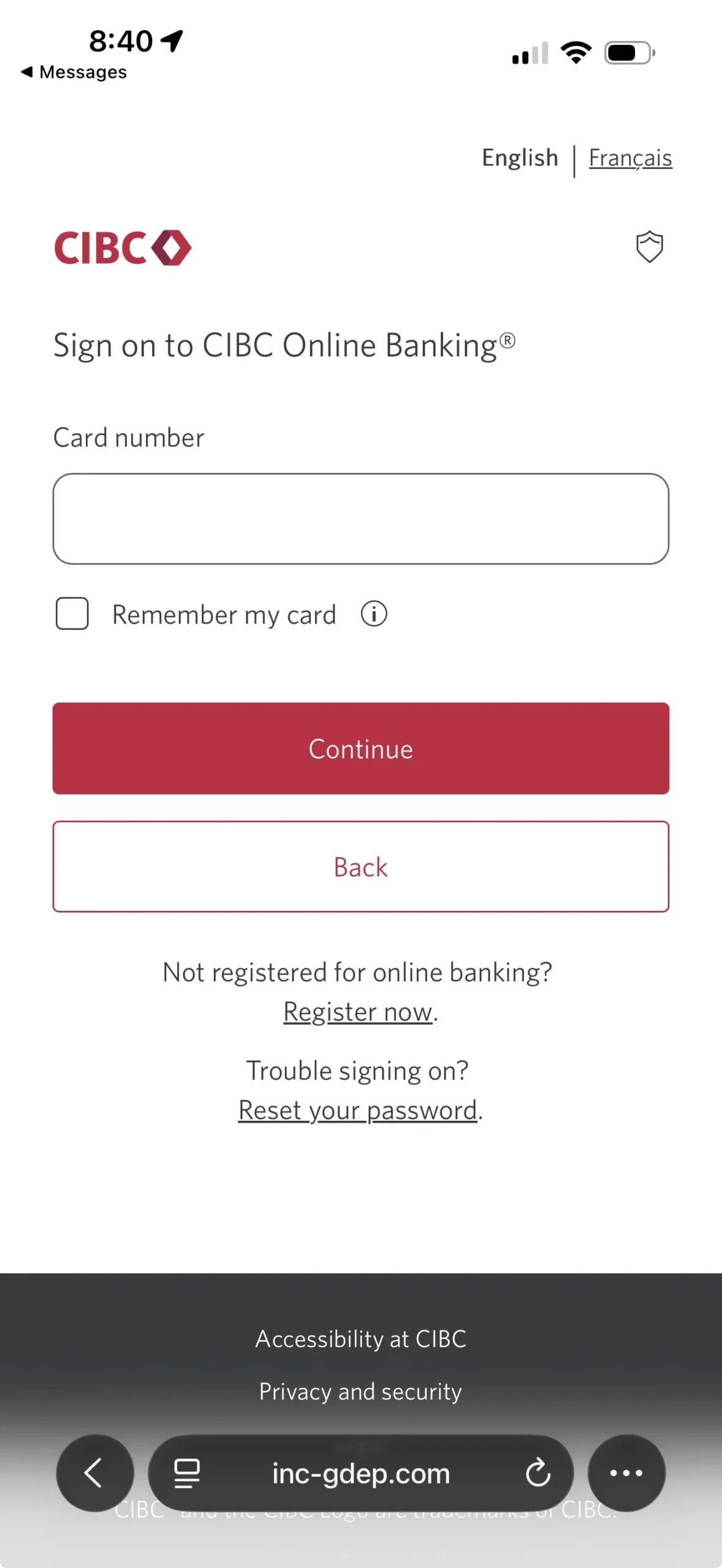
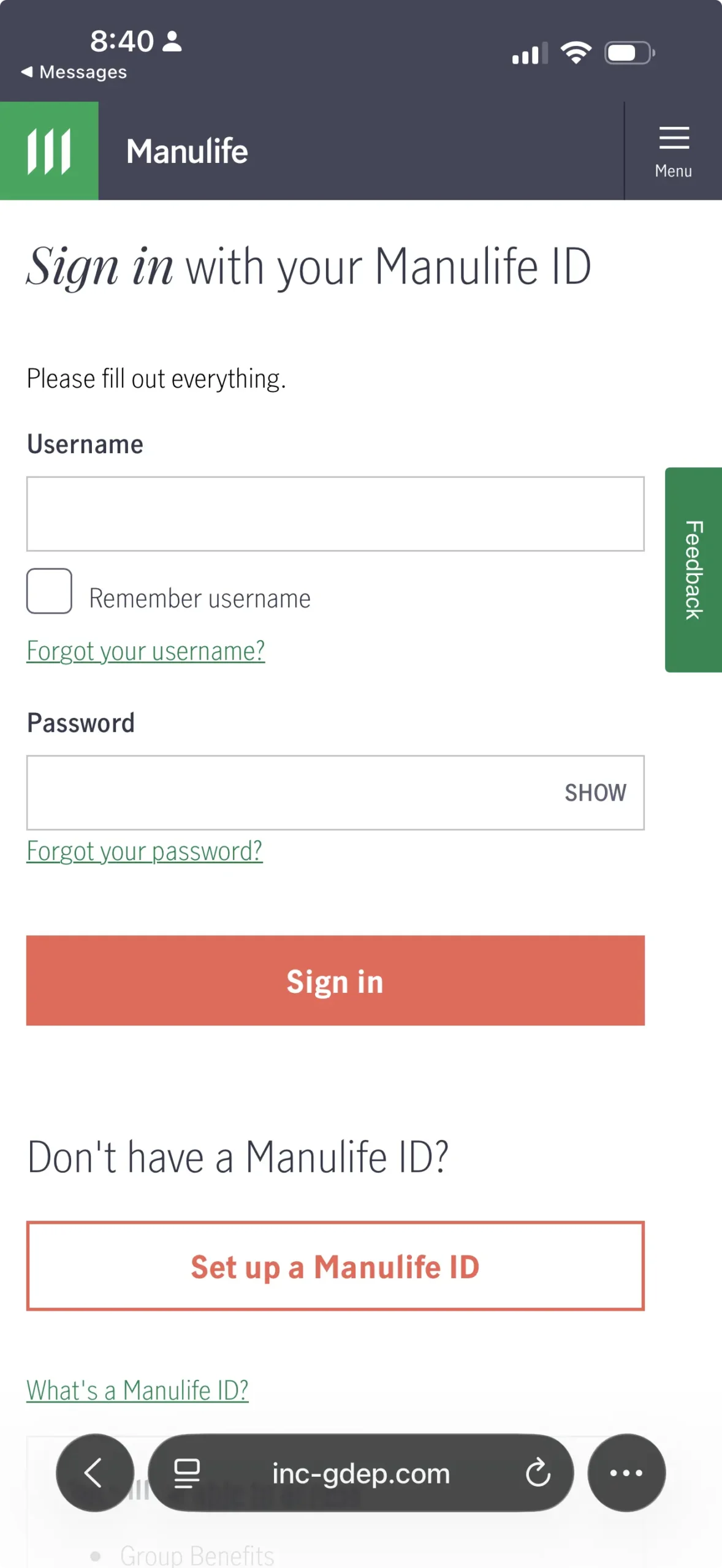
These pages can ask for a card number, username, password, security questions, or a one-time verification code. If the victim provides that information, the attackers may try to log in to the real banking account immediately.
Red flags in this campaign
- Strange domains:
etr-invspt.caandinc-gdep.comare not official Interac, bank, 407 ETR, or Government of Canada domains. - Vague official wording: “QST confirmed and recorded” and “Update accepted for records” sound official but do not explain anything.
- Tracking parameter: the
tael?value in the SMS link appears to identify or track the recipient. - No real case details: there is no agency name, proper file number, amount in the SMS, or reason for the payment.
- Fake Interac flow: the page asks the user to choose a bank from a non-Interac domain.
- Credential collection: the next step is a bank login page hosted on
inc-gdep.com, not on the bank’s real website.
Gridinsoft URL Scanner results
Gridinsoft URL Scanner currently classifies both domains as phishing:
- etr-invspt.ca: phishing, trust score 1/100, domain maturity around 1 day at the time of analysis.
- inc-gdep.com: phishing, trust score 1/100, domain maturity around 7 days at the time of analysis.
What to do if you opened the link
If you only opened the page and did not type anything, the immediate risk is usually low. Close the page, do not return to it, and delete the SMS. If you downloaded anything, installed anything, or allowed notifications, remove the download, revoke notification permission, and scan the device.
What to do if you entered banking details
If you entered a card number, username, password, security question, or one-time code, treat it as urgent:
- Call your bank using the number on the back of your card or the official app.
- Tell the bank your online banking credentials may have been entered on a phishing site.
- Change the password from a clean device.
- Reset security questions and review trusted devices or remembered browsers.
- Ask the bank whether the card, online banking access, or Interac settings should be locked or reissued.
- Review recent transactions and pending transfers.
- If a one-time code was shared, tell the bank that too. It may mean the attacker tried to pass multi-factor authentication.
How to report it in Canada
- Forward suspicious text messages to 7726 (SPAM), which Canadian carriers use for spam reporting.
- Report fake Interac messages to Interac’s phishing reporting channel: [email protected].
- Report fraud or attempted fraud to the Canadian Anti-Fraud Centre.
- For messages impersonating the Government of Canada or CRA-style refunds, verify only through official Canada.ca scam alert guidance.
A separate CRA-themed email claims a 2025-2026 benefit statement is ready, then sends the recipient to a third-party Webmail sign-in. Use the CRA Benefit Statement phishing email guide for the mailbox-password and CRA-account recovery branch.
Indicators of compromise
| Domain | etr-invspt.ca |
| Domain | inc-gdep.com |
| URL pattern | etr-invspt.ca/tael?XXXXXXXXXXX |
| SMS phrase | QST confirmed and recorded |
| Fake sender claim | Government of Canada |
| Displayed amount | $188.42 CAD |
Bottom line
This is a credential-harvesting campaign. The SMS creates curiosity with vague transport/tax-style language, then the fake Interac page creates reward pressure with a “Government of Canada” deposit. The bank selection step is the trap. Once a bank is selected, the phishing kit presents a cloned login page and attempts to collect banking credentials.
FAQ
Is etr-invspt.ca official?
No. It is not an official Interac, bank, 407 ETR, or Government of Canada domain.
Is inc-gdep.com an Interac website?
No. The screenshots show Interac-style branding, but the browser address is inc-gdep.com. That mismatch is a strong phishing sign.
Can clicking the link infect my phone?
In this case the visible goal is credential theft. Simply opening the page is usually less dangerous than entering data, but you should close it and avoid downloading anything or allowing notifications.
What if I selected a bank but did not type anything?
The risk is still usually low if you did not enter credentials, card data, security answers, or codes. Close the page and do not continue.
What if I entered a 2FA or SMS code?
Call your bank immediately. A code can let attackers complete a real login or transaction while you are still on the phishing page.