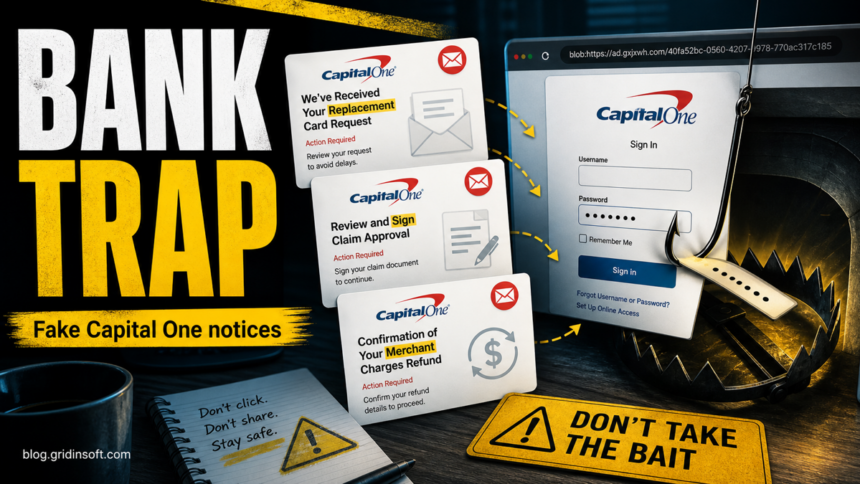
Capital One phishing emails are using fake purchase-verification, replacement-card, claim-approval, and merchant-refund notices to push readers toward a copied sign-in page. The examples we reviewed use subjects such as Unusual Charge: Please confirm your recent purchase, We’ve Received Your Replacement Card Request, Review and Sign claim approval, and Confirmation of your merchant charges refund. The safest response is simple: do not use the email link. Open the Capital One app or type capitalone.com yourself, then check cards, claims, and alerts from inside the real account.
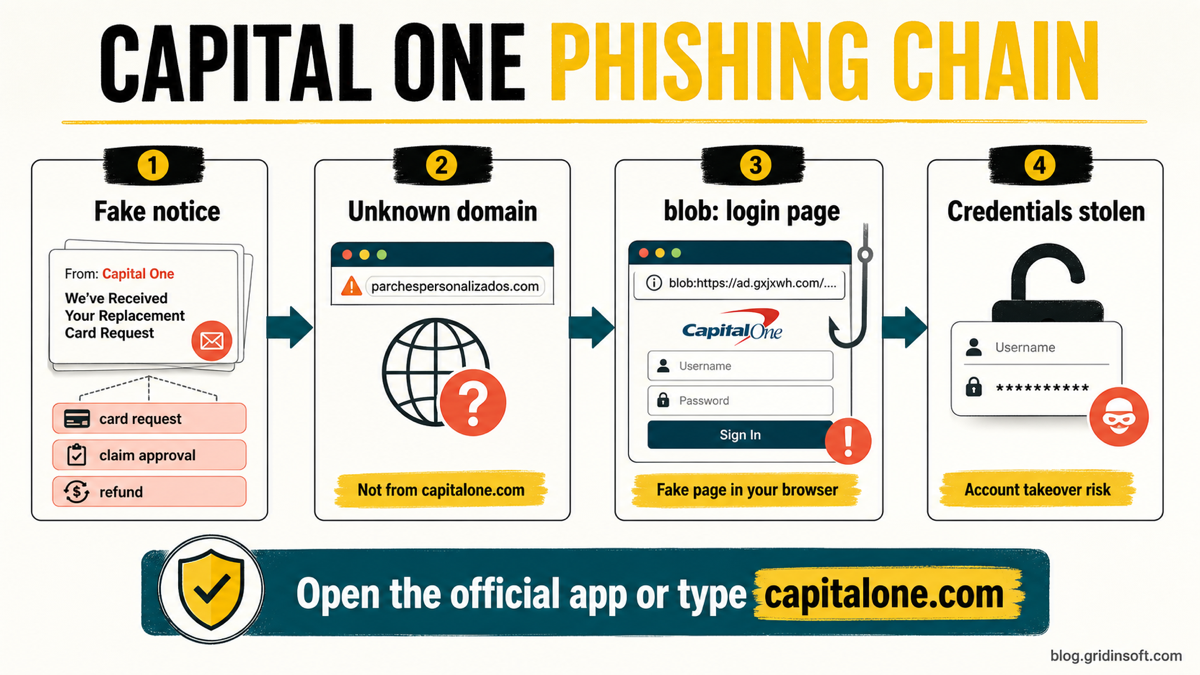
These messages are convincing because they reuse bank-like wording and familiar footer text, but the real clues are in the route: sender domains such as capital.net or info.net, shortened t.co decision buttons, links to unrelated sites such as campingletniden.com/ or parchespersonalizados.com/, and a final browser page that may show a blob: address instead of a normal Capital One URL. Do not visit those domains to test them.
What This Capital One Scam Looks Like
The lure changes depending on the subject line, but each version tries to create the same feeling: something financial has happened and you must sign in now to cancel, approve, or confirm it.
| Email subject or pretext | What it tries to make you do |
|---|---|
| Unusual Charge: Please confirm your recent purchase | Shows a large pending AMZN purchase and asks you to choose whether you recognize it from email buttons. |
| We’ve Received Your Replacement Card Request | Claims a replacement card is being processed and asks you to cancel the request through a secure portal. |
| Review and Sign claim approval | Claims an unrecognized merchant-charge claim was approved and asks you to review and sign the approval. |
| Confirmation of your merchant charges refund | Claims a merchant-charge refund is ready and asks you to confirm or review claim information. |
Four Opened Email Examples
The campaign changes the subject line, but the opened messages use the same pressure pattern: a bank-like notice, a non-official sender, and a link that should not be used for banking sign-in. The images below show safe opened-message views, followed by the readable text from each email.
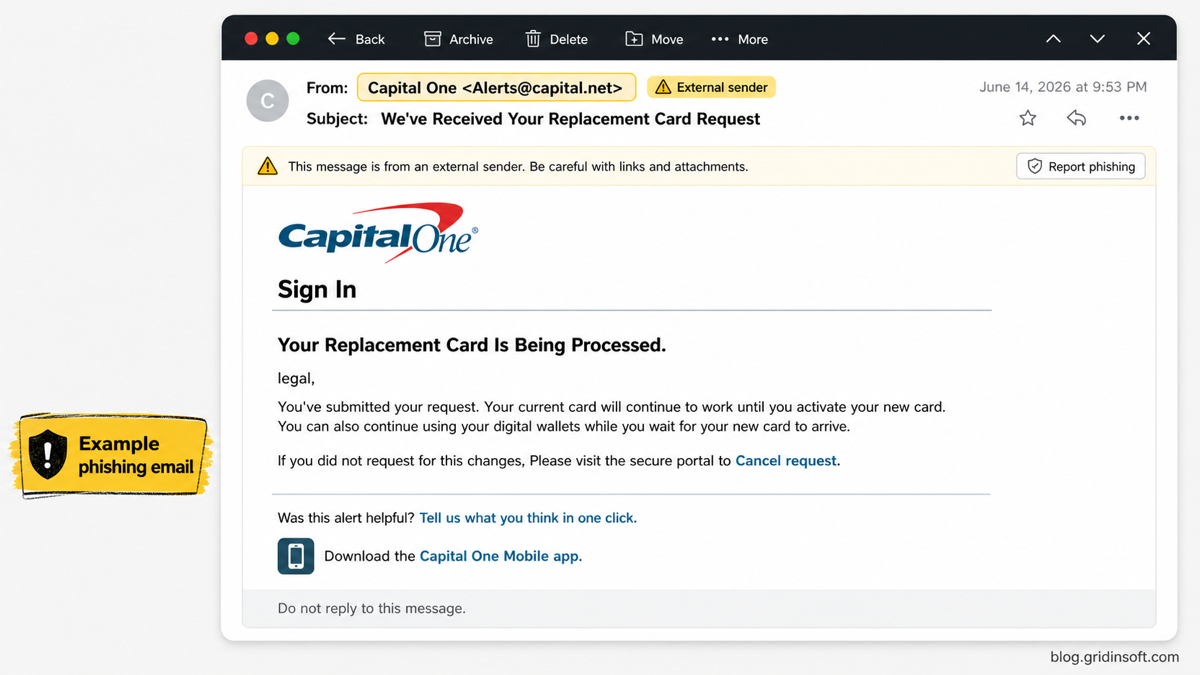
Example 1: replacement card request
From: Capital One <[email protected]>
Subject: We’ve Received Your Replacement Card Request
Link shown in the message: campingletniden.com/
Sign In
Your Replacement Card Is Being Processed.
legal,
You’ve submitted your request. Your current card will continue to work until you activate your new card. You can also continue using your digital wallets while you wait for your new card to arrive.
If you did not request for this changes, Please Just Please visit the secure portal to Cancel request.
Was this alert helpful? Tell us what you think in one click.
Download the Capital One Mobile app.
About this message. Web access is needed to use mobile banking. Check with your service provider for details on specific fees and charges. The site may be unavailable during normal maintenance or due to unforeseen circumstances.
Important information from Capital One. Contact us | Privacy | Help prevent fraud. Please do not reply to this message, as this email inbox is not monitored.
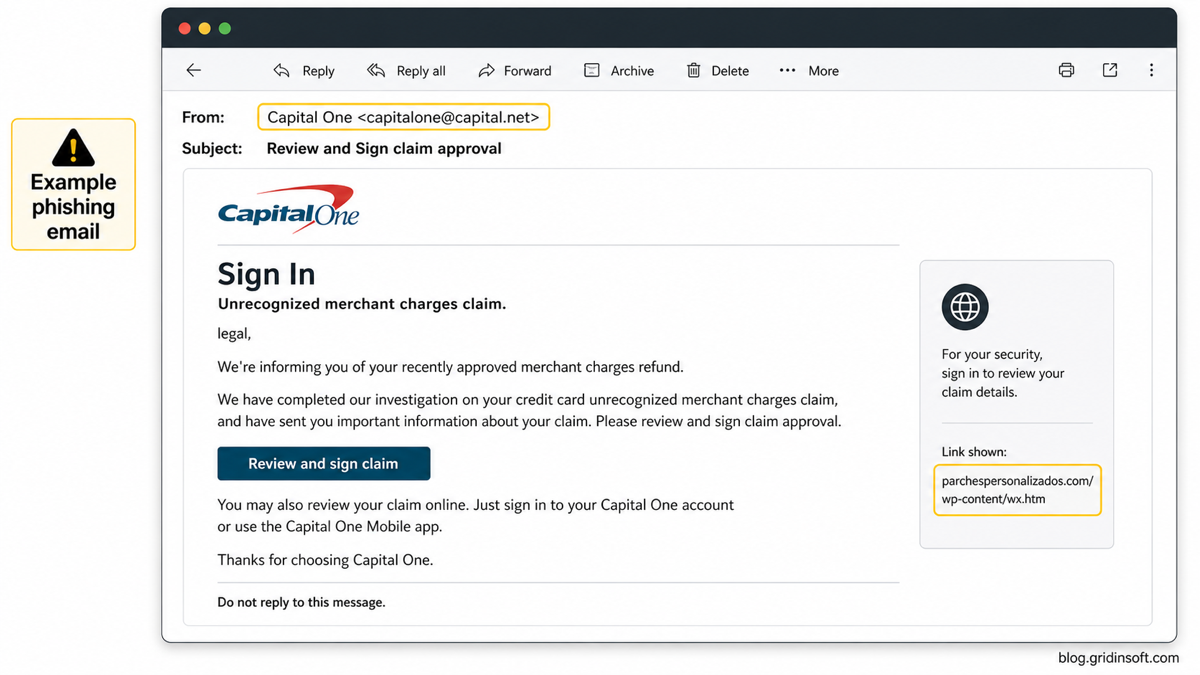
Example 2: claim approval request
From: Capital One <[email protected]>
Subject: Review and Sign claim approval
Link shown in the message: parchespersonalizados.com/
Sign In
Unrecognized merchant charges claim.
legal,
We’re informing you of your recently approved merchant charges refund.
We have completed our investigation on your credit card unrecognized merchant charges claim, and have sent you important information about your claim.Please review and sign claim approval.
Review and sign claim
You may also review your claim online. Just sign in to your Capital One account or use the Capital One Mobile app.
Thanks for choosing Capital One.
Was this alert helpful? Tell us what you think in one click. Download the Capital One Mobile app.
Important information from Capital One. Contact us | Privacy | Help prevent fraud. Please do not reply to this message, as this email inbox is not monitored.
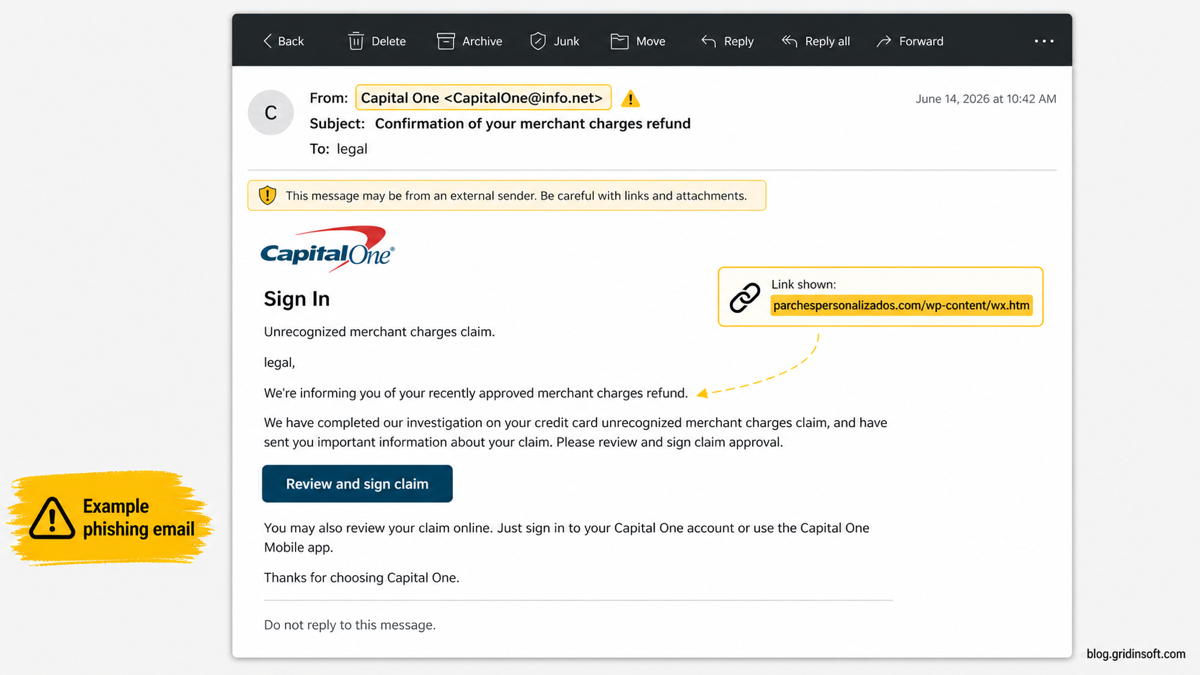
Example 3: merchant charges refund confirmation
From: Capital One <[email protected]>
Subject: Confirmation of your merchant charges refund
Link shown in the message: parchespersonalizados.com/
Sign In
Unrecognized merchant charges claim.
legal,
We’re informing you of your recently approved merchant charges refund.
We have completed our investigation on your credit card unrecognized merchant charges claim, and have sent you important information about your claim.Please review and sign claim approval.
Review and sign claim
You may also review your claim online. Just sign in to your Capital One account or use the Capital One Mobile app.
Thanks for choosing Capital One.
Was this alert helpful? Tell us what you think in one click. Download the Capital One Mobile app.
Important information from Capital One. Contact us | Privacy | Help prevent fraud. Please do not reply to this message, as this email inbox is not monitored.
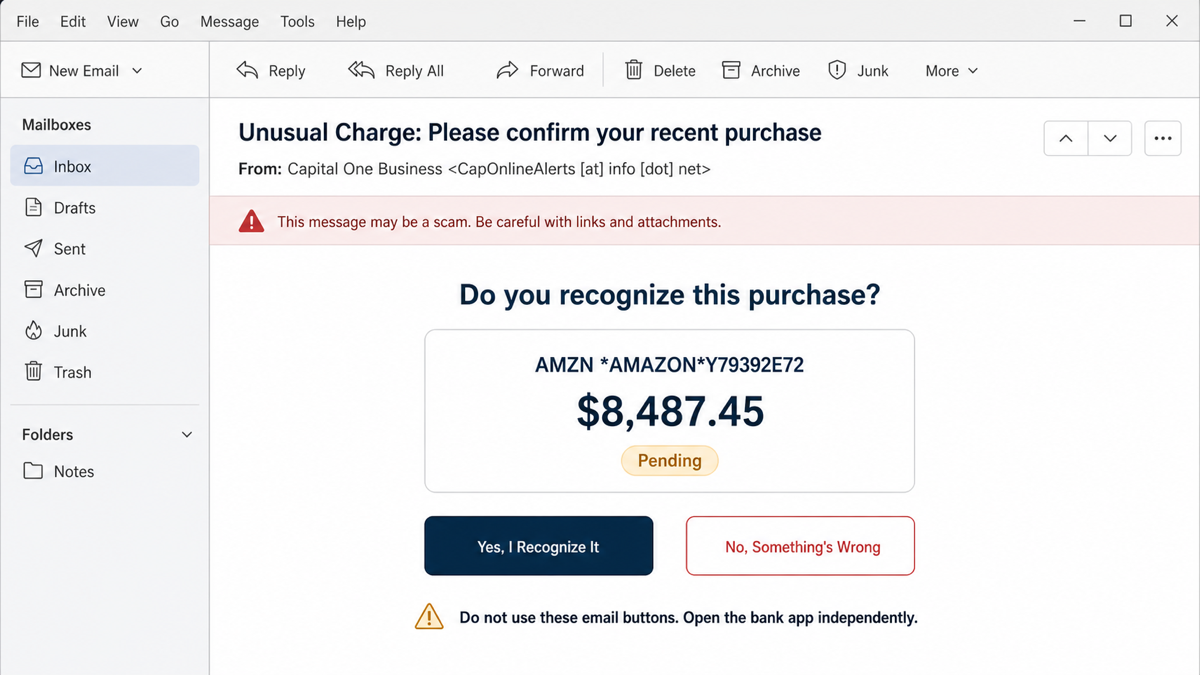
Example 4: unusual charge purchase confirmation
From: Capital One Business <CapOnlineAlerts [at] info [dot] net>
Subject: Unusual Charge: Please confirm your recent purchase
Decision links: both buttons use a shortened t.co destination
Do you recognize this purchase?
AMZN *AMAZON*Y79392E72
$8,487.45
Pending
Yes, I Recognize It
No, Something’s Wrong
The copied bank styling is not the trust signal. The display name says Capital One Business, but the sender is on info.net, and both transaction decisions leave the message through shortened links. Do not test either button. Open the Capital One app or type capitalone.com independently, check the transaction there, and call the number on the back of the card if the account needs urgent help.
| What happened | What to do now |
|---|---|
| Opened only | Close the message, report it as phishing, and verify the purchase from the bank app or typed website. Opening the email alone does not require a password reset. |
| Clicked, entered nothing | Close the page, verify the real account independently, and check whether the click downloaded a file, added notifications, or changed the browser. |
| Entered a password or MFA code | Use a clean device to change the password, review sessions and profile details, check transactions, and contact the bank immediately. Follow the broader account recovery checklist for reused credentials or financial loss. |
| Downloaded, installed, or ran something | Stop using the suspicious file, run a full security scan, remove detections, reboot, and scan again. Secure the bank and email accounts from a clean device. |
The second and third examples reuse almost the same body while changing the sender domain and subject. That reuse is a campaign clue: the attacker is rotating pretexts, not sending a legitimate bank workflow.
All four are strong phishing pretexts because they sound like account-protection events. A real card replacement, dispute, fraud claim, or refund is exactly the kind of alert many people would not want to ignore. That is why the verification step matters more than the email design.
Red Flags In The Emails
- The visible brand does not match the sender domain. The display name says Capital One, but the sender uses domains such as
capital.netorinfo.net, not an official Capital One domain. - The link goes to an unrelated website. A bank alert should not send you through a random
wx.htmpage on an unrelated domain. - The same destination appears across different lures. Card request, claim approval, and refund language all route to similar link infrastructure.
- The wording creates a forced sign-in decision. The message says to cancel, review, sign, or confirm from the link instead of letting you verify in the app.
- The page hides the real origin. A final
blob:URL in the address bar is a warning sign because it is not the normal site address you should trust for a bank login.
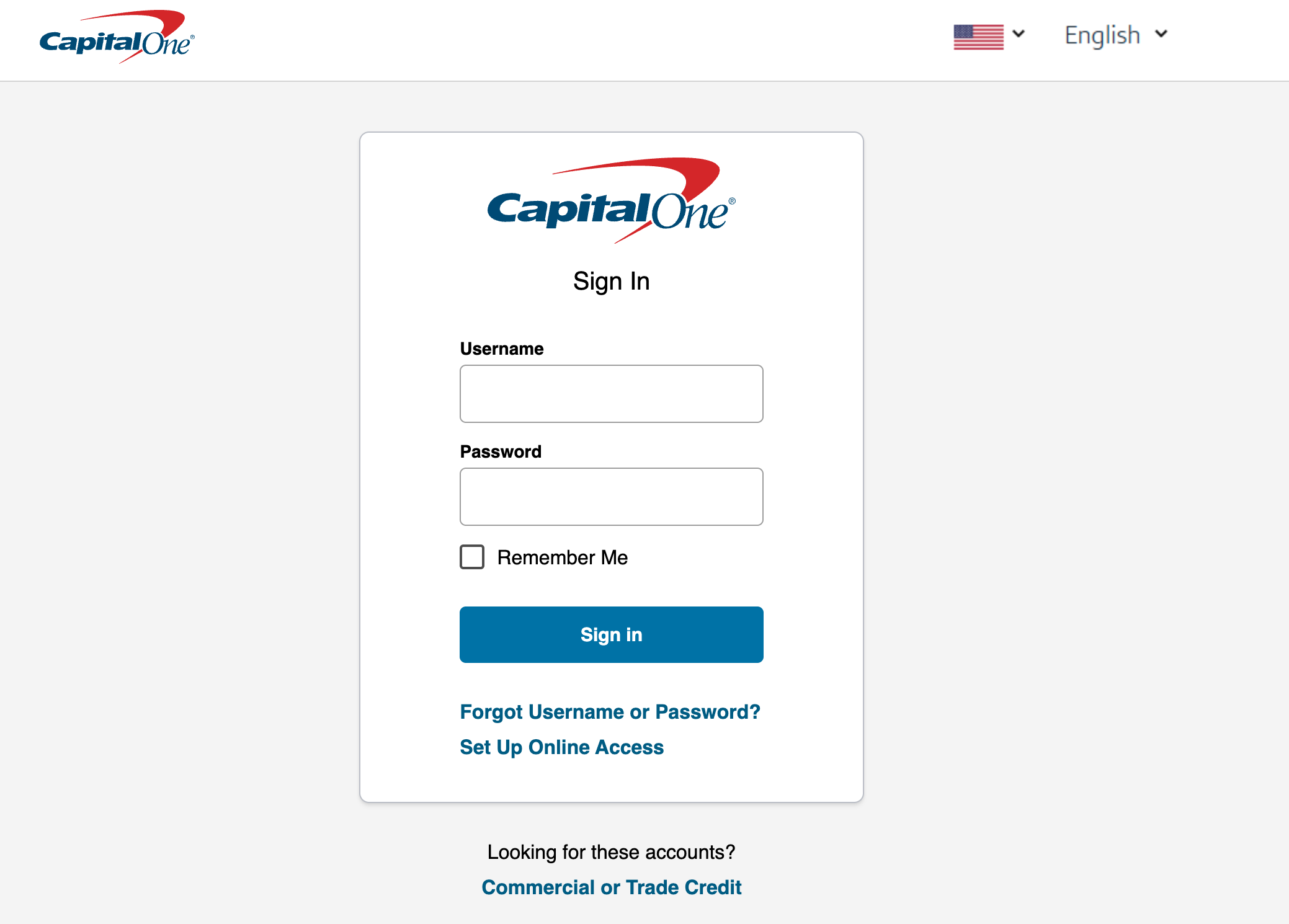
Why A blob: Login Page Is Suspicious
A blob: URL is a browser-created object address. It can be legitimate inside web apps, but it is not a safe sign-in origin by itself. For a bank login, the address bar should clearly show the official domain you intentionally opened. If a message link bounces through an unknown site and ends on a page that looks like Capital One while the browser shows blob:https://ad.gxjxwh.com/..., treat it as a credential-stealing page.
The important lesson is not that every blob: URL is malicious. The problem is the full chain: unexpected bank email, unrelated link domain, copied login design, and a final page that is not the official bank site. A password manager may also refuse to autofill on this kind of page, which is another useful clue.
How To Check The Message Safely
- Do not click the email button again. If you already opened it, close the tab and do not enter more information.
- Open Capital One independently. Use the mobile app, a saved bookmark, or type
capitalone.cominto a new browser tab. - Check the real account area. Look for card replacement status, card lock, recent transactions, disputes, fraud claims, secure messages, and alerts inside the real account.
- Use official reporting paths. Capital One provides a suspicious-communications form and guidance for suspicious emails. Do not report through links in the suspicious message.
- Preserve the message if money or credentials were involved. Keep headers, screenshots, timestamps, and the suspicious link text for your bank or incident report.
Capital One’s own help pages route suspicious communications and account problems through official forms, the app, website, or the phone number on the card. That is the pattern to copy: verify from a trusted entry point, not from the email link.
If You Entered Your Capital One Login
- Change the password from a clean device. Use the official Capital One app or typed website, not the phishing page.
- Revoke sessions and review security settings. Check trusted devices, recovery email, phone number, alerts, and any unfamiliar profile changes.
- Lock the card or contact Capital One if needed. If you see unknown transactions, card changes, or profile edits, report the issue through official Capital One support.
- Change reused passwords. If the same password was used for email, shopping, social media, or another bank, change those accounts too.
- Watch for follow-up scams. Attackers may use the same email address or phone number for fake support calls, refund messages, or identity-verification lures.
If you submitted a Social Security number, card number, bank account number, or other personal information, use IdentityTheft.gov or your local identity-theft reporting process for a recovery plan. If only the username and password were entered, the fastest useful actions are password reset, session review, MFA check, account alerts, and transaction monitoring.
Should You Scan The Device After Clicking?
If you only opened the page and closed it, account recovery is usually the priority. But scan the device if the page asked you to download a file, install a browser extension, allow notifications, run a remote-support tool, or if the browser starts showing pop-ups and redirects afterward. A phishing page can be paired with adware, notification spam, fake support tools, or malware even when the first screen only asks for a login.
Gridinsoft Anti-Malware can help check for suspicious browser changes, bundled apps, hidden files, startup entries, and persistence after a phishing click. Run a full scan, remove detections, reboot, and scan again if pop-ups, redirects, or unknown extensions return.
If the page or email made you download an invoice, coupon, tracking app, browser extension, or support tool, scan the PC before opening it again or logging into sensitive accounts.
Scan after a phishing clickHow To Avoid This Scam Next Time
- Use the official banking app or a typed domain for card, refund, dispute, and fraud-claim checks.
- Let a password manager help you: if it will not autofill, stop and inspect the domain.
- Treat urgent cancellation, approval, or refund buttons in unexpected email as untrusted shortcuts.
- Do not enter bank credentials on a page reached through an unrelated domain, shortened link, redirect chain, or
blob:address. - Turn on account alerts, card-lock features, and multi-factor authentication where available.
For more examples, compare this with Gridinsoft’s phishing email red flags, the PayPal charge email scam, and the broader scam website checklist. If a phishing click may have exposed passwords beyond one bank account, the password attack response guide explains which accounts to secure first.
For a similar banking-brand lure that uses a fake loan approval instead of a card or claim notice, see our guide to the American Express Personal Loan Approved email scam.
FAQ
Is the Capital One replacement card email always fake?
No. Capital One can send real account alerts, but you should verify a card replacement from the app, typed website, or a known phone number. A replacement-card email that links to an unrelated domain is not safe to use.
What does a fake Capital One refund or claim email want?
Usually your login credentials. The message claims a dispute, merchant charge, claim approval, or refund needs attention, then sends you to a copied sign-in page so attackers can capture the username and password.
Is a blob: URL proof that the page is phishing?
Not by itself, but it is a serious warning sign in this context. A bank login should show the official domain you opened intentionally. A blob: page reached from an unknown link is not a trustworthy place to enter banking credentials.
What if I clicked but did not type anything?
Close the tab, do not click again, and check your account from the official app or typed URL. Run a security scan if the page downloaded something, requested notifications, installed an extension, or browser behavior changed afterward.
Should I forward the phishing email?
Yes, use the official reporting path from Capital One or your email provider. If you lost money or personal information, also report the scam to the appropriate consumer-protection or identity-theft reporting service.
References
- Capital One. “Report a suspicious email.” Capital One Help Center, accessed June 14, 2026. https://www.capitalone.com/help-center/fraud-disputes/report-suspicious-email/
- Capital One. “Replacement Cards.” Capital One Help Center, accessed June 14, 2026. https://www.capitalone.com/help-center/fraud-disputes/replacement-card-support/
- Capital One. “Problem charges.” Capital One Help Center, accessed June 14, 2026. https://www.capitalone.com/help-center/credit-cards/problem-card-charges/
- Federal Trade Commission. “How To Recognize and Avoid Phishing Scams.” Consumer Advice, accessed June 14, 2026. https://consumer.ftc.gov/articles/how-recognize-avoid-phishing-scams