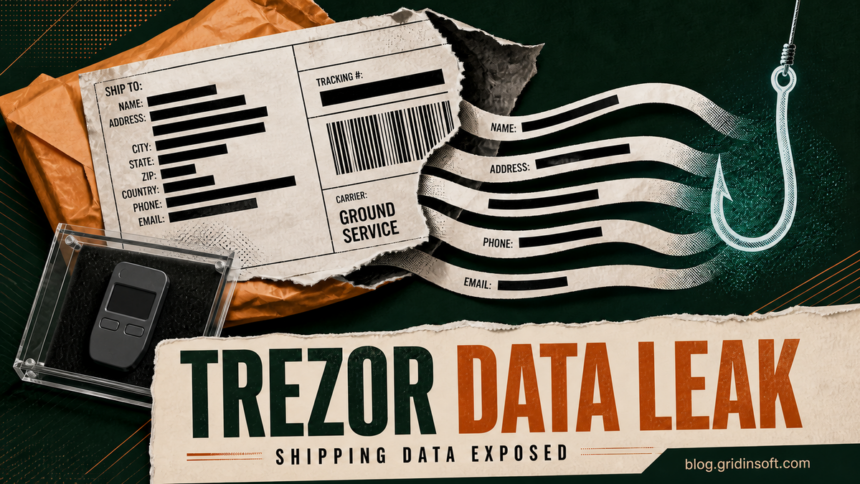
The Trezor data breach at shipping provider ShipMonk now affects approximately 80,700 customers. Trezor added another approximately 67,000 U.S. customers on September 4, after ShipMonk found order records from November 2019 through August 2021. The newly disclosed data includes names, email addresses, phone numbers, shipping addresses, and order numbers.
Trezor says its own systems and hardware wallets were not compromised. The disclosure does not establish that wallet backups, private keys, PINs, funds, or parcel contents were accessed. The immediate risk is more convincing phishing by email, phone, or post—and, for people whose home address was exposed, a possible physical-security risk.
Updated September 6, 2026, to include Trezor’s expanded September 4 disclosure.
Who is affected by the expanded ShipMonk breach
The incident now covers two main groups. Trezor says it emailed all affected customers directly. Check for the notice in your inbox, but verify it independently by typing trezor.io into the browser and opening the company’s incident page yourself. Do not use a phone number, QR code, download, or wallet link supplied by an unexpected message.
Approximately 67,000 additional U.S. customers
These customers ordered between November 2019 and August 2021. Trezor says the exposed records contain name, email, phone number, shipping address, and order number.
11,742 customers in the original full-exposure group
This group was mainly tied to orders received May 10–August 8, 2026, in seven countries. The exposed fields were name, email, phone number, and shipping address.
1,947 customers in the original partial-exposure group
This group includes some older orders. Trezor says the exposed fields were name, city, and email.
The combined figure of approximately 80,700 is the original 13,689 plus the new approximate group; it should not be read as an independently audited exact count. Trezor says it repeatedly received written assurances that data from its earlier relationship with ShipMonk had been deleted, but the records were still present. That September 4 update supersedes older statements still visible in the original FAQ about a 90-day limit and only 13,689 affected customers.
What the breach does—and does not—mean
The exposed records can tie a real person and delivery address to a Trezor purchase. That gives an impersonator enough context to mention a genuine order, pose as Trezor, a courier, a bank, an exchange, or law enforcement, and demand an urgent “security check.” A letter sent to the correct address can be fraudulent for exactly the same reason.
The breach did not, according to Trezor, reach Trezor systems or devices. Contact and order data alone cannot unlock a wallet. Do not rotate a wallet backup merely because you received the breach notice. The dangerous step would be following a fake migration process, typing the backup into a website, sharing it with a caller, or approving a transaction you did not initiate.
What to do after a Trezor breach notice or suspicious message
- Official notice received: preserve the message, verify the incident through
trezor.io, and expect follow-up impersonation. A legitimate notice does not require your wallet backup, PIN, remote access, or an urgent transaction. - No official notice received: Trezor says you are not in the disclosed affected set. That does not make an unrelated Trezor-themed email, call, direct message, or letter safe.
- Suspicious email, call, or letter: do not reply or confirm that you own a wallet, how much it holds, the device model, or where the backup is stored. Contact Trezor through its independently opened support page.
- Link opened, nothing entered: close the page, disconnect any wallet, check browser downloads, and remove any permissions you granted. If a file or remote-support tool ran, treat the computer as potentially compromised.
- Account password shared: from a known-clean device, secure the email account first, change the exposed password, replace reused passwords, and sign out other sessions.
- Wallet backup shared: assume the wallet is compromised. Follow official Trezor instructions on a known-clean device to create a new backup on the hardware wallet and move assets to addresses controlled by it. Never reuse the exposed words.
- Unknown transaction approved: record transaction IDs and destination addresses, revoke risky token approvals where applicable, and contact the relevant exchange or law-enforcement channel immediately. Blockchain transfers generally cannot be canceled.
- Specific threat or suspicious visit: preserve the letter, envelope, caller details, camera footage, and timestamps without confronting anyone. Contact local law enforcement and review home, delivery, and public-profile exposure.
If a message includes a suspicious URL or download, check it without signing in or connecting a wallet. Gridinsoft’s online scanner can help inspect a URL or file, but a clean result cannot make a request for a wallet backup legitimate. Our crypto-wallet validation scam guide explains the common “verify,” “synchronize,” and “secure your assets” lures.
False assumptions to avoid
- “Trezor wallets were hacked.” Trezor attributes the breach to ShipMonk and says its systems, products, and devices remain secure.
- “The caller knows my address, so the call must be real.” The leaked address and order number are precisely what can make impersonation convincing.
- “I should move funds immediately because my contact data leaked.” Moving funds is necessary only if the wallet backup or signing authority was actually exposed—not merely because contact information leaked.
- “The official email proves every link inside it is safe.” Open the incident page independently. Attackers can copy branding, sender names, and breach details.
SafePal disclosed a separate order-data breach in August; our SafePal data breach response guide explains its different affected window and notification path. If malware rather than a data leak is prompting for a seed phrase, see the OkoBot seed-phrase malware analysis.
References
- Trezor Team. “Recent customer data exposed in shipping provider incident.” Trezor, published August 13, 2026; updated September 4, 2026; accessed September 6, 2026. Incident notice.
- Trezor. “Common scams and phishing affecting Trezor users.” Trezor, accessed September 6, 2026. Security guidance.