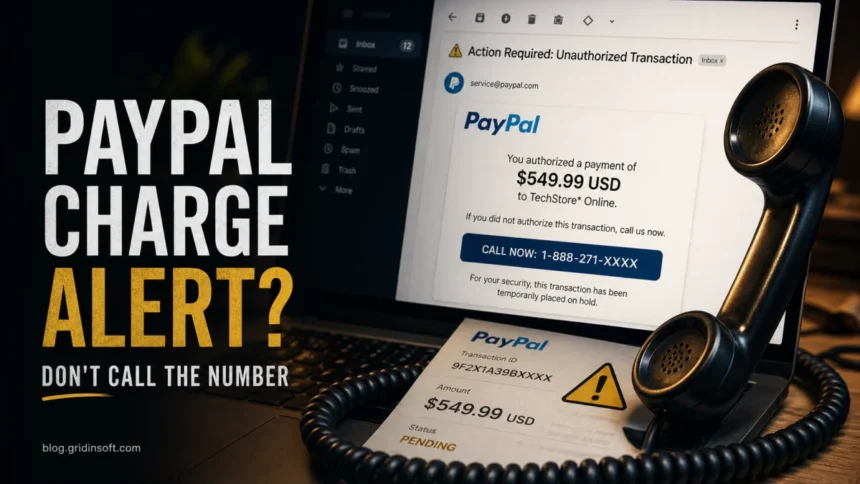
A PayPal Unauthorized Transaction email is a scam when it says a purchase or charge will go through unless you call the phone number in the message. Do not call that number, do not use links in the email, and do not read a PayPal code to anyone. Open PayPal yourself from the app or by typing the address, check Activity, and use the Resolution Center only if a real payment appears there.
Do this first
- Do not call the “support” or “billing” number in the email.
- Do not click the cancel, dispute, refund, invoice, or order-details button.
- Open PayPal yourself and check Activity, Messages, invoices, and the Resolution Center.
- If nothing is visible in PayPal, report the email to PayPal and delete it.
- If you called, installed a support app, shared a code, or downloaded an attachment, secure the account and scan the device.
PayPal Unauthorized Transaction Email Examples
Scammers change the amount, product name, plan name, phone number, and transaction ID, but the message pattern stays similar. These fictional examples show the wording to look for without exposing any real victim data.
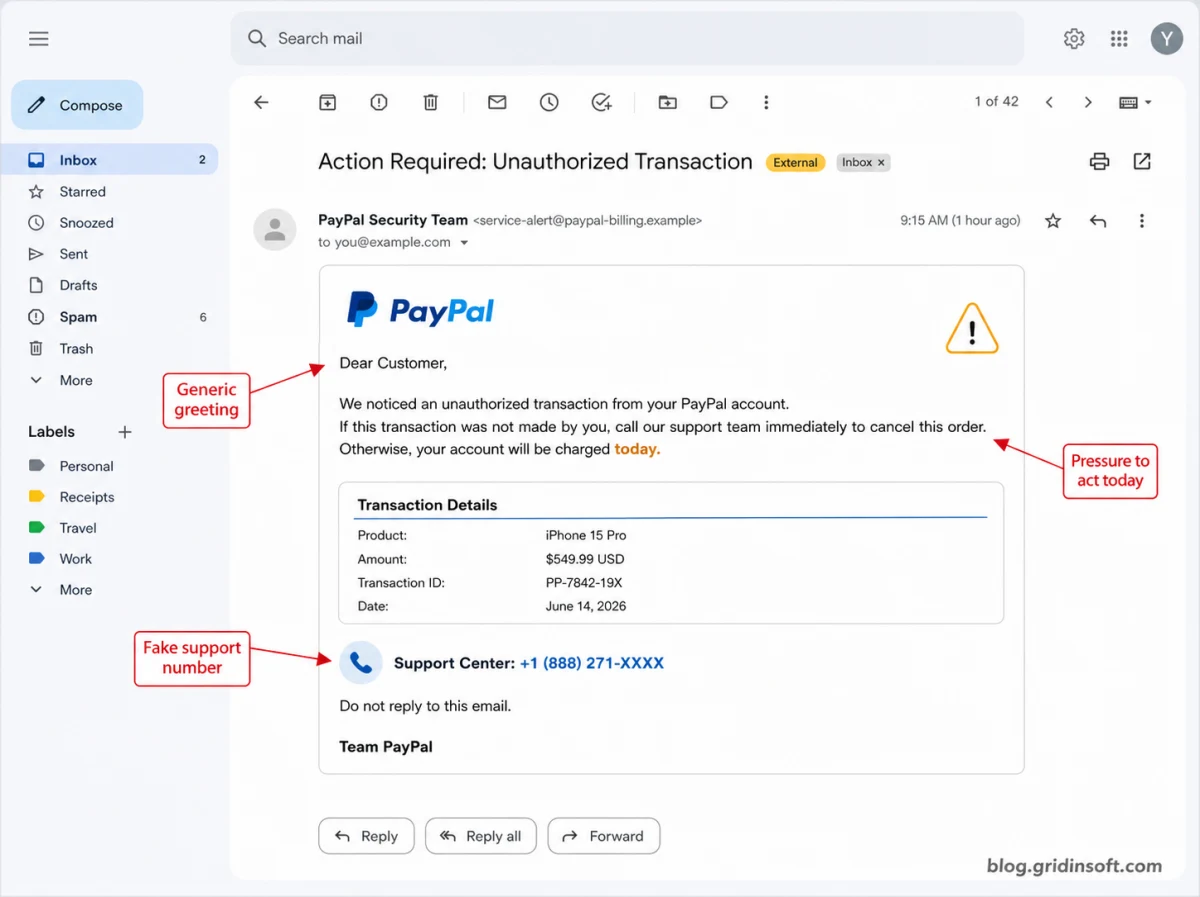
Example 1: fake charge cancellation email
Subject: Action Required: Unauthorized Transaction
Dear Customer,
We noticed an unauthorized transaction from your PayPal account. If this transaction was not made by you, call our support team immediately to cancel this order. Otherwise, your account will be charged today.
Product: iPhone 15 Pro
Amount: $549.99 USD
Support Center: +1 (888) 271-XXXX
Example 2: fake Bitcoin purchase alert
Subject: You sent a payment of $499.00 USD
Your PayPal account has been used to purchase Bitcoin. If you did not authorize this transaction, contact the billing department within 24 hours at +1 (888) 410-XXXX. Do not reply to this email.
Example 3: fake invoice attachment or PDF note
Subject: PayPal Billing Department – Invoice Cancellation
Your invoice is attached. To cancel this pending charge, call PayPal support immediately. Failure to respond may result in automatic debit from your linked account.
Example 4: fake subscription renewal notice
Subject: In_voice update summary
Subscription Renewal Notice
P@YP@L
Digital Security & Technical Services
Dear Customer,
This notice confirms that your monthly subscription has been renewed successfully.
Plan: Premium Device Protection
Reference ID: GK-240629-5412
Amount: USD 229.99
Status: Completed
Support Team: +1 (813) 543-XXXX
The safe response is the same for these examples: do not call the number in the email, do not open unexpected attachments, and verify the charge from PayPal Activity after opening PayPal yourself. A version with no links or attachments can still be dangerous when it pushes you to call a fake billing or support line.
What is the PayPal Unauthorized Transaction email scam?
The scam is a callback phishing email. It pretends PayPal noticed an unauthorized transaction, unrecognized order, Bitcoin purchase, iPhone order, antivirus renewal, digital-security or device-protection subscription renewal, or account charge. The email may show a high amount, a transaction ID, an invoice ID, a reference number, and a deadline. The dangerous part is the instruction to call a phone number to cancel, dispute, or question the charge.
This page is intentionally focused on the email version of the lure. If the request appears as a real PayPal-generated invoice or money request inside your account, use our broader PayPal invoice scam guide. If the message only arrived by email and pushes a phone number, stay with the checklist below.
How to tell if the email is fake
| What you see | Risk and safe check |
|---|---|
| The email says a charge will happen today unless you call. | High-risk callback lure. Open PayPal yourself and check Activity instead of calling. |
| The message lists a phone number in the body, invoice note, PDF, or image. | Do not trust it. Use only support paths shown inside PayPal after you sign in directly. |
| The email mentions Bitcoin, iPhone, Norton, McAfee, Geek Squad, crypto, device protection, digital security services, or a subscription renewal you do not recognize. | Common panic bait. Check whether the payment exists in PayPal Activity before reacting. |
| The sender looks like PayPal but the greeting is generic or the wording is awkward. | Treat it as suspicious. PayPal says fake messages often use generic greetings, false urgency, suspicious links, or unknown attachments. |
| The email has an attachment or asks you to open a document. | Do not open it unless you can verify it safely. Attachments can carry malware or lead to fake login pages. |
Email, invoice, or real unauthorized charge?
Before you report fraud, separate three different situations. A scam email can look frightening without anything happening in your PayPal account. A PayPal invoice can be real as a request but still fraudulent. A completed payment in Activity needs a real dispute.
- Email only: the message is not visible in PayPal. Report it as phishing and delete it.
- Invoice or money request: it appears in PayPal but is unpaid. Do not call numbers in the notes. Cancel, ignore, or report it inside PayPal.
- Completed payment: it appears in Activity and you did not authorize it. Use the Resolution Center and contact your bank or card issuer if needed.
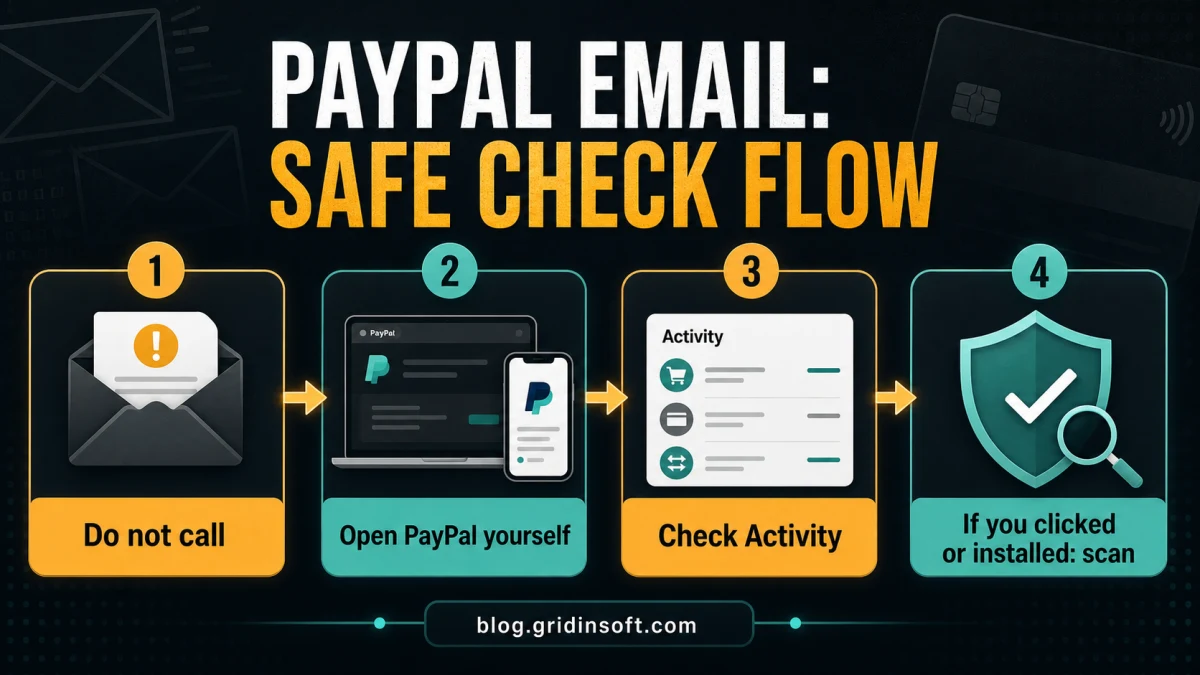
Safe check flow
- Close the email or leave it unread. Do not interact with its buttons, attachments, or phone numbers.
- Open a fresh browser tab or the PayPal app yourself.
- Check Activity for the exact amount, merchant, date, and funding source.
- Check Messages, unpaid invoices, and money requests separately from completed payments.
- If a real completed payment is present, report it through PayPal’s Resolution Center.
- If no matching payment exists, forward the suspicious email to PayPal and delete it.
- If you clicked, called, shared a code, installed a tool, or opened an attachment, follow the recovery steps below.
What if you called the fake PayPal number?
Hang up first. The caller may claim they need a verification code, refund form, banking screen, remote-access session, crypto transfer, gift card, or “security scan.” None of that is needed to cancel a suspicious email.
- If you shared a PayPal one-time code, change your PayPal password and email password from a clean browser session.
- If you entered card or banking details, call the number printed on the back of the card or use your bank’s official app.
- If you installed AnyDesk, TeamViewer, UltraViewer, a browser extension, or another support tool, disconnect the session, uninstall the tool, and scan the computer.
- If the scammer saw your screen, assume passwords, email, browser sessions, and saved payment details may be exposed.
- If money moved, preserve call logs, phone numbers, emails, transaction IDs, screenshots, and payment receipts.
What if you clicked the email or opened an attachment?
If you only opened the email, you are usually not infected. The risk rises when you clicked a link, entered data, downloaded a file, opened an attachment, enabled macros, installed a remote-support app, or allowed a browser extension.
- Close the suspicious page and do not continue the conversation.
- Change PayPal and email passwords if you entered either password.
- Turn on two-factor authentication and remove sessions/devices you do not recognize.
- Check PayPal Activity, automatic payments, cards, banks, shipping addresses, phone numbers, and email addresses.
- Remove any support software, browser extension, or downloaded file that came from the call or email.
- Run a full malware scan before using PayPal, online banking, or email on that computer again.
If a scam email led to a download, remote-support session, browser extension, or recurring security warning, the visible email is no longer the whole problem. A loader, browser change, startup entry, scheduled task, or bundled module may remain after you delete the message. Gridinsoft Anti-Malware can help check for hidden files, unwanted apps, browser changes, startup entries, scheduled tasks, and persistence before you sign back into payment accounts.
If the page or email made you download an invoice, coupon, tracking app, browser extension, or support tool, scan the PC before opening it again or logging into sensitive accounts.
Scan after a suspicious PayPal emailHow to report the email safely
PayPal asks users to forward suspicious emails or websites to its phishing reporting address and then delete the message. If a real unauthorized payment appears in your account, report it through PayPal’s Resolution Center instead of replying to the email.
- Forward suspicious PayPal emails to
[email protected]. - Use the PayPal Resolution Center for a payment that really appears in Activity.
- Contact your bank or card issuer through the number on the card if payment details were exposed.
- Report the phone number or callback scam to local fraud reporting channels if money or remote access was involved.
How to avoid the next fake PayPal charge email
- Never use an email phone number to cancel an unfamiliar PayPal charge.
- Check PayPal Activity before treating an email as proof of payment.
- Keep PayPal and email passwords unique.
- Use two-factor authentication, but never read one-time codes to callers.
- Review automatic payments and subscriptions regularly so real recurring charges are easier to recognize.
- Teach family members that a fake charge email is usually trying to make them call, not merely click.
Another financial phishing variant uses a fake loan approval instead of a support phone number. Our American Express Personal Loan Approved email scam guide explains how to verify the message without using the embedded link.
FAQ
Is a PayPal Unauthorized Transaction email always fake?
Not every PayPal security message is fake, but an unexpected email that tells you to call a number to cancel a charge should be treated as a scam until you verify it inside PayPal yourself.
Can scammers send email from a real PayPal address?
Some scams abuse real PayPal invoice or money-request systems, while others spoof sender names. That is why the safe check is the same: open PayPal yourself and check Activity, invoices, messages, and the Resolution Center.
Did PayPal already charge me?
Only PayPal Activity, your linked card, or your bank can answer that. A scary email or invoice note is not proof of a completed charge.
Should I call PayPal to check?
Do not call the number in the email. If you need support, sign in to PayPal directly and use contact options shown inside the official app or website.
What if I gave the caller my PayPal code?
Change your PayPal and email passwords from a clean session, remove unknown devices, review account settings, and contact PayPal through the official site. If banking or card data was exposed, contact the financial institution too.
References
- PayPal. “How do I spot a fake, fraudulent, or phishing PayPal email or website?” PayPal Help Center, accessed July 7, 2026. PayPal Help Center.
- PayPal. “How do I report an unauthorized transaction or account activity?” PayPal Help Center, accessed July 7, 2026. PayPal Help Center.
- PayPal. “Report fraud or unauthorized activity right away.” PayPal Security Center, accessed July 7, 2026. PayPal Security Center.
The same charge-refund pressure appears outside PayPal too: a recent Capital One phishing email scam used merchant-refund and claim-approval wording to push victims toward a copied bank login.