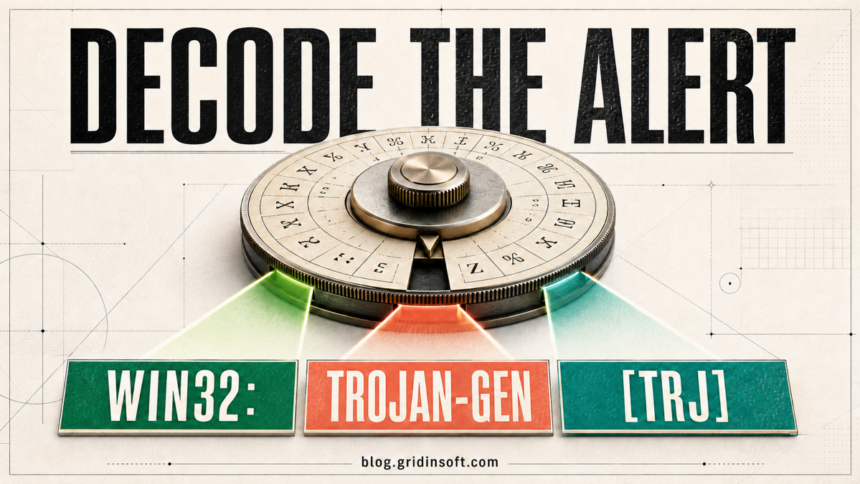
An Avast detection name such as Win32:Evo-gen [Trj] is a compact classification, not a complete diagnosis. Read it from left to right: the first part usually describes the platform or scanned object, the middle names a family or generic detection rule, and a bracketed suffix describes the threat class. The name tells you why the alert deserves attention, but the affected path, source, digital signature, execution state, and repeat behavior decide whether the item is likely malware or a false positive.
How to read an Avast detection name
Most classic Avast and AVG-style names can be interpreted as three parts:
| Part | What it usually tells you |
|---|---|
Win32:, Script:, URL: |
The platform, file format, or kind of object the engine inspected. |
Evo-gen, Trojan-gen, Agent-ABC |
A family label, variant label, or generic detection rule. gen normally means the verdict is broad rather than a precise family identification. |
[Trj], [PUP], [Susp] |
The class Avast assigned to the object, such as trojan-like, potentially unwanted, or suspicious. |
For example, Win32:Evo-gen [Trj] indicates a Windows object matched a generic or evolving rule and was classified as trojan-like. It does not name one fixed malware family, prove that credentials were stolen, or establish that every file with that label behaves identically.
What the prefix means
The prefix describes what Avast classified. It is useful context, but it should not be treated as a forensic conclusion.
| Prefix | Practical meaning |
|---|---|
Win32 / Win64 |
A Windows executable or related Windows object. Win32 in the alert does not mean that your Windows installation must be 32-bit. |
Script, JS, VBS, HTML |
A script or web-content object. The location determines whether it is a blocked remote response, browser cache, archive content, installer component, or local script. |
URL |
A web address or connection reputation verdict rather than a local executable. Use the exact URL and initiating process to investigate it. See the separate guides for URL:Scam and URL:Blacklist. |
Android |
An Android application or mobile object. |
Other |
A broader object bucket used when the detection does not fit a more specific platform label. The exact path and alert details matter more than the word Other. |
What gen, Evo-gen, and family labels mean
A named family in the middle can provide useful context, but a -gen result is intentionally broad. It often means the engine matched a generic signature, suspicious structure, or behavior shared by more than one sample. That is why Win32:Malware-gen and similar alerts can appear on real malware, modified installers, scripts, developer builds, or occasionally clean files.
Evo-gen is also a generic Avast/AVG-style label; it is not the name of one malware family. An Agent label is similarly broad unless the full variant identifies a documented family. Do not infer payload capabilities from the middle token alone.
If the exact alert says Win32:Trojan-gen, use its dedicated file-triage guide to decide from the path, source, signer, execution state, and repeat behavior rather than the generic label alone.
IDP.Generic uses a different naming style. It is an identity-protection or behavior-oriented verdict and should not be presented as a synonym for every -gen file detection.
What the bracketed class means
| Class | How to interpret it |
|---|---|
[Trj] |
Trojan-like classification. It does not identify the payload or prove what the file already did. |
[Drp] |
Dropper classification: an object suspected of installing or extracting another component. |
[PUP] |
Potentially unwanted program. This may be bundleware, an intrusive utility, or a dual-use app the user did not knowingly choose. Use the Win32:PUP-gen keep-or-remove guide when Avast shows that exact generic label. |
[Adw] |
Adware classification, commonly associated with unwanted advertising or browser changes. |
[Susp] |
Suspicious or heuristic classification. It signals uncertainty, not automatic proof that the file is clean. |
[Tool] |
A potentially harmful or dual-use tool. Remote administration, credential-recovery, and security utilities can be legitimate only when their presence and use are authorized. |
[Phish] |
Phishing-related web content or a credential-stealing lure. |
What the detection name cannot tell you
The label alone cannot reliably answer whether a file ran, whether persistence was installed, whether an account was accessed, or whether the alert is a false positive. It also cannot prove that a familiar filename is safe. Malware can use ordinary-looking names, while legitimate software can be flagged after packing, rapid updates, unsigned builds, or unusual behavior.
Use the name as the first clue, then collect the evidence that changes the action:
- the full affected file path or URL;
- the process that opened the connection or created the file;
- the download source and whether you requested it;
- the publisher signature and file hash;
- whether the file was only downloaded, opened, or executed;
- whether the alert returns after reboot or while the related app is closed.
What to do after an Avast alert
- Keep the item blocked or quarantined. Avast describes Quarantine as an isolated location where outside processes cannot access or run the file. Restoring from it is a high-risk action, so do not restore and add an exception just to stop the notification.[1]
- Record the complete alert. Save the exact detection name, Alert ID, path or URL, initiating process, and time. A screenshot is useful for your own records, but do not post private paths or account details publicly.
- Check where the object came from. A new executable under
Downloads,Temp, or an archive from a crack or unknown message is higher risk than a signed program obtained from its vendor. A browser-cache script requires different handling from a local script you ran. - Verify the publisher and hash. For an expected application, compare the signer and hash with the vendor’s clean copy. Do not use a familiar filename or one-engine disagreement as proof of safety. The multi-engine result guide explains how to interpret conflicting scanner results without counting detections as votes.
- Separate “downloaded” from “executed.” If Avast blocked the file before it ran, keep it quarantined and replace it from a trusted source. If it ran, or if the alert repeats, inspect startup entries, scheduled tasks, services, browser extensions, and recent installed apps.
- Scan for related changes. A full scan is especially important after execution, repeated alerts, unexpected
AppDataorTemppaths, or an unknown parent process. A heuristic detection may be broad, but persistence and surrounding artifacts can make the incident clear. - Report a credible false positive. Avast’s review form asks for the detection name, Alert ID, and the affected file or URL. Submit an expected, verified item for review and wait for a definition update instead of creating a permanent exception first.[2]
If the file ran or the alert returns, quarantining one visible item may not remove the loader, scheduled task, service, browser change, exclusion, or bundled component that recreates it. Gridinsoft Anti-Malware can check those related persistence locations and unwanted components before you decide whether anything should be restored.
CyberCapture is not a detection class
CyberCapture is Avast’s cloud-analysis mechanism for rare or suspicious files, not another suffix such as [Trj] or [PUP]. Avast says it can lock an unrecognized file and send it to Threat Labs for analysis; the later result may say the file is safe or that a threat was detected and secured.[3] A “needs a closer look” message therefore means analysis is pending, not that the file already belongs to a named malware family.
FAQ
Does gen mean the detection is a false positive?
No. It means the label is generic rather than a precise family name. Generic detections can catch real malware and can also require extra verification when they flag an expected file.
Does [Trj] prove that passwords were stolen?
No. It is a trojan-like classification, not an incident report. The execution state, behavior, persistence, and account activity determine what response is needed.
Should I restore a file if only Avast detects it?
Not immediately. Verify the source, signer, hash, path, and whether the file was expected. Submit a credible false positive to Avast and wait for review before adding an exception.
Why does the same detection keep returning?
A browser cache, synchronized folder, installer, startup item, scheduled task, service, or another process may recreate the object. Use the alert path and initiating process to find the source rather than repeatedly deleting the same file. If the notification says Threat Secured, the repeated Avast alert guide maps the Process field and alert timing to the next check. For the exact generic script verdict, the Script:SNH-gen guide separates remote responses, caches, installers, and local scripts.
Is CyberCapture another Avast threat name?
No. CyberCapture is an analysis feature. Its initial message can appear before Avast has assigned a final safe or malicious verdict.
References
- Avast. “Quarantine — Getting Started.” Official Avast Support, updated January 21, 2026; accessed July 15, 2026. Avast Quarantine guidance.
- Avast. “Submitting a file or URL to Avast for review.” Official Avast Support, updated June 2, 2022; accessed July 15, 2026. Avast sample and false-positive submission guidance.
- Avast. “Managing CyberCapture in Avast Antivirus.” Official Avast Support, updated June 2, 2022; accessed July 15, 2026. Avast CyberCapture guidance.