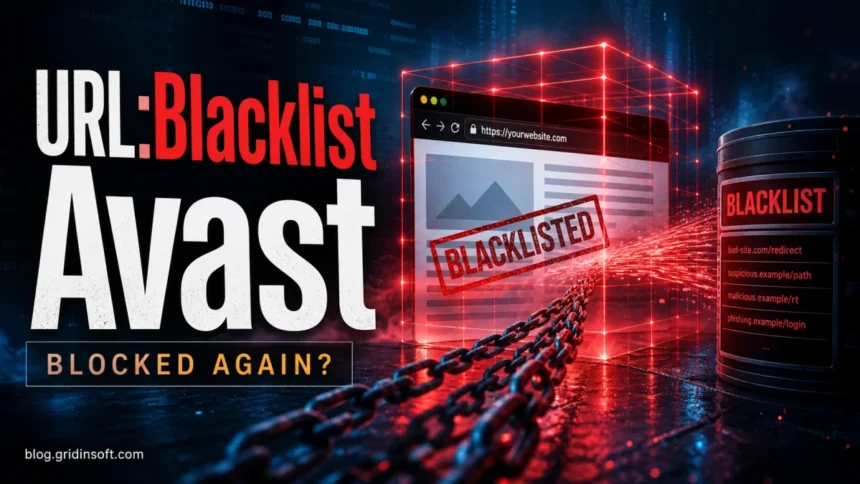
URL:Blacklist is an Avast or AVG Web Shield warning that means a website, redirect, script, or download URL was blocked before it could load. It does not automatically mean your computer has a virus. One alert usually points to a bad page or third-party script; repeated alerts on unrelated sites can mean adware, browser notification spam, a rogue extension, or DNS/proxy tampering.
What is URL:Blacklist in Avast or AVG?
- One alert on one site: close the page and do not add an exception.
- Alerts on many sites: check extensions, notification permissions, DNS, proxy, VPN, and recently installed apps.
- Blocked download: delete it and download only from the official source.
- Website owner: check injected JavaScript, redirects, plugins, ad tags, and server logs before asking for a review.
If the blocked URL is tied to a named Windows process instead of a browser tab, handle it as a process-verification problem. For example, our AUEPDU.exe blocked URL triage shows how to check the file location, digital signature, and network behavior before allowing a security-tool or router exception.
| Detection | URL:Blacklist / URL blacklist warning |
| Shown by | Avast, AVG, or another product using a web shield |
| Usually means | A page, redirect, ad script, phishing form, or download was blocked |
| Best first action | Close the page, check the exact URL, and scan only if alerts repeat |
Important: Avast’s own support says exclusions should be set only when you know the file or website is safe. Do not whitelist a blocked site just to stop the warning.
What does URL:Blacklist mean?
Avast and AVG can block websites before the browser fully loads them. The blocked object may be the page itself, a redirect chain, an advertising script, a phishing form, or a file hosted on that page. That is why a clean-looking page can still trigger the warning if it loads a bad resource in the background.
Avast’s own support warns that website exclusions should only be used when you know the file or website is safe. In other words, the fix is not to whitelist the domain blindly. The useful question is: why did this page load a blocked URL in the first place?
Does URL:Blacklist mean my PC has a virus?
Not by itself. A single warning after opening a link usually means the web shield stopped the browser from reaching a risky address. Repeated alerts on unrelated pages are different: they often point to adware, notification spam, a rogue extension, a modified shortcut, or DNS/proxy tampering.
If the blocked URL is tied to a named Windows process instead of a browser tab, handle it as a process-verification problem. For example, our AUEPDU.exe blocked URL triage shows how to check the file location, digital signature, and network behavior before allowing a security-tool or router exception.
| One alert on one site | Probably a blocked website or third-party script. |
| Alerts on every search/page | Check extensions, notifications, DNS, proxy, and recently installed apps. |
| Alerts after clicking ads | Treat it as a malvertising or redirect attempt. |
| Alerts while idle | Scan for adware, scheduled tasks, and background browser processes. |
For a current example at the home-network layer, the Loadway.best router alert guide separates a blocked lookup from page interaction, credential entry, or code execution.
How to fix URL:Blacklist alerts
- Copy the blocked URL from the alert. Check whether it is the page you meant to visit or a strange third-party domain.
- Do not click through shortened links. Open the official site manually if the message came from email, SMS, or social media.
- Remove browser notification spam. In Chrome or Edge, revoke notification permissions for unknown sites.
- Disable suspicious extensions. Remove extensions you did not install intentionally.
- Check the proxy and DNS settings. Unknown proxy/DNS entries can force redirects.
- Scan the system. Use a full scan if alerts appear repeatedly or if the browser opens pages by itself.
- Only add an exception after verification. If you own the site, clean it first, then request a review from the security vendor.
After uninstalling the suspicious app or deleting the visible threat, use Gridinsoft Anti-Malware to check hidden files, startup entries, scheduled tasks, bundled apps, browser changes, and other persistence points that can restore malware.
Download Anti-MalwareIf this is your website
If Avast blocks your own domain, check for injected JavaScript, unfamiliar plugins, rogue redirects, hidden files, and compromised ad tags. Also verify the site in Google Search Console and check server logs for changed files. Do not ask users to add an antivirus exception until the cause is removed.
FAQ
Is URL:Blacklist a false positive?
It can be, but treat it as real until you verify the exact URL, redirect chain, and loaded scripts. False positives are possible; blind exclusions are risky.
Why does Avast block a site that looks normal?
The page may load a blocked third-party script, ad, redirect, or download. The warning is often about a resource behind the page, not only the visible domain.
Should I add the website to Avast exceptions?
Only if you are certain it is safe. Avast says exceptions should be used carefully because they exclude the site from scanning.
Sources: Avast support documentation on website/file exclusions and web access troubleshooting.