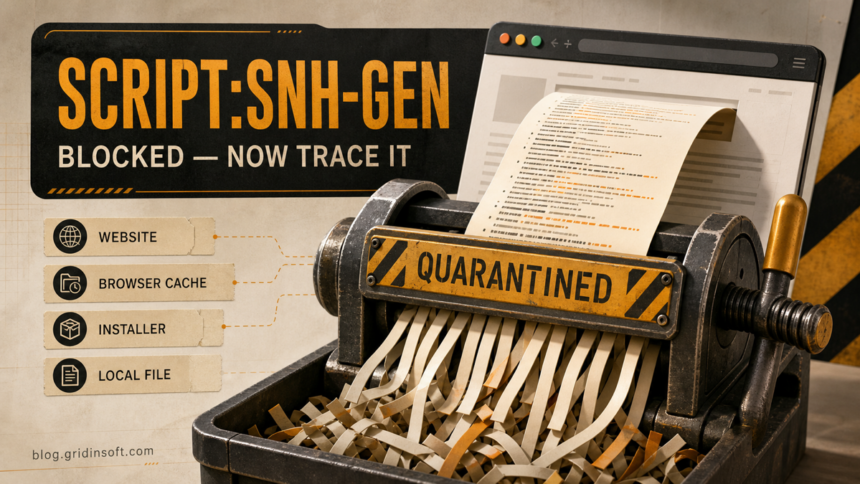
Script:SNH-gen is a generic Avast or AVG verdict for script content, not the name of one malware family. If the alert says a connection was safely aborted while you were browsing, Avast usually blocked the remote script before it could load; that alert alone does not prove Windows is infected. If the affected object is a local .js, .vbs, or .ps1 file, an installer, an archive, or an app cache entry, keep it quarantined and use its full location, source, suffix, and execution history to choose the next step.
Do not restore the item only because the website or program looks familiar. A legitimate page can load a compromised advertising or analytics resource, and a legitimate installer can be modified after it leaves the vendor. The opposite is also true: generic script rules can sometimes flag clean minified code or an official update. The alert context is what separates those cases.
What does Script:SNH-gen mean?
The name has three useful parts. Script describes the kind of content Avast examined. SNH-gen is a broad detection rule rather than a precise family name; gen signals that the verdict is generic. A bracketed suffix, when present, describes the class Avast assigned to the content:
[Trj]means the script looked trojan-like.[Drp]points to dropper-like behavior or content that may deliver another file.[Adw]indicates adware-related behavior.[PUP]means potentially unwanted behavior, which is not automatically the same as a trojan.
The suffix helps you prioritize the review, but it still does not identify a single payload or prove what happened on your PC. The broader Avast detection-name decoder explains how platform, generic-family, and class tokens fit together.
First identify what Avast actually blocked
Open the Avast notification history or Quarantine and record the complete affected object, the process, the detection suffix, and the time. Do not work from the name alone. Use this table to pick the correct branch:
| What the alert shows | Likely meaning and safest next step |
|---|---|
A web address plus chrome.exe, msedge.exe, or firefox.exe |
Avast blocked a remote response requested by the browser. Close the tab, clear that site’s data, and check extensions if the alert returns on unrelated pages. |
| A browser, Discord, media-player, or application cache | The cached object may be a copy of previously loaded script content. Close the app, clear its cache through the app when possible, restart it, and watch whether the same URL or object returns. |
| An archive, downloaded installer, update package, or firmware tool | Keep it quarantined. Verify the original vendor page, file name, signer, and hash before downloading a fresh copy. Do not run the old copy to “test” it. |
A local .js, .vbs, .ps1, shortcut, or script host launched from %TEMP%\... or %LOCALAPPDATA%\... |
Treat it as higher risk, especially if it ran, appeared after a crack or fake update, or returns after reboot. Disconnect sensitive sessions and perform full cleanup. |
A one-time browser block and a local script that executed are not the same incident. The first may end with the blocked response. The second can create files, tasks, startup entries, browser changes, or account risk outside the original script.
What to do immediately
- Leave the detected file in Quarantine. Avast describes Quarantine as an isolated location whose files cannot be run by other processes. Do not add an exception while the verdict is unresolved.
- Capture the full details. Save the affected URL or path, initiating process, suffix, time, file name, and alert ID. These details matter if you submit the detection for review.
- Decide whether anything ran. A blocked web response is different from double-clicking a script, opening a shortcut, or allowing an installer to finish.
- Check the source independently. Navigate to the vendor’s official site yourself. Do not use a link from the same download page, message, or pop-up that delivered the file.
- Update Avast and scan. Run a targeted scan of the download or cache location, then a full scan if the script was local, executed, or keeps returning.
Could Script:SNH-gen be a false positive?
Yes, but “generic” does not mean “false.” Minified JavaScript, packed installers, newly built software, and uncommon update files can resemble patterns used by malicious scripts. A likely false-positive case normally has several supporting signals: the file came from a verified official source, its digital signature is valid and matches the expected publisher, its hash matches a vendor-published value when one exists, the same clean version is reported by other users at the same time, and no suspicious process or persistence appears after the block.
One clean scanner result is not proof that the file is safe, and one Avast detection is not proof of a specific malware family. If you use a multi-engine report, interpret disagreement cautiously; the multi-engine false-positive guide explains what consensus can and cannot establish. Generic and behavior-based detections are also covered in the heuristic detection guide.
Avast provides a review form for suspected false-positive files and URLs. Include the exact detection name, alert ID, and affected file or URL. For a blocked website, current Avast guidance recommends submitting it and waiting for the definition update before considering an exception. Restore or retry only after the vendor or Avast confirms the object is clean and you have verified that you are handling the same file or URL.
If the alert points to a browser or app cache
Close the affected app completely, then clear its cache using the app’s own settings. For a browser alert, remove site data for the affected domain first; clear the broader cache only if the exact source cannot be isolated. Reopen the browser without restoring old tabs and test a neutral page. If the detection appears only on one page, the page or one of its third-party resources is the likely trigger.
If the alert appears on unrelated pages, with all tabs closed, or immediately after the browser starts, inspect extensions, notification permissions, proxy settings, startup pages, and synchronized profiles. The browser hijacker and PUA cleanup guide covers the deeper browser-change branch.
Do not globally exclude the browser, Discord, a media player, or its whole cache directory. That hides future alerts without proving what generated the script.
If a local script or installer ran
Disconnect the PC from sensitive work until you understand the event. Remove the quarantined item, uninstall the program that delivered it if the source was untrusted, and check recent downloads and installed apps. Then inspect common persistence locations: Startup, Task Scheduler, services, browser extensions, and files created under %LOCALAPPDATA%\..., %APPDATA%\..., and %TEMP%\.... A copy under C:\Windows\System32\... is not automatically safe; verify its signer and whether that exact file belongs there.
If the script ran, a security tool may quarantine the visible object while a scheduled task, loader, extension, service, or bundled component remains and recreates it. Run a full Gridinsoft Anti-Malware scan, remove confirmed detections, restart Windows, and scan again if the alert returns. This can find persistence and related files; it cannot prove that no data was exposed.
Why does the alert keep coming back?
Recurrence means something is requesting or recreating the object. Compare the time and initiating process in each alert. Browser-only recurrence points toward a tab, extension, service worker, notification permission, or synchronized profile. Alerts when all browsers are closed point toward a background app, scheduled task, startup item, or unwanted software. A changing random domain with the same process is more suspicious than one reproducible block on a known page.
| Recurrence pattern | Next check |
|---|---|
| Only one website triggers it | Leave the site, clear its data, and submit the URL if you believe it is clean. |
| Every browser triggers it | Check system proxy/DNS changes, shared security software, and recently installed apps rather than blaming one extension. |
| It starts with Windows | Inspect Startup, Task Scheduler, services, and recent installers. |
| The same cache file returns | Find the app or page that recreates it; repeated deletion treats the copy, not the source. |
| An unknown local script ran | Scan fully, change important passwords from a clean device, and revoke active sessions if account access may have occurred. |
For repeated blocked connections, the Avast Threat Secured recurrence guide shows how to use the Process field and alert timing to identify the responsible browser, app, or background task.
How to reduce repeat script alerts safely
- Keep Avast, the browser, Windows, and frequently used apps updated.
- Download installers and firmware only from a verified vendor page; avoid mirrors, repacks, cracks, and update pop-ups.
- Review browser extensions and app plugins after every unexpected alert.
- Do not add broad exclusions for browsers, caches, script hosts, or download folders.
- Keep backups that do not preserve untrusted installers or scripts as “known good” files.
- After a script ran, treat password and session safety as a separate task from deleting the file.
FAQ
Is Script:SNH-gen definitely a trojan?
No. It is a generic script verdict. A [Trj] suffix means Avast classified the content as trojan-like, but the label does not name one fixed family or prove a specific payload.
Does a blocked website alert mean my PC is infected?
Not by itself. If Avast safely aborted a remote connection before the script loaded, the block may have prevented execution. Repeated alerts, an unknown initiating process, or a local script that ran require deeper checks.
Why is Script:SNH-gen in Discord or browser cache?
Apps cache content they download or display. The cached object can preserve a remote script response, but the cache path alone does not show whether it was malicious or whether it executed. Clear the cache and identify what recreates it.
Can I restore an official installer from Quarantine?
Only after you independently verify the official source, publisher signature, version, and hash when available, and preferably after Avast or the vendor confirms the false positive. Downloading a fresh confirmed copy is safer than restoring the old one.
Should I disable Avast Web Guard to stop the alerts?
No. Disabling protection or excluding the whole browser hides the warning without finding its source. Isolate the URL, cache, extension, installer, or local process and submit a suspected false positive for review.
References
- Avast. “Troubleshooting website access issues caused by Avast Antivirus.” Avast Support, updated May 5, 2026; accessed July 16, 2026. support.avast.com.
- Avast. “Quarantine — Getting Started.” Avast Support, accessed July 16, 2026. support.avast.com.
- Avast. “Submitting a file or URL to Avast for review.” Avast Support, updated June 2, 2022; accessed July 16, 2026. support.avast.com.