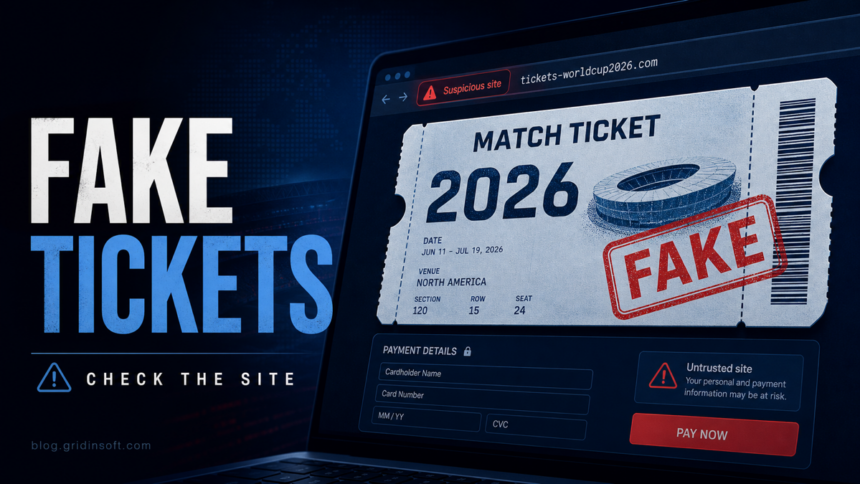
A World Cup 2026 ticket scam usually starts with a site, ad, message, or resale offer that looks close to FIFA but is not part of the official FIFA ticketing flow. If you are trying to buy match tickets or hospitality packages, type FIFA.com/tickets yourself, check the exact domain before logging in, and treat sponsored ads, urgent discounts, crypto requests, and copied FIFA branding as high-risk signals.
The risk is not only paying for a ticket that never arrives. The FBI says spoofed FIFA websites are being used to collect personal information, payment details, and account credentials before and during the 2026 World Cup ticket rush [1]. FIFA also warns that third-party ticket offers can involve fraud or invalid tickets [3].
How The Scam Works
Fake FIFA ticket pages borrow the pressure of a limited event. A search result, social ad, Telegram post, WhatsApp message, or resale listing sends the buyer to a lookalike domain. The page may show copied tournament branding, a fake login screen, a fake hospitality checkout, or a form asking for passport, address, phone, email, card, bank, or crypto payment details.
IC3/FBI identified the following spoofed FIFA-related domains in its May 27, 2026 public service announcement [1]. Read them as patterns, not as a wall of random indicators: each one moves FIFA branding onto the wrong registered domain, uses a ticket/store lure, or tries a jobs/careers angle. The list is useful for recognition, but it is not complete; new lookalike domains can appear before and during the tournament.
Gridinsoft reputation reports are already public for several reviewed examples from this set. As of June 4, 2026, each of these reports shows a 1/100 trust score: fifa[.]cab, fifa[.]city, fifahiring[.]com, fifastore.us[.]com, fifaworldcup26[.]sale, fwc2026.web[.]app, and fifa2026fworldcup[.]com. If you see a different FIFA-looking domain, check the final domain in the Website Reputation Checker before entering any data.
Known fake FIFA-style domains to compare against
- Short FIFA names on unusual endings: fifa[.]cab, fifa[.]pink, fifa[.]blue, fifa[.]pub, fifa[.]city, fifa[.]bio, fifa[.]beer, fifa[.]click, fifa[.]cam, fifa[.]ceo, fifa[.]help.
- Ticket, store, and event lures: fifa-ticket[.]live, fifastore.us[.]com, fifaworldcup26[.]sale, fifaworldcup26.xcover-staging[.]com, worldcup2026-tickets.com[.]mx, worldcup26ticket[.]com, 2026fifaworldcuptickets[.]online, fwc2026[.]net, fwc2026.web[.]app.
- Jobs and careers lures: jobs-fifa[.]com, fifa-hr[.]com, fifa-careerhub[.]com, fifaworldcup-careers[.]com, fifa-hiring[.]com, fifahiring[.]com.
- Typos, lookalikes, and campaign pages: filfa[.]org, fifa-online[.]com, fifa-2026[.]xyz, fifa2026p[.]com, fifa2026fworldcup[.]com, wvvw-fifa[.]com, ww-fifa[.]com, fifa-com[.]com, fifa-com[.]services, quiniela-fifa-2026.pages[.]dev.
Do not read a domain only from the left. The official ticket route should be reached from fifa.com; a domain such as fifa-com[.]services or fifastore.us[.]com may contain familiar words but still belongs to a different registered domain.
Checks Before You Pay For World Cup 2026 Tickets
- Start from the official route. Open a new tab and type
fifa.com/tickets. Do not rely on a sponsored result, social ad, or shortened link. - Check the domain from right to left. The official domain must end in
fifa.com. A name likefifa-ticket[.]live,fifa-com[.]services, orworldcup26ticket[.]comis not the same thing. - Be careful with urgency. Countdown timers, “last seats,” large discounts, and private chat agents are common pressure tools in ticket fraud.
- Avoid direct crypto or peer-to-peer payments. A seller who pushes crypto, gift cards, bank transfer, or payment outside the official checkout is shifting risk to you.
- Do not upload identity documents to an unofficial page. Fraudulent ticket, betting, and hospitality sites may ask for passport or selfie checks to harvest identity data.
- Use the official resale or support path when resale is involved. FIFA’s ticket support states that unofficial third-party channels carry fraud and invalid-ticket risks [3].
If You Entered Data On A Fake FIFA Ticket Site
- Stop the payment path. Do not send extra verification money, taxes, “transfer fees,” or crypto. Save the page URL, screenshots, invoice emails, wallet addresses, and chat handles.
- Call your card issuer or bank. Ask about chargeback, card replacement, transaction blocks, and whether the payment created recurring authorization.
- Change the passwords you reused. Start with your email account, then FIFA, travel, payment, and social accounts. Use unique passwords and enable two-factor authentication.
- Watch your inbox and phone. After ticket scams, criminals may send fake refund, delivery, verification, or “FIFA support” messages using the details you already gave them.
- Scan the device if you downloaded anything. If the page pushed a ticket viewer, invoice, QR app, browser extension, archive, or “anti-fraud” tool, disconnect from the account session, remove the file, and scan Windows with a security tool such as Gridinsoft Anti-Malware.
- Report the domain. IC3 asks victims to include the fake domain, interaction details, and transaction information when filing a complaint [1].
After uninstalling the suspicious app or deleting the visible threat, use Gridinsoft Anti-Malware to check hidden files, startup entries, scheduled tasks, bundled apps, browser changes, and other persistence points that can restore malware.
Download Anti-MalwareWhat Gridinsoft Can Help You Check
If you are unsure about a link, run the domain through the Gridinsoft Website Reputation Checker before entering credentials or payment data. If you opened a file from a fake ticket site, use Gridinsoft Anti-Malware to look for adware, stealers, browser extensions, suspicious startup entries, and other payloads that can follow a phishing payment flow.
For related checks, see our guides on spotting phishing emails, avoiding scam websites, QR code phishing, and the recent fake Adidas Copa 2026 promotion scam.
Red Flags That Should Stop The Purchase
- The page is not under
fifa.com, but uses FIFA-like words, hyphens, misspellings, or unusual endings. - The seller says the official process is “too slow” and offers a private transfer.
- The checkout asks for crypto, gift cards, or payment to a personal account.
- The site asks for passport scans before you can confirm the seller, ticket source, or official transfer path.
- The page appears only after an ad, shortened link, or social-media message and cannot be found from the official FIFA ticket page.
- The ticket file, QR viewer, or invoice comes as an executable, archive, macro document, or browser extension.
FAQ
Is FIFA.com/tickets the only safe place to start?
It is the safest starting point because it is FIFA’s official ticket hub. For resale or support questions, follow links reached from the official FIFA ticket pages rather than links from ads, messages, or unofficial forums.
Can a ticket on a third-party website still be real?
Possibly, but the risk is higher. FIFA’s support page warns that third-party channels can involve fraud or invalid tickets, so treat outside offers as risky unless FIFA’s own system confirms the ticket and transfer path.
What if I paid with a card on a fake ticket site?
Contact the card issuer immediately, ask about chargeback and replacement, then change any reused passwords. Keep the fake domain, receipts, chats, and transaction details for your bank and IC3 report.
Does a FIFA-looking domain mean it is official?
No. The safer check is whether the registered domain ends in fifa.com and whether you reached the ticket flow from FIFA’s own pages. A domain can contain the word fifa and still be unrelated, as with fifa-ticket[.]live or fifa-com[.]services.
Should I scan my computer after only visiting the page?
A visit alone is usually less risky than running a file, but scan the device if you downloaded a ticket app, invoice, browser extension, archive, or QR viewer, or if the site asked you to install anything.
References
- Federal Bureau of Investigation, Internet Crime Complaint Center. “Threat Actors Spoofing FIFA Websites in Advance of the 2026 World Cup.” IC3 Public Service Announcement I-052726-PSA, May 27, 2026, accessed June 1, 2026. https://www.ic3.gov/PSA/2026/PSA260527
- FIFA. “FIFA World Cup 2026: How, where and when can I buy tickets?” FIFA.com, updated for World Cup 2026 ticketing, accessed June 1, 2026. https://www.fifa.com/en/tournaments/mens/worldcup/canadamexicousa2026/articles/how-where-and-when-can-i-buy-tickets-hospitality
- FIFA World Cup 2026 Customer Support. “I have seen tickets available for sale on third-party websites.” FIFA World Cup 2026 Help Center, updated January 31, 2026, accessed June 1, 2026. https://gpcustomersupportfwc2026.tickets.fifa.com/hc/en-gb/articles/31945354663325-15-I-have-seen-tickets-available-for-sale-on-third-party-websites-Would-that-not-be-an-easier-way-to-obtain-tickets-than-applying-for-them-in-the-Random-Selection-Draw
- Group-IB Fraud Intelligence Research Team. “The GHOST STADIUM Score: Billions At Stake At The World’s Largest Football Tournament.” Group-IB Blog, May 27, 2026, accessed June 1, 2026. https://www.group-ib.com/blog/ghost-stadium-football-fraud/