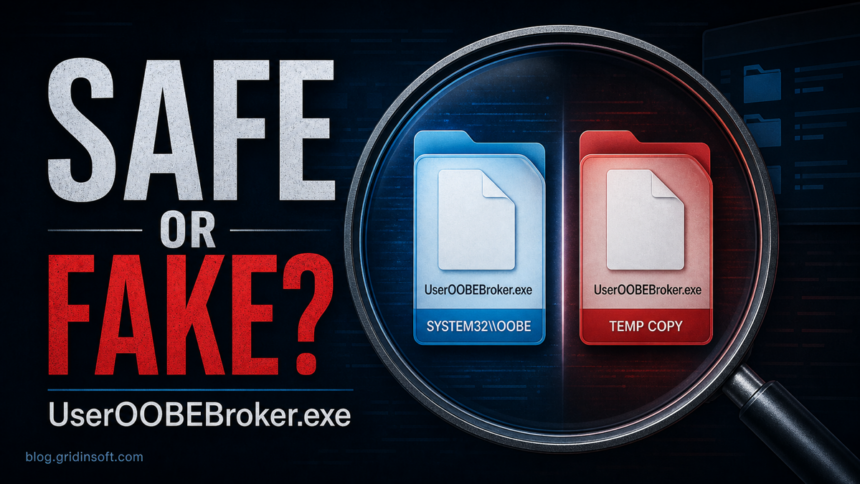
UserOOBEBroker.exe is normally a legitimate Windows process connected to the out-of-box experience. It can appear after Windows setup, account changes, updates, or first-run tasks. The file becomes suspicious when it runs from AppData, Temp, Downloads, a random startup folder, or another location that is not the expected Windows OOBE folder. Seeing a Microsoft-signed copy briefly after an update is normal; if it stays open or repeatedly triggers a welcome prompt, ending the task is a temporary test, not a reason to delete the system file.
If you found it in Task Manager, do not remove it just because the name looks unfamiliar. Check the file path, digital signature, parent process, and startup source first. A real copy belongs to Windows; a fake copy uses the same name to look harmless while it runs from a user-writable folder.
What Is UserOOBEBroker.exe?
UserOOBEBroker.exe is associated with Windows OOBE, the out-of-box experience shown during initial setup and certain first-run/account flows. Microsoft describes OOBE as the sequence of screens where Windows asks for region, keyboard, network, license, account, privacy, and related setup choices [1].
On a normal Windows installation, the process is usually found under C:\Windows\System32\oobe\UserOOBEBroker.exe. Seeing it briefly after setup, after adding a user, after a Windows update, or while Windows finishes account-related setup is not automatically a malware sign.
UserOOBEBroker.exe: Safe vs Suspicious
| What you see | Risk and what to do |
|---|---|
UserOOBEBroker.exe runs from C:\Windows\System32\oobe and is signed by Microsoft. |
Usually normal. Leave it alone unless you also have broader Windows setup or account errors. |
The file is in AppData, Temp, Downloads, Desktop, ProgramData with a random folder name, or a fake Microsoft folder. |
Suspicious. Treat it as a possible masquerade and scan the file before running it. |
| It starts from a scheduled task, Registry Run key, Startup folder, script, or recently downloaded archive. | Investigate. Legitimate OOBE behavior should not need a strange user-profile persistence chain. |
| You also see browser pop-ups, unknown extensions, blocked outbound traffic, account sign-in alerts, or security tools closing. | High risk. Handle it as a possible malware infection and clean the device before using important accounts. |
How To Check UserOOBEBroker.exe
- Open the file location. In Task Manager, right-click
UserOOBEBroker.exeand choose Open file location. The expected folder isC:\Windows\System32\oobe. - Check the digital signature. Right-click the file, open Properties, then check Digital Signatures. A legitimate Windows copy should be signed by Microsoft. For a deeper check, use Microsoft Sysinternals Process Explorer or Sigcheck.
- Review the command line. In Task Manager’s Details tab, add the Command line column. A suspicious copy may be launched from a script, startup folder, or random path.
- Check the parent process. Process Explorer can show whether the process came from Windows setup/account flow or from an unrelated launcher, archive, script, or scheduled task.
- Inspect startup persistence. Check Startup apps, Task Scheduler, Startup folders, and Registry Run keys only for entries that point to the wrong-folder copy. Do not disable random Windows setup components blindly.
- Scan before deleting. If the file is outside the Windows OOBE folder, scan that file and the surrounding folder before removal. The companion files usually matter as much as the EXE name.
Why It May Appear After Setup Or Updates
Windows can show OOBE-related screens during first setup, after some updates, when a device needs account or privacy choices, or when a new user profile is being prepared. That is why a real UserOOBEBroker.exe may appear even after you already reached the desktop.
What To Do If User OOBE Broker Keeps Running
First confirm that the process is the Microsoft-signed copy in the Windows OOBE folder. Then use the symptom that you actually see:
- It appeared after an update or sign-in. Finish or dismiss the visible setup step, install pending Windows updates, and restart once. Brief activity during this flow is expected.
- The Windows welcome screen or suggestions keep returning. Open Settings > System > Notifications > Additional settings. Turn off Show the Windows welcome experience after updates and when signed in to show what's new and suggested; turn off Get tips and suggestions when using Windows if those prompts are also unwanted [2]. These settings suppress suggestions; they do not bypass required OOBE enrollment, account setup, or an organization's policy.
- The signed process stays open after the prompt is gone. You can use End task in Task Manager as a temporary, reversible test. Windows may start the legitimate file again when setup or account work needs it. Do not rename, delete, or take ownership of the system executable.
- It returns immediately, uses sustained resources, or setup fails. Check Windows Update, restart, then use Microsoft's DISM and System File Checker workflow to repair system files [3]. On a work or school PC, check with the administrator before changing managed setup settings.
When The Same Name Can Be Malware
Malware often copies trusted Windows-style names because users hesitate to question them. A fake UserOOBEBroker.exe may appear after a cracked installer, fake update, malicious game mod, browser hijacker, or bundled app. The strongest warning signs are the wrong location, missing Microsoft signature, strange startup entry, and symptoms around it.
Gridinsoft Anti-Malware can help verify whether a wrong-folder copy is a Trojan, adware component, loader, or false alarm. The visible EXE may be only one part of the chain: a scheduled task, startup entry, script, or bundled module can recreate it after deletion. Use a full scan when the suspicious file came from AppData, Temp, a downloaded archive, or a startup task you did not create.
If the process path is wrong, the name imitates a Windows component, or high CPU started after an unknown installer, scan for hidden miners, services, startup entries, and bundled components.
Scan suspicious process activityWhat To Remove And What To Keep
Keep the legitimate Windows copy. Remove only the suspicious chain after you confirm it is not the system file:
- wrong-folder
UserOOBEBroker.execopies; - scheduled tasks or Startup entries that relaunch the suspicious copy;
- companion scripts, DLLs, archives, or installers from the same folder;
- recent browser extensions or apps that created the folder;
- downloaded cracks, fake updates, or mod installers tied to the first alert.
For related Windows process triage, compare this guide with our checks for SecurityHealthSystray.exe, pythonw.exe, TextInputHost.exe, and MoUsoCoreWorker.exe. If the suspicious file appeared after a game, crack, or mod download, also review the infostealer after game or mod checklist.
How To Avoid Look-Alike Process Malware
- Do not run unknown setup fixers, activators, cracks, or “Windows repair” archives.
- Check file paths before trusting Windows-looking process names.
- Keep Startup apps and Task Scheduler clean; unknown persistence entries are often the first clue.
- Use Process Explorer or Sigcheck for signature checks when Task Manager does not show enough detail.
- After confirmed malware, change passwords from a clean device, not from the infected Windows profile.
FAQ
Is UserOOBEBroker.exe a virus?
Usually no. UserOOBEBroker.exe is normally a Windows OOBE-related process. It becomes suspicious when the file is unsigned, duplicated, or running from a folder such as AppData, Temp, Downloads, or a random startup directory.
Where should UserOOBEBroker.exe be located?
The normal location is typically C:\Windows\System32\oobe\UserOOBEBroker.exe. A copy under a user profile or temporary folder should be checked as a possible masquerade.
What happens if I end User OOBE Broker?
Ending the Microsoft-signed process in Task Manager is a temporary, reversible troubleshooting step. Windows may start it again when setup, update, or account work needs it. Do not rename or delete the system file to disable it. If a wrong-folder copy returns, disable only that suspicious startup entry and scan the system.
Why does UserOOBEBroker.exe keep coming back?
The signed Windows file can return during setup, after updates, or for account tasks. If only welcome suggestions repeat, change the Windows notification settings described above. If a wrong-folder copy returns after deletion, a scheduled task, Startup entry, script, or companion malware file is probably relaunching it.
References
- Microsoft Learn. “Customize the out-of-box experience (OOBE).” Microsoft, last modified March 13, 2026, accessed July 22, 2026. https://learn.microsoft.com/en-us/windows-hardware/customize/desktop/customize-oobe-in-windows-11
- Microsoft Support. “Notifications and Do Not Disturb in Windows.” Microsoft, accessed July 22, 2026. https://support.microsoft.com/en-US/Windows/Experience/notifications-and-do-not-disturb-in-windows
- Microsoft Support. “Using System File Checker in Windows.” Microsoft, accessed July 22, 2026. https://support.microsoft.com/en-us/windows/using-system-file-checker-in-windows-365e0031-36b1-6031-f804-8fd86e0ef4ca