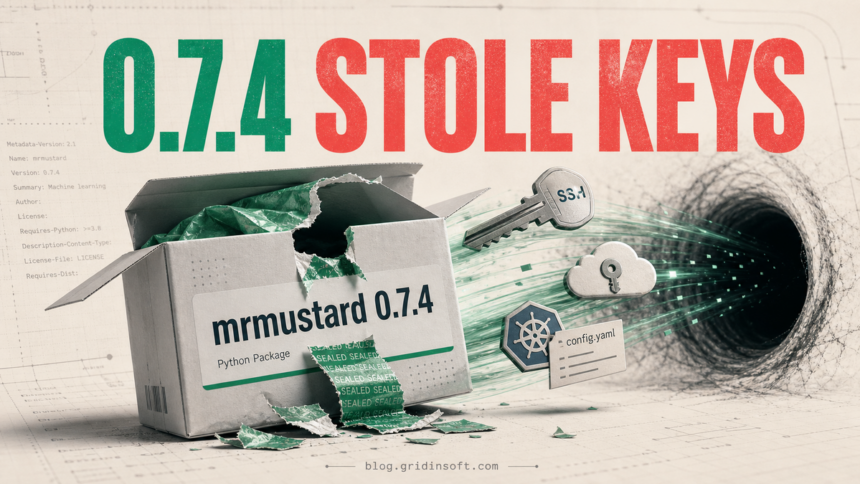
mrmustard 0.7.4 was a malicious PyPI release. Public analysis shows that its added code ran when the package was imported, collected SSH, AWS, Kubernetes, and environment credentials, and created persistence outside the Python package. Only the removed 0.7.4 artifact is confirmed malicious; do not treat 0.7.3, the 1.0.0a1 prerelease, the GitHub source tree, or the entire XanaduAI project as malware.
If a host imported mrmustard==0.7.4, revoke reachable credentials from a clean device before cleanup. Uninstalling the package alone is not enough because the payload can leave a cron entry, a shell startup hook, a malicious .pth loader, and ~/.cache/.tf_cache/hw_probe.pyc.
Which mrmustard version is affected?
| Version or evidence | What it means |
|---|---|
mrmustard==0.7.4 |
Confirmed malicious PyPI artifact. Its injected code runs on import. |
0.7.3 and earlier |
Not included in the OSV malicious-version record. PyPI currently identifies 0.7.3 as the stable release. |
1.0.0a1 |
A separate 2025 prerelease; it is not the removed 0.7.4 artifact. |
| Lockfile match only | Shows an exposure path, not proof that the package was imported or that exfiltration succeeded. |
| Import plus persistence artifacts | Strong evidence the malicious code executed; treat accessible credentials as exposed. |
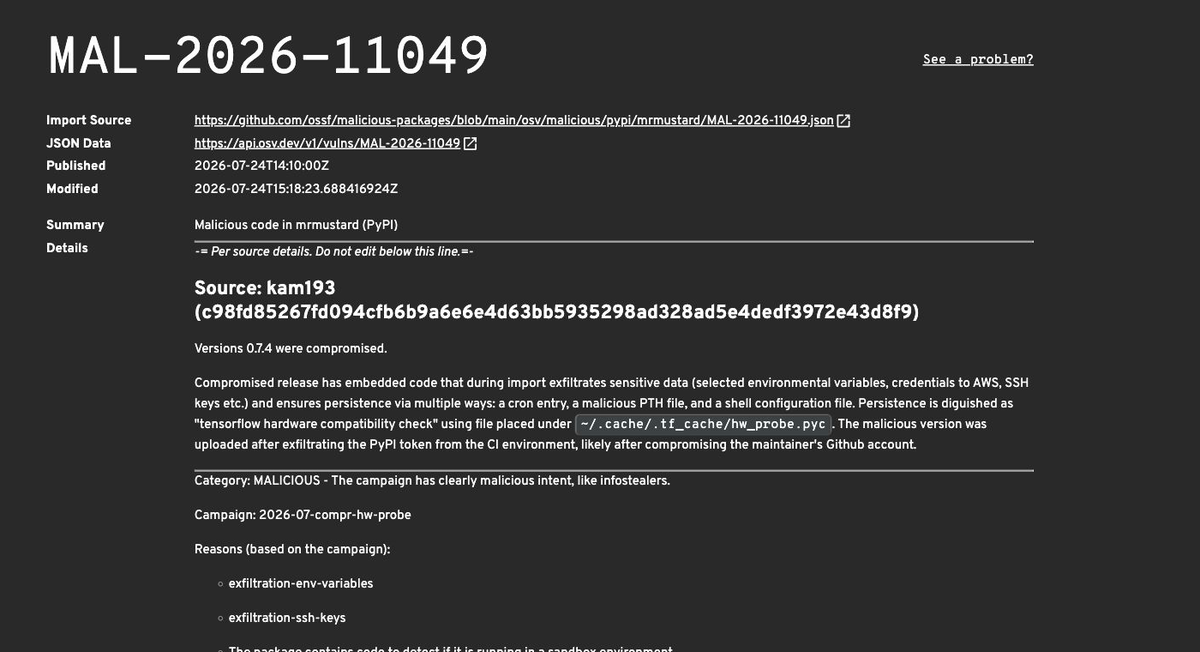
OSV lists MAL-2026-11049 as malicious code in the PyPI package and names only version 0.7.4. The public issue in the project repository reports a 258-line injection in mrmustard/__init__.py that was absent from the normal GitHub release history.
What the malicious import did
The injected function was disguised as a TensorFlow compatibility check. On import, it collected files and host information that are unusually valuable on developer laptops, research workstations, and cluster login nodes:
- SSH private keys under
~/.ssh; - AWS credentials and configuration;
- Kubernetes configuration under
~/.kube/config; - matching environment variables, host identity, Python/package inventory, GPU details, and scheduler context;
- the public IP address and other reconnaissance data.
The reported collection endpoint was metrics[.]femboy[.]energy/v1/collect. A network match supports incident scoping, but the absence of a logged connection does not clear a host: local logs may be incomplete, the destination may have been blocked, or the payload may have left persistence before transmission finished.
Check exposure without importing the package
Do not run import mrmustard to test a suspected environment. Start with package metadata, lockfiles, shell profiles, cron, and filesystem artifacts. These checks do not deliberately execute the package:
python -m pip show mrmustard
python -m pip freeze | grep -i '^mrmustard=='
grep -RniE 'mrmustard[=~! ]*0\.7\.4' . --include='requirements*.txt' --include='*.lock' --include='pyproject.toml' --include='Pipfile*'
crontab -l 2>/dev/null | grep -E 'hw_probe\.pyc|\.tf_cache'
grep -nE 'tensorflow hardware compatibility check|hw_probe\.pyc' ~/.bashrc ~/.zshrc 2>/dev/null
find "$HOME" -type f \( -name 'mmcompat.pth' -o -name 'hw_probe.pyc' \) -print 2>/dev/null
A project lockfile can prove that a vulnerable dependency was resolved, but it does not show which machine imported it. Correlate the match with virtual-environment timestamps, developer shell history, CI logs, notebook/job history, Python process records, and network telemetry.
This incident follows the same registry-trust problem seen in the ZiChatBot PyPI campaign, but the response must stay version-specific. Our Jscrambler package-compromise guide explains the related distinction between replacing a dependency and responding to credentials that may already have been copied.
What to do if 0.7.4 was imported
- Isolate the host. Stop new jobs and disconnect it from untrusted networks without destroying volatile evidence needed by your incident-response team.
- Revoke credentials from a clean host. Prioritize package-publishing tokens, cloud keys, Kubernetes credentials, SSH keys, CI/CD secrets, and any sensitive values present in environment variables.
- Review dependent access. End cloud and developer-platform sessions, inspect audit logs, remove unfamiliar keys or tokens, and check whether stolen credentials reached other repositories, clusters, or package registries.
- Preserve evidence. Record hashes and timestamps for the virtual environment,
hw_probe.pyc, cron entry, shell changes, and suspicious network events before removing them. - Remove the package and every persistence path. Do not stop after
pip uninstall. - Rebuild high-value systems when trust cannot be restored. For shared runners, research clusters, or hosts with broad secrets, a clean rebuild may be safer than assuming every modified startup path was found.
Remove the cron, shell, and Python persistence
After evidence collection, remove or disable all of the documented persistence mechanisms:
- uninstall
mrmustard 0.7.4from every affected environment; - edit the user crontab and remove the 15-minute entry that launches
hw_probe.pyc; - remove the line marked
# tensorflow hardware compatibility checkand its launcher from~/.bashrcor~/.zshrc; - locate and remove the malicious
mmcompat.pthfile from each affected site-packages directory; - quarantine and then delete
~/.cache/.tf_cacheafter collecting the evidence your team needs; - block and search historical traffic for
metrics[.]femboy[.]energyand the collection URL.
Published evidence emphasizes cron, Bash/Zsh startup files, and Python site-packages behavior on Unix-like systems. Do not assume that a Windows installation produced the same persistence artifacts; use the version and execution history to decide whether the machine was exposed, then inspect platform-appropriate startup and credential stores.
How to reinstall safely
Reinstall only after credential revocation and persistence cleanup. Pin a known-good version from the current project release history, refresh the lockfile deliberately, and review the resolved artifact and hashes before restoring the environment. An upgrade fixes the dependency state; it cannot recall secrets that the earlier process could already read.
For future builds, separate publishing credentials from ordinary test jobs, minimize long-lived secrets on developer machines, restrict runner egress, alert on unexpected package-registry uploads, and require release tags or provenance checks that match the source repository. No single control proves a package is safe, but the combination makes a poisoned artifact easier to spot and limits what it can reach.
FAQ
Is mrmustard 0.7.3 malware?
No public source used for this report identifies 0.7.3 as malicious. OSV lists only 0.7.4, and PyPI currently marks 0.7.3 as the stable release. Verify the exact artifact and current project guidance before reinstalling.
Did installing 0.7.4 automatically steal credentials?
The documented injected code runs when mrmustard is imported. A lockfile or installed-package match proves potential exposure, not successful theft. If the package was imported—or the cron, shell, .pth, or .tf_cache artifacts exist—respond as a credential-exposure incident.
Is uninstalling mrmustard enough?
No. The payload can copy itself outside the package and create cron, shell-startup, and Python .pth loaders. Remove those artifacts, rotate credentials, and review connected systems even after uninstalling the package.
Should I rotate credentials before cleaning the host?
Yes, use a clean host to revoke or replace exposed credentials first. Cleaning the suspected machine while its keys and tokens remain valid gives an attacker more time to use them.
References
- Open Source Vulnerabilities. “MAL-2026-11049: Malicious code in mrmustard (PyPI).” OSV, published July 24, 2026, accessed July 25, 2026. OSV malicious-package record.
- Ilyas Makari. “[MALWARE] Malicious code in PyPI release 0.7.4.” XanaduAI/MrMustard issue 656, opened July 24, 2026, accessed July 25, 2026. public project issue.
- Python Package Index. “mrmustard release history.” PyPI, accessed July 25, 2026. current package and release history.