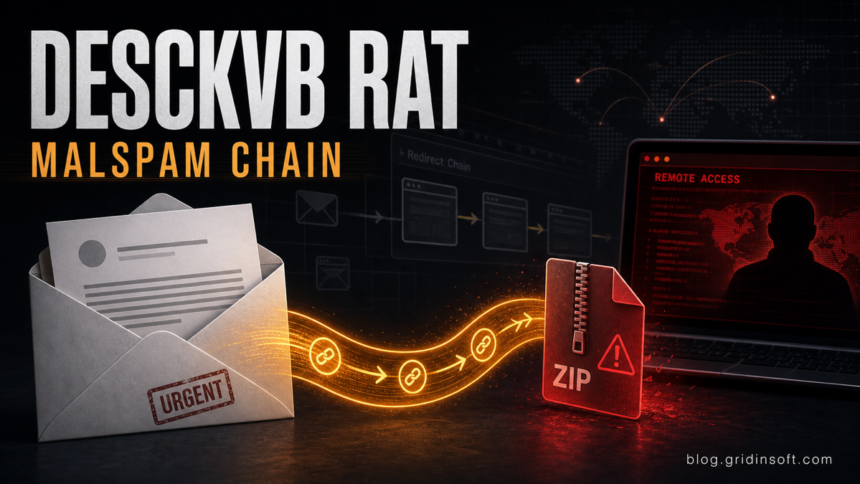
A new DesckVB RAT malspam campaign uses a trusted advertising redirect as the first hop before the victim reaches attacker-controlled infrastructure. Huntress says the chain starts with an HTML attachment, routes through a Google DoubleClick Campaign Manager click-tracking URL, then leads to a fake PDF download that drops a ZIP archive and a JavaScript/PowerShell loader before the .NET remote-access trojan runs on Windows. [1]
The practical risk is not the DoubleClick domain by itself. The risk is the full chain: an email attachment, browser redirect, ZIP download, script execution, Defender exclusions, AMSI and ETW tampering, and persistence through Run/RunOnce keys plus the Startup folder. Users who opened the attachment or ran the ZIP should treat the device as potentially compromised even if the first URL looked legitimate.
Who is affected
This is mainly a Windows email-security problem. Home users, small businesses, and help desks should pay attention when a message asks the recipient to open an attached HTML file, follow a browser redirect, and download a supposed PDF from a newly opened page.
| Signal | Why it matters |
|---|---|
| HTML attachment in email | The attachment can redirect the browser before the real attacker domain is visible. |
| ZIP after a “Download PDF” button | A PDF lure should not need a script-driven ZIP package. |
| JavaScript or PowerShell execution | The loader stage can fetch and run the .NET payload. |
| Defender exclusions or AMSI/ETW tampering | These are post-compromise actions meant to reduce local telemetry. [2] |
What to check if you opened the file
- Disconnect the affected Windows PC from the network if the ZIP or script was executed.
- Check Downloads, Temp folders, the user Startup folder, and recent ZIP extraction locations for unfamiliar JavaScript, PowerShell, or .NET files.
- Review Run and RunOnce registry entries for unknown loaders created around the time of the email.
- Look for recent Microsoft Defender exclusions that the user did not create.
- Scan the device with Microsoft Defender and a second-opinion tool such as Gridinsoft Anti-Malware before logging back into email, banking, admin, or remote-access accounts.
- Change passwords and revoke active sessions from a clean device if the machine ran the payload or showed remote-access behavior.
If the page or email made you download an invoice, coupon, tracking app, browser extension, or support tool, scan the PC before opening it again or logging into sensitive accounts.
Opened the file? Scan before using accounts againIf the only action was opening the email message without launching the attachment, exposure is lower. If the HTML attachment opened a browser page, a ZIP was downloaded, or Windows prompted to run a script, the response should move from “delete the email” to full endpoint triage.
How to reduce this attack path
Organizations can reduce the first-stage risk by blocking or quarantining HTML attachments from untrusted senders, forcing script files such as .js, .vbs, and .hta to open in Notepad by default where practical, and alerting on Defender exclusions created outside approved deployment tools. Huntress specifically calls out script-file association hardening as a way to stop this type of chain before the later payloads run. [1]
For individual users, the rule is simpler: an email-hosted “PDF” that requires an HTML attachment, a redirect, and a ZIP is not a normal document workflow. Close the page, keep the file, if needed, for security review, and scan before opening anything else from the same message.
Related Gridinsoft guides cover fake download RAT delivery, malware after a fake job interview app, and PowerShell-based AsyncRAT cleanup.
FAQ
Is every DoubleClick redirect malicious?
No. DoubleClick is a legitimate advertising and click-tracking infrastructure. In this campaign, attackers abuse the trust that security tools and users may place in a known redirect domain.
What is DesckVB RAT?
DesckVB RAT is a .NET remote-access trojan that can profile the system, communicate with command-and-control infrastructure, and persist after the loader runs.
Should I just delete the ZIP?
Delete it only after preserving enough information for security review. If the ZIP or script ran, also scan the system, review persistence locations, and rotate passwords from a clean device.
References
- Anna Pham and Adam Mooney. “From Malspam to DesckVB RAT Deployment.” Huntress, June 3, 2026, accessed June 3, 2026. https://www.huntress.com/blog/malspam-to-deskcvb-rat-delivery-chain-analysis
- Microsoft. “Antimalware Scan Interface (AMSI).” Microsoft Learn, accessed June 3, 2026. https://learn.microsoft.com/en-us/windows/win32/amsi/antimalware-scan-interface-portal
- Microsoft. “Event Tracing for Windows (ETW).” Microsoft Learn, accessed June 3, 2026. https://learn.microsoft.com/en-us/windows-hardware/test/wpt/event-tracing-for-windows