
Trojan:JS/Redirector is a browser-script detection for JavaScript that can send your browser from the page you expected to an unwanted, scam, phishing, exploit, or malware-download page. Microsoft Defender and other security tools may also show variants such as Trojan:JS/Redirector.AMKB!MTB, Trojan:JS/Redirector.ATKB!MTB, Trojan (JS/Redirector.SWD), or the close Trojan:HTML/Redirector!MTB family. The first thing to check is not only the name, but the affected path: browser cache and email-preview cache usually call for cache cleanup and a full scan, while Downloads, Startup, repeated alerts after reboot, or continuing redirects mean deeper malware cleanup.
Do not restore the detected item or add an exclusion just to make the alert disappear. Keep the detection quarantined, copy the affected path, close the triggering tab or app, clear the matching cache, update your security tool, and scan the PC. If the same alert returns after reboot or appears outside cache, inspect browser extensions, notification permissions, scheduled tasks, Startup entries, and recently downloaded files.
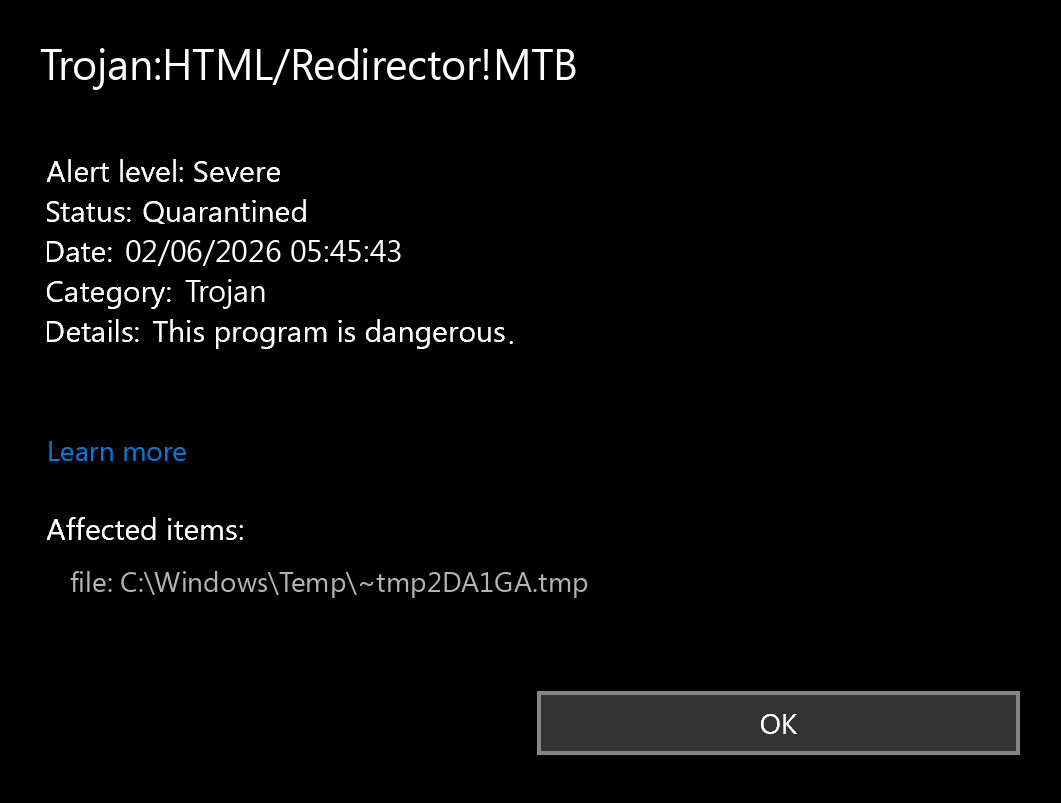
What Trojan:JS/Redirector Means
Microsoft describes Trojan:JS/Redirector as JavaScript code that may be inserted on bad or hacked websites and redirect the browser to an unwanted site. F-Secure uses the same broad idea for this detection family: scripts that redirect a visitor from one site to another without the user’s intent. Some newer Microsoft variants, including Trojan:JS/Redirector.AMKB!MTB, do not have detailed public behavior notes, so the affected item path and repeat behavior become the practical evidence.
This is why a Redirector alert can be less straightforward than a normal executable Trojan. A cached script from a compromised page is not the same risk as a downloaded script, startup item, browser extension, or installer that keeps recreating redirects. The label tells you the detection family; the path tells you the cleanup lane.
Trojan:JS/Redirector vs Trojan:HTML/Redirector
The JS and HTML labels are closely related in real cleanup work. A page can redirect users through JavaScript, HTML meta refresh, iframe tricks, malicious ad scripts, compromised website code, or externally loaded resources. Security tools may name the same browsing incident differently depending on the exact file fragment they caught; for an older Defender example built around an iframe-style redirect label, see Trojan:Win32/Jpgiframe.A.
| Label you may see | What to check first |
Trojan:JS/Redirector or Trojan:JS/Redirector.*!MTB |
Look for a JavaScript file, browser cache object, service worker cache entry, email preview, or downloaded .js/.html file. |
Trojan (JS/Redirector.SWD) |
Check which site or app triggered the block. If only one school, work, webmail, or forum page triggers it, avoid that page and clear the relevant browser cache while the site owner investigates. |
Trojan:HTML/Redirector!MTB or suffixes such as GPXQ, MKK, RQG, RQV |
Inspect whether Defender found an HTML page, browser cache item, Office/web preview resource, or saved page that redirects without consent. |
Check the Affected Path First
If the alert wording is closer to HTML/Fraud than Redirector, use our HTML/Fraud Trojan guide to separate a fraudulent email or saved HTML attachment from a cache-only browser hit.
Open the security alert details and copy the full affected-item path. Then compare it with these common cases.
| Where the alert points | What it usually means and what to do |
Chrome\User Data\...\Service Worker\CacheStorage, Edge/Brave/Opera cache, Firefox cache |
Likely a cached script or web resource from a page you opened. Keep quarantine, close the triggering tab, clear cache for that browser, then rescan. |
INetCache, Temporary Internet Files, WebView2 cache, email or webmail preview cache |
Often a temporary web object loaded by Edge, Office, Outlook, Teams, Discord, a game launcher, or another app with an embedded browser. Close the app, clear the related cache when possible, and run a full scan. |
Content.MSO, word\_rels, or an Office document relationship |
An Office document may contain external web links or images. Treat the document as suspicious until you confirm the sender and remove untrusted external links. |
Temp\.qBittorrent, torrent-client temp folders, tracker favicon/cache files |
It may be a tracker or web favicon/cache resource. Clear the client cache, avoid the triggering tracker, and scan downloaded files separately. |
Downloads, an extracted archive, a saved .js/.html file, Startup folder, browser extension folder, or a path that returns after reboot |
Higher risk. Do not restore the file. Scan the folder, remove suspicious extensions, check Startup and Task Scheduler, and treat recent installers as possible sources. |
What To Do Now
- Leave the detection quarantined. Restoring a redirect script rarely helps and can reintroduce the same alert.
- Copy the exact label and path. Record whether it says
Trojan:JS/Redirector,Trojan:JS/Redirector.AMKB!MTB,Trojan:JS/Redirector.ATKB!MTB,Trojan (JS/Redirector.SWD),Trojan:HTML/Redirector!MTB, or another suffix. - Close the triggering browser, webmail, Office document, or app. Do this before clearing cache so the same page does not immediately reload.
- Clear the affected cache. Clear cached files and cookies for the time window around the alert. If the path points to a specific browser profile, clear that profile first.
- Remove suspicious browser extensions. Focus on recently installed search, coupon, download helper, VPN, PDF, media, or shopping extensions. If an extension keeps returning, use the browser extension keeps reinstalling itself checklist.
- Update security definitions and run a full scan. A full scan can catch remnants that a quick cache cleanup misses.
- Scan with Gridinsoft Anti-Malware if symptoms continue. Use it when redirects continue, the detection returns after reboot, the path is outside cache, or you recently ran a suspicious download.
- Change passwords from a clean device if you entered credentials. This matters if the redirect led to a fake login, fake support page, cracked installer, or browser extension prompt.
If the alert started after a fake browser update, use the fake Chrome update cleanup guide. If the page looked like a fake Windows warning, compare it with the Windows Defender Security Center scam guide before calling any phone number or downloading a “support” tool.
When It Is Probably Cache-Only
A cache-only case is more likely when all of these are true:
- the affected item is only under browser cache, Service Worker cache,
INetCache, webmail cache, WebView2 cache, or another temporary web-resource folder; - you did not download, open, or run a file from the redirected page;
- the browser stops redirecting after you close the site and clear cache;
- a full security scan and a second-opinion scan find nothing else;
- no suspicious extensions, startup entries, scheduled tasks, browser policies, or account compromise symptoms appear.
In that situation, do not restore the quarantined item, but you usually do not need to reinstall Windows. Keep the event as evidence, avoid the page that triggered it, and watch whether the same label returns during normal browsing.
When To Investigate Deeper
Treat the system as potentially compromised if the alert returns after cache cleanup, appears every time you reboot, or points to normal file locations rather than cache. The same is true when you see search redirects, new tabs, push-notification spam, new extensions, unknown scheduled tasks, browser policies you did not set, new Startup entries, or sign-in alerts from your accounts.
For JavaScript malware cleanup context, see the TrojanDownloader:JS/Nemucod guide. A downloader-style label is more serious because it can pull additional payloads. If Microsoft Safety Scanner reports infected files but gives confusing final results, the Safety Scanner result guide explains what to check before assuming the machine is clean.
Gridinsoft Scan And Cleanup Flow
After the obvious cache source is cleared, use a proportional cleanup path. Cache-only detections get cache cleanup and confirmation scans; repeated redirects get extension, startup, and persistence checks.
- Run a full scan with your current security tool after updating definitions.
- Scan the affected browser profile, recent downloads, and temporary folders with Gridinsoft Anti-Malware.
- Remove detected scripts, bundled apps, suspicious browser extensions, startup entries, and scheduled tasks.
- Reset notification permissions for sites you do not recognize, especially sites that pushed fake security warnings or new-tab redirects.
- Delete the triggering download, email attachment, saved HTML file, torrent item, or document if it was not from a trusted source.
- Reboot, browse normally without returning to the same site, and confirm the alert does not reappear.
Defender or another security tool may quarantine the visible script while a browser extension, scheduled task, service, browser setting, or bundled module continues to recreate redirect behavior. A Gridinsoft Anti-Malware scan helps check those leftovers: detections, hidden files, startup entries, scheduled tasks, bundled apps, browser changes, and persistence. It cannot prove that no exposure happened, so treat account-safety steps separately when credentials may have been entered.
Defender can quarantine the visible file, but repeated alerts may mean a loader, scheduled task, service, browser change, or bundled component is recreating it. Scan the PC before trusting the cleanup.
Scan for redirector leftoversDo not add exclusions for Trojan:JS/Redirector or Trojan:HTML/Redirector!MTB. Exclusions hide future detections and do not prove that the redirect was safe. Only consider a false positive after the source is known, the file is not active malware, and clean follow-up scans support that conclusion.
FAQ
Is Trojan:JS/Redirector a real virus?
It is a real malware or unwanted-script detection, but it may point to a web resource rather than an installed Windows program. A browser-cache path usually means a redirect script was blocked or quarantined from a page you visited. A downloaded file, startup path, extension folder, or repeated alert is more serious.
Can a cached JS redirect infect my PC by itself?
A cached redirect script does not normally run by itself while it sits in cache. The risk comes from visiting the triggering page, following the redirect, downloading a file, entering credentials, installing an extension, or using an outdated/vulnerable browser. Clear cache, keep quarantine, and scan before revisiting the site.
Why does Trojan:JS/Redirector keep coming back after reboot?
Repeated alerts after reboot usually mean the source is still being loaded. Check browser startup pages, extensions, notification permissions, scheduled tasks, Startup apps, recently installed software, and any site or app that automatically opens the same web content.
Should I restore the quarantined JS or HTML file?
No. Restoring a cached redirect or suspicious HTML/JavaScript file gives you little benefit and can bring the detection back. Clear the cache, delete the source document or download if it is untrusted, and scan again.
Is it a false positive if only one website triggers JS/Redirector.SWD?
Not automatically. It may be a compromised page, a malicious ad, a redirect on that site, or a temporary detection issue. Avoid the page, clear the related cache, report it to the site owner or organization, and watch whether the detection appears elsewhere.
A related JavaScript scam-alert case is Trojan:JS/Cryxos.ASI!MTB, where Defender may flag cached browser content tied to tech-support-scam pages rather than a standalone executable. For broader redirect symptoms that continue after cache cleanup, use the PUA and browser hijacker removal guide.
References
- Microsoft. “Trojan:JS/Redirector threat description.” Microsoft Security Intelligence malware encyclopedia, updated September 15, 2017, accessed June 16, 2026. https://www.microsoft.com/en-us/wdsi/threats/malware-encyclopedia-description?Name=Trojan%3AJS%2FRedirector
- Microsoft. “Trojan:JS/Redirector.AMKB!MTB threat description.” Microsoft Security Intelligence malware encyclopedia, published November 11, 2025, accessed June 16, 2026. https://www.microsoft.com/en-us/wdsi/threats/malware-encyclopedia-description?Name=Trojan%3AJS%2FRedirector.AMKB%21MTB&ThreatID=2147957244
- F-Secure. “Trojan:JS/Redirector.” F-Secure Threat Descriptions, accessed June 16, 2026. https://www.f-secure.com/v-descs/trojan-js-redirector