

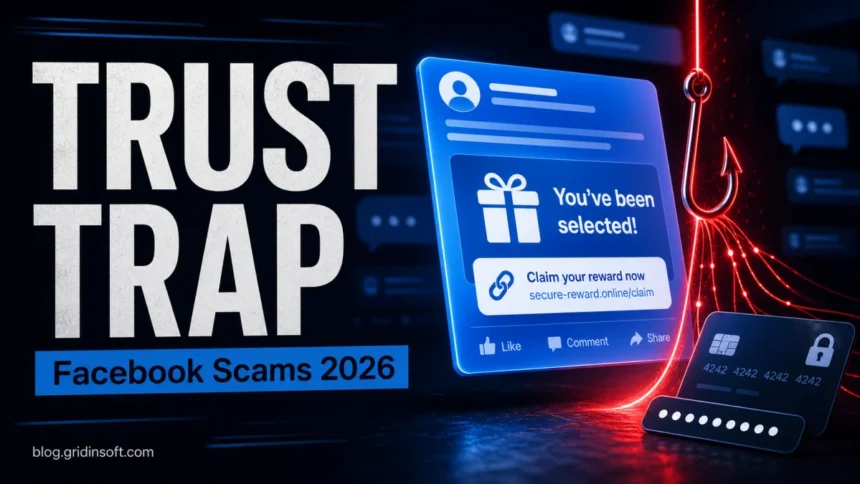
Facebook scams in 2026 are less about one obvious fake page and more about a familiar-looking message, ad, Marketplace listing, or support warning that pushes you to act before you check it. Treat any Facebook offer, job, prize, buyer, support message, or investment pitch as suspicious when it asks you to leave Facebook, share a code, pay by an irreversible method, install software, or “verify” your account through a link. For buying and selling specifically, use the dedicated Facebook Marketplace scams checklist.
The risk is not theoretical. The FTC reported in April 2026 that nearly 30% of people who reported losing money to a scam in 2025 said it started on social media, with reported losses reaching $2.1 billion. Facebook was the social platform linked to the highest reported losses, ahead of WhatsApp and Instagram.1 Meta also says it removed more than 159 million scam ads in 2025 and took down 10.9 million Facebook and Instagram accounts associated with criminal scam centers.2
Most Common Facebook Scams in 2026
The scams below are the ones users most often search for after something already feels wrong: a fake buyer wants a code, a support account asks for money, a friend sends a strange link, or a too-good-to-be-true ad leads away from Facebook.
1. Fake Meta or Facebook Support Messages
These messages claim your page, ad account, or personal profile will be suspended unless you appeal immediately. The link often leads to a fake login page that collects your password, two-factor code, business manager access, or payment details. Real account security actions should be checked from Facebook settings or the in-app Support Inbox, not through a random message link.
2. Messenger Phishing and “Is This You?” Links
A compromised friend may send a message that looks casual: a video, photo tag, prize link, or “is this you?” warning. The goal is usually to steal your login or push a malicious browser extension, fake update, or file download. If you clicked one, change the password from a clean device, remove unknown sessions, and read our Facebook Messenger virus cleanup guide for the malware and account-recovery side.
3. Facebook Marketplace Payment Scams
Marketplace scams target both buyers and sellers. Sellers often see fake payment emails, overpayment stories, courier pickup pressure, or requests to “upgrade” a payment account. Buyers see listings with copied photos, impossible discounts, rental deposits, vehicle deposits, and requests to move the conversation to WhatsApp, email, or text. Facebook’s own guidance warns that moving communication outside Facebook or Messenger makes scams harder to track.3
4. Giveaway, Retail, and “Clearance Sale” Ads
Fake ads copy the look of known brands, grocery chains, tools, electronics, and seasonal promotions. The page may ask for a small shipping fee, then collect card details, subscription consent, or identity data. Before buying, search the store name plus “scam” or “complaint,” inspect the domain, and avoid ads that use pressure phrases like “last chance,” “warehouse clear-out,” or “only for people over 40.” For a broader shopping checklist, see our online shopping scams guide.
5. Facebook Job Scams
Fake recruiters offer remote work, assistant roles, product testing, or data-entry jobs with fast hiring and unusually high pay. The scam may ask for identity documents, a bank account, a “work equipment” check, or a login to a fake onboarding portal. For the dedicated hiring version, use our Facebook job scams red flags and recovery guide.
6. Crypto, Investment, and “Mentor” Scams
Investment scams often begin with a friendly profile, group invite, ad, or comment from someone claiming to know a reliable trading method. The victim is moved to a fake platform that shows invented profits, then asked to deposit more money to withdraw. The FTC says investment scams were the largest social-media loss category in 2025, accounting for more than half of reported social-media scam losses.1
7. Account Recovery and “Hacker Help” Scams
When users post that their account was hacked, scammers often reply or DM with a “recovery expert” who can supposedly restore access. The next step is usually payment, a recovery code, or remote-access software. Do not share a recovery code with anyone. Recovery codes are for you to enter into Facebook, not for a helper, friend, buyer, or support agent.
8. Romance, Charity, and Emergency Scams
These scams exploit trust and urgency. A fake profile builds a relationship, then invents a medical emergency, travel problem, charity drive, military deployment, or family crisis. Sometimes the account is real but compromised. If the request involves gift cards, crypto, wire transfer, payment apps, or secrecy, pause and verify through another channel.
Fast Red Flags Before You Click or Pay
- It asks for a code. A login, WhatsApp linking, or two-factor code should never be shared with another person.
- It moves you off Facebook quickly. Scammers prefer text, email, WhatsApp, Telegram, or a fake checkout page.
- It creates panic. “Your page will be deleted,” “buyer is waiting,” “only 10 minutes left,” or “police/fine/tax issue” is pressure language.
- It uses irreversible payment. Gift cards, crypto, wire transfers, friends-and-family payments, and deposits are hard to recover.
- It wants identity documents. A job, prize, or giveaway should not require your passport, Social Security number, or bank login.
- The domain is not right. Fake pages use lookalike domains, extra words, misspellings, or short links.
What to Do If You Already Clicked
- Do not enter more information. Close the page and do not use the back button if the site tries to trap you.
- Change your Facebook password from a clean browser or device. Use a unique password that you do not reuse anywhere else.
- Review active sessions. In Facebook settings, remove devices and locations you do not recognize.
- Turn on two-factor authentication. Prefer an authenticator app over SMS when possible.
- Check email and payment accounts. If you reused the same password, update those accounts too.
- Scan the device if you downloaded a file, extension, or “viewer.” A scam link can become a malware problem when it installs software or browser extensions.
- Warn friends if messages were sent from your account. Ask them not to click the same link.
If the link led to a file download, fake update, or unknown browser extension, scan the system with a trusted security tool. Gridinsoft Anti-Malware can help check for malicious extensions, stealers, adware, and suspicious files after a Facebook scam link turns into a device infection.
How to Avoid Facebook Scams
Lock Down Privacy and Friend Requests
Limit who can see your posts, friends list, phone number, and email address. Scammers use public profile details to make fake messages sound personal. Be cautious with requests from people you do not know, accounts with few mutual friends, recently created profiles, or profiles that appear to be in a different country than their story suggests.
Use Strong Passwords and Two-Factor Authentication
A reused password turns one leaked account into many compromised accounts. Use a unique password for Facebook and keep recovery email access protected. For more practical password advice, see our guide on how to use strong passwords.
Check Links Before Opening Them
Hover on desktop or long-press on mobile to preview a link. If the destination is shortened, misspelled, unrelated to the brand, or hidden behind a strange domain, do not continue. You can also check a suspicious domain with the Gridinsoft URL Scanner before opening it.
Verify Money Requests Outside Facebook
If a friend asks for money, call them using a known number. If a seller requests a deposit, verify the listing, account history, and payment protections. If a charity asks for donations, search for the organization outside Facebook and donate through the official website.
Report Scam Pages, Ads, and Messages
Reporting will not always fix the problem instantly, but it gives Facebook and law-enforcement reporting systems more signals. Use Facebook’s report options for scam profiles, ads, Marketplace listings, and Messenger messages. If you lost money or identity data, also report it to the FTC at ReportFraud.ftc.gov.
What Victims Search For
Real victims rarely search for “social engineering taxonomy.” They search the phrase they saw. Useful variants for this page include:
- facebook scams 2026
- latest scams on Facebook
- Facebook scam messages
- Facebook Marketplace scam buyer wants my number
- Facebook support message scam
- Facebook recovery code scam
- Facebook job scam asked for ID
- I clicked a Facebook Messenger link what should I do
FAQ
Is a Facebook support message real if it threatens to delete my account?
Assume it is fake until you verify it inside Facebook settings or the Support Inbox. Scammers use suspension threats to make people enter passwords and two-factor codes on fake login pages.
What is the most common Facebook scam in 2026?
Shopping ads, fake Marketplace payments, phishing messages, fake support warnings, job offers, and investment pitches are the biggest practical risks. The FTC’s 2025 social-media loss data shows shopping scams are the most reported social-media scam type, while investment scams cause the largest reported losses.
Can a Facebook scam install malware?
Yes, but only when the scam moves beyond a message or fake page into a download, browser extension, fake update, remote-access tool, or malicious file. If you downloaded anything, scan the device and remove unknown extensions.
Should I pay a Facebook account recovery expert?
No. “Recovery expert” replies and DMs are commonly another scam. Use Facebook’s official recovery flow and never share recovery codes, login codes, or identity documents with a stranger.
What should I do if I paid a scammer?
Contact your bank, card issuer, payment app, or crypto exchange immediately. Preserve screenshots, transaction IDs, profiles, links, and messages. Report the scam to Facebook and to the FTC, and change passwords if the scam involved account access.
References
- Federal Trade Commission. “New FTC Data Show People Have Lost Billions to Social Media Scams.” FTC, April 27, 2026, accessed June 7, 2026. https://www.ftc.gov/news-events/news/press-releases/2026/04/new-ftc-data-show-people-have-lost-billions-social-media-scams
- Meta. “Meta Launches New Anti-Scam Tools, Deploys AI Technology to Fight Scammers and Protect People.” Meta Newsroom, March 11, 2026, accessed June 7, 2026. https://about.fb.com/news/2026/03/meta-launches-new-anti-scam-tools-deploys-ai-technology-to-fight-scammers-and-protect-people/
- Facebook Help Center. “About Scams on Facebook Marketplace.” Meta, accessed June 7, 2026. https://www.facebook.com/help/2374002556073992


I purchased boots from Clarks online through Facebook. This was terrible they won’t return my money the product I don’t like and won’t fit. They are very unprofessional.