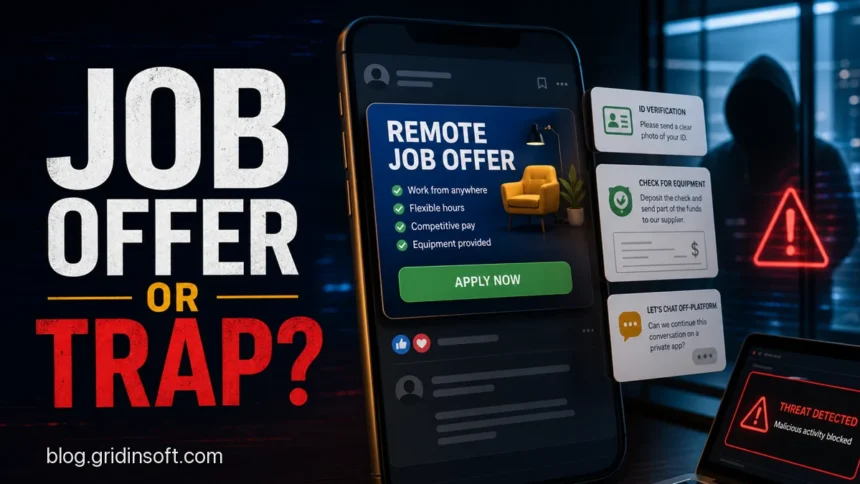
Facebook job scams are fake work offers posted in Facebook groups, ads, comments, Marketplace-style posts, or private messages to steal money, identity documents, account access, or payment details. The safest rule is simple: verify the job on the employer’s official careers page before sending anything. Stop if the “recruiter” moves you to a private app such as Telegram, asks for a photo ID before a real interview, sends a check for equipment, requests a deposit, or wants you to install an interview app. See our Telegram scam guide if the conversation moved there.
This guide focuses on Facebook-specific job scam signals. For a broader hiring checklist, use our hiring scam red flags guide. If you already downloaded a recruiter app, testing tool, browser extension, or “interview platform”, go straight to our fake job interview malware cleanup guide before logging back into email, banking, work, or crypto accounts.
Why Facebook Job Scams Still Work
Facebook gives scammers three useful ingredients: public job groups, believable social profiles, and fast private messaging. A fake job can appear as a group post from a compromised account, a sponsored-looking offer, a comment under a local hiring thread, or a direct message from someone pretending to recruit for a known company.
The trend is not just anecdotal. The FTC reported that business and job opportunity fraud produced $750.6 million in reported losses in 2024, and job and employment agency scam losses rose from $90 million in 2020 to $501 million in 2024 [2]. That is why an old-style “work from home” pitch now often comes mixed with fake checks, identity verification, crypto deposits, task scams, and malware-laced interview steps.
What a Facebook Job Scam Looks Like
The bait usually sounds attractive: remote work, flexible hours, weekly pay, no experience needed, and a fast start. The scammer may impersonate a real company and use copied logos, real addresses, or a polished contract. Qualys described a Facebook job scam where criminals advertised remote roles, moved victims into private messaging, requested government ID photos, and pushed a fake equipment-check workflow [1].
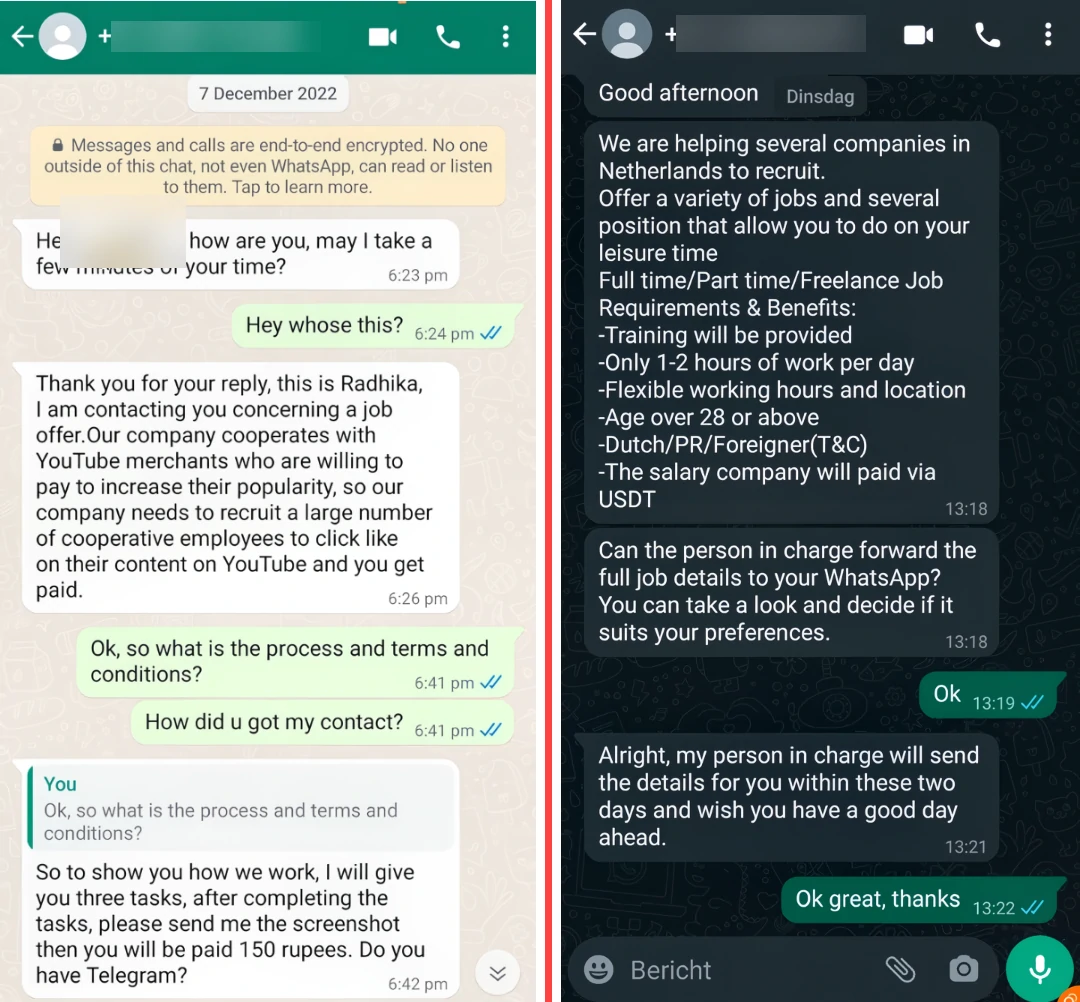
Not every fake job follows the same script, but the risky pattern is consistent: the offer becomes urgent, the conversation leaves Facebook, and the “employer” asks you to do something a real employer would not ask an applicant to do.
Red Flags to Check Before You Reply
| What you see | Why it is risky |
|---|---|
| High pay for easy remote work | Scammers use unrealistic pay to make people ignore normal hiring checks. |
| Recruiter asks to continue on a private chat app | Moving off-platform helps the scammer avoid Facebook reporting and moderation. |
| They ask for your ID, SSN, bank details, or address before a real interview | That is identity-theft fuel, not normal early screening. |
| You are sent a check to buy work equipment | The check can bounce after you send real money to a fake supplier. |
| You must pay for training, software, background checks, or “activation” | Facebook’s own job-search guidance warns against listings that ask for upfront payment [3]. |
| You need to install an app, browser extension, test client, or recruiter tool | Modern fake recruiter campaigns can deliver infostealers or remote-access malware. |
| The company page is new, empty, or only posts hiring offers | Scammers clone names and logos faster than victims can verify them. |
How the Scam Usually Unfolds
- The hook appears on Facebook. It may be a group post, comment, ad-like post, Marketplace-style listing, or message from a compromised profile.
- The scammer starts private screening. You are told the role is urgent, remote, flexible, or unusually easy.
- The conversation leaves Facebook. The “recruiter” asks for a private app, email thread, or external portal.
- The employer identity becomes harder to verify. They may use a real company name but a free email account, fake profile, shortened link, or cloned website.
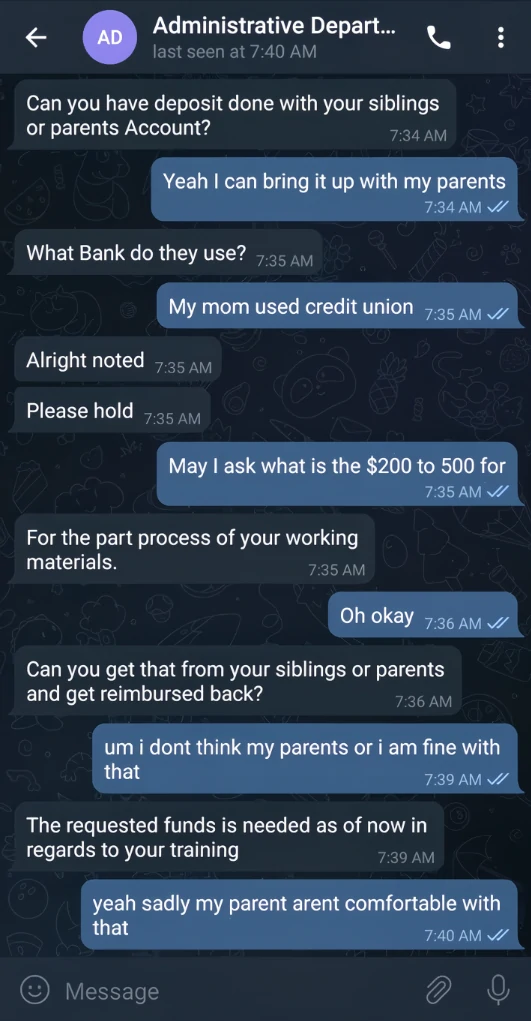
- The request turns dangerous. Common asks include ID photos, bank information, upfront fees, gift cards, crypto deposits, fake checks, or software installation.
What Victims Usually Search For
People rarely search only for “Facebook job scams” after the first message. They search the exact thing that just happened to them. That is why this page now covers the common victim queries directly:
- “Is this Facebook job offer real?”
- “Facebook recruiter asked for my ID”
- “Remote job sent me a check for equipment”
- “Job asked me to pay for training or software”
- “Facebook job wants me to message on WhatsApp or Signal”
- “I installed an app for a job interview”
- “I sent my SSN or bank info to a fake recruiter”
How to Verify a Facebook Job Offer
- Find the job on the company’s real careers page. Do not use the link the recruiter sent. Search the company yourself and compare the job title, location, and posting date.
- Check the recruiter’s identity through official channels. Use a company domain email, public careers contact, or known HR page. A real recruiter should not be offended by verification.
- Compare the job details with normal market reality. “No experience, high pay, start today” is a scam pattern, especially for data entry, product rating, assistant, marketplace posting, and app-optimization roles.
- Scan suspicious URLs before opening forms. Use the Gridinsoft URL Scanner for unknown portals, shortened links, and forms sent through chat.
- Do not install software just to apply. If a recruiter says the interview or test requires a special app, treat the device as risky until you verify the source.
If You Already Sent Money, ID, or Bank Details
Stop replying first. Scammers often switch to threats, recovery promises, or “one more payment” pressure after the first loss. Then match your next step to what you shared.
| What happened | What to do now |
|---|---|
| You paid a fee, gift card, wire, crypto, or deposit | Contact the payment provider immediately, report the fraud, save screenshots, and do not pay any “refund” or “unlock” fee. |
| You deposited a check or bought equipment | Call your bank’s fraud department before moving funds. A pending balance does not prove the check is real. |
| You sent an ID, SSN, address, or tax form | Follow an identity-theft recovery plan, monitor credit, and watch for new account or loan attempts. Our identity theft guide covers the next checks. |
| You entered Facebook, email, or work credentials | Change passwords from a clean device, enable MFA, revoke sessions, and review connected apps. |
| You installed an app, extension, or interview tool | Disconnect from sensitive accounts and run a malware cleanup pass before changing passwords on that computer. |
An interview booking can also target accounts without asking for a download. In the fake Calendly Meta Careers investigation, a scheduling page leads to an imitation Facebook window and live requests for Facebook codes and Google sign-in approvals. Check the browser’s actual address before treating a booking step as an account-security request.
When It May Be Malware, Not Only Fraud
A job scam becomes a malware incident when the recruiter asks you to install an app, open a “test project”, run a script, install a browser extension, join a fake meeting client, or download a file from a private portal. This is close to the fake interview malware pattern used by infostealer operators.
Facebook job ads have also been abused in malware campaigns. Gridinsoft previously covered Ov3r_Stealer abusing Facebook job ads, and the same idea appears in newer fake recruiter workflows: make the offer feel urgent, then turn the applicant’s device or accounts into the target.
How to Report a Facebook Job Scammer
- Report the post, profile, group message, or ad to Facebook. Include the fake job post, profile URL, payment request, and private-message screenshots.
- Report money loss or identity theft to the proper authority. In the United States, use ReportFraud.ftc.gov for scams and IdentityTheft.gov if your identity documents or SSN were exposed.
- Warn the impersonated company. Use the company’s official website contact, not the email or link the scammer provided.
- Preserve evidence. Keep screenshots, profile URLs, payment receipts, wallet addresses, bank records, phone numbers, email headers, and download links.
FAQ
Are Facebook job posts always scams?
No. Some real employers and local businesses post hiring notices on Facebook. The risk starts when the post cannot be verified on the employer’s official site, the recruiter moves you to private chat, or the application asks for money, ID photos, bank details, or software installation too early.
Is it normal for a remote job to send a check for equipment?
No. A legitimate employer normally ships approved equipment or uses a controlled reimbursement process after formal hiring. A check that you must deposit and spend through a specific supplier is a classic fake-check pattern.
What if the recruiter uses a real company name?
That does not prove the offer is real. Scammers copy real company names, logos, addresses, and employee names. Verify the opening on the official careers page and contact the company through a domain you found yourself.
Should I give my SSN or ID before an interview?
Do not send sensitive identity documents through Facebook chat or an unverified private app. Real employers may need tax or identity documents after a formal hiring process, but not as an early “verification” step from a social-media recruiter.
I clicked a job link but did not pay. Am I safe?
Maybe, but check what happened. If you only viewed a page and closed it, the risk is lower. If you entered credentials, uploaded documents, allowed browser notifications, installed anything, or reused a password, treat it as an account-security incident.
References
- Qualys. “Facebook Job Scam.” Qualys Blog, updated April 23, 2025, accessed June 7, 2026. https://blog.qualys.com/qualys-insights/2024/01/10/facebook-job-scam
- Federal Trade Commission. “New FTC Data Show a Big Jump in Reported Losses to Fraud to $12.5 Billion in 2024.” FTC, March 10, 2025, accessed June 7, 2026. https://www.ftc.gov/news-events/news/press-releases/2025/03/new-ftc-data-show-big-jump-reported-losses-fraud-125-billion-2024
- Meta/Facebook Help Center. “What are some guidelines when looking for jobs on Facebook?” accessed June 7, 2026. https://www.facebook.com/help/1749829655318245/