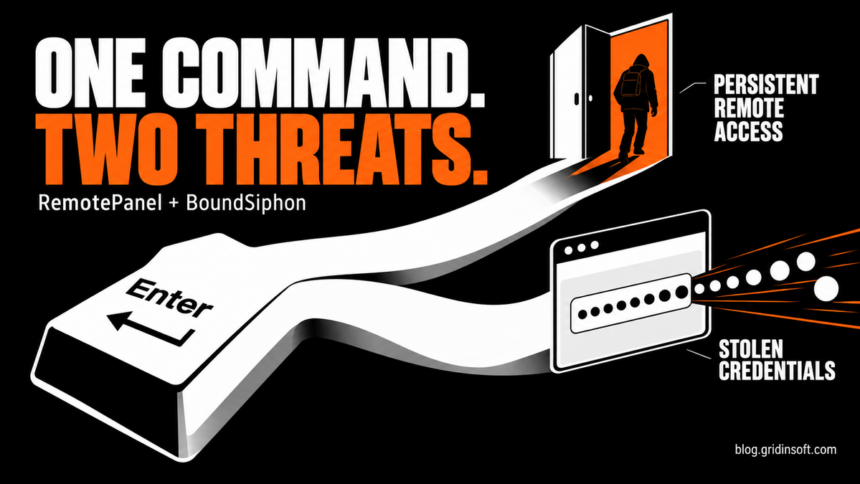
A Windows infection investigated by Blackpoint Cyber delivered two different outcomes from one ClickFix command: BoundSiphon stole browser data, while RemotePanel kept a route back into the computer. The September 23 report describes a deliberately divided operation—one component collects and leaves; the other survives to give an operator continued control. For someone who ran the command, removing a downloaded file would not address the whole compromise.
Blackpoint’s Adversary Pursuit Group reconstructed an observed infection and analyzed its components. The report does not establish how many people were infected or who operates the tools. Its value is the chain it exposes, including a fake Windows service, an unusually large executable and a browser asked to help unlock its own secrets.
One command opens two paths
The entry point required the victim to execute an attacker-supplied command. This is the trust switch behind ClickFix’s fake verification prompts: the web page persuades a person to move its instructions into a Windows command environment. Merely seeing such a page is a different situation from running its command.
In Blackpoint’s case, Windows’ finger.exe utility retrieved further instructions. Subsequent stages elevated execution and added broad Microsoft Defender exclusions before deploying the two payloads. A resource with a PNG-looking filename was part of this staging chain, rather than evidence that opening an ordinary picture caused the infection.
The split came next. The W32Time branch was restored to disk and padded with zero bytes until it reached roughly 751–799 MiB. That number describes an inflated executable, not the amount of stolen data. BoundSiphon took the other route: PowerShell loaded its .NET assembly directly into memory. It did not need its own persistent installation because the companion component supplied continued access.
A clock-service disguise that stays behind
The W32Time watchdog installed a service masquerading as Windows Time and placed itself at C:\Windows\Microsoft.NET\assembly\GAC_MSIL\System.Management\svchost.exe. The service-like name and system-looking path are camouflage; the name Windows Time by itself is not grounds to remove a genuine Windows service.
Inside the watchdog, researchers recovered another executable whose product metadata actually says RemotePanel. The name is not simply their description of what the program does.
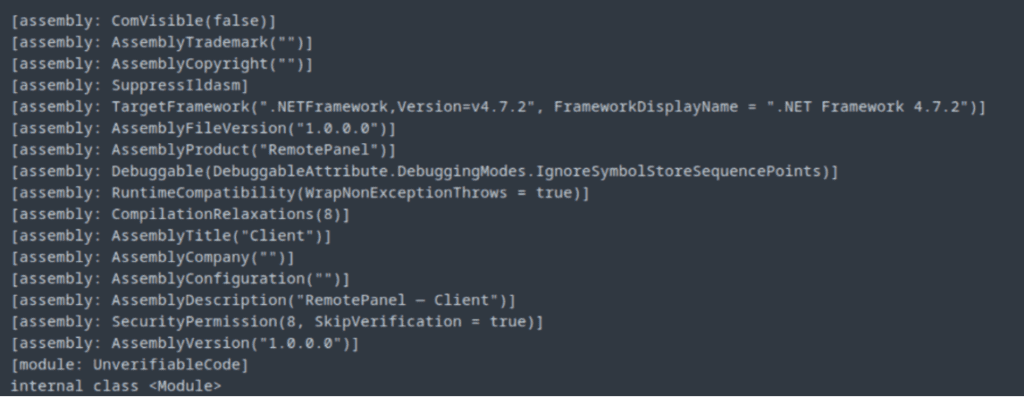
RemotePanel supports command execution, file and process management, screen access and a separately delivered hidden-desktop module. Its backend can organize multiple infected machines and assign different permissions to operators. That makes the persistent half useful after the stealer has finished its first collection.
There is a further obstacle to a quick fix: the watchdog can mark itself as a critical process. Blackpoint warns that abruptly terminating it in that state can crash Windows. This is a case for controlled cleanup, not repeatedly killing every process named svchost.exe.
The blockchain is an address book
RemotePanel can query a BNB Smart Chain contract to learn its current command-and-control server address. The distinction matters: the contract supplies the destination; it is not the server carrying the remote-control session. The controlling wallet can change that destination without distributing a new copy of the malware.
Blocking the server observed in one investigation may therefore interrupt a connection without removing the implant. The same installed copy can learn a replacement address later. The report also found local configuration overrides, so the blockchain lookup is not its only possible route to a backend.
BoundSiphon borrows the browser’s position of trust
BoundSiphon targets saved credentials, cookies, wallet and password-manager data, selected documents and host information. Its most revealing technique concerns Chromium’s App-Bound Encryption: it puts decryption logic inside a legitimate browser process and uses that process to request protected key material.
Google’s original explanation of App-Bound Encryption describes the intended boundary: another application should not simply decrypt Chrome’s protected data under the same Windows user. It also explicitly identifies elevated malware and code injection into Chrome as harder attacks the protection forces adversaries toward. Blackpoint’s finding belongs in that context. It is not evidence that visiting a page remotely breaks Chrome’s encryption, or that encryption is pointless.
Blackpoint found strong implementation similarities to an earlier stealer, but left the operator relationship unresolved. Russian-language artifacts and an apparently dormant keyboard-check routine likewise do not establish attribution or guarantee that any group of users is excluded.
A separate investigation of example domains in software documentation shows another way readers can reach a fake verification page. A trusted document does not make its external links safe, and these separate cases do not establish the same payload or operator.
If you executed the command
Disconnect the affected computer from the network and involve your IT team if it is a work device. A security tool may remove the visible payload while a service, loader or malicious exclusion remains; this case contains both persistence and weakened protection. On a personal Windows PC, use Gridinsoft Anti-Malware, update it, run a Full Scan, review and apply cleanup, then restart and check again if symptoms return. Treat manual service or exclusion changes as a targeted follow-up with qualified help, not a mandatory guessing exercise.
Separately, use a clean device to change exposed passwords, revoke active sessions and review sensitive accounts. Device cleanup cannot retrieve information already stolen. The practical lesson of this infection is that a stopped theft process and a removed route back into the PC are two different things to verify.
References
- Blackpoint Cyber, Adversary Pursuit Group. “RemotePanel and BoundSiphon: A Dual-Payload Toolkit for Persistent Access and Browser Theft.” September 23, 2026. Technical investigation.
- Will Harris, Chrome Security Team. “Improving the security of Chrome cookies on Windows.” Google Security Blog, July 30, 2024. App-Bound Encryption design.