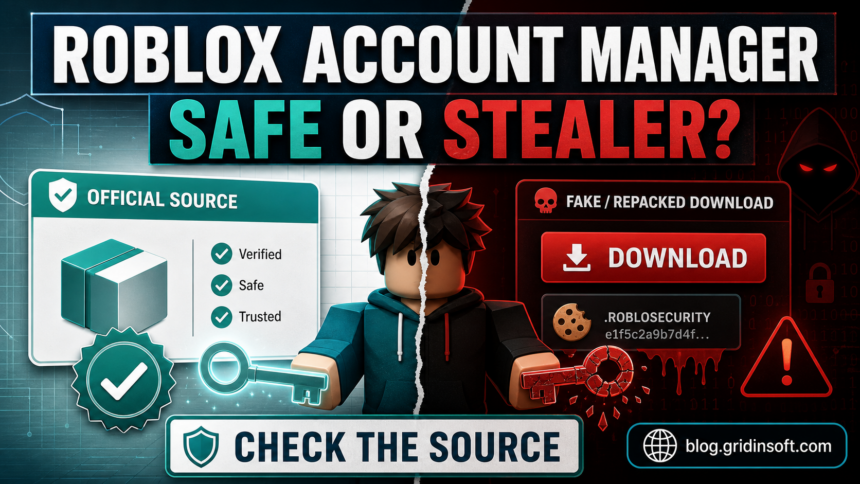
Roblox Account Manager is not automatically a virus, but it is a high-trust third-party tool that deserves caution. The original open-source project can trigger antivirus warnings because it controls Roblox sessions, stores account data, and exposes advanced features. A random “Roblox Account Manager” download from a mirror, Discord link, YouTube description, or repacked ZIP should be treated as unsafe until proven otherwise.
Is Roblox Account Manager safe?
- Use extra caution if Defender says Trojan, GameHack, or PUA. Do not simply add an exclusion to make the program run.
- The source matters. The official open-source project is different from copycat download pages and repacked builds. If the suspicious file is named
RobloxCrashHandler.exe, use the RobloxCrashHandler.exe safety checklist to compare folder, signature, and startup behavior before allowing it. - Your Roblox cookie is sensitive. A stolen
.ROBLOSECURITYcookie can let someone access the account without knowing the password. - If you installed it from anywhere except the official GitHub project, uninstall it, change your Roblox password, log out other sessions, and scan the PC.
| Question | Short answer |
| Is Roblox Account Manager official Roblox software? | No. It is a third-party tool, not a Roblox Corporation app. |
| Can the original project be a false positive? | Yes, antivirus warnings can happen with tools that automate sessions or use network/control features. |
| Can fake RAM downloads be real malware? | Yes. Roblox tools are commonly abused for cookie theft, token theft, stealers, and fake “update” lures. |
| Should I allow it in Defender? | Not blindly. Verify the source, hash, behavior, and account risk first. |
| Safest alternative | Use separate browser profiles, the official Roblox app, and a password manager instead of storing accounts in a third-party tool. |
Why people are worried about Roblox Account Manager
Search interest around Roblox Account Manager usually spikes after videos, Discord warnings, or Defender alerts tell users to delete it. The concern is understandable: a program that manages multiple Roblox accounts must handle login sessions, account data, cookies, or browser automation. That is exactly the kind of access a stealer would want if the build were modified.
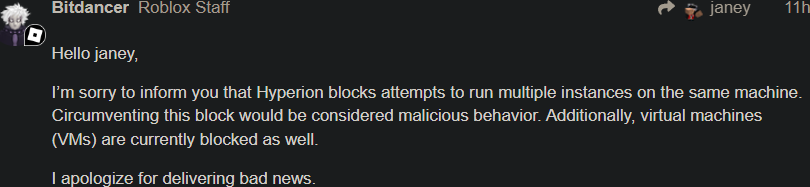
The official GitHub project describes Roblox Account Manager as an application for managing multiple Roblox accounts from one interface. Its own documentation warns users not to share AccountData.json, warns about risky “rbx-player” links, and explains that antivirus detections can happen because some features resemble behavior used by remote-access malware. Those are useful signals: the tool is not a simple game launcher, and users should not treat every copy of it as harmless.
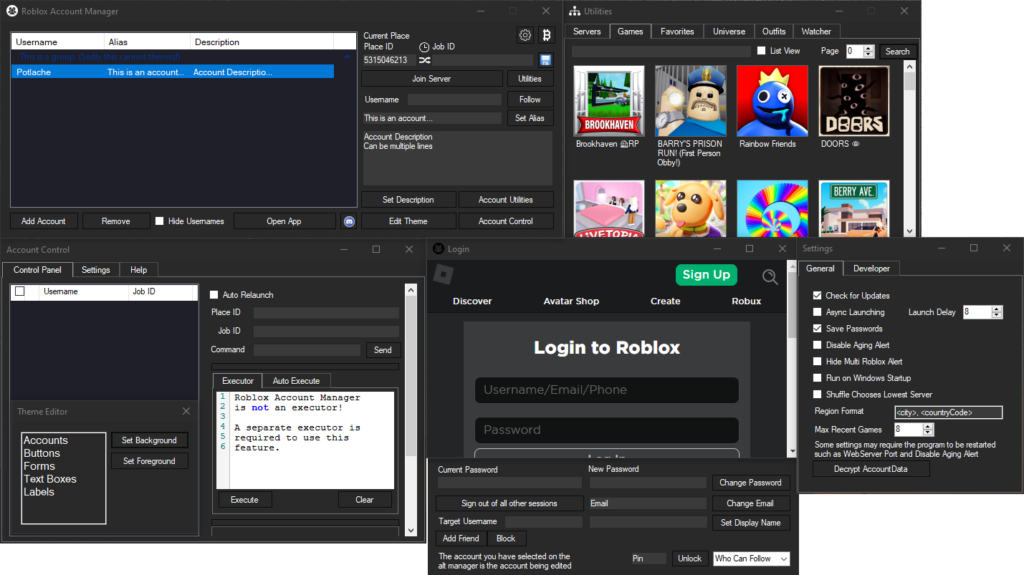
Official references: the Roblox Account Manager GitHub project, Roblox’s account safety guidance, and Microsoft’s Win32/GameHack detection page.
Why antivirus may detect Roblox Account Manager
Antivirus engines do not only look at names. They also look at behavior, packaging, reputation, signatures, and what the program touches. Roblox Account Manager can look suspicious because it is an unofficial account-management utility and may interact with sessions in ways normal games do not.
| Signal | Why it matters | What to do |
PUA:Win32/GameHack or GameHack-style alert |
Microsoft uses GameHack for tools associated with game modification or unwanted game-related behavior. | Read our PUA:Win32/GameHack guide, then decide based on source and behavior. |
| Trojan alert after downloading a ZIP/RAR | Could be a repack, bundled payload, fake update, or an aggressive false positive. | Keep it quarantined until you verify the exact source and file hash. |
| Browser blocks the download | The file may have low reputation or match risky behavior patterns. | Do not bypass the warning from a random mirror. |
| Request to disable Defender or add exclusions | Attackers often use this step to keep stealers running. | Treat it as a red flag unless you fully understand and trust the build. |
| Account cookie or account-data handling | A cookie or account data file can be enough to compromise a Roblox account. | Never share AccountData.json, cookies, screenshots of tokens, or exported account data. |
What about Roblox Account Manager 3.7.2?
The version number 3.7.2 appears in many user questions because people reported Defender and VirusTotal warnings around that update cycle. The right answer is not “every 3.7.2 file is clean” or “every 3.7.2 file is malware.” The right answer is: verify the exact file, where it came from, and whether it matches the official project release.
If your copy came from a reupload site, a shortened link, a Discord attachment, a YouTube description, a “fixed” build, or a page that asks you to disable security tools, delete it. Even if the original developer’s build is open source, a repack with the same name can add a stealer, miner, password grabber, or unwanted installer.
Safe file check before you run it
If you still need to evaluate a copy of Roblox Account Manager, do it before running the program. A clean-looking interface is not proof that the file is safe.
- Check the source. Prefer the official GitHub project. Avoid mirrors and “download now” pages.
- Check the file name and archive. Repacked installers, password-protected archives, and “fixed antivirus” builds are higher risk.
- Check the hash. Compare it to the official release when available. A different hash does not prove malware, but it means you are not looking at the same file.
- Scan the archive and extracted files. Use Microsoft Defender and a second opinion scanner before launch.
- Inspect startup behavior. A Roblox utility should not silently add scheduled tasks, browser extensions, startup entries, or unknown services.
- Do not test it on your main Roblox account first. If you cannot afford to lose the account, do not hand that account to an unofficial tool.
Delete Roblox Account Manager if you see these signs
- You downloaded it from a mirror, Discord attachment, Telegram file, shortened link, or YouTube description.
- The instructions tell you to turn off Defender, add exclusions, or ignore every antivirus warning.
- The archive is password-protected or includes extra installers.
- The program asks for your Roblox password or cookie in a way you do not understand.
- Roblox starts logging you out, changing settings, spending Robux, joining groups, or sending messages without your action.
- New browser extensions, startup entries, scheduled tasks, or unknown processes appeared after installation.
What to do if you already installed it
- Disconnect from the risky download source. Do not update from the same link again.
- Uninstall Roblox Account Manager if you do not fully trust the source.
- Delete the extracted folder and original archive after quarantine or removal.
- Run a full Microsoft Defender scan. If Defender found a Trojan or PUA, do not restore it until you know exactly why it was flagged.
- Run a second-opinion malware scan. If the download came from a mirror, Discord attachment, YouTube link, or repacked archive, scan the PC with Gridinsoft Anti-Malware before changing passwords on the same machine.
- Change your Roblox password from a clean browser or device.
- Enable 2-Step Verification or passkeys in Roblox security settings.
- Log out of other sessions from Roblox settings so stolen sessions stop working.
- Check email, phone number, PIN, payment methods, trades, group actions, and recent purchases.
- Remove suspicious browser extensions and clear cookies if you suspect cookie theft.
After uninstalling the suspicious app or deleting the visible threat, use Gridinsoft Anti-Malware to check hidden files, startup entries, scheduled tasks, bundled apps, browser changes, and other persistence points that can restore malware.
Download Anti-MalwareIf Defender says PUA:Win32/GameHack
PUA:Win32/GameHack does not always mean a self-spreading virus. It means Defender classified the file as a potentially unwanted game-related tool. For Roblox Account Manager, the question is whether the file is the original utility, a modified build, or a bundle delivered through a risky source.
For a broader explanation of that detection family, use our PUA:Win32/GameHack: Virus or False Positive? guide. For Roblox-specific account theft risks, keep reading this page because the biggest danger is often account-session abuse, not only local PC infection.
Safer alternatives for switching Roblox accounts
- Separate browser profiles: one profile per account, with separate cookies and passwords.
- Official Roblox app plus browser: use official clients instead of third-party account storage.
- Password manager: store passwords in a reputable password manager rather than an unknown account utility.
- Separate Windows user account: useful if different people use the same PC.
- Do not use cookie import tools unless you fully understand the account-theft risk.
Parent checklist
If a child installed Roblox Account Manager because a video said it helps with farming, trading, or alt accounts, treat it like any other unofficial gaming utility. Ask where it was downloaded, whether Defender warned about it, and whether any Roblox password, cookie, or backup code was shared.
- Check Windows Security → Protection history.
- Search the Downloads folder for ZIP/RAR files and extracted RAM folders.
- Open Roblox account settings and verify email, phone, 2SV, passkeys, and sessions.
- Look for unexpected Robux spending, trades, group actions, messages, or avatar changes.
- Do not punish the user into hiding future warnings. Make reporting security prompts normal.
Related Gridinsoft guides: PUA:Win32/GameHack, Microsoft Defender detection names, Roblox Robux generator scams, and fake free Robux generators in Roblox chats.
FAQ
Is Roblox Account Manager a virus?
Not automatically. The original open-source tool can trigger false positives, but fake or modified downloads with the same name can be real malware. Verify the source before running it.
Is Roblox Account Manager 3.7.2 safe?
Only the exact file matters. A version number is not enough. If it came from a mirror, Discord file, YouTube link, or “fixed” reupload, delete it and use a clean source or avoid the tool.
Why does Defender detect Roblox Account Manager as GameHack?
Defender may classify game-related tools that automate, modify, or manage game behavior as PUA or GameHack. That can be a false positive, but it is still a warning to verify the file and source.
Should I add Roblox Account Manager to Defender exclusions?
Do not add an exclusion just to bypass a warning. Exclusions can also hide real malware. Only consider it if you compiled or verified the source and accept the account risk.
Can Roblox Account Manager steal my account?
The original project is designed as an account utility, but any tool that stores or imports account data becomes dangerous if modified, downloaded from a fake source, or used with shared cookies or exported account files.
What should I do if I entered my Roblox password?
Change the password from a clean browser or device, enable 2-Step Verification or passkeys, log out of other sessions, and check email, phone, PIN, trades, purchases, and group activity.
References
- Official Roblox Account Manager GitHub project
- Roblox account safety guidance
- Microsoft Security Intelligence: Win32/GameHack
Related cleanup guide
Related: If a Roblox tool or private build was followed by account alerts, use the infostealer after game or mod checklist before changing passwords on the same PC.