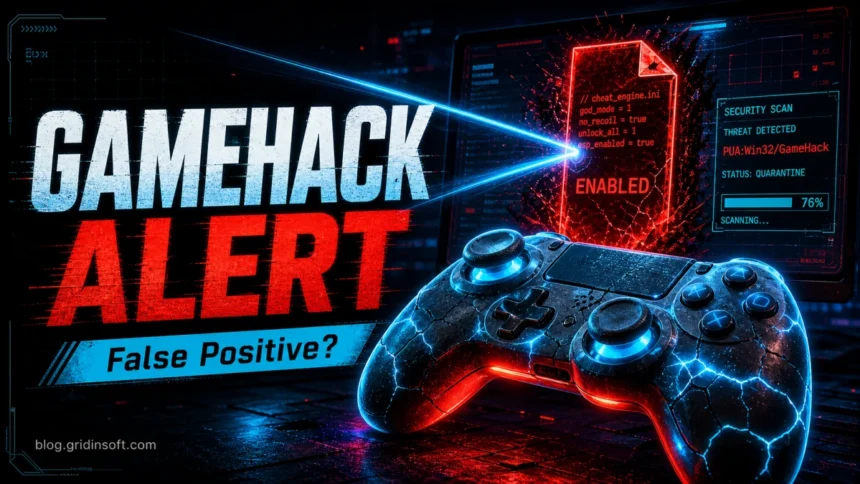
PUA:Win32/GameHack is a Microsoft Defender detection for trainers, cheat loaders, memory editors, patched game files, and bundles that change game behavior. Remove it when the affected file came from a crack, repack, forum, Discord/Telegram link, or unknown loader. Treat a false positive as plausible only when the path matches a tool you deliberately installed from its real developer and you can verify the file before restoring it.
If your alert says HackTool:Win64/GameHack!rfn instead of PUA, use the HackTool:Win64/GameHack!rfn removal and false-positive guide; it is the exact Defender-label page for 64-bit game-hack detections.
Should you remove PUA:Win32/GameHack?
- Remove it now if the path points to a cheat loader, crack, repack, password-protected archive, Downloads, Temp, or an unknown helper file.
- Pause and verify only for a tool from the real developer whose file path, digital signature, and release source all match.
- If the affected file is missing, check whether Defender already quarantined it, then remove the source archive or installer so it cannot be extracted again.
- If the alert returns, look for an updater, exclusion, startup item, service, or scheduled task that recreates the file.
Check Windows before continuing
Keep the detected file quarantined. If an unknown trainer or loader ran, or a fresh GameHack detection appears after reboot, check the PC beyond the original file. For a verified developer release that never ran, follow the false-positive checks below instead of assuming a compromise.
A loader can leave other files behind after quarantine. Scan Windows with Gridinsoft Anti-Malware for bundled threats and unwanted startup components before restoring a trainer or running the game again.
Download Anti-Malware for WindowsAfter downloading: install Gridinsoft Anti-Malware, activate the trial if eligible, update its database, and run a Full Scan. Review detections, clean the items you confirm, then restart Windows. If the same symptom returns, use the source and persistence checks below.
Microsoft lists PUA:Win32/GameHack in Security Intelligence as a Defender detection. The PUA label does not prove that every flagged trainer is a trojan, but it also does not mean the file is harmless. If a known developer believes an unchanged release is detected incorrectly, use Microsoft’s file-submission portal instead of adding a broad Defender exclusion.
Defender detection context: GameHack belongs with our PUA and browser hijacker cleanup hub and our Microsoft Defender detection reference.
| Detection | PUA:Win32/GameHack |
| Common sources | Cheat loaders, trainers, memory editors, patched game files, mod menus, cracks, and bundled installers |
| Higher-risk signs | Unknown publisher, archive password, security-disable instructions, Defender exclusions, admin rights, or extra downloads |
| Best default | Remove or quarantine it; verify a claimed false positive before restoring or allowing the file. |
What is PUA:Win32/GameHack?
GameHack detections usually involve software that alters game memory, patches executables, injects code into a game process, or loads scripts and modules. Some files are advertised as trainers or mod menus. Others arrive inside cracked games, “unlock all” packages, or loaders that fetch components after launch.
The security concern is the source and behavior, not only cheating. A loader that asks for administrator rights, creates an antivirus exclusion, injects into another process, or downloads unsigned modules has the same access that malware can abuse. It can also expose game accounts to bans even when the file is not a password stealer.
Is GameHack a false positive or a risky loader?
| Known tool from its real developer | Confirm the exact download source, file path, publisher signature, and release hash when the developer provides one. Submit an unexpected detection to Microsoft before restoring it. |
| Cheat loader, crack, repack, or archive | Remove it. Do not treat “the game will not start without it” or “disable antivirus first” as evidence that the file is safe. |
| File already missing | Check Protection History for Quarantined or Removed status. Then delete the original archive, installer, or browser download that could recreate it. |
| Alert returns after reboot | Find the affected path and the process that writes it. Check exclusions, Startup Apps, Task Scheduler, services, and the loader’s updater before scanning again. |
Why PUA:Win32/GameHack keeps coming back or shows no file
A Protection History entry can remain after Defender has quarantined the file, so an empty affected path does not automatically mean the detection is active. Open the event and check its status and timestamp before trying to delete a file that is already gone.
A genuinely recurring alert usually has a source. The original archive may still be in Downloads, a launcher may extract the same DLL into Temp each time it starts, an updater may redownload it, or a scheduled task or startup entry may recreate it. A Defender exclusion can also let the loader continue while only one component is detected.
How to remove PUA:Win32/GameHack
- Open Windows Security → Virus & threat protection → Protection history and note the affected path, status, time, and file name.
- Choose Remove or Quarantine. Do not choose Allow on device just because a loader or game stops working.
- Delete the original cheat loader, trainer, crack folder, repack, installer, and archive. Uninstall the related app if it was installed.
- Open Windows Security → Virus & threat protection settings → Manage settings → Exclusions and remove exclusions created for the loader, game folder, Downloads, or Temp.
- Restart Windows, update Defender security intelligence, and run a full scan. Use Microsoft Defender Offline if the same affected path returns after reboot.
- Check Startup Apps, Task Scheduler, Services, and browser extensions for recently added entries that match the alert time or affected path.
- Reinstall the game or tool only from its legitimate source. If a verified release is still detected, submit the unchanged file to Microsoft instead of excluding an entire folder.
- If you ran an unknown loader, change passwords for email, gaming, Discord, and payment-linked accounts from a clean device, revoke active sessions, and enable MFA.
Security tools can quarantine the visible file while an updater, scheduled task, service, exclusion, or bundled module remains and recreates it. A follow-up scan should check those persistence points and hidden helper files, not only the original detection.
FAQ
Can I allow PUA:Win32/GameHack in Defender?
Do not allow it on a normal gaming PC. For a known developer tool, verify the exact file and submit the detection for review; do not whitelist a loader folder or archive.
What if Defender says the affected item does not exist?
Check the event status and timestamp in Protection History. Defender may have already quarantined the extracted file, while the original archive, installer, browser cache, or updater can still recreate it.
Why does PUA:Win32/GameHack keep coming back?
The same loader may extract or download the file again, or a startup item, scheduled task, service, or exclusion may preserve it. Match the new event’s affected path and time to the app or task that recreated it.
Will GameHack steal my Steam or Discord account?
The detection name alone cannot prove account theft, but unknown cheat loaders and cracked packages can carry stealers. If you ran one, clean the PC first, then revoke sessions and change important passwords from a clean device.
Why does Defender call it PUA instead of Trojan?
PUA means potentially unwanted application. It can describe a risky tool or bundle without assigning a specific trojan family, so the affected path, source, signature, and behavior still matter.
Roblox-specific note: If this Defender alert appeared after downloading Roblox Account Manager, read our dedicated guide: Is Roblox Account Manager a virus?
Related cleanup guide
Related: If the GameHack alert appeared after a mod, crack, or private game installer, treat it as possible credential theft and follow the game/mod infostealer recovery checklist.