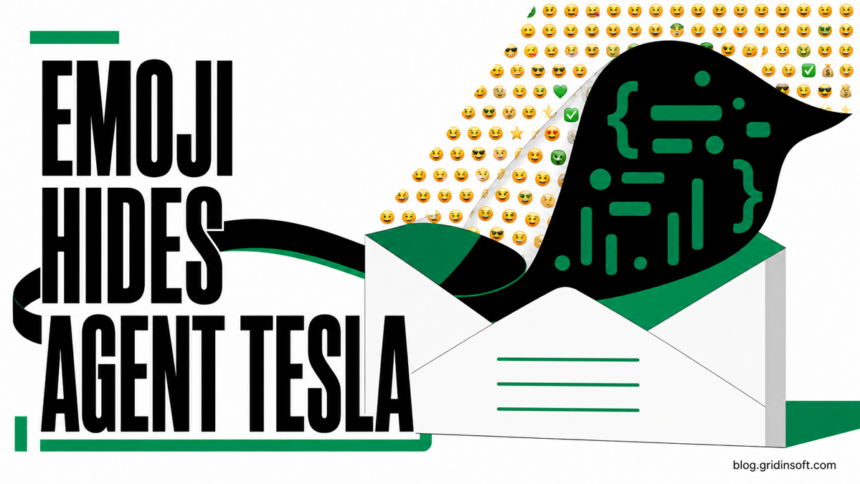
Agent Tesla emoji malware is arriving in fake bank-payment email. A campaign analyzed by KnowBe4 on August 20 uses an unusually large JScript attachment filled with Unicode emoji to conceal the code that ultimately launches Agent Tesla v4 in memory. Ordinary emoji in an email are harmless; the danger begins when the recipient runs the attached .JS file.
The message is framed as a forwarded SWIFT payment notice from a bank relationship associate. That finance context creates urgency without needing an elaborate story: the recipient is pushed to open SWIFT Payment Maker 103 - 10.06.26.JS and confirm a transfer. If the script runs, the campaign can steal browser credentials, email accounts, chat tokens, and passwords saved by Windows.
How the Agent Tesla JScript attack works
The attachment is 6.94 MB, far larger than a normal short script. Much of that size comes from emoji and other Unicode characters used as visual noise around the malicious logic. This technique does not make emoji dangerous by themselves. It makes quick manual inspection harder and helps the attachment look less like ordinary script code.
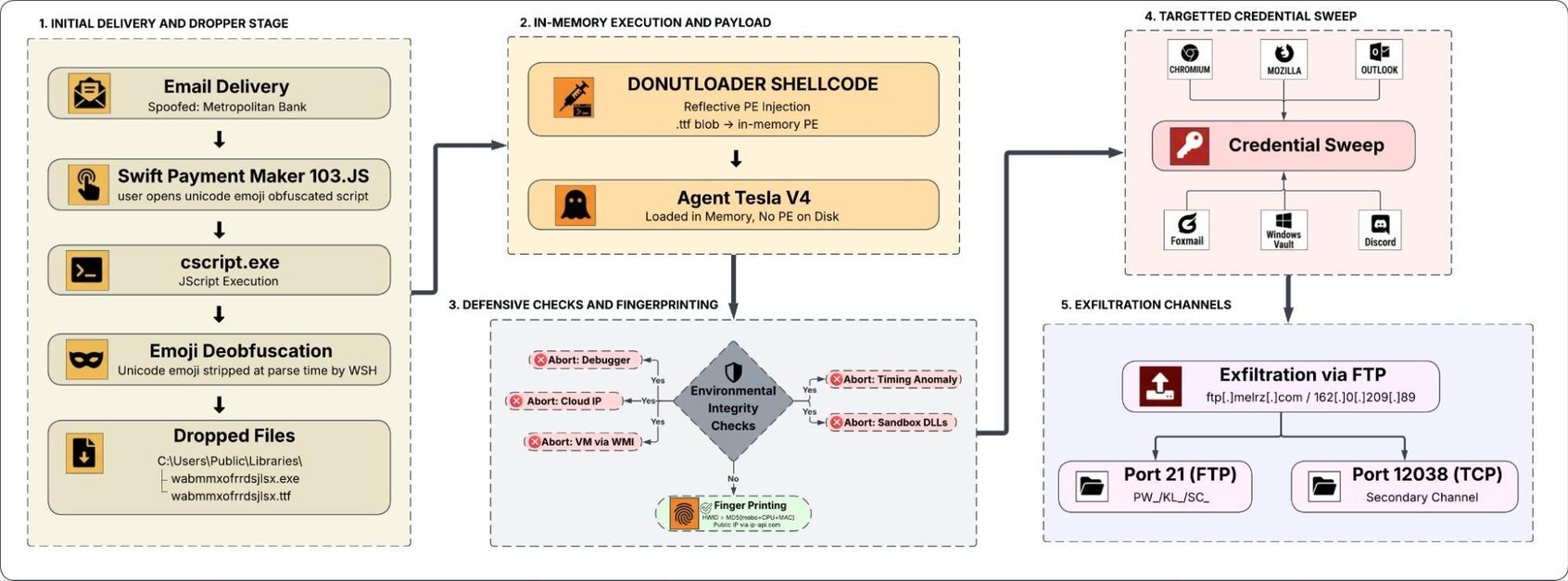
Once executed, the JScript starts DonutLoader, which reflectively loads Agent Tesla v4 into memory. Reflective loading reduces the need to write the final stealer as a conventional executable on disk. The observed sample still created supporting files under C:\Users\Public\Libraries\, so “fileless” does not mean “leaves no evidence.”
Researchers found collection logic for credentials from 27 Chromium-based browsers and 13 Mozilla-based browsers, along with Outlook, Foxmail, Discord, and Windows Credential Manager. That makes the impact broader than one browser account. A successful run can expose email, saved website logins, and active work accounts from the same Windows profile.
Example of the payment-email lure
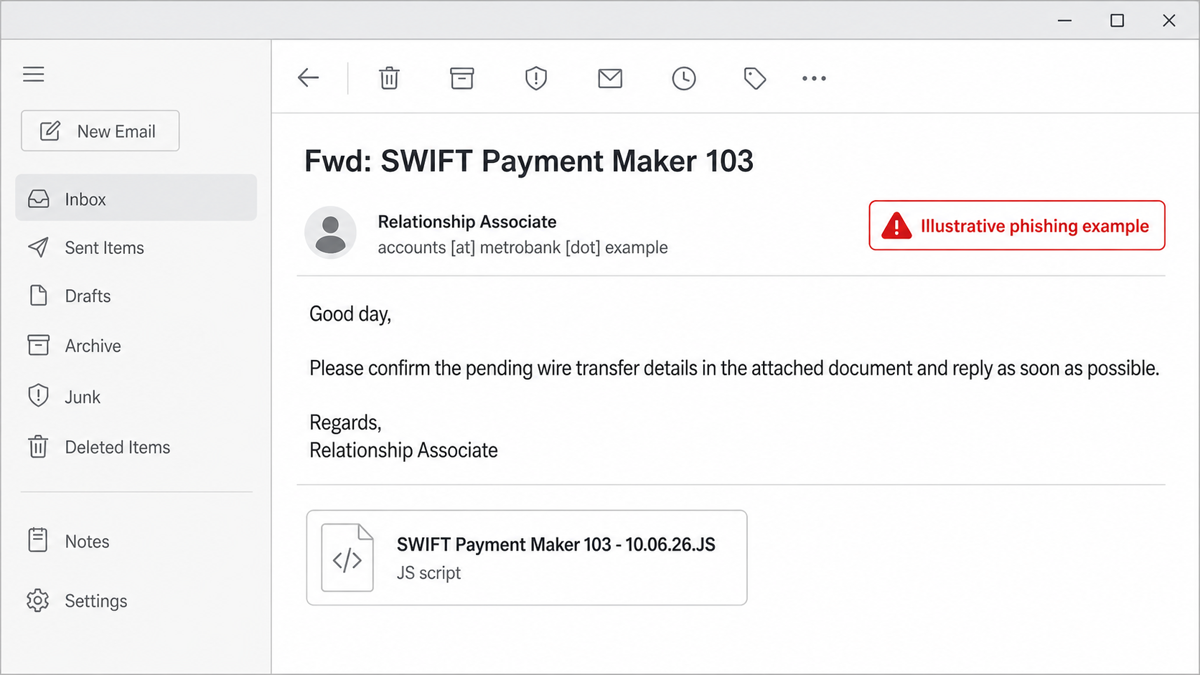
A representative message may read: “Please confirm the pending wire transfer details in the attached document and reply as soon as possible.” The important clue is not the wording alone. It is the mismatch between a supposed payment document and an attachment ending in .JS. A bank statement or transfer notice should not require Windows Script Host.
Organizations should also treat the display name separately from the real sender address. A label such as “Relationship Associate” is not proof that the message came from a bank. For finance requests, verify the transfer through a known phone number or a previously bookmarked banking portal, never through contact details supplied by the email.
What to do depends on what happened
| Exposure state | Right response |
|---|---|
| You only saw or previewed the email | Do not download the attachment. Report the message as phishing and delete it. No password reset is required solely because the message appeared in the inbox. |
| You saved the attachment but did not open it | Delete the file without running it, empty the Recycle Bin, and scan the download location. Saving alone does not execute JScript. |
| You opened the file in a text editor | Close it and delete it. If it truly opened only as text and Windows Script Host never ran, code execution is unlikely. Check the file association and scan the PC if uncertain. |
| You double-clicked it or saw a script-host prompt | Assume execution. Disconnect the PC from networks, preserve the email, and begin containment from a separate trusted device. |
If the script ran, contain and recover in this order
- Disconnect the affected Windows PC. Turn off Wi-Fi and unplug Ethernet. Do not continue signing in to accounts from it.
- Tell the finance or security contact. Preserve the original email, attachment name, sender headers, and approximate execution time for investigation.
- Scan the system before reconnecting it. Deleting the visible script is not enough because the loader and supporting files may remain.
- Reset exposed credentials from a clean device. Start with email, banking, password managers, work accounts, and any passwords saved in browsers. Revoke active sessions and refresh multi-factor recovery codes where available.
- Check for financial abuse. Review pending transfers, mailbox forwarding rules, OAuth access, and recent sign-ins. Contact the bank through a trusted channel if payment data was visible on the PC.
Agent Tesla is an established infostealer, and older campaigns have also triggered Microsoft Defender detections such as Trojan:PowerShell/AgentTesla.SHD!MTB. The new feature here is the delivery chain: a finance-themed business email compromise lure combines an executable JScript attachment with emoji-heavy obfuscation.
Practical controls for finance teams
Block or quarantine script attachments such as .JS, .JSE, .VBS, and .WSF at the mail gateway unless there is a documented business need. On managed Windows devices, disable Windows Script Host where it is not required and use application-control rules to prevent scripts from email and download folders.
These controls should support, not replace, payment verification. Require a second person to confirm new beneficiaries or changed bank details, and verify urgent transfer requests through an independently sourced contact channel. The same workflow reduces risk from both malware attachments and ordinary invoice fraud.
Reference
- KnowBe4 Threat Lab, “Anatomy of an Agent Tesla BEC Attack: In-Memory Infostealer”, August 20, 2026.