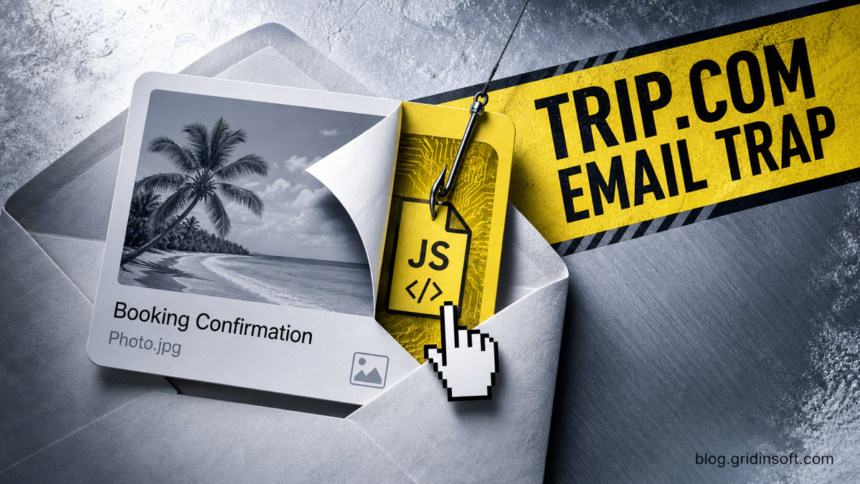
The “Trip.com Booking Confirmation” message reviewed here is a malware-delivery email, not a real reservation confirmation. It poses as a hotel guest asking about an evening meal or half-board upgrade, then makes a photo-like attachment and an embedded booking image download a JavaScript file. Reading the email alone does not execute that file. The main compromise boundary is opening the downloaded script: if it ran, disconnect the Windows PC, scan it, check persistence, and recover work accounts from a clean device.
What to do now
- Only read or replied: report the message and verify the guest request through your normal reservation system or a known contact route.
- Clicked, but no file downloaded: close the page or message, check browser download history, and do not retry the link.
- Downloaded the file but did not open it: keep it closed, record its name and source, quarantine or delete it, and scan the file and PC.
- Opened the JavaScript file: disconnect Wi-Fi and Ethernet, stop using sensitive accounts on that PC, preserve the evidence, and begin the full response below.
What Is the Trip.com Booking Confirmation Email Virus?
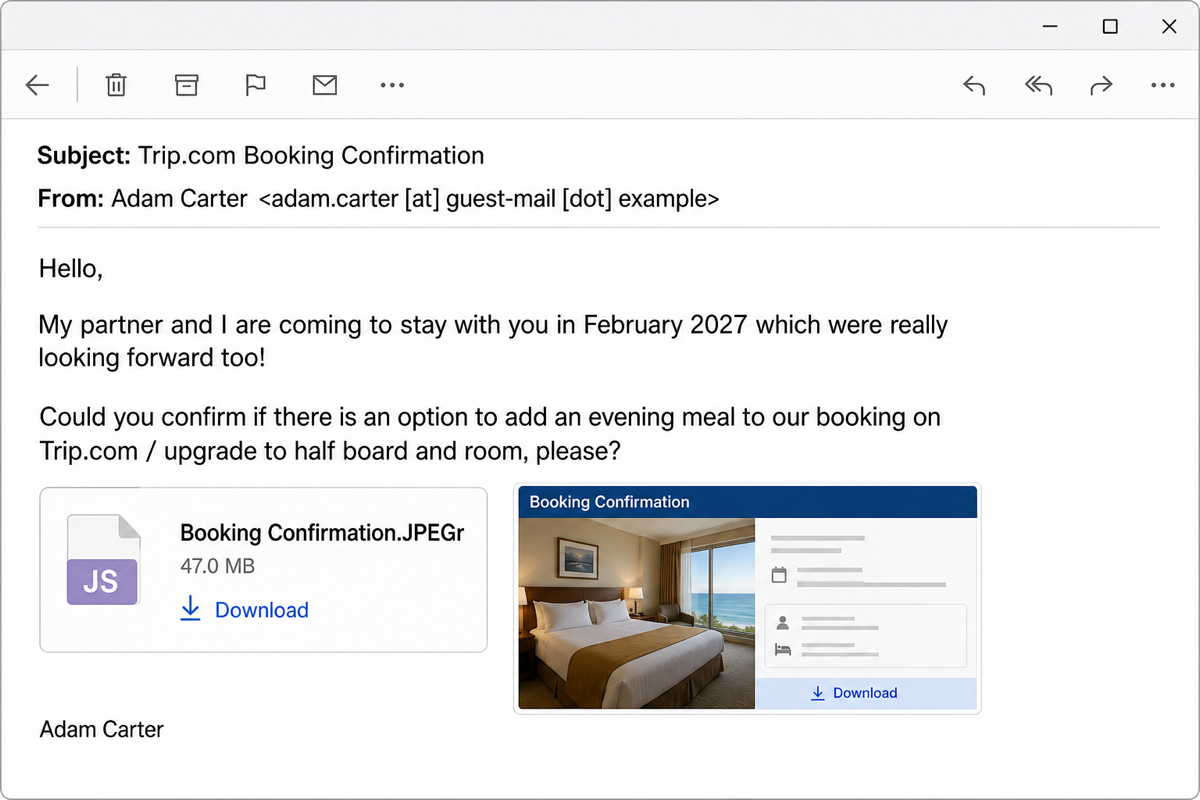
The lure is written as a hotel guest inquiry rather than a normal automated travel receipt. A sender using the display name Adam Carter says that he and his partner will stay in February 2027 and asks whether an evening meal or a half-board and room upgrade can be added to a Trip.com booking.
The message then shows two visual download paths: an attachment-like card named Booking Confirmation.JPEGr with an archive-style icon and a second booking-preview image in the body. Both are links, not proof of a real attachment or reservation. In the reviewed sample, using either link caused a JavaScript file to download. The campaign evidence does not establish which final malware family the script would install, so do not assign it a RAT, stealer, or ransomware name without analyzing the exact file.
Trip.com is a real travel platform and is not responsible for this email. The brand name is social-engineering context: hotel staff routinely handle booking questions, so a polite guest request can feel more credible than a generic invoice or security warning.
Example
Subject: Trip.com Booking Confirmation
From: Adam Carter <adam.carter [at] guest-mail [dot] example>
Hello,
My partner and I are coming to stay with you in February 2027 which were really looking forward too!
Could you confirm if there is an option to add an evening meal to our booking on Trip.com / upgrade to half board and room, please?
Booking Confirmation.JPEGr (47.0 MB)
Download
Adam Carter
This text is an illustrative, de-identified reconstruction for recognition. The unusual JPEGr ending, the large claimed size, and two clickable “confirmation” visuals are reasons to stop and verify—not reasons to test the download.
How to Verify a Real Trip.com Booking Confirmation
A legitimate Trip.com confirmation should correspond to a booking that already exists in the official Trip.com app or website. Trip.com says users can view confirmation details in their booking list, including the booking reference and itinerary. For hotel staff, the email itself should never become the system of record.[1]
- Do not use the message links. Open the property’s normal reservation or channel-management system from a saved bookmark or trusted internal portal.
- Search for the guest and dates. Check whether the February 2027 stay, guest name, and requested change match an existing reservation.
- Verify through a separate route. If the request might be real, reply through the reservation platform or use contact information already stored with the booking—not a number or address supplied by the suspicious email.
- Inspect the real file type. A booking image should not turn into a local
.jsfile. Enable file-name extensions in File Explorer before judging a download by its icon or visible label.
For a broader sender, link, attachment, and urgency checklist, use our guide to spotting phishing email red flags. A familiar display name or brand is not enough when the action leads outside the normal booking workflow.
Did the Email Infect the PC?
| What happened | Risk and next step |
|---|---|
| You only read the email | The reviewed chain needs another action. Report and delete the message after preserving it if your organization investigates phishing. |
| You replied but opened nothing | Malware did not execute through the reply. The response may confirm that the mailbox is monitored, so warn colleagues and expect a follow-up. |
| You clicked a visual link | Check whether a file appeared in browser history or %USERPROFILE%\Downloads. Do not assume that “nothing opened” means nothing downloaded. |
| The JavaScript file downloaded but stayed closed | Keep it closed. Record the filename, time, browser, and source message; then quarantine or remove it and run a scan. |
| You opened the script | Treat the endpoint as potentially compromised. Isolate it, scan it, check what launched and persists, and recover accounts from another device. |
Why the JPEGr Download Is Dangerous
Booking Confirmation.JPEGr is designed to resemble an image name, but the clickable card does not determine the downloaded file type. Microsoft documents that local .js files can run through Windows Script Host using wscript.exe or cscript.exe. That is different from JavaScript displayed inside an ordinary web page: a local script can issue operating-system commands with the current user’s permissions.[2]
JavaScript itself is not malware. Administrators and developers use scripts for legitimate automation. The danger here is the delivery context: an unexpected guest email hides the real file behind a misleading visual and asks hotel staff to execute content that is not needed to verify a booking. Our Windows script-file safety guide explains how to inspect BAT, VBS, JS, WSF, and PowerShell files without double-clicking them.
If the File Downloaded but You Did Not Run It
- Do not preview or double-click it. Do not choose “Open anyway,” remove a security block, or upload the file to a public forum.
- Record the evidence. Note the email subject, sender, received time, download time, browser, visible filename, and local path.
- Check the real extension. In File Explorer, enable View > Show > File name extensions. Do not rename the file to test it.
- Let security staff quarantine it. On a managed hotel PC, follow the organization’s incident process instead of deleting the only evidence immediately.
- Scan the item and the device. A clean first scan lowers concern but does not make an unverified guest script necessary or safe.
If You Opened the JavaScript File
- Disconnect the PC. Turn off Wi-Fi and unplug Ethernet. Do not reconnect network drives, reservation systems, remote support, or shared folders while investigating.
- Stop entering credentials. Do not sign in to email, Trip.com, the property-management system, banking, or password managers from the affected computer.
- Preserve the source and timing. Record the message, download path, filename, execution time, alerts, and any window that flashed. Do not rerun the script to reproduce it.
- Check what launched near that time. Review endpoint alerts and process history for unexpected
wscript.exe,cscript.exe,node.exe,powershell.exe, orcmd.exeactivity. These processes can be legitimate; the suspicious signal is their timing, command line, parent process, and path around the email download. - Check likely persistence locations. Inspect Startup items, Task Scheduler, services, browser extensions, recently installed apps,
%TEMP%,%APPDATA%\Microsoft\Windows\Start Menu\Programs\Startup, andHKCU\Software\Microsoft\Windows\CurrentVersion\Run. Do not delete unfamiliar entries blindly on a business PC; preserve evidence or ask IT to review them. - Update security tools and run a full scan. Use Windows Security and run a full Gridinsoft Anti-Malware scan to check for the downloaded script, secondary payloads, hidden files, scheduled tasks, startup entries, browser changes, and other persistence.
- Reboot only when the response plan allows it. A reboot can activate persistence or erase volatile evidence. Managed environments should follow incident-response guidance first.
Deleting the visible JavaScript file is not enough if it already ran. A loader, scheduled task, service, browser change, startup entry, or additional payload may remain and recreate activity later.
If the page or email made you download an invoice, coupon, tracking app, browser extension, or support tool, scan the PC before opening it again or logging into sensitive accounts.
Scan after running the booking scriptAfter cleanup, use the post-malware Windows security audit to confirm that suspicious tasks, startup entries, exclusions, browser changes, and connections do not return.
Recover Hotel and Mailbox Accounts From a Clean Device
The final payload in this campaign is not confirmed, so account recovery should follow exposure rather than an invented malware capability. If the script ran, prioritize accounts used on the PC during or after the incident.
- From a clean device, change the affected mailbox password and sign out other sessions.
- Reset property-management, reservation, Trip.com, remote-support, and business-account credentials that were stored in the browser or entered after execution.
- Enable phishing-resistant multifactor authentication where available and regenerate recovery codes.
- Review mailbox forwarding rules, delegates, filters, sent mail, deleted mail, and unfamiliar application access.
- Review reservation changes, payment instructions, guest messages, exports, API keys, and staff-account activity for unauthorized actions.
- Tell coworkers not to trust follow-up messages in the same thread. A compromised mailbox can make the next request look more convincing.
The FTC advises people who may have downloaded malware through phishing to stop using sensitive accounts on the affected computer, update security software, run a scan, then change passwords and enable two-factor authentication.[3]
How Hotel Staff Can Prevent the Next Booking Lure
- Verify guest requests inside the reservation platform before opening any external file.
- Show full file extensions on Windows and block high-risk script downloads in managed browsers and email gateways.
- Do not allow a photo or document icon to override the real file extension.
- Use separate staff accounts and least privilege for mail, reservations, payments, and remote support.
- Log script hosts and command interpreters launched from user download or temporary folders.
- Train staff on exposure branches: reading is not execution, downloading is not the same as running, and a silent launch still needs a response.
Hotel-themed malware uses several unrelated chains. The TONResolver fake Booking.com photo trap uses a ZIP and disguised shortcut, while the Cloudbeds Payment Details lure pushes staff toward a fake reservation-verification page. Do not transfer payload names or indicators from those campaigns to this Trip.com message.
A real sender can also lead to an unsafe destination: the Carnival booking-email investigation traced genuine messages to a promotional domain the company had lost. That case involved domain ownership, unlike the impersonation described here.
FAQ
Is Trip.com sending this booking-confirmation virus?
No. Trip.com is a legitimate travel platform. The reviewed email uses its name to make a hotel guest inquiry seem familiar; Trip.com is not connected to the message or download.
Can reading the Trip.com email infect my computer?
The reviewed chain requires a click and local file execution. Reading or replying alone does not run the downloaded JavaScript. Still report the email and avoid its links because a reply may invite a more targeted follow-up.
Is Booking Confirmation.JPEGr a real image?
No reliable image format is established by that label. In this lure, the card is a clickable visual that downloads a JavaScript file. Check the actual downloaded extension rather than trusting the icon or attachment-like text.
Am I safe if the JavaScript file downloaded but I did not open it?
The execution risk is much lower if the file stayed closed. Keep it closed, preserve or quarantine it according to workplace policy, check browser history, and scan the file and PC. Do not open it to see what it does.
What if the script ran but the computer looks normal?
A script can run without a useful window or visible error. Disconnect the PC, record the timing and path, scan it, review related process and persistence activity, and recover sensitive accounts from a clean device. A quiet screen is not proof that nothing happened.
References
- Trip.com. “How to Check and Get Trip.com Booking Confirmation.” Trip.com, updated July 2, 2026; accessed July 30, 2026. Official booking-confirmation guidance.
- Microsoft. “cscript.” Microsoft Learn, updated November 1, 2024; accessed July 30, 2026. Windows Script Host command documentation.
- U.S. Federal Trade Commission. “Malware: How To Protect Against, Detect, and Remove It.” Consumer Advice, April 2025; accessed July 30, 2026. Phishing-download recovery guidance.