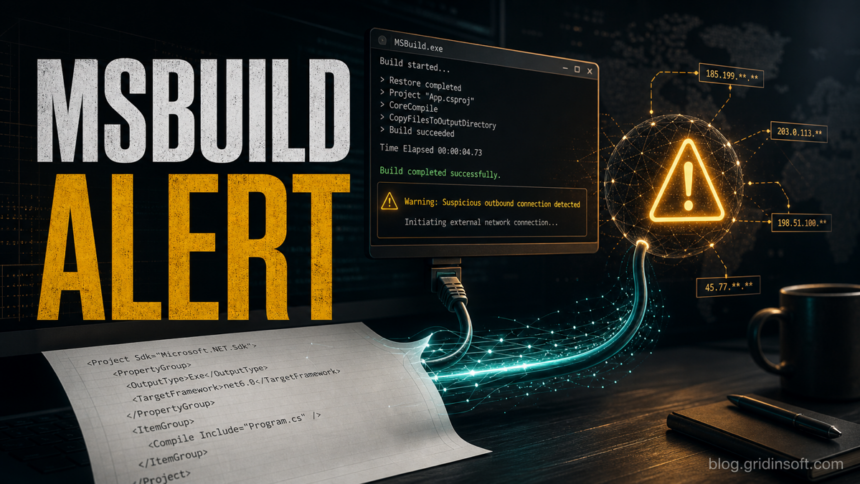
MSBuild.exe is not malware by default. It is Microsoft’s build engine, and it can run normally when Visual Studio, Build Tools, or the .NET SDK builds a project. Treat it as suspicious when it opens by itself every few minutes, launches from a strange folder, appears in Startup or Task Scheduler, or a security tool keeps blocking its outbound connection. In that case, the goal is not to delete every Microsoft-signed copy. The goal is to find what is launching it and remove the persistence behind it.
What is MSBuild.exe?
MSBuild.exe is the command-line Microsoft Build Engine used to build project and solution files. Microsoft documents MSBuild as the build platform behind many Visual Studio and .NET builds, and it can be invoked directly as MSBuild.exe or through related .NET build commands [1].
That legitimate role is also why attackers like it. Security references classify MSBuild abuse as a trusted developer utility proxy execution technique: a malicious project file, script, or loader can use the trusted Microsoft binary to compile or run code while making the process name look less suspicious [2] [3].
When MSBuild.exe is normal
- You are building a project in Visual Studio, Visual Studio Build Tools, Rider, a terminal, or a CI/development script.
- The file runs from a normal Microsoft path such as
C:\Windows\Microsoft.NET\Framework\v4.0.30319\MSBuild.exe,C:\Windows\Microsoft.NET\Framework64\v4.0.30319\MSBuild.exe, or a Visual Studio Build Tools folder underC:\Program Files. - The command line points to a real
.sln,.csproj,.vbproj, or.projfile you recognize. - The parent process is expected, such as
devenv.exe,dotnet.exe, a build script you started, or a known developer tool. - The process stops after the build completes and does not keep relaunching from Startup, Temp, AppData, or ProgramData.
When MSBuild.exe looks suspicious
| What you see | Why it matters |
|---|---|
| MSBuild.exe opens every 5-10 minutes | A scheduled task, startup entry, service, or script may be relaunching it. |
| Security software blocks MSBuild.exe outbound traffic | Normal builds usually do not need to contact random IP addresses. Check the parent process and command line first. |
The file is in AppData, ProgramData, Temp, Downloads, or a random folder |
Malware often copies or renames trusted binaries, or drops a lookalike executable in user-writable folders. |
The command line loads an unknown .xml, .proj, .csproj, .rsp, or logger DLL |
MSBuild can process project files and response files, so unknown input files deserve inspection. |
| The alert started after a cracked app, fake update, game mod, or suspicious installer | Those installers often create scheduled tasks and use legitimate Windows tools to keep a payload running. |
Check the file path and signature first
- Open Task Manager, right-click MSBuild.exe, and choose Open file location.
- Right-click the file, open Properties, and check the Digital Signatures tab. A normal Microsoft copy should be signed by Microsoft.
- Compare the folder with the expected Microsoft or Visual Studio Build Tools paths. A file named
MSBuild.exeunder%AppData%,%ProgramData%,%Temp%,Downloads, or a random vendor folder is not something to trust automatically. - Do not download a replacement
MSBuild.exefrom third-party EXE sites. If the legitimate build tool is broken or missing, repair Visual Studio Build Tools, Visual Studio, or the .NET SDK from Microsoft’s official installer.
Find what keeps launching it
If the path looks legitimate but the behavior is not, focus on the launcher. A malicious script can call the real Microsoft binary, so deleting the signed copy rarely fixes the issue.
- In Task Manager or Process Explorer, check the Command line and Parent process for MSBuild.exe.
- Open Task Scheduler and look for recently created tasks that run
MSBuild.exe,powershell.exe,wscript.exe,cmd.exe,rundll32.exe, or a random file under user-writable folders. - Check Startup apps and the Startup folders:
%AppData%\Microsoft\Windows\Start Menu\Programs\StartupandC:\ProgramData\Microsoft\Windows\Start Menu\Programs\Startup. - Review recently installed programs, browser extensions, cracked software, game mods, and fake update installers. If the alert began after one of them, remove that app first.
- Look for matching unknown files near the project path shown in the command line. Unknown
.proj,.xml,.rsp, or DLL files created around the same time as the alerts are important clues.
How to remove suspicious MSBuild.exe activity
- Disconnect from the network if MSBuild.exe is repeatedly contacting suspicious IPs or domains.
- Save your work and create a restore point before removing startup items or scheduled tasks.
- Stop the suspicious process only after noting its path, command line, parent process, and scheduled task name.
- Remove the launcher: suspicious scheduled task, startup shortcut, service, script, fake installer folder, or recently installed unwanted app.
- Scan the system with Gridinsoft Anti-Malware to check for loaders, infostealers, persistence entries, and other malware that may be using MSBuild as a trusted-looking child process.
- After cleanup, reboot and watch whether MSBuild.exe relaunches. If it comes back, the launcher is still present or another persistence method is restoring it.
After uninstalling the suspicious app or deleting the visible threat, use Gridinsoft Anti-Malware to check hidden files, startup entries, scheduled tasks, bundled apps, browser changes, and other persistence points that can restore malware.
Download Anti-MalwareWhat not to do
- Do not delete every Microsoft-signed MSBuild.exe file. Developer tools, .NET projects, and some installers may need the legitimate binary.
- Do not ignore repeated outbound blocks just because the file name is Microsoft-related. A trusted binary can still be launched by an untrusted script.
- Do not run random “DLL fixer” or “EXE replacement” downloads. They often create the same malware problem the user is trying to solve.
- Do not rely on one clean scan if the process keeps relaunching. Persistence can live in a task, startup entry, script, or another payload.
Related Gridinsoft guides
- PowerShell.exe outbound connection blocked explains the same parent-process and launcher problem for another trusted Windows utility.
- FakeBat Loader is Back With New Tactics and Payload shows how fake installers can chain legitimate tools into malware delivery.
- Infostealer after downloading a game or mod covers the account-safety steps to take when the alert began after a cracked app or mod.
- Microsoft Defender detection names helps interpret antivirus alerts when a security tool names the payload instead of MSBuild itself.
FAQ
Is MSBuild.exe a virus?
No. MSBuild.exe is a legitimate Microsoft build tool. It becomes suspicious when a wrong-path copy appears, an unknown project file launches it, or it keeps opening and connecting to the Internet without a real build task.
Should I delete MSBuild.exe?
Do not delete the legitimate Microsoft-signed copy from Windows, .NET, or Visual Studio folders. Find the script, scheduled task, startup entry, or unwanted app that is launching it instead.
Why does my antivirus block MSBuild.exe?
The alert may mean a malicious project file, script, or loader is using MSBuild to run code or make an outbound connection. Check the path, parent process, command line, and persistence entries before assuming the Microsoft binary itself is infected.
What if MSBuild.exe opens only when Visual Studio is running?
That is usually normal. Update or repair Visual Studio/Build Tools if the process hangs or consumes resources, but treat it as a malware case only when the path, command line, launcher, or network behavior is suspicious.
References
- Microsoft Learn. “Use the MSBuild XML schema to control builds.” Microsoft, updated 2025, accessed June 12, 2026. https://learn.microsoft.com/en-us/visualstudio/msbuild/msbuild
- MITRE ATT&CK. “Trusted Developer Utilities Proxy Execution: MSBuild (T1127.001).” MITRE, accessed June 12, 2026. https://attack.mitre.org/techniques/T1127/001/
- LOLBAS Project. “Msbuild.” Living Off The Land Binaries and Scripts, accessed June 12, 2026. https://lolbas-project.github.io/lolbas/Binaries/Msbuild/
A recent Avalon/CrownX campaign shows why unexpected MSBuild activity after a legal-document archive is high risk. If the activity followed a ZIP, ISO, or shortcut, compare it with the Avalon CrownX ransomware chain before signing back into sensitive accounts.