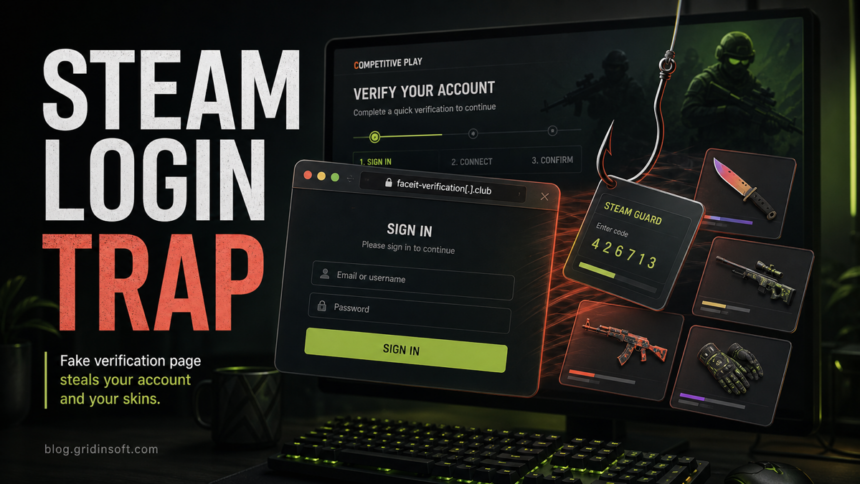
A fake FACEIT client, anti-cheat download, or FACEITInstaller_64.exe from a raw IP address, Discord attachment, GitHub impersonator, or unfamiliar domain should not be trusted. The filename alone does not prove a file is genuine or malicious. If you only saw the page, close it. If you entered credentials or approved a QR login, secure the accounts. If you downloaded the file but did not run it, keep it closed and verify its source. If the installer or a copied command ran, disconnect the PC, scan for persistence, and recover accounts from a clean device.
Fake FACEIT campaigns can combine two traps: a copied Steam sign-in window for account theft and a fake client or “anti-cheat” download for Windows malware. Malwarebytes documented lookalike verification domains that pushed players into a counterfeit Steam login flow in June 2026.[1]
Choose the response that matches what happened
- You only opened the page or message: close it, do not approve notifications or downloads, and open FACEIT or Steam from a bookmark, official app, or manually typed address.
- You entered a password, scanned a QR code, typed a Steam Guard code, or approved a device: use the account-recovery steps below from a clean device.
- You downloaded a client but did not run it: do not open it for testing. Record the source, check the signature and SHA-256 hash, then delete or quarantine it if the source cannot be verified.
- You ran the installer or pasted a command: treat the Windows device and the Steam, FACEIT, and email accounts as exposed until both device cleanup and account recovery are complete.
How the fake FACEIT verification works
The scam copies the normal pattern competitive players expect: a FACEIT-style verification page, a claim about trusted CS2 play, and a Steam login or anti-cheat step. Fake FACEIT-style events, hubs, clans, organizer pages, and support messages can use counterfeit login prompts or downloads to steal credentials, items, or Windows access.
- Lookalike FACEIT domain: Malwarebytes observed domains such as
faceit-discord.com,faceit-clubs-verify.com, andfaceit-verification-clubs.com. The official FACEIT site isfaceit.com. - Blurry QR or failed QR flow: the page may make the QR path inconvenient so the player clicks the easier fake Steam login button or download.
- Fake Steam pop-up: the “Steam” address bar is drawn inside the page. In a Browser-in-the-Browser attack, the real browser address bar still shows the phishing site.
- Client, update, or anti-cheat download: the page pushes an installer, archive, or copied command from a raw IP, chat attachment, repository impersonator, or unknown host instead of an official FACEIT path.
- Steam Guard or trade pressure: a stolen Steam Guard code can let attackers finish a login. Follow-up pressure to move items to a “safe” account is a trade scam pattern.
Warning signs before you sign in or download
- The main browser address bar is not exactly
faceit.comor a normal Steam domain you typed yourself. - A login window appears inside another website, and you cannot move it outside the current browser tab.
- The page says verification is urgent, free, optional, or needed to prove you are not cheating.
- A person tells you to open Run, PowerShell, or Terminal and paste a command to install or repair FACEIT.
- The download comes from a numeric IP address, Discord, an unfamiliar GitHub account, a file-sharing host, or a lookalike domain.
- Copyright years, language, support links, signer details, or visual elements do not match the official service.
- The site was shared through Discord, Steam chat, a tournament invite, a community post, or a direct message from a new contact.
FACEIT’s own scam guidance warns about imitation pages, external invitations, counterfeit login prompts, and unexpected downloads.[2] When in doubt, close the page and navigate to FACEIT or Steam yourself. You can also check a suspicious domain with the Gridinsoft Online Virus Scanner, but a clean reputation result is not proof that a new phishing domain is safe.
Is FACEITInstaller_64.exe malware?
FACEITInstaller_64.exe is a filename, not a verdict. A legitimate and a malicious file can use the same name. Do not decide from the icon, filename, or one scanner label alone.
- Source: a client or anti-cheat download should begin from the official
faceit.comsite or client workflow, not a raw IP, chat attachment, search ad, copied command, or unfamiliar repository. - Digital signature: open file Properties, check the Digital Signatures tab, and compare the publisher with current information shown by the official download. A missing, invalid, or unexpected signer is a stop signal; a valid signature is useful evidence but not proof by itself.
- Hash and size: calculate a SHA-256 hash and record the file size before deleting or quarantining the file. Compare only with a trusted official value or a security report for that exact hash.
- Surrounding command: a command that silently downloads another file, launches PowerShell, disables security, adds exclusions, or connects to an IP address changes the risk even when the saved filename looks legitimate.
Do not re-download an unknown sample to compare it, and do not upload a private file if it may contain personal data. If the file was never run and the source cannot be verified, deleting or quarantining it is safer than experimenting.
If you ran the fake client or copied command
- Disconnect the PC from the network. Turn off Wi-Fi or unplug Ethernet. Do not run another “fix” sent by the same person.
- Preserve useful evidence. Save the message, source domain, download time, filename, file size, SHA-256 hash, and the exact command as text or a screenshot. Do not reopen the payload.
- Scan Windows from trusted tools. Update your security tool from a known-good source and run a full scan. If the page used a copied command, follow the deeper ClickFix command cleanup checks.
- Check common persistence and traffic changes. Review Windows proxy settings,
%WINDIR%\System32\drivers\etc\hosts, Startup apps, Task Scheduler Library, browser extensions, and recently added apps. Do not delete an entry only because its name is unfamiliar; record it and verify its path and publisher first. - Reboot and scan again. Recurring alerts, a proxy that returns, unknown scheduled tasks, new administrator accounts, or security settings that will not stay enabled are signs that cleanup is incomplete.
- Use a clean device for account recovery. Secure email first, then Steam and FACEIT. A broader game-download infostealer recovery guide covers passwords, sessions, tokens, and the order of cleanup.
Quarantining the visible installer may not remove a loader, scheduled task, startup item, proxy change, or bundled module that it created. Gridinsoft Anti-Malware can check for those leftovers and persistence, but a scan cannot restore stolen passwords or prove that no account data was exposed.
If a token stealer ran here, logging back in can hand the attacker your new Discord session, email cookie, Steam token, or wallet access. Scan this Windows PC first, then reset passwords from a clean device.
Scan after running a fake FACEIT clientSecure Steam, FACEIT, and email accounts
- From a clean device, change the email password first and review its recovery addresses, forwarding rules, sessions, and MFA methods.
- Open Steam from the official app or by typing the address manually. Change the password, review authorized devices, and sign out other sessions.
- Change the FACEIT password, enable or reset two-factor authentication, and review linked accounts or support activity.
- Do not approve new Steam Guard prompts or trade confirmations that appeared after the visit.
- Visit
https://steamcommunity.com/dev/apikeywhile signed in. If an API key exists and you did not create it, revoke it. Steam notes that a hijacker may create a key after gaining access, although an API key is not required for every trade-redirection scam.[3] - Review recent login history, pending trade offers, market listings, phone number, authenticator, and profile changes. Warn friends if the account sent links or trade messages.
If you cannot access the account, use Steam Support’s recovery path from a clean browser session. Do not negotiate with anyone claiming they can restore items or stop a ban through chat. Consider a clean Windows reinstall when trusted scans cannot restore security settings, an unknown administrator or remote-access tool remains, persistence returns after reboot, or you cannot establish what the executed command changed.
Why this scam works on gamers
Steam accounts can hold purchased games, wallet funds, friends, market reputation, and CS2 skins. That makes a fake FACEIT verification flow more convincing than a random bank phish: the story fits the player’s normal workflow. The client or anti-cheat angle adds another believable step because competitive players expect security software to request installation and elevated access.
The safer habit is to distrust embedded login windows, unexpected downloads, and copied commands. If a competitive platform needs Steam authentication or anti-cheat software, start from the official platform site or client, not from a link in chat.
FAQ
Can a fake FACEIT page infect a PC if I only opened it?
Opening a page is not the same as running its download or command. Close it, do not approve browser notifications or permission prompts, and check the Downloads list. If a file ran, a command was pasted, or the browser downloaded and opened something automatically, use the device-containment steps.
Is FACEITInstaller_64.exe always a virus?
No. The same filename can be used by a legitimate installer and by an impersonator. Verify the original source, digital signature, publisher, SHA-256 hash, file size, and the command or page that delivered it.
Is the Steam login window safe if it shows steamcommunity.com?
Not when that address appears inside a window drawn by the webpage. Check the real browser address bar at the very top of the browser, or close the page and sign in through the official Steam app.
Should I move my CS2 skins to a friend after a warning?
No. “Move items to a safe account” is a common pressure tactic. Secure the account first, review pending trades, revoke unknown API keys, and avoid approving any trade confirmation created after the suspicious login.
Do I need to reinstall Windows after running a fake FACEIT client?
Not automatically. Start with containment, trusted scans, persistence checks, and clean-device account recovery. Reinstall from trusted media if security settings cannot be restored, unknown privileged access remains, or suspicious tasks, proxy changes, or detections return after reboot.
References
- Stefan Dasic. “Fake verification pages are stealing Steam accounts from players.” Malwarebytes Labs, June 12, 2026. Accessed August 23, 2026. https://www.malwarebytes.com/blog/threat-intel/2026/06/fake-verification-pages-are-stealing-steam-accounts-from-players
- FACEIT. “Scam FAQ.” FACEIT Support, updated January 18, 2024. Accessed August 23, 2026. https://support.faceit.com/hc/en-us/articles/12150892587932-Scam-FAQ
- Steam Support. “Scam: Trade Redirection.” Valve, accessed August 23, 2026. https://help.steampowered.com/en/faqs/view/7F4E-1D40-43D0-73FD