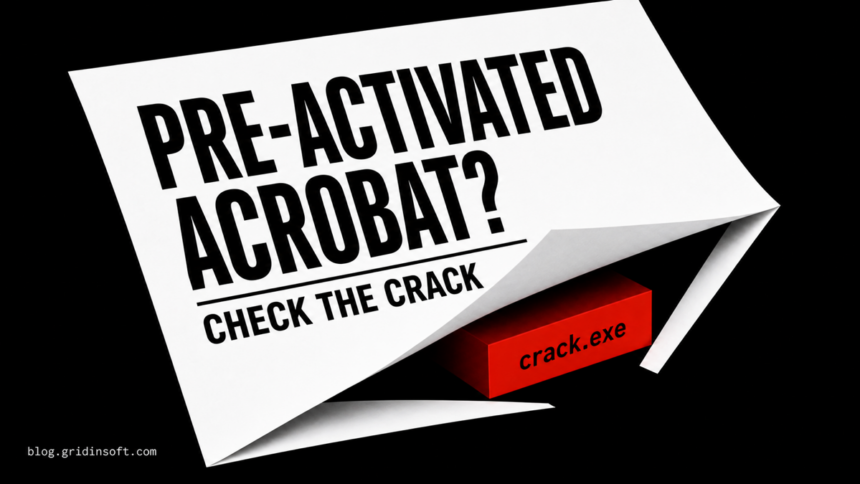
An official Adobe Acrobat installation is legitimate, but a “pre-activated” Acrobat package is not an official build you can trust by name alone. It has been modified to bypass licensing, and a bundled crack.exe may be only a patcher, a potentially unwanted hacktool, or a trojanized replacement. If the file was blocked before it ran, keep it quarantined and delete the source package. If it ran—especially as administrator or after antivirus was disabled—treat the PC as potentially changed and complete the cleanup checks below.
Adobe describes cracked Acrobat copies as unauthorized, modified software that may be insecure, unstable, and unable to receive normal support or updates.[1] That does not prove every file named crack.exe is the same malware. It does mean the package sits outside Adobe’s trust chain, so “pre-activated,” a familiar uploader, or a low detection count is not enough evidence to allow it.
What “pre-activated Adobe Acrobat” means
Pre-activated usually means someone altered the installer, replaced Acrobat files, added a patcher, or changed licensing and network behavior before redistributing the package. The official Acrobat application is not the problem. The unknown changes around it are.
A file called crack.exe may modify program files, patch licensing checks, stop services, add firewall rules, or ask for administrator access. Those actions explain why security tools often classify cracks as hacktools or riskware. They also give a malicious replacement exactly the access it needs to install a loader, steal browser data, add persistence, or weaken protection.
Filename-based verdicts are especially weak. One archived Gridinsoft Malware Check report for a specific “Crack for Acrobat Pro x64” sample showed seven engine detections, ranging from crack-tool/riskware labels to generic malware signals. That report applies to one hash only; it cannot clear or condemn another file with the same name. Use the EXE safety checklist to evaluate the exact file without running it.
What happened determines your next step
| Situation | Risk and what to do |
|---|---|
| You downloaded the archive but did not open it | Delete the archive and empty the Recycle Bin. No installer or crack should have executed, but scan the download location if you are unsure. |
You extracted it, but security software blocked crack.exe |
Keep the file quarantined. Delete the extracted folder and original archive. Do not restore it merely to finish activation. |
| You allowed the alert or added an exclusion | Remove the allowed item or exclusion first, then update security intelligence and run a full scan. The file may have been able to run without real-time inspection. |
You ran crack.exe or an install script |
Disconnect from sensitive accounts, uninstall the modified Acrobat copy, inspect persistence and browser changes, then scan, reboot, and scan again. |
| Pop-ups, redirects, new extensions, blocked connections, or repeated alerts appeared | Treat this as broader compromise evidence, not a licensing-only problem. Check the browser, startup items, tasks, services, and recent applications. |
Windows Security’s Protection History distinguishes blocked, quarantined, removed, restored, and allowed items. Microsoft cautions that choosing “Allow on device” lets the file proceed and can put the device or personal data at risk if the detection is real.[2] If you already allowed a crack, follow the steps for removing an allowed Defender item before rescanning.
How to clean up after running crack.exe
1. Stop using the modified Acrobat copy
Close Acrobat and any terminal or script window launched by the package. Do not rerun the crack to “repair” activation, and do not follow instructions that tell you to disable antivirus, block Adobe domains, or whitelist the installation folder. If the PC is showing account prompts, unknown remote-access activity, or suspicious network traffic, disconnect it from the network while you investigate.
2. Remove the package and its source archive
Uninstall the modified Acrobat installation from Settings > Apps > Installed apps or Programs and Features. Adobe’s current Windows instructions likewise direct users to close Acrobat, select it in Programs and Features, uninstall it, and restart.[3] Then remove the original archive, mounted ISO, extracted folder, and any loose patch scripts from locations such as %USERPROFILE%\Downloads and %TEMP%.
Keep your own PDF documents. Ordinary PDFs are data files, not part of the crack, although any suspicious document downloaded with the package should be checked separately. Do not delete work files just because they were opened in Acrobat.
3. Undo security exceptions
Open Windows Security > Virus & threat protection > Manage settings > Exclusions. Remove exclusions that point to the crack folder, Acrobat program folder, Downloads, Temp, or a broad file type. Also review Protection History and Allowed threats. Do not restore the crack to compare it or obtain a new scan result; submit the quarantined file through a safe vendor workflow only if you genuinely need a false-positive review.
4. Check what may start again
Uninstalling Acrobat cannot prove that a separate payload or helper is gone. Look for changes made at the same time as the crack ran:
- Startup apps: unknown publishers, random names, or entries pointing into
%APPDATA%,%LOCALAPPDATA%, or%TEMP%. - Task Scheduler: new tasks that launch PowerShell, Command Prompt, a script, or an executable from a user-writable folder.
- Services: newly installed services whose file path does not belong to Adobe, Microsoft, or another known application.
- Browsers: extensions you did not install, changed search or homepage settings, notification permissions, or a “managed by your organization” policy on a personal PC.
- Network and security settings: unexpected proxy settings, firewall rules, disabled protection, or modified hosts-file entries intended to block updates and licensing checks.
Do not delete an item solely because its name looks unfamiliar. Record its full path, publisher, signature, command line, and creation time first. The broader HackTool:Win32/Crack guide explains recurring alerts and generic crack-family cleanup, while the GenP guide covers the separate AdobeGenP.exe patcher decision.
5. Scan for what the uninstaller cannot prove is gone
A security tool may quarantine the visible crack while a loader, scheduled task, service, browser change, Defender exclusion, or bundled module remains. Run a full system scan after the manual checks. Gridinsoft Anti-Malware can check for detections, hidden files, startup entries, scheduled tasks, bundled applications, browser changes, and persistence. Remove confirmed detections, reboot, then scan again if alerts or symptoms return.
6. Protect accounts if the file executed
If the crack ran with administrator rights, browsers were open, or you saw account/session symptoms, wait until the device is clean and then change important passwords from a different trusted device. Start with email, password manager, banking, work, cloud, and social accounts. Sign out other sessions where the service offers that option and review recent activity. A malware scan can find local artifacts; it cannot recover a password or invalidate a session token that was already stolen.
Reinstall Acrobat from a trusted source
Restart Windows after cleanup, install current updates, and obtain Acrobat only from Adobe’s official site or an organization-managed deployment. If you only need to view and annotate PDFs, the official Reader or Adobe’s online tools may cover the task without a modified Pro package. Do not mix a cracked build with a genuine installation; leftover patched files, blocked domains, or disabled services can make the clean copy unstable.
After reinstalling, confirm that Acrobat updates normally and that Windows Security remains enabled. A working application is not proof that the previous package was harmless. The meaningful evidence is whether security settings are restored, scans are clean, suspicious persistence is absent, and account activity remains normal.
FAQ
Is pre-activated Adobe Acrobat always a trojan?
No single label covers every redistributed package. “Pre-activated” does mean the software was modified outside Adobe’s official trust chain. The exact crack may be a hacktool, potentially unwanted software, or a trojanized file, so do not allow it based on the name or uploader alone.
Can crack.exe be a false positive?
Some antivirus alerts reflect the patching behavior expected from a crack, but that is not the same as proving the file safe. Check the exact hash, signature, source, path, companion files, and behavior. A crack that asks you to disable protection or run as administrator remains a poor trust decision even if one detection is generic.
Am I safe if Defender blocked crack.exe before it ran?
The risk is much lower if the file was blocked before execution and you did not allow it, run another script, or install the modified package. Keep it quarantined, delete the source archive and extracted folder, and scan the download location.
Should I restore crack.exe so Acrobat keeps working?
No. Restoring or excluding it trades a licensing shortcut for an unknown security decision. Remove the modified package and reinstall Acrobat from Adobe or use an official alternative that fits your needs.
Do I need to reinstall Windows after running the crack?
Not automatically. Start with containment, uninstall, exclusion and persistence checks, full scans, and account review. Consider a clean Windows reinstall when security tools cannot complete remediation, unknown privileged persistence remains, or sensitive account activity suggests a serious compromise.
References
- Adobe Acrobat India. “Cracked vs genuine Adobe Acrobat: What users need to know.” Adobe, July 15, 2025. Adobe Acrobat guidance.
- Microsoft Support. “Protection History in the Windows Security App.” Microsoft, accessed August 12, 2026. Windows Security documentation.
- Adobe Acrobat Help. “Uninstall Adobe Acrobat.” Adobe, updated November 26, 2025. Acrobat uninstall instructions.