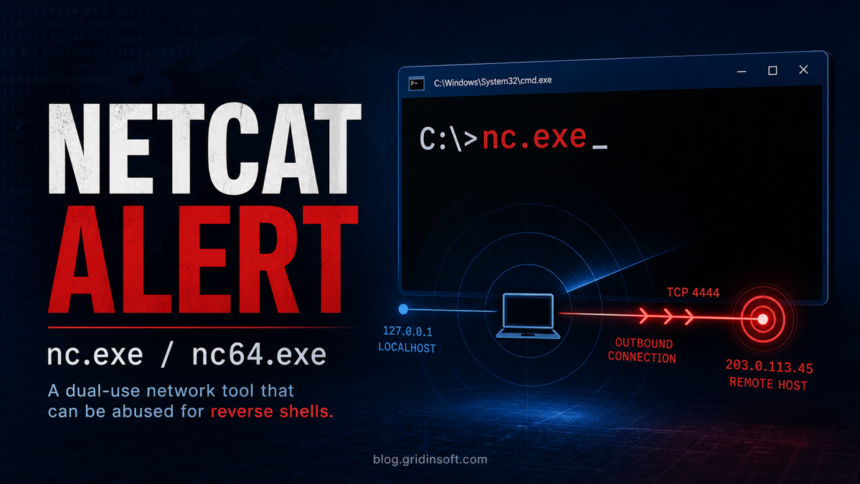
HackTool:Win32/NetCat is a Microsoft Defender detection for Netcat-style tools such as nc.exe, nc64.exe, or related Ncat builds. Netcat is not automatically a virus, but it is a powerful dual-use network utility. If it appears unexpectedly, runs from a temporary folder, starts with Windows, or connects to an unknown host, treat the alert as a real compromise until you prove otherwise.
The tricky part is intent. Administrators, developers, CTF players, and security testers may keep Netcat for port testing or lab work. Attackers use the same class of tool for remote shells, lateral movement, and quick command execution; if you need the difference between a live shell session and persistent access, see our reverse shell vs backdoor explainer. That is why Defender and other antivirus engines often classify it as a HackTool rather than a normal application.
What HackTool:Win32/NetCat Means
Microsoft’s security encyclopedia lists HackTool:Win32/NetCat as a HackTool detection, and real users commonly see nearby labels such as HackTool:Win32/RemoteAdmin!MSR for ncat or nc.exe files. The label means Defender found a tool that can provide remote access or network tunneling behavior, not that every copy came from a malware campaign.
Nmap’s official Ncat documentation describes Ncat as a command-line networking utility that reads and writes data over TCP and UDP, supports IPv4/IPv6, SSL, proxy connections, and port redirection. Those features are useful in a controlled lab, but they are also exactly why a hidden copy on a home PC deserves attention.
Fast Decision: Keep, Quarantine, or Remove?
| What you find | Risk and action |
|---|---|
| You intentionally installed Nmap/Ncat for a lab, CTF, or admin task | Low to moderate risk. Keep it only in a known tools folder, verify the source, and exclude it only if you understand why Defender flagged it. |
nc.exe or nc64.exe is in Downloads, Temp, an archive, or a game/crack folder |
High risk. Quarantine it, scan the folder, and check whether anything else was dropped at the same time. |
| The file launches from Startup, Task Scheduler, WMI, a service, or a script | Very high risk. Treat it as persistence and continue with full cleanup. |
| Firewall or EDR logs show outbound connections to an unknown IP | Very high risk. Disconnect from sensitive accounts, preserve logs, and scan the system before changing passwords. |
| The detection appears only inside an old CTF/lab folder and never executed recently | Possible false positive or expected dual-use detection. Remove the file if you no longer need it. |
Why Antivirus Flags Netcat
Netcat can open a listener, connect to a remote host, redirect input/output, and give another machine interactive command access when combined with a shell. ASEC documented Netcat attack cases against poorly managed MS-SQL servers, noting that threat actors used Netcat’s remote-shell capability after compromise. Trend Micro also tracks NetCat variants under HackTool names.
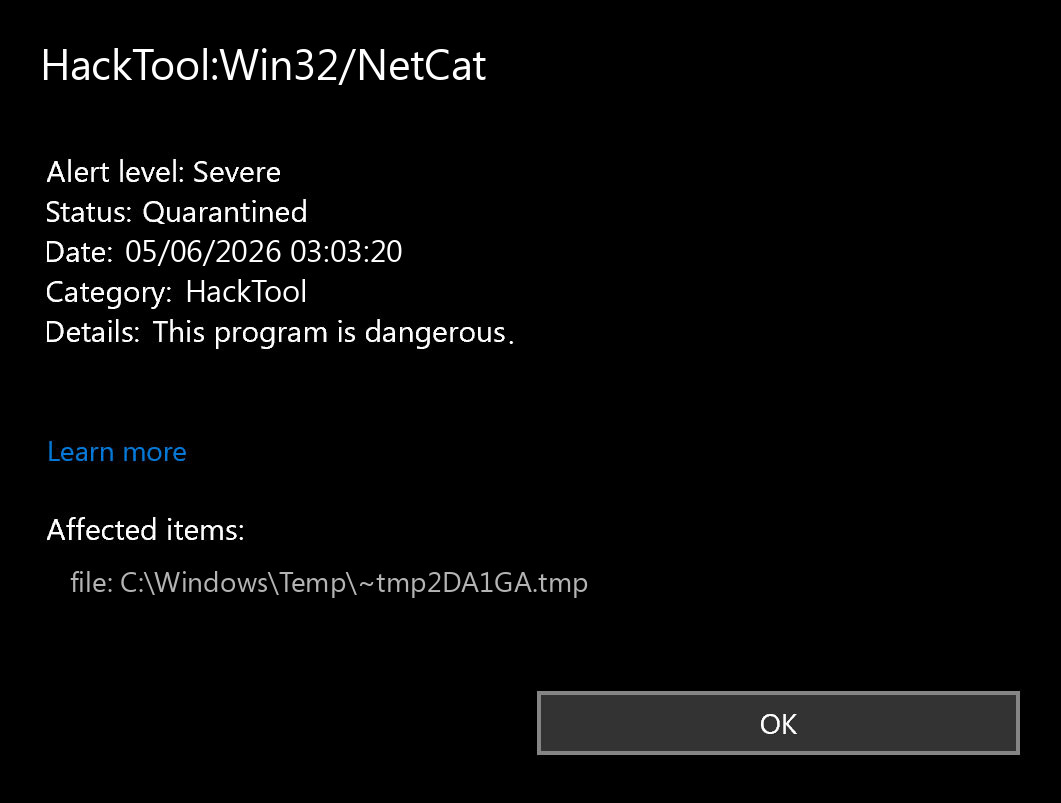
That does not mean a known Nmap installation is malicious. It means the same capability changes meaning based on source, path, execution history, and surrounding activity. A copy in C:Toolsnmapncat.exe that you installed is different from C:WindowsTemp~tmp2DA1GA.tmp, a renamed nc64.exe under AppData, or a scheduled task that calls Netcat silently after login.
Use the same source-and-launcher logic for other trusted utilities. For example, MSBuild.exe alerts are often about what launched the Microsoft build tool, not about deleting every signed copy of the binary.
How to Check nc.exe, nc64.exe, or ncat.exe
- Do not run the file to test it. Testing a suspicious Netcat binary by launching it can create the exact connection you are trying to avoid.
- Check the path. Expected lab/admin tools usually live in a tools folder you recognize. Suspicious copies often sit in
%TEMP%,%APPDATA%,Downloads, extracted archives, cracks, installers, or randomly named folders. - Check the source. If you need Ncat, get it from the official Nmap project. Do not keep a Netcat binary bundled with a game cheat, activator, unknown script pack, or random GitHub archive.
- Check the hash and signature. Right-click the file, inspect Properties, and compare hashes only against a source you trust. Many Netcat builds are unsigned, so an unsigned file is not proof by itself; it is a risk signal when combined with a suspicious path.
- Look for recent execution. Check Windows Security protection history, Task Manager, Event Viewer, recent files, prefetch artifacts, and firewall logs for signs that
nc.exeactually ran. - Scan the file and folder. Use the Gridinsoft Online Virus Scanner for a file or URL check, and run a full local malware scan if the file was not expected.
How to Remove HackTool:Win32/NetCat Safely
- Let Defender quarantine the detected item. Do not restore it unless you are sure it is your own lab tool.
- Remove the whole source folder. If the file came from an archive, cheat, activator, script pack, or unknown installer, deleting only
nc.exemay leave the dropper behind. - Check persistence points. Review Startup apps, Task Scheduler, services, browser startup commands, PowerShell profiles, WMI subscriptions, and recently added scripts.
- Check active network connections. Run
netstat -anoor use Resource Monitor to look for unexpected connections, then match suspicious PIDs to processes. - Scan for related malware. Netcat is often a tool dropped after another weakness or infection, so cleanup should include the parent downloader, script, RAT, or cracked installer that placed it there.
- Change passwords from a clean device if remote access is plausible. Prioritize email, password manager, banking, crypto, work accounts, and admin panels.
After uninstalling the suspicious app or deleting the visible threat, use Gridinsoft Anti-Malware to check hidden files, startup entries, scheduled tasks, bundled apps, browser changes, and other persistence points that can restore malware.
Download Anti-MalwareCan HackTool:Win32/NetCat Be a False Positive?
It can be an expected detection, especially for security students, CTF participants, network administrators, and developers who intentionally keep Netcat or Ncat. It is safer to call it a dual-use detection than a false positive. Defender is warning that the tool can be abused, even when your reason for keeping it is legitimate.
Before restoring the file, answer these questions:
- Did you install it yourself, and do you still need it?
- Is it from the official Nmap package or another trusted source?
- Is it stored in a clear tools/lab directory rather than a temp or user-profile hiding place?
- Has it been launched recently without your action?
- Does any scheduled task, service, script, or shortcut call it?
- Do firewall logs show unknown inbound or outbound traffic around the detection time?
If any answer is unclear, do not restore the file. Remove it and investigate the surrounding activity first.
Related Defender Labels You May See
Depending on the build and behavior, Netcat-style tools may appear under labels such as HackTool:Win32/NetCat, HackTool:Win32/RemoteAdmin!MSR, or vendor-specific HackTool/NetCat names. If Defender shows the broader RemoteAdmin!MSR label rather than the exact NetCat family, use our HackTool:Win32/RemoteAdmin!MSR removal and false-positive checklist to check remote-access persistence before restoring the file. For label structure, see our guide to Microsoft Defender detection names.
If you are dealing with a broader command-line compromise, the cleanup flow is similar to our guides for Trojan:PowerShell/Asyncrat!rfn and Trojan:MSIL/ValleyRAT.GZD!MTB: remove the detected tool, then hunt for the persistence and downloader that made remote control possible. If the file came from a crack or activator, our HackTool:Win32/Keygen article explains why those packages frequently bring more than the advertised tool.
Prevention Checklist
- Keep admin and pentest tools in a dedicated folder with clear names.
- Download Ncat only from the official Nmap project when you actually need it.
- Do not store Netcat binaries inside general Downloads, game folders, cracks, or shared archives.
- Use separate lab VMs for CTF and exploit-practice tools.
- Keep Windows Security cloud protection and sample submission enabled unless your organization has a managed policy.
- Review firewall prompts instead of clicking Allow automatically.
- Scan unknown archives before extraction, especially when they contain networking tools or scripts.
FAQ
Is HackTool:Win32/NetCat a virus?
Not always. It is a HackTool detection for Netcat-style remote-access/network utilities. It becomes dangerous when it appears without your knowledge, runs from a suspicious folder, or is tied to startup tasks, scripts, or unknown network connections.
Should I remove nc.exe if Defender found it?
Yes, unless you intentionally installed it for a known lab or admin purpose and can verify the source. Most home users should let Defender quarantine it and scan the system for the tool that placed it there.
Why did Defender flag Ncat after years of no alerts?
Detection logic changes over time. A tool that was ignored before may be flagged later when Microsoft changes HackTool or RemoteAdmin detection rules. The important question is whether the file is still expected and whether it has executed recently.
Is nc64.exe different from nc.exe?
nc64.exe usually refers to a 64-bit build of Netcat or a Netcat-like tool. The risk decision is the same: verify source, path, execution history, and persistence.
Can I add an exclusion for Netcat?
Only do this for a controlled lab or administrative workstation where you understand the risk. Do not add an exclusion on a personal PC just to silence an alert from an unknown folder.
References
- Microsoft Security Intelligence. “HackTool:Win32/NetCat threat description.” Microsoft, accessed June 4, 2026. https://www.microsoft.com/en-us/wdsi/threats/malware-encyclopedia-description?Name=HackTool:Win32/NetCat
- Nmap Project. “Ncat – Netcat for the 21st Century.” Nmap.org, accessed June 4, 2026. https://nmap.org/ncat/
- AhnLab Security Emergency response Center. “Netcat Attack Cases Targeting MS-SQL Servers (LOLBins).” ASEC, published March 7, 2023, accessed June 4, 2026. https://asec.ahnlab.com/en/49249/
- Microsoft Q&A. “HackTool:Win32/RemoteAdmin!MSR ncat/nc.exe.” Microsoft Learn, question dated November 30, 2020, accessed June 4, 2026. https://learn.microsoft.com/en-us/answers/questions/4193953/hacktool-win32-remoteadmin-msr-ncat-nc-exe
- Trend Micro. “HackTool.Win32.NetCat.B.” Threat Encyclopedia, Trend Micro, accessed June 4, 2026. https://www.trendmicro.com/vinfo/us/threat-encyclopedia/malware/HackTool.Win32.NetCat.B