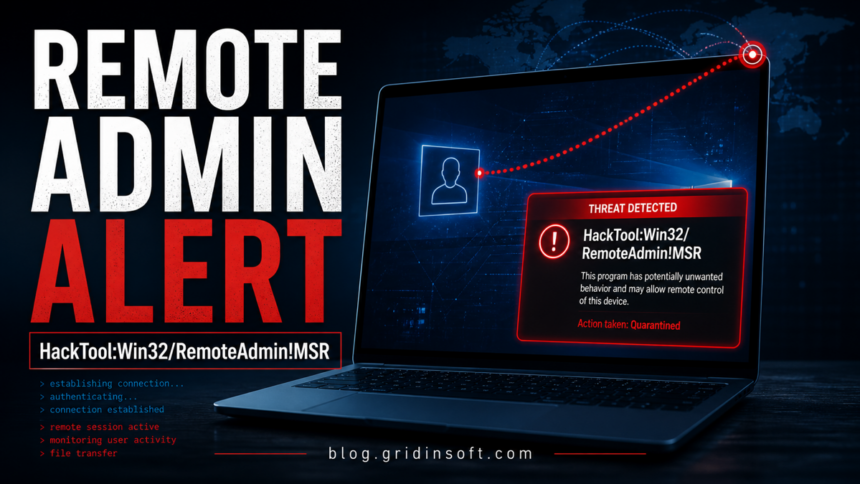
HackTool:Win32/RemoteAdmin!MSR is a Microsoft Defender alert for remote-admin or remote-access behavior that can be legitimate in a managed environment but dangerous on a personal PC. If you did not install a remote support, administration, lab, or security-testing tool yourself, keep the item quarantined and check for persistence, network activity, and related malware before restoring anything.
This detection is broader than a single file name. It may appear around remote administration utilities, command-line helpers, bundled hacktools, or files that behave like remote-control tooling. That is why the right question is not only “is this file a virus?” but “who put this remote-access capability here, where is it starting from, and what else changed at the same time?”
What HackTool:Win32/RemoteAdmin!MSR Means
Microsoft classifies HackTool:Win32/RemoteAdmin!MSR as a HackTool-style Defender detection. In practical terms, the alert means Defender found something that can be used for remote administration, remote shell access, or remote-control behavior. That can be expected on an IT workstation or lab VM, but it is suspicious on a normal home computer, especially if the path points to Temp, AppData, Downloads, a crack folder, or a randomly named directory.
MITRE ATT&CK tracks the abuse of legitimate remote-access software as a real attacker technique because adversaries can use common remote tools to control systems while blending into normal admin activity. The same idea applies to HackTool detections: the capability itself may be legitimate, but the context decides the risk.
Fast Decision: Is It Expected or Dangerous?
| What you see | Risk and action |
|---|---|
| You installed a known remote-admin tool for work, helpdesk, or lab use | Possible expected detection. Verify source, path, publisher, and policy before restoring or excluding it. |
The alert points to Temp, AppData, Downloads, an archive, crack, game cheat, or unknown script pack |
High risk. Keep it quarantined, remove the source folder, and scan for the dropper that placed it there. |
| The item starts through Task Scheduler, services, WMI, Run keys, or PowerShell profiles | Very high risk. Treat it as persistence and continue with full cleanup. |
| You see outbound connections to unknown IPs or ports around the alert time | Very high risk. Disconnect sensitive sessions, preserve logs, and change passwords from a clean device after scanning. |
The alert names ncat, nc.exe, or nc64.exe |
Use this article for the broader RemoteAdmin decision, then check the Netcat-specific guide for file/source details. |
Why Defender Flags RemoteAdmin Tools
Remote administration tools can create sessions, transfer files, tunnel traffic, run commands, or help another machine control yours. Those features are useful for support teams and security labs, but they also help attackers maintain access after a phishing lure, cracked installer, malicious script, or exposed service.
Defender uses the HackTool category when a program is not necessarily a self-spreading Trojan but still gives a user or attacker capabilities that can be harmful. The !MSR suffix often appears on Microsoft security research detections, so the alert should be handled as a security decision rather than dismissed as a generic nuisance.
How to Check the Detected File
- Do not restore it immediately. Restoring a remote-admin tool before checking persistence can reopen the access path.
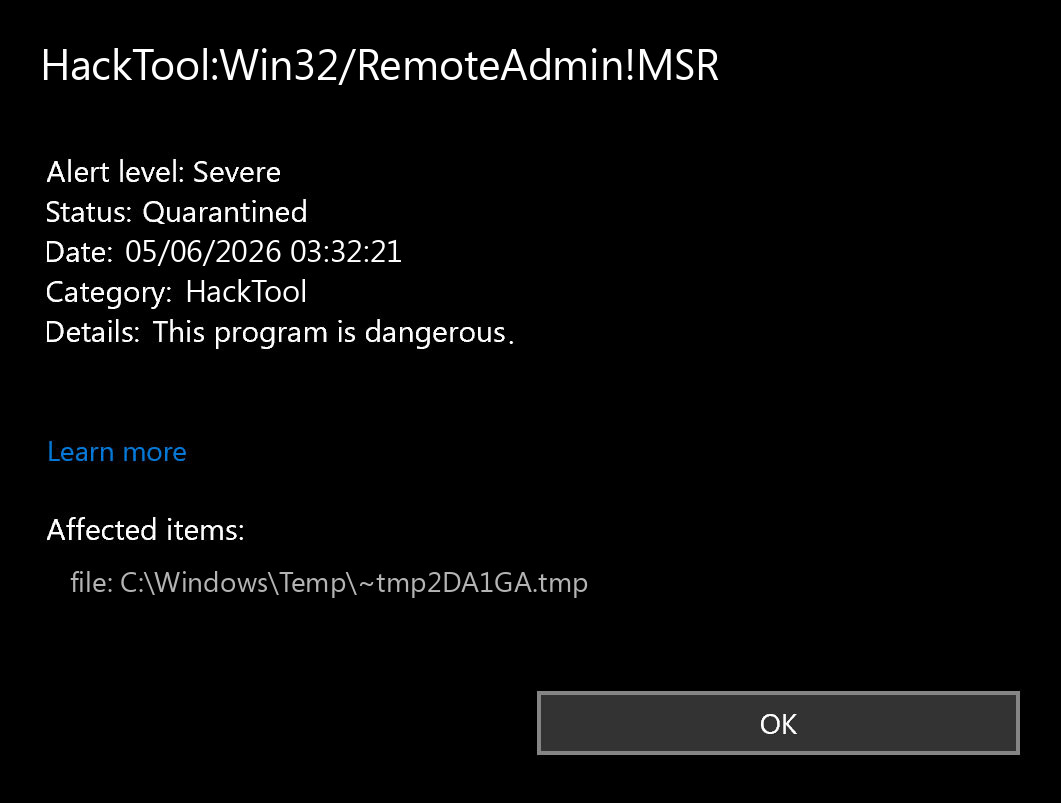
- Record the path and detection time. Windows Security protection history, the full file path, and the timestamp are the starting evidence.
- Check the source folder. RemoteAdmin alerts from
C:\Program Filesfor a known IT tool are different from alerts under%TEMP%,%APPDATA%,Downloads, or extracted archives. - Check publisher and hash. Right-click the file, inspect digital signatures when present, and compare the hash only against a source you trust.
- Search startup locations. Use Startup apps, Task Scheduler, Services, and Microsoft Autoruns to look for a matching file name, command line, or suspicious parent script.
- Check network activity. Resource Monitor,
netstat -ano, firewall logs, or Microsoft TCPView can help match a suspicious connection to a process. - Scan the whole machine. A RemoteAdmin alert may be the tool used after a different downloader or script already ran.
How to Remove HackTool:Win32/RemoteAdmin!MSR Safely
- Keep the detected item quarantined. Do not add a Defender exclusion unless this is a controlled, documented admin tool.
- Delete the source package. Remove the archive, installer, script bundle, cheat, activator, or tool pack that included the detected file.
- Remove persistence. Disable suspicious scheduled tasks, services, startup entries, WMI subscriptions, PowerShell profiles, and shortcuts that call the same file or folder.
- Reboot and re-scan. If the alert returns after reboot, something else is restoring the tool.
- Check accounts if remote access was plausible. Change passwords from a clean device, prioritize email and password manager accounts, and review recent sign-ins.
- Use a second-opinion cleanup scan. GridinSoft Anti-Malware can help find leftover startup entries, bundled apps, and hidden files that a one-file quarantine may miss.
After uninstalling the suspicious app or deleting the visible threat, use Gridinsoft Anti-Malware to check hidden files, startup entries, scheduled tasks, bundled apps, browser changes, and other persistence points that can restore malware.
Download Anti-MalwareIf the Alert Keeps Coming Back
A recurring HackTool:Win32/RemoteAdmin!MSR alert usually means the detected file is being restored by another component. Look for a parent task, script, downloader, browser extension, remote support installer, or crack/loader that recreates the file after Defender removes it.
Common places to check:
- Task Scheduler entries with random names or encoded PowerShell commands.
- Services that launch from user-profile folders instead of
Program Files. RunandRunOnceregistry entries.- PowerShell profiles and batch files in startup folders.
- Recently installed browser extensions, VPN/proxy tools, game mods, or cracked software.
- Firewall rules allowing unexpected inbound or outbound connections.
If the File Is ncat, nc.exe, or nc64.exe
One common RemoteAdmin-style case involves Netcat or Ncat. If Defender names ncat, nc.exe, or nc64.exe, use the same RemoteAdmin risk logic here, then read our dedicated HackTool:Win32/NetCat guide for Netcat-specific source, path, and false-positive checks. That page is the better target for exact Netcat queries; this page is the broader RemoteAdmin detection guide.
When It May Be Legitimate
RemoteAdmin detections can be expected on machines used for IT support, endpoint management, incident response, CTF labs, penetration testing, or software development. In those cases, the safest workflow is to document the tool, keep it in a known directory, restrict who can run it, and exclude it only through managed policy after a security review.
On a personal computer, the burden of proof is higher. If you cannot name the tool, source, and reason it exists, do not restore it. A legitimate remote-access capability that you did not authorize is still an unwanted access path.
Related Defender And Remote-Access Guides
For label interpretation, see our Microsoft Defender detection names guide. If the alert is part of a broader command-line or RAT case, compare your symptoms with Trojan:PowerShell/Asyncrat!rfn and Trojan:MSIL/ValleyRAT.GZD!MTB. If the file came from a crack, activator, or bundled tool, our HackTool:Win32/Keygen article explains why those packages often include more than one risky component.
FAQ
Is HackTool:Win32/RemoteAdmin!MSR malware?
It is a HackTool-style detection, not always a classic Trojan. It becomes a serious malware risk when the remote-admin capability was not installed by you or your organization, runs from a suspicious folder, or comes back after quarantine.
Should I allow or restore it?
Only restore it if you can prove it is a legitimate remote-admin or lab tool from a trusted source. Most home users should keep it quarantined and scan for related persistence.
Why does Defender call it RemoteAdmin?
The label points to behavior or tooling that can support remote control, remote shell access, or administration-like access. Attackers abuse the same capabilities that legitimate support teams use.
What if Defender says it removed the threat?
Reboot and scan again. If the alert returns, a scheduled task, service, script, or downloader may be recreating the file.
Is this the same as HackTool:Win32/NetCat?
No. NetCat is a specific Netcat/Ncat-related detection lane. RemoteAdmin!MSR is broader and can cover other remote-control tools or behavior. If your alert names ncat or nc.exe, use both pages together.
References
- Microsoft Security Intelligence. “HackTool:Win32/RemoteAdmin!MSR threat description.” Microsoft, accessed June 4, 2026. https://www.microsoft.com/en-us/wdsi/threats/malware-encyclopedia-description?Name=HackTool:Win32/RemoteAdmin!MSR
- Microsoft Q&A. “HackTool:Win32/RemoteAdmin!MSR ncat/nc.exe.” Microsoft Learn, question dated November 30, 2020, accessed June 4, 2026. https://learn.microsoft.com/en-us/answers/questions/4193953/hacktool-win32-remoteadmin-msr-ncat-nc-exe
- Microsoft Sysinternals. “Autoruns for Windows.” Microsoft Learn, updated May 7, 2026, accessed June 4, 2026. https://learn.microsoft.com/en-us/sysinternals/downloads/autoruns
- Microsoft Sysinternals. “TCPView for Windows.” Microsoft Learn, updated January 29, 2025, accessed June 4, 2026. https://learn.microsoft.com/en-us/sysinternals/downloads/tcpview
- MITRE ATT&CK. “Remote Access Software (T1219).” MITRE, accessed June 4, 2026. https://attack.mitre.org/techniques/T1219/