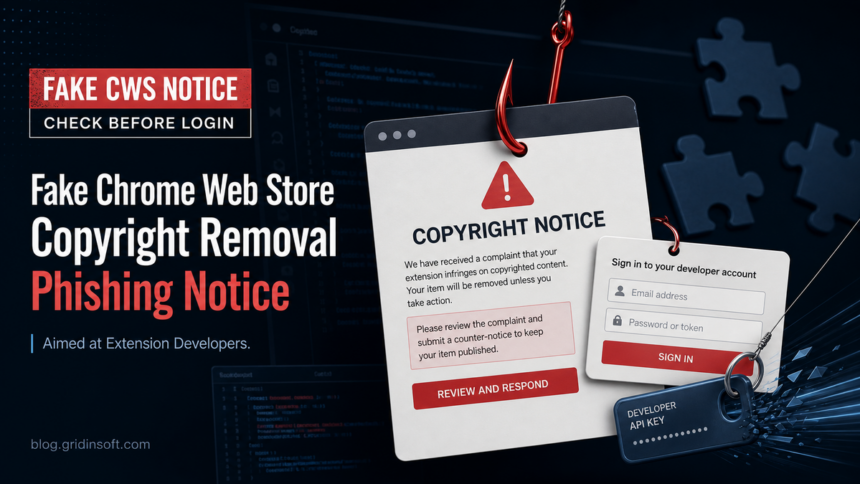
The “Chrome Web Store Copyright Removal Request” notice is a phishing scam when it sends extension developers to a third-party DMCA-style domain such as dmca-chrome-extensions.click. Do not enter a Google password, recovery code, token, or extension-owner credential there. Close the page, open the Chrome Web Store developer dashboard from a saved bookmark or by typing the address yourself, and verify any real enforcement notice through official Google channels.
The scam targets Chrome extension publishers, not ordinary browser users. It asks for an extension ID or listing URL, copies public extension details to look legitimate, then shows a fake Google sign-in panel. The goal is to steal the Google account that controls the developer profile and, potentially, the extension release process.
| What you are seeing | A fake Chrome Web Store DMCA or copyright-removal notice with a countdown, complaint ID, and sign-in demand. |
|---|---|
| Known scam domain | dmca-chrome-extensions.click and similar non-Google domains. |
| Who is targeted | Chrome extension developers and teams that manage Web Store listings. |
| Main risk | Google account theft, malicious extension updates, changed listing metadata, or unauthorized developer-account access. |
| Safest first move | Do not use the notice link. Verify from the real dashboard and secure the Google account if you entered anything. |
Gridinsoft Verification
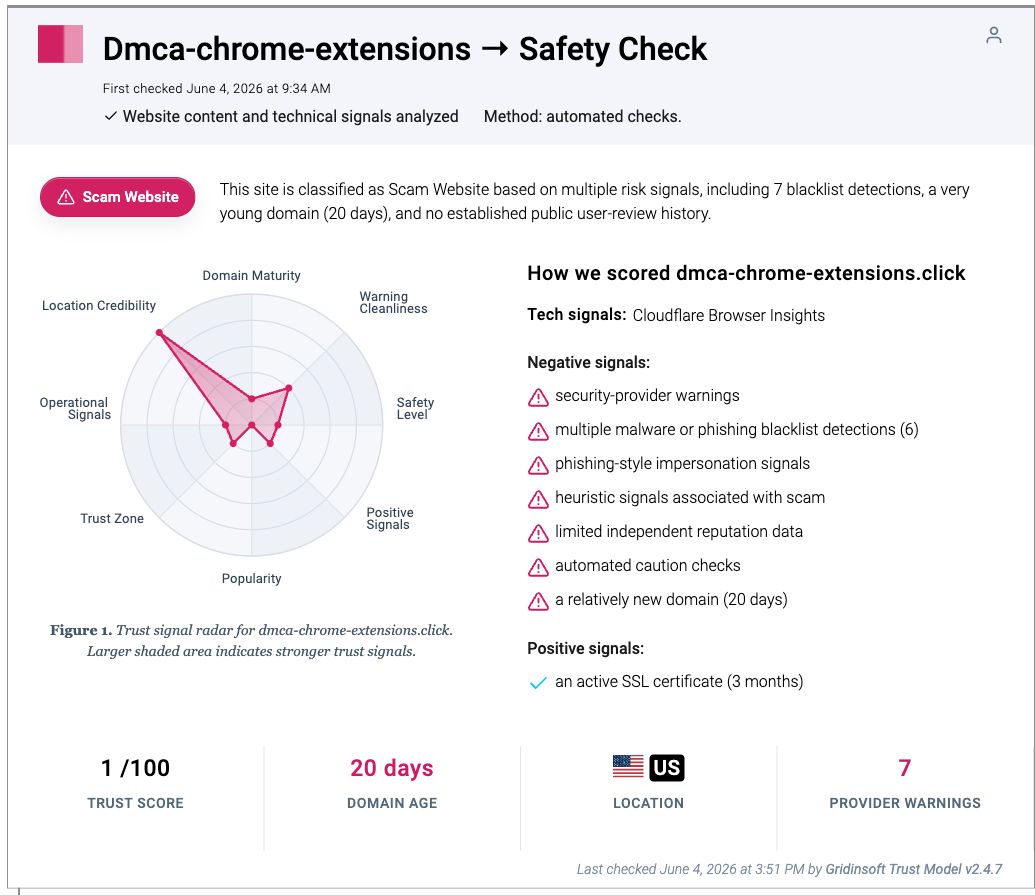
Gridinsoft independently verified dmca-chrome-extensions[.]click as a scam website before this update. The report card below records the domain as a new, low-trust site with phishing-style impersonation signals, multiple blacklist detections, and a 1/100 trust score. This is our own evidence for the domain, separate from third-party writeups about the campaign.
What the Fake Notice Looks Like
The lure says that a copyright complaint has been filed against your extension and that you have a short deadline to submit a response. The wording may mention a “Chrome Web Store Developer Policy Center”, a complaint number, a 48-hour deadline, a countdown timer, and a request to sign in with Google before the item is removed.
The dangerous part is the handoff from a believable policy notice to a fake login. Malwarebytes researchers reported this campaign on June 2, 2026, noting that the phishing page can ask for an extension ID, display the extension’s real name and icon, and then present a fake sign-in window designed to collect Google credentials [1].
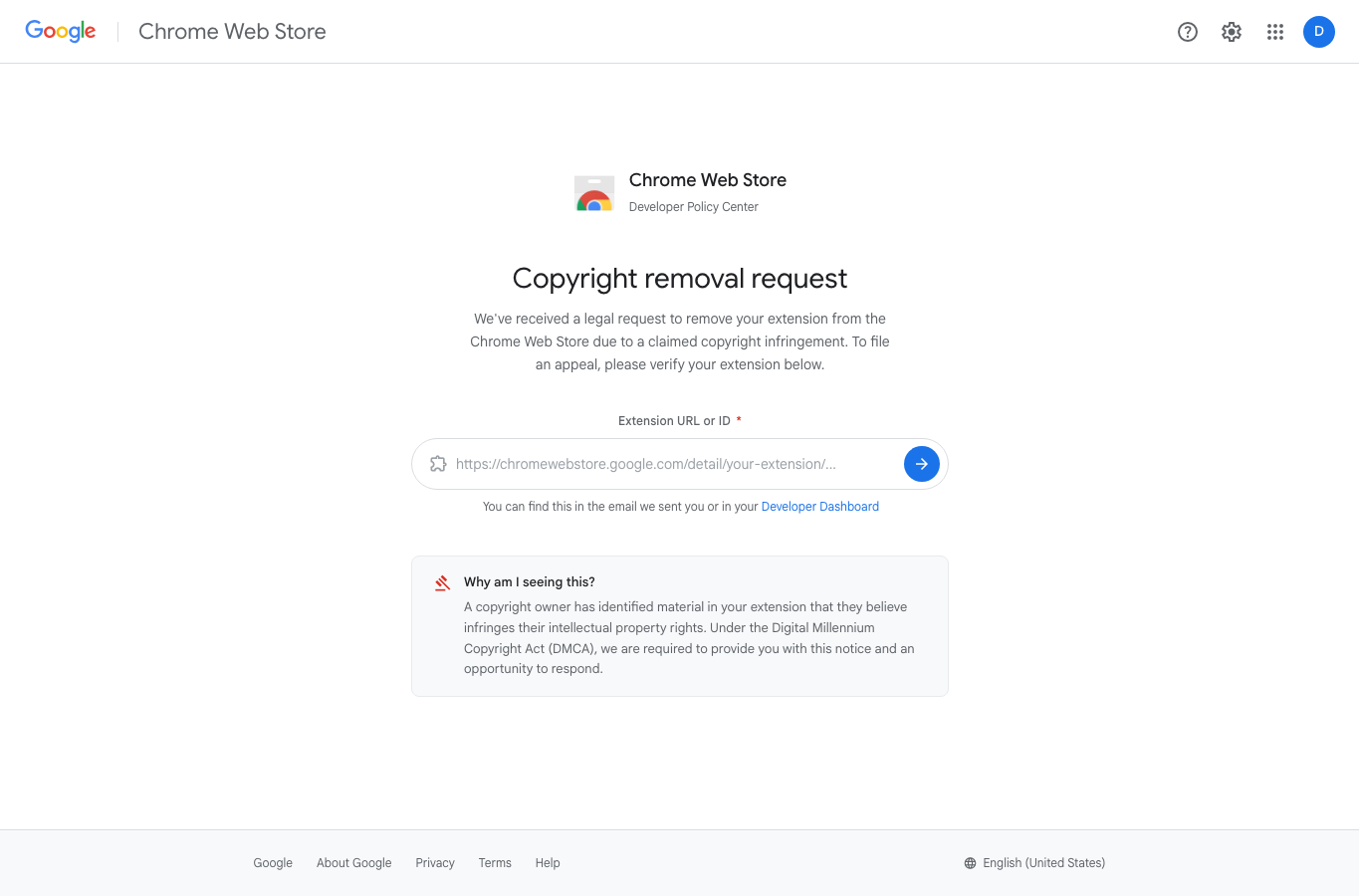
dmca-chrome-extensions[.]click on June 4, 2026. Do not enter an extension URL, Google password, token, or recovery code on pages like this.Fast Checks Before You Click Anything
- Check the real browser address bar. If it is not an official Google or Chrome Web Store address, do not sign in.
- Open the dashboard manually. Use a bookmark or type the Chrome Web Store developer dashboard address yourself instead of following the notice link.
- Do not trust an in-page sign-in window. A fake panel can show
accounts.google.comas artwork while the real address bar still shows the scam domain. - Question the countdown. Urgency, 48-hour pressure, and red appeal buttons are social-engineering signals, especially when the page is hosted away from Google.
- Check the domain separately. Gridinsoft URL Scanner currently classifies dmca-chrome-extensions.click as a scam website with a 1/100 trust score.
How Real Chrome Web Store Notices Work
Real Chrome Web Store enforcement and appeal information should be checked through official Google developer channels. Google’s Chrome Web Store policy documentation says that if a product is removed, the developer receives an email notification with further instructions when applicable, and that developers may appeal a violation decision once [2]. Google also publishes a separate Chrome Web Store Help flow for reporting copyright or trademark infringement [5]. Neither path requires typing a password into a third-party “DMCA” page that arrived by email, DM, ad, or search result.
| Signal | Likely fake notice | Safer action |
|---|---|---|
| Address | dmca-chrome-extensions.click or another non-Google domain |
Close it and open the official dashboard directly |
| Login | Sign-in box is drawn inside the page | Use only the browser’s real address bar to verify accounts.google.com |
| Pressure | Countdown timer, 48-hour removal warning, urgent red buttons | Pause and verify through account security and developer dashboard pages |
| Personalization | Shows your extension name/icon after you enter an ID | Remember that public extension metadata can be copied by anyone |
| Request | Asks for Google credentials, recovery codes, OAuth tokens, or payment | Do not enter them; start account recovery if you already did |
If You Entered Your Google Password
Act from a trusted device, not from the same tab that showed the fake notice. If the affected computer downloaded anything, installed an extension, ran a command, or showed redirects, secure the account from a different device first and scan the affected workstation before using it for more password changes.
- Change your Google password immediately. If you cannot sign in, use Google’s account recovery flow.
- Review recent security events and devices. Google’s compromised-account guidance recommends checking account activity, signed-in devices, and suspicious changes [3].
- Turn on stronger sign-in protection. Enable 2-Step Verification, preferably passkeys or a hardware security key for developer accounts.
- Review third-party access. Remove unfamiliar apps, OAuth grants, browser extensions, passkeys, and devices from the Google account.
- Audit the Chrome Web Store listing. Check for unexpected uploads, metadata changes, new permissions, ownership changes, or developer account activity you did not perform.
- Warn other maintainers. If a team account is involved, rotate shared secrets, review release permissions, and tell other owners not to use the same notice link.
When to Scan the Workstation
Opening the page is mainly an account-security risk. A local malware scan becomes important if the scam led to a download, browser add-on, pasted command, support tool, redirect chain, or repeated pop-up on the same PC. In those cases, a password reset alone may not remove a loader, browser change, scheduled task, or bundled component that can recreate the problem.
If the page or email made you download an invoice, coupon, tracking app, browser extension, or support tool, scan the PC before opening it again or logging into sensitive accounts.
Scan the affected PCWhy Extension Developer Accounts Are Valuable
A stolen developer account is not just a stolen mailbox. If attackers reach the account that controls a browser extension, they may try to change listing text, push an update, add a malicious permission, or abuse the account’s trust relationship with users. This is why a copyright-removal scare works: it hits developers at the point where they are afraid of losing distribution.
If you maintain an extension, treat the publisher account like production infrastructure. Use a dedicated account, strong 2FA, limited recovery options, reviewed team access, and a documented release process. If your extension handles account data, browser history, page content, downloads, or sensitive workflows, a compromised publisher account deserves an incident-response review, not only a password reset.
How to Report the Page
Report the phishing URL to Google Safe Browsing [4] and block the domain in your security tools. If you received the link by email, preserve the message headers before deleting it. If your extension or developer account was actually changed, collect timestamps, account-security screenshots, version history, and any email notifications before contacting platform support.
You can also share the suspicious domain with teammates in a safe format such as dmca-chrome-extensions[.]click. Do not repost the clickable URL in public chats where another developer might accidentally open it.
Prevention Checklist for Chrome Extension Developers
- Bookmark the real Chrome Web Store developer dashboard and use that bookmark for policy checks.
- Use passkeys or hardware security keys on publisher accounts.
- Keep recovery email and phone information current, but remove recovery options you no longer control.
- Review extension owner/member access regularly.
- Keep a release log so unexpected uploads or metadata changes stand out quickly.
- Teach maintainers that public extension metadata can be copied into phishing pages.
- Check unfamiliar domains with the Gridinsoft Online Virus Scanner before entering credentials or downloading files.
For broader context on extension risk, see our guide to browser extension safety and the earlier case of Chrome extensions being compromised. If the attack arrived by email, the same verification habits from our phishing email checklist apply here too.
FAQ
Is dmca-chrome-extensions.click safe?
No. Gridinsoft URL Scanner classifies dmca-chrome-extensions.click as a scam website, and the domain matches the phishing pattern reported for fake Chrome Web Store copyright notices.
Can a fake Chrome Web Store notice steal my extension?
It can steal the Google credentials behind the developer account. If attackers get into that account, they may be able to change extension settings, upload a malicious update, or access developer resources depending on account permissions.
Does Google send copyright removal emails?
Google can send official Chrome Web Store enforcement emails, but a real notice should be verified through official Google channels and the developer dashboard. A third-party DMCA page asking for your password is not a safe appeal path.
What if I only entered my extension ID?
An extension ID is public information, so that alone is usually not a credential compromise. Still close the page, do not continue to sign in, and warn other maintainers because the page may use that public data to make the next step look legitimate.
Should I scan my PC after opening the page?
Scan the PC if you downloaded anything, installed a browser add-on, pasted a command, saw redirects, or entered credentials from the affected device. If you only viewed the page and closed it, focus first on account security and reporting the URL.
References
- Stefan Dasic. “These convincing copyright notices are designed to steal Google logins.” Malwarebytes Labs, published June 2, 2026, accessed June 18, 2026. https://www.malwarebytes.com/blog/threat-intel/2026/06/these-convincing-copyright-notices-are-designed-to-steal-google-logins
- Chrome for Developers. “Notification and appeals.” Chrome Web Store Program Policies, Google, last updated November 1, 2022, accessed June 18, 2026. https://developer.chrome.com/docs/webstore/program-policies/notification-and-appeals
- Google Account Help. “Tips to complete account recovery steps.” Google, accessed June 18, 2026. https://support.google.com/accounts/answer/7299973?hl=en
- Google Safe Browsing. “Report a Page to Google Safe Browsing.” Google, accessed June 18, 2026. https://safebrowsing.google.com/safebrowsing/report_phish/
- Chrome Web Store Help. “Flag issues & report copyright infringement.” Google, accessed June 18, 2026. https://support.google.com/chrome_webstore/answer/7508032?hl=en