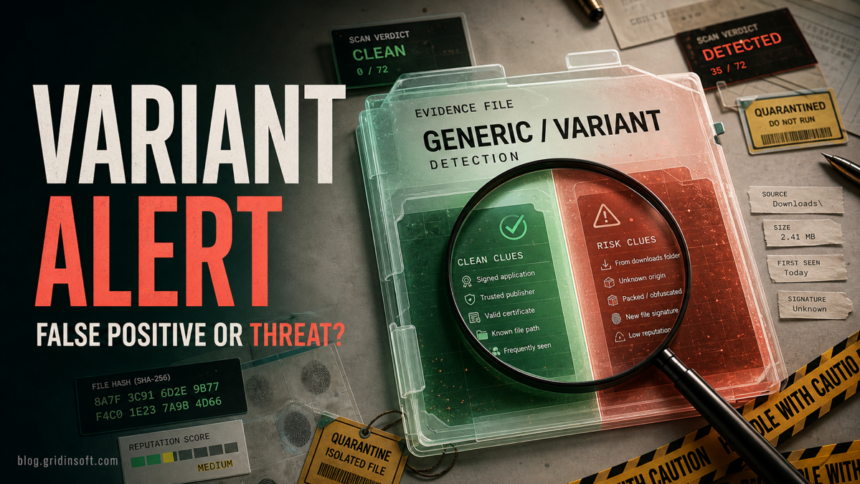
Gen:Variant is a generic antivirus detection label, so the name alone does not prove that the file is safe or malicious. Keep the item quarantined while you check where it came from, whether the path belongs to the expected app, whether the file is signed, and whether other engines agree. A trusted game update, developer build, or signed utility can be a false positive, but a file from a crack, random installer, temporary folder, or startup location should stay blocked until the whole system is checked.
The safest answer is not “restore it because it says generic” or “delete system files because one scanner used a scary family name.” Treat Gen:Variant, including labels such as Gen:Variant.Application.Barys, Gen:Variant.Lazy, Gen:Variant.Zusy, and Gen:Variant.Tedy, as a decision point. Verify the source before restoring, and scan for leftovers if the file already ran or the alert returns.
What Gen:Variant means
Gen:Variant usually means a security engine matched the file to a generic or variant-style detection pattern instead of a fully researched malware family. You may see the label in Bitdefender, Emsisoft-powered results, multi-engine scan pages, or forum posts where one engine family flags a game file, installer, developer tool, Java/.NET build artifact, or executable after an update.
The suffix matters less than the evidence around it. Barys, Lazy, Zusy, or another family-like word can point to the engine’s internal classification, but it does not tell you whether your exact file is malicious. The useful details are the full path, original download source, publisher signature, file hash, scan date, and whether the same hash is detected by independent engines after definition updates.
If the exact Bitdefender label is Heur.BZC.PZQ.Boxter, use the Boxter restore-or-remove checklist to decide whether the PowerShell script or diagnostic file should stay quarantined, be submitted as a false positive, or be removed as persistence.
What to do first
- Leave the file quarantined. Do not restore or allow it before you collect the details.
- Save the exact detection and path. Copy the full label, file name, folder path, hash if shown, and the security product that detected it.
- Identify the source. Was it installed by Steam, Microsoft Store, an official vendor updater, GitHub release, developer build, ZIP archive, mod, trainer, crack, or unknown ad?
- Check the path. A signed file inside a normal app folder is different from a random executable in
%TEMP%,%APPDATA%,%LOCALAPPDATA%, Startup, browser cache, or a task-created folder. - Update definitions and rescan. Some false positives disappear after a vendor update. A recurring alert after reboot needs deeper cleanup.
- Avoid broad exclusions. If you must restore for testing, restore only the exact verified file, not a whole Downloads, game, development, or user-profile folder.
False positive or real threat?
| What you see | Risk and what to do |
|---|---|
| The file came from the official vendor, Steam, Microsoft Store, or a known developer release, and the path/signature match. | Possible false-positive candidate. Keep quarantine, update definitions, verify the file hash or app repair option, and submit it to the detecting vendor if needed. |
| Only one engine family flags the file as Gen:Variant while major independent engines are clean. | Weak evidence by itself. Reanalyze after updates and compare behavior, signer, prevalence, and source before restoring. |
| The file is unsigned, packed, newly compiled, or built by you, but came from a controlled project. | Unclear. Test the exact release build, avoid unnecessary packers, sign the binary when possible, and use official false-positive submission channels before distribution. |
| The file came from a crack, keygen, trainer, mod menu, repack, fake update, Telegram/Discord link, or unknown mirror. | High risk. Do not restore it. Remove the source package and scan for loaders, startup entries, scheduled tasks, browser changes, and security-tool exclusions. |
The alert points to %TEMP%, %LOCALAPPDATA%, browser cache, Startup, Task Scheduler, or a random numbered folder. |
Suspicious. Treat it as active or recently staged until a full scan and persistence check are clean. |
| The alert returns after reboot, after restore, or after the parent app launches. | Do not keep restoring. Something may recreate or relaunch the file. Check the parent app, scheduled tasks, services, and recent installs. |
Bitdefender and Emsisoft false-positive checks
Bitdefender’s business support documentation defines a false positive as a legitimate file or website being detected as infected, and its support flow lets users submit samples or URLs for analysis [1]. Emsisoft’s support documentation also describes a false-detection workflow from Quarantine for wrongly detected files or URLs [2]. Use those vendor channels when the file source is trusted and the evidence points toward a mistake.
Do not use a vendor submission as a reason to run the file immediately. Submit first, keep the item quarantined, and wait for an updated verdict when the file is not urgent. If the vendor later stops detecting the exact same hash after an update, that supports the false-positive path. If the detection remains, or other engines begin to agree, treat the file as unsafe.
Game files, developer builds, and app updates
Many Gen:Variant reports come from games, mods, Java tools, .NET utilities, launchers, and newly built executables. These files often change quickly, use packers, bundle native libraries, or have low reputation immediately after release. That can create false positives, especially when only one engine family complains.
Still, “it is a game file” or “I built it myself” is not proof of safety. Cracked games, cheat loaders, unofficial mods, and fake update installers also use packing and obfuscation. If the file came from Steam or another official client, use the client’s repair or verify option. If it came from a repack, activator, trainer, or unknown mirror, follow the higher-risk cleanup path instead of restoring the quarantined file.
How to read multi-engine scan results
A multi-engine result can help, but the detection count is only one signal. One generic Gen:Variant label on a signed, official file is much weaker than many unrelated engines agreeing on loader, stealer, ransomware, or trojan behavior. Look at the hash, first-seen date, signer, contacted domains, behavior tabs, and whether the file is widely distributed or only appears in your suspicious package.
If you are comparing VirusTotal with sandbox scores, use our VirusTotal and Hybrid Analysis false-positive guide. For broader engine names, the heuristic virus guide explains why security tools sometimes flag behavior before a precise family name exists. The newer Win32:Evo-gen[Trj] and Malware.AI guides cover adjacent Avast/AVG and Malwarebytes-style labels.
When is it safe to restore?
Restore only when the evidence points in the same direction: the file came from an official source, the path belongs to the expected app, the publisher signature or hash matches, independent engines are clean or low-confidence, the detection disappears after updates, and the vendor’s false-positive process supports that result. If the file is not essential, deletion is safer than restoration.
Be careful with private or proprietary files. Do not upload unreleased company builds, private tools, sensitive documents, or customer binaries to public multi-engine services unless your policy allows it. For private software, use the antivirus vendor’s business support path or a private analysis workflow.
If the file already ran or the alert returns
If the file already ran and the source is not fully trusted, assume the Gen:Variant alert may be only the visible part of the event. Remove the source package, review recent installs, check browser extensions, and look for new startup items, scheduled tasks, services, security-tool exclusions, and suspicious files under %TEMP%, %APPDATA%, and %LOCALAPPDATA%. A random executable near C:\Windows\System32 is also worth checking carefully: malware often uses system-like paths or names to look familiar.
When a security-tool alert follows a crack, fake update, unknown installer, or file from a temporary/user-profile folder, a full Gridinsoft Anti-Malware scan is a practical follow-up after the manual checks. It can look for detections, hidden files, startup entries, scheduled tasks, bundled apps, browser changes, and persistence that may recreate the alert after reboot.
A false positive is possible, but restore only after checking that the system has no companion detections, startup entries, scheduled tasks, or hidden files tied to the same source.
Scan before restoring this fileHow to reduce future false alarms
- Download apps from the official vendor, store, or project release page instead of mirrors and repacks.
- Keep your antivirus definitions and the affected app updated before deciding.
- Use code signing for public developer builds when possible.
- Avoid packers, obfuscators, and self-extracting wrappers unless you truly need them.
- Do not create broad exclusions for Downloads, Desktop, game libraries, or development folders.
- Keep a clean backup of important files before restoring anything that was quarantined.
FAQ
Is Gen:Variant always a false positive?
No. The label is generic, but generic does not mean harmless. It can appear on clean files, suspicious developer builds, and real malware. Decide from the source, path, signature, behavior, and scanner consensus.
Does Gen:Variant mean Bitdefender found a trojan?
It means the engine matched a generic or variant-style detection pattern. Some suffixes are associated with trojan-like families, but the exact file still needs verification before you restore or delete anything important.
Should I delete a Gen:Variant file from System32?
Do not manually delete Windows files just because a scanner reported a generic label. Check the exact path, signature, hash, and whether the file is a real Windows component or a lookalike. Quarantine is safer than manual deletion while you verify.
Can I add an exclusion if I think it is a false positive?
Add an exclusion only for the exact verified file and only after the source, signature, and follow-up scans support that decision. Broad folder exclusions can hide future malware.
What if only one scanner detects Gen:Variant?
One generic detection can be a false-positive candidate, especially on trusted signed files or new developer builds. It is not enough by itself. Reanalyze after updates, compare independent engines, and submit the file to the detecting vendor if needed.
References
- Bitdefender. “Submitting sample files and websites for analysis.” Bitdefender Business Support, accessed June 17, 2026. https://www.bitdefender.com/business/support/en/77209-343057-submitting-sample-files-and-websites-for-analysis.html
- Emsisoft. “False positives: Why did Emsisoft quarantine a safe program?” Emsisoft Help, accessed June 17, 2026. https://www.emsisoft.com/en/help/1720/why-did-an-emsisoft-product-detect-an-innocent-file-as-malware-2/
- AV-Comparatives. “False Alarm Test March 2025.” AV-Comparatives, accessed June 17, 2026. https://av-comparatives.org/tests/false-alarm-test-march-2025/