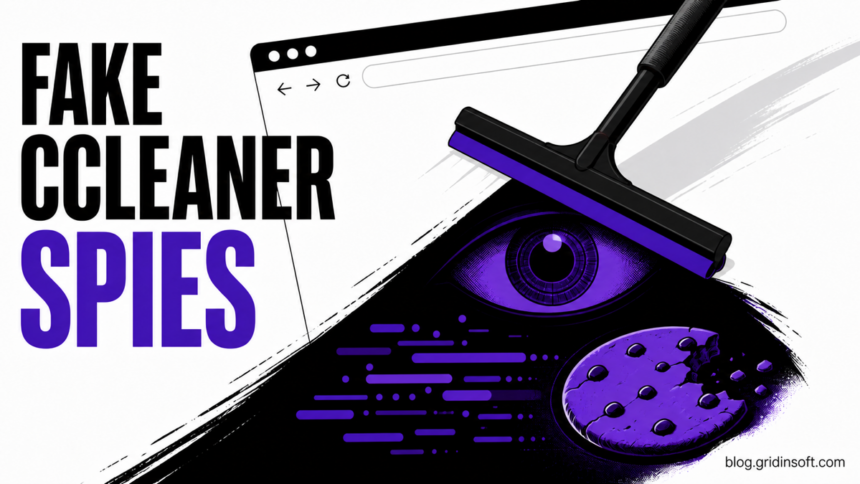
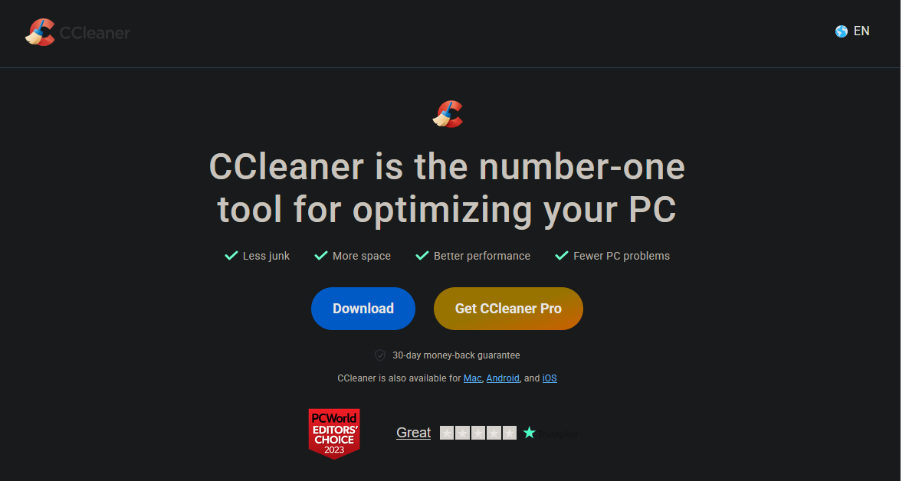
Security researchers found a counterfeit CCleaner download site distributing Windows malware that installs a spying Chrome extension named GhostDesk. This is not evidence that the official CCleaner application is malware: the campaign used the lookalike domain ccleanerwind[.]top, and both its standard and “Pro” buttons delivered the same malicious CCleaner.exe.
Running that file is the important exposure boundary. The installer modifies Chrome components, captures typed and submitted data, steals cookies, takes screenshots, and can replace cryptocurrency addresses pasted into web pages. Anyone who only visited the page or downloaded the file has a different response from someone who executed it.
What the fake CCleaner installs
Malwarebytes Labs published the campaign analysis on August 11, 2026. The fake executable carried CCleaner’s filename and icon, but its internal name, svc_it7p, and original filename, rt_mxk.exe, did not match a known release. Related samples used the same svc_{4 random characters} and rt_{3 random characters}.exe pattern.
The first stage launches scripts through a legitimate copy of cscript.exe. Those scripts collect basic system details, write a loader to %APPDATA%\Microsoft\DriverStore\runtimebroker.dll, patch Chrome’s Security Extension manifest, and place background.js and content.js under %LOCALAPPDATA%\cse. The same infrastructure was also found in fake 7-Zip and Adobe Acrobat installers.
The two JavaScript files become the browser payload. content.js records input-field keystrokes, watches submitted forms for credentials and financial data, injects scripts on selected pages, and can swap a copied cryptocurrency address. background.js reads Chrome cookies, captures the active tab, receives commands over a WebSocket relay, and can run JavaScript in the current page.
GhostDesk indicators worth checking
- Download source: a file obtained from
ccleanerwind[.]toprather than the official publisher domain. - Unexpected files:
%APPDATA%\Microsoft\DriverStore\runtimebroker.dllor JavaScript files inside%LOCALAPPDATA%\cse. - Chrome changes: an altered Security Extension
manifest.json, an extension identifying itself as GhostDesk, or a browser component that returns after removal. - Network clues: communication with
liderongrade.duckdns[.]orgon port4444, or local WebSocket activity at127.0.0.1:7345/ext. - Account risk: new sign-ins, revoked sessions, changed recovery settings, unfamiliar transactions, or a cryptocurrency destination that differs after pasting.
A matching name alone is not enough to identify the malware. A legitimate product also uses the GhostDesk name. The malicious extension is tied to the fake-installer chain, altered Chrome files, and the behaviors above.
What to do after a fake CCleaner download
- If you did not run it: delete the file, empty the browser download list if needed, and download software only by typing the publisher’s official address or using a trusted store. A download by itself does not prove the payload executed.
- If you ran it: disconnect the Windows PC from the network, close Chrome, and avoid signing in to email, banking, password-manager, or wallet accounts from that device.
- Preserve useful evidence: record the download URL and time, filename, browser history, security alerts, suspicious paths, and a hash of the installer if your security team can collect it safely.
- Scan the whole system: removing an unfamiliar Chrome item is not enough because this chain also writes a Windows loader and patches browser files. Quarantine detections, reboot, and scan again before reconnecting.
- Repair Chrome from a clean state: after malware removal, review
chrome://extensions, update or reinstall Chrome from Google’s official source when components were modified, and check whether unwanted browser changes return. - Recover accounts from another clean device: revoke active sessions, change exposed passwords, enable phishing-resistant MFA where available, and review recovery email, forwarding, payment, and login settings. Start with email and password-manager accounts.
- Handle wallet exposure separately: compare every destination address on a second device before sending funds. If a seed phrase or private key was typed on the infected PC, move assets to a newly created wallet from a clean device.
Security software may remove the visible installer or browser script while the loader, patched manifest, or dropped JavaScript remains. Run a full Gridinsoft Anti-Malware scan after the manual checks to look for hidden files and persistence, then repeat the scan after reboot if Chrome changes or alerts return.
If a token stealer ran here, logging back in can hand the attacker your new Discord session, email cookie, Steam token, or wallet access. Scan this Windows PC first, then reset passwords from a clean device.
Scan for GhostDesk leftoversHow to avoid the lookalike download trap
- Do not treat the first sponsored result or a polished page as proof of publisher ownership.
- Compare the registrable domain character by character before downloading a familiar utility.
- Check the file’s digital signature and version information before running it; a familiar icon and filename are easy to copy.
- Use the fake-installer verification steps for other popular applications, not only CCleaner.
- If a browser component reappears, follow the extension persistence checklist instead of repeatedly deleting the same extension.
- After any credential-stealing infection, complete a broader Windows post-malware security audit.
References
- Malwarebytes Labs. “Fake CCleaner installs GhostDesk Chrome spyware,” published August 11, 2026; accessed August 11, 2026. technical analysis.
- CCleaner. “Is CCleaner Safe?” accessed August 11, 2026. official product-safety guidance.
- Google Chrome Help. “Remove unwanted ads, pop-ups and malware,” accessed August 11, 2026. official browser-cleanup guidance.