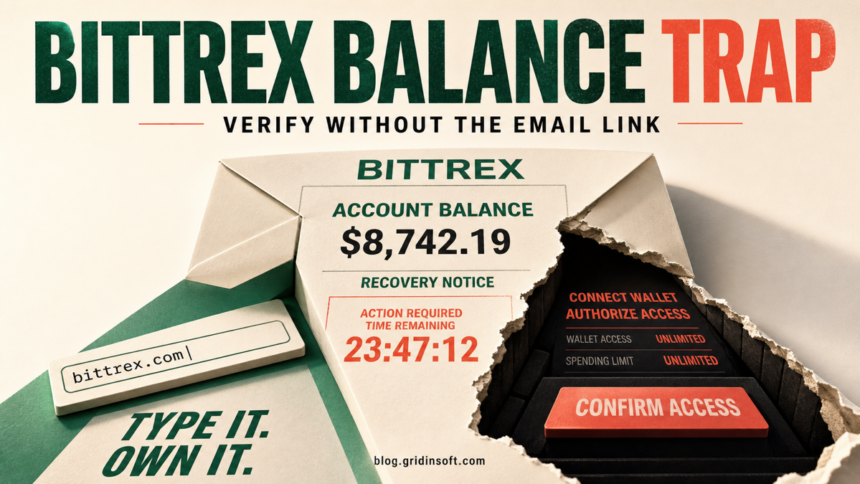
The specific Bittrex Account Verification email described here is a phishing lure, not a verified balance-recovery notice. It claims that an outstanding balance must be acknowledged before July 15, 2026, provides an access code, and pushes an “Access Verification System” button. Do not use that button. Open the known Bittrex Global address yourself, confirm which legal entity held the account, and use the support path shown there.
Safe decision: a real liquidation process may require identity checks or a withdrawal address, but an email is not the place to connect a browser wallet, approve unlimited token access, reveal a seed phrase, or pay a “release” fee. Verify the claim from a manually opened official channel before taking any action.
Is the Bittrex Account Verification email real?
The wording makes the message sound plausible because Bittrex Global really is winding down operations, and some former users may still have balances or entity-specific claims. That background does not authenticate the email. The exact combination of an unexpected balance, a short July 2026 deadline, a reusable-looking access code, and a button leading to a separate “verification system” should be treated as phishing.
Bittrex Global says its Liechtenstein and Bermuda businesses are in liquidation. Its current public update tells Liechtenstein users to sign in through the platform and withdraw assets, and it warns customers to trust official channels. It also lists the email domains it uses: @bittrex.li, @bittrex.bm, @bittrexglobal.com, and @bittrex.com.[1] A matching display name or logo is not enough; expand the sender and inspect the full domain.
| More consistent with an official process | You manually open the known Bittrex Global site, sign in there, identify the Liechtenstein or Bermuda entity, and follow the account-specific instructions shown inside the platform or official support portal. |
| More consistent with phishing | The email invents a new verification site, creates a short deadline, asks you to connect a wallet, requests a seed phrase or private key, demands a fee, or sends from a domain outside the official list. |
How the balance-recovery lure works
- The message borrows a real event. Bittrex’s wind-down and liquidation make an “outstanding balance” story believable to former customers.
- It makes the balance feel specific. A dollar amount, account reference, or one-time code creates the impression that the sender knows the recipient.
- It adds a deadline. The July 15, 2026 date pressures the reader to act before checking the liquidation entity or official portal.
- It moves the reader away from the known site. The “Access Verification System” button may lead to a lookalike sign-in page, wallet-connect prompt, payment request, or another staged form.
- It escalates the request. The page may ask for exchange credentials, an MFA code, a wallet signature, token approval, or a seed phrase. Each request has a different recovery path.
Connecting a wallet does not by itself prove that funds were stolen, and the unavailable landing page reviewed for this campaign does not let us confirm a particular smart contract. The safe rule is narrower: a balance-recovery email should never be trusted to authorize wallet access. If the page requested an approval or signature, review the wallet immediately.
Real Bittrex liquidation steps versus the email
The correct process depends on the company that held the account. Bittrex Global’s Liechtenstein FAQ says trading is disabled, withdrawals are the remaining account function, and customers can identify their entity inside Account Settings. Its official page also explains that balances and default fees may change over time.[2]
The Bermuda process is different. Its official Proof of Debt guidance describes a court-supervised claim flow, entity-specific balances, withdrawal addresses, and a distribution window; it does not turn an unsolicited email button into proof that a new July 2026 recovery portal is legitimate.[3]
- Type
bittrexglobal.comyourself or use a bookmark you created previously. - Check the current wind-down notice before signing in.
- After signing in, confirm whether the account belongs to the Liechtenstein or Bermuda entity.
- Use the support link reached from the official site if the account state is unclear.
- Do not copy a support address, phone number, wallet address, or recovery link from the suspicious message.
What the scam email may look like
The following image is an illustrative reconstruction, not a real customer message. It shows the recognition clues without reproducing a live phishing link.
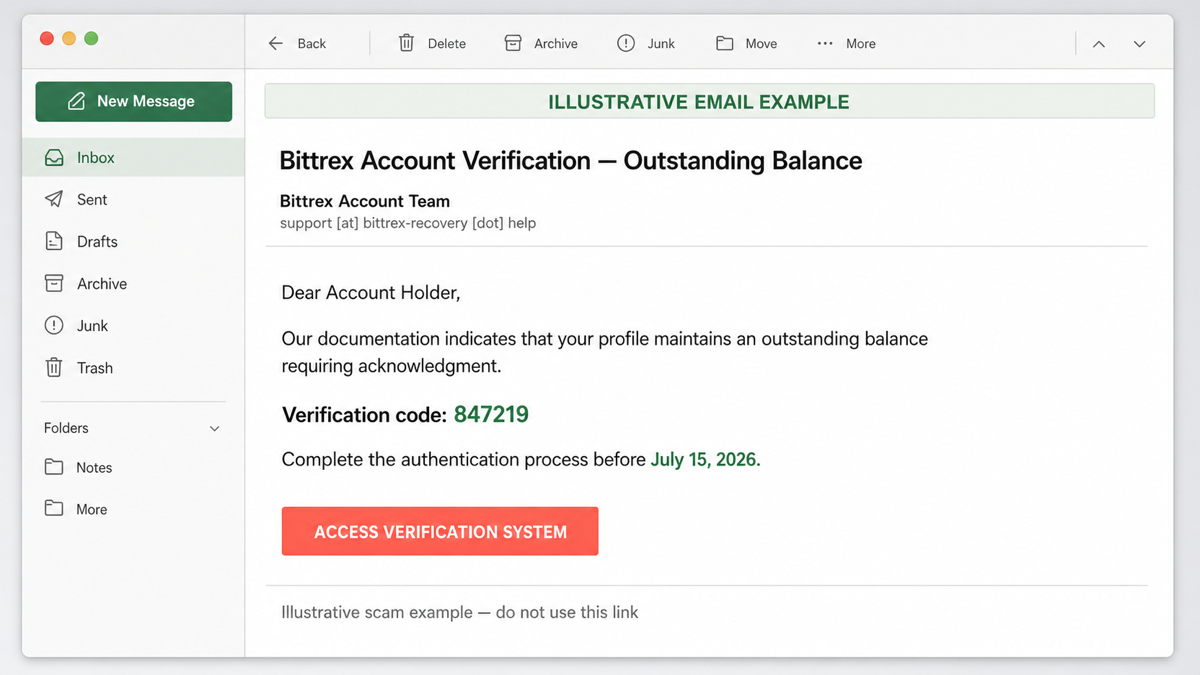
Subject: Bittrex Account Verification — Outstanding Balance
Display name: Bittrex Account Team
Sender: support [at] bittrex-recovery [dot] help
Dear Account Holder,
Our documentation indicates that your profile maintains an outstanding balance requiring acknowledgment.
Verification code: 847219
Complete the authentication process before July 15, 2026.
Button: Access Verification System
The invented sender domain, generic greeting, pressure deadline, and separate verification button are the important clues. A convincing balance or code does not make the message legitimate; the sender may have used old customer data, public information, or a fabricated amount.
What to do if you clicked the email
You opened the email but did not click
Opening a normal message usually does not expose an exchange password or wallet. Mark it as phishing, do not use its unsubscribe link, and delete it. If the mail app loaded remote content, that may confirm that the address is active, but it does not give the sender control of your wallet.
You opened the link but entered nothing
Close the page. Do not approve notifications, download a browser extension, or call a number shown there. Check the unfamiliar domain with the Gridinsoft Website Reputation Checker, then remove any file the page downloaded.
You entered a Bittrex password or MFA code
- Open the official site manually on a trusted device and change the password.
- Sign out other sessions and review account, email, recovery, and MFA settings.
- Change the password anywhere else it was reused.
- Secure the associated email account as well; a compromised mailbox can reset exchange access.
- Contact official support and report the phishing attempt.
You connected a wallet but did not sign
Disconnect the site in the wallet’s connected-sites panel and review recent activity. A connection alone normally does not transfer assets, but do not assume that “disconnect” cancels an approval you may already have signed.
You signed a transaction or token approval
Use the wallet provider’s transaction history to identify what was authorized. Revoke suspicious token approvals through a trusted tool reached from the wallet provider’s own documentation, and move remaining valuable assets to a new wallet if an attacker may still have spending authority. Save the transaction hash and receiving address before reporting the theft. Our crypto drainer guide explains why a signature can matter even when the page never asks for a password.
You disclosed a seed phrase or private key
Treat that wallet as permanently compromised. On a clean device, create a completely new wallet with a new recovery phrase and move any remaining assets as soon as it is safe to do so. Never reuse the exposed phrase, and do not pay a “recovery expert” who promises to reverse blockchain transfers.
You downloaded or ran a file
Disconnect from sensitive accounts until the device is checked. Delete the downloaded file if it was not opened. If it ran, use Gridinsoft Anti-Malware to look for detections, startup entries, scheduled tasks, browser changes, and other persistence before signing back into email, exchange, or wallet accounts. A malware scan can identify local compromise; it cannot reverse a signed transaction or restore an exposed seed phrase.
How to verify future Bittrex messages
- Start outside the message. Type the official address yourself instead of following the email button.
- Check the legal entity. Liechtenstein and Bermuda have different liquidation instructions and timelines.
- Expand the sender. Compare the full domain with the official domain list, not just the display name.
- Reject secret-wallet requests. Never disclose a seed phrase, private key, or keystore file to “verify” an exchange account.
- Read every wallet prompt. An unlimited approval, unfamiliar spender, or unclear signature is a stop signal.
- Verify support independently. Reach support from the official site, not a phone number or reply-to address in the email.
For a broader checklist, see how to spot a phishing email and our guide to common cryptocurrency scams.
FAQ
Can a legitimate Bittrex email mention an account balance?
Yes. Bittrex Global says some customers may still receive entity-specific messages about balances, withdrawals, fees, or liquidation. That is why the safest test is to open the official site manually and confirm the same account state there, not to trust the email link.
Does a wallet-connect button automatically mean a drainer?
No. A connection request alone does not prove theft, but it is inappropriate evidence for an unsolicited exchange-balance notice. Reject it, leave the page, and review approvals if you signed anything.
Is disconnecting the site enough after I signed an approval?
No. Disconnecting a site ends the current connection but may not revoke an on-chain token allowance. Review and revoke suspicious approvals through a trusted path, and consider a new wallet if the seed phrase or private key was exposed.
Can Bittrex support recover crypto sent to a scammer?
Support can document an incident and help with a Bittrex account, but confirmed blockchain transfers are usually difficult or impossible to reverse. Report quickly, preserve transaction evidence, and ignore anyone promising guaranteed recovery for an upfront fee.
References
- Bittrex Global. “Important Update Regarding Bittrex Global.” Bittrex Global, latest update June 30, 2026; accessed July 9, 2026. https://bittrexglobal.com/
- Bittrex Global. “Questions and Answers for Bittrex Global GmbH (Liechtenstein) Customers.” Bittrex Global Support, updated March 3, 2026; accessed July 9, 2026. Bittrex Global Liechtenstein customer FAQ
- Bittrex Global. “Questions and Answers Regarding the Proof of Debt Process for Former Bittrex Global (Bermuda) Ltd. Users.” Bittrex Global Support, updated July 1, 2025; accessed July 9, 2026. Bittrex Global Bermuda Proof of Debt FAQ