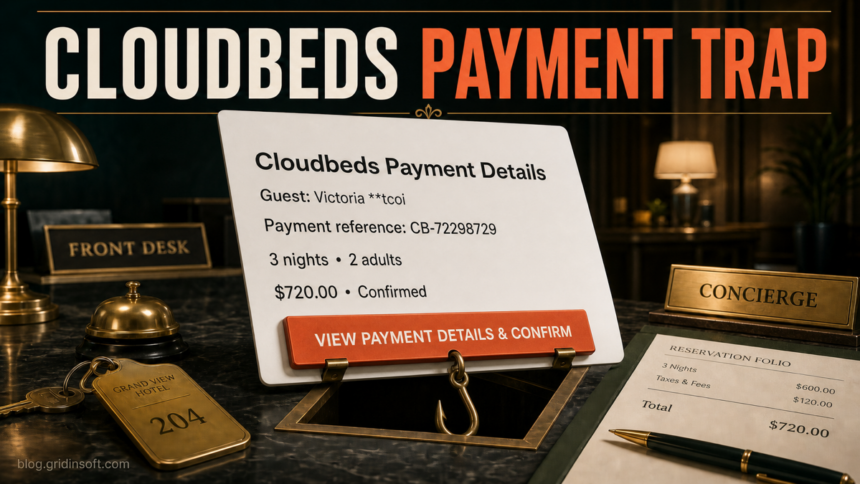
The “Cloudbeds Payment Details” email for guest Victoria **tcoi, payment reference CB-72298729, and a $720.00 Confirmed stay is a phishing lure. Do not use its “View Payment Details & Confirm” button. Open Cloudbeds from a saved bookmark or type the official login address yourself, then check whether that reservation exists inside the property account.
An unexpected message does not prove that your Cloudbeds account is already compromised. The next step depends on what a staff member did: only read the email, opened the page, entered Cloudbeds or email credentials, shared payment information, or downloaded something. This guide separates those branches so the response matches the actual exposure.
What Is the Cloudbeds Payment Details Email Scam?
The reviewed message imitates a hotel reservation and payment workflow. It gives the front desk enough operational detail to feel routine: a masked guest name, a reference number, three nights, two adults, a confirmed amount, and a button to review the payment. The goal is to move staff away from the trusted property-management system and onto a destination controlled by the sender.
The original destination was no longer active when checked, so its final form cannot be verified. It may have attempted to collect Cloudbeds credentials, email credentials, one-time codes, or payment data, but the dead page is not evidence for one exact login screen. The safe decision is the same: do not test the link; verify the reservation inside Cloudbeds.
What the Fake Cloudbeds Email Looks Like
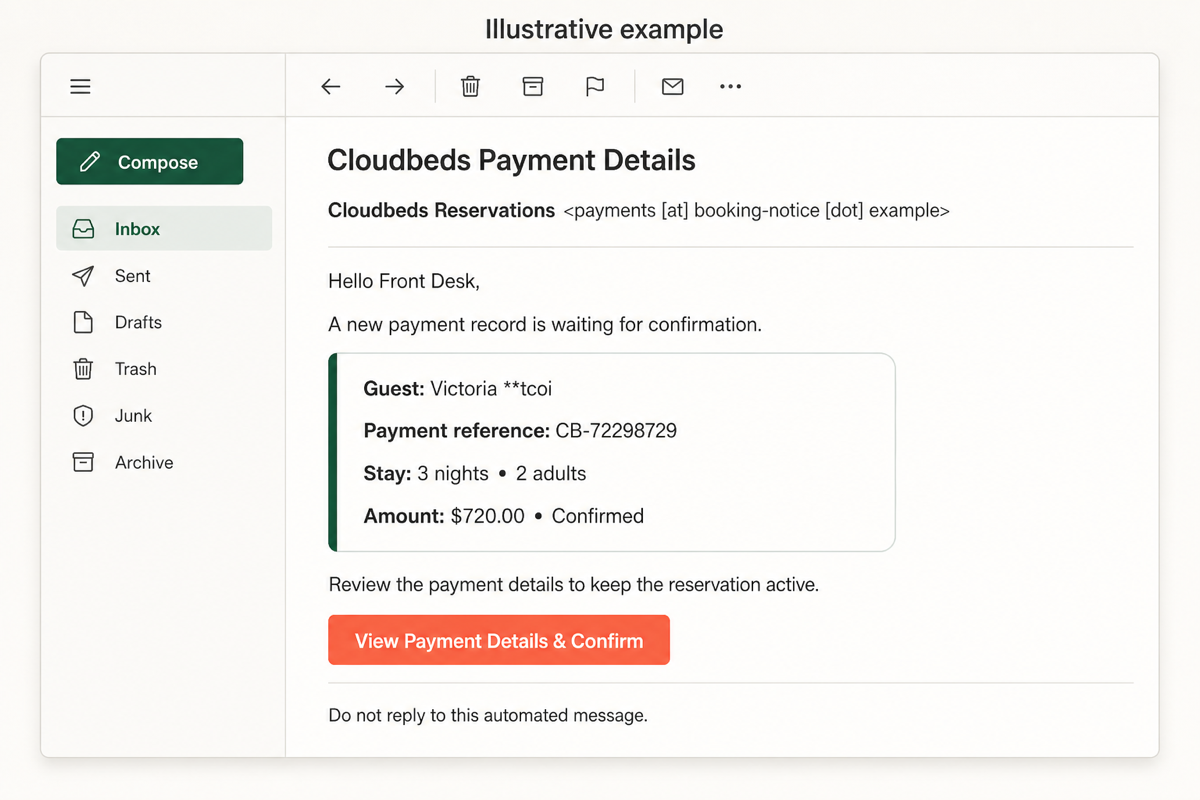
The mockup reproduces the confirmed recognition details without using a live phishing domain, victim data, or a real private message. A polished layout does not make the sender or button trustworthy.
Example
Subject: Cloudbeds Payment Details
From: Cloudbeds Reservations <payments [at] booking-notice [dot] example>
Hello Front Desk,
A new payment record is waiting for confirmation.
Guest: Victoria **tcoi
Payment reference: CB-72298729
Stay: 3 nights, 2 adults
Amount: $720.00 — Confirmed
View Payment Details & Confirm
Review the payment details to keep the reservation active.
Red Flags in the Payment Message
| What you see | Why it matters and what to do |
|---|---|
| Unexpected payment-confirmation task | Do not treat an email button as the system of record. Look for the reservation and payment state inside Cloudbeds. |
| Specific guest, stay, and amount | Operational detail creates confidence, but copied or fabricated booking data does not authenticate the sender. |
| “Confirmed” beside a request to confirm again | The status and requested action conflict. Verify the payment workflow through the property account or a known booking channel. |
| Button hides the destination | The label says what the sender wants you to believe, not where the link goes. Do not click to investigate. |
| Sender domain is not an expected Cloudbeds or property domain | Expand the sender details and compare the complete domain. Display names are easy to copy. |
| Pressure to keep a reservation active | Revenue and cancellation pressure can make a front desk act quickly. Pause and verify independently. |
For a broader one-minute check, use our guide to spotting a phishing email. It combines sender, destination, request, and pressure signals instead of relying on spelling mistakes alone.
How to Verify the Reservation Safely
- Keep the email as evidence, but do not use it. Do not reply, click the button, download an attachment, or copy a phone number from the message.
- Open Cloudbeds independently. Use the saved official login bookmark used by your property. Cloudbeds currently lists
hotels.cloudbeds.com/authas an official login route in its emergency guidance. - Search for the reservation inside the account. Check the guest name, dates, amount, status, payment history, and message thread. A legitimate booking-platform message should also appear in that platform’s official inbox or extranet.
- Verify through a second channel. If the booking came from an OTA, open that OTA directly. If a guest must be contacted, use details already stored in the trusted reservation—not an address or number supplied by the suspicious email.
- Preserve the message details. Record the sender, timestamp, full headers, and link as plain text without revisiting it. Forward the suspicious email to Cloudbeds Support with the subject
Phishing.
This is the same safety principle used for fake hotel and travel requests: confirm the booking where it should already exist. Our guide to vacation scams and booking phishing covers the traveler side, off-platform payments, and urgent reservation messages.
What to Do After a Click
If the page opened but you entered nothing
Close it. Do not approve notifications, downloads, extensions, browser profiles, remote-support tools, or commands. Check whether the browser downloaded a file automatically. Then verify the reservation inside Cloudbeds and report the message. Opening a page alone does not prove the property account was accessed.
If you entered Cloudbeds credentials or an MFA code
- From a trusted device, open Cloudbeds directly and change the affected password.
- Contact Cloudbeds Support immediately and ask it to terminate active sessions. Cloudbeds warns that changing the password does not close sessions that are already open.
- Review the Activity Log for exports, new users, permission changes, altered property or payment settings, changed notification emails, channel-manager changes, new API keys, reservation edits, and guest messages.
- Disable unknown users, remove unnecessary export permissions, revoke unfamiliar API keys, and reset MFA enrollment for staff as directed by Cloudbeds Support.
- Change the password anywhere it was reused, starting with the affected staff member’s email account. Sign out unknown email sessions and review forwarding rules and recovery settings.
A one-time authenticator or SMS code does not make a phishing page safe. Cloudbeds documents real-time attacks that capture a password and current code, then immediately replay them against the real service. Passkeys and hardware security keys provide stronger protection because they are bound to the legitimate domain.
If payment, bank, or identity data was shared
Contact the bank or payment processor using a known number, explain exactly what was entered, and follow its card-lock, replacement, transfer, or fraud-reporting steps. If a guest’s information was involved, preserve the incident timeline and coordinate notification with Cloudbeds Support and your property’s privacy or legal process.
Do not assume that the email’s $720 amount came from Cloudbeds or that every recipient has a matching reservation. Likewise, do not assume the property account is safe merely because the phishing page asked only for payment data. Treat the form fields actually submitted as exposed.
Cloudbeds Account Audit Checklist
If credentials were entered or unfamiliar activity appeared, review the account as an operational incident, not only as a password reset:
- Activity Logs: guest or reservation exports, unusual logins, and changes during the suspected window.
- Users and roles: new accounts, owner or manager upgrades, and unnecessary access to exports or guest data.
- API access: newly created or unfamiliar API keys that could keep working after a password change.
- Property settings: payment configuration, notification email addresses, property profile data, and channel-manager settings.
- Reservations: unexpected creations, cancellations, modifications, refunds, or payment-state changes.
- Guest communications: messages sent through GX/Whistle, email, or other connected channels during the incident window.
If suspicious guest messages were sent, contact affected guests through a verified property email or phone channel after support helps define the incident window. Do not continue using a potentially abused in-platform thread until the account is secured.
Does a Stolen Cloudbeds Login Expose Full Card Numbers?
Cloudbeds says full credit card numbers and CVV codes are not visible through standard account views. Its payment documentation describes a token-based third-party vault rather than card data stored directly in Cloudbeds, while access to card details for authorized property users follows a separate “Show Details” workflow on a specific reservation.
That protection does not make an account compromise harmless. An attacker may still reach reservation data, exports, user and role settings, API access, property settings, booking changes, and guest communications depending on permissions and the incident. A phishing page can also collect card data directly from the person who types it, outside Cloudbeds’ tokenization controls.
When Should You Scan the Device?
Account recovery is the priority when a staff member only submitted credentials in a web form. Scan the device if the email or page also downloaded a file, installed an app or browser extension, asked the user to run a command, opened remote-support software, or caused recurring redirects and security warnings.
In that branch, a Gridinsoft Anti-Malware scan can check for malicious files, browser changes, startup entries, scheduled tasks, and other persistence that may remain after the visible download is deleted. It cannot terminate a stolen Cloudbeds session, reverse a payment, or replace the account audit above.
If the page or email made you download an invoice, coupon, tracking app, browser extension, or support tool, scan the PC before opening it again or logging into sensitive accounts.
Scan after a suspicious downloadIf you are unsure whether a click changed the device, follow the action-based checklist in Clicked a Phishing Link? What to Do Now.
How Hotels Can Prevent the Next Payment Phish
- Give each staff member a separate account and the minimum role needed for the job.
- Limit reservation-export, guest-data, financial-data, and API permissions to people who require them.
- Use a printed or managed bookmark for the official Cloudbeds login instead of search ads or email links.
- Move staff from reusable passwords and phishable one-time codes toward passkeys or hardware security keys where practical.
- Require independent verification for every unexpected request involving a payment, refund, bank-detail change, credential, download, or urgent reservation action.
- Teach staff to report suspicious messages before deleting them so headers, URLs, and timestamps remain available.
FAQ
Is every email from Cloudbeds about a payment fake?
No. Cloudbeds and connected booking systems can send legitimate operational messages. The reviewed “Cloudbeds Payment Details” message with reference CB-72298729 is a phishing lure. Verify any unexpected payment task inside the official account instead of through the email.
What if reservation CB-72298729 is not in my Cloudbeds account?
Do not use the button or reply to the sender. Preserve the message, report it to Cloudbeds Support, and check the relevant OTA or booking channel directly if the email claims that platform created the reservation.
Does changing the Cloudbeds password sign out an attacker?
Not necessarily. Cloudbeds says a password change prevents new sessions but does not end sessions that are already open. Contact Support promptly so active sessions can be terminated, then audit account activity and persistence such as new users or API keys.
Can a phishing page steal an MFA code?
Yes. A real-time phishing page can capture a current authenticator or SMS code and replay it immediately. If a code was entered, treat the account as potentially accessed and contact Cloudbeds Support.
Should I run a malware scan after clicking?
Scan if a file downloaded, software or an extension was installed, a command ran, remote access was granted, or unusual browser behavior began. If the incident was only a fake login form, prioritize password, session, email-account, and Cloudbeds audit steps.
References
- Cloudbeds, Mariia Korostashevych. “Suspected Phishing or Compromised Account: Emergency Plan.” Cloudbeds Help Center, updated July 8, 2026; accessed July 21, 2026. https://myfrontdesk.cloudbeds.com/hc/en-us/articles/50668262606747-Suspected-Phishing-or-Compromised-Account-Emergency-Plan
- Cloudbeds, Mariia Korostashevych. “Suspicious or Fraudulent Booking Inquiries: What to Do.” Cloudbeds Help Center, updated July 13, 2026; accessed July 21, 2026. https://myfrontdesk.cloudbeds.com/hc/en-us/articles/52948545199131-Suspicious-or-Fraudulent-Booking-Inquiries-What-to-Do
- Cloudbeds, Mariia Korostashevych. “Cloudbeds Security Features and PCI DSS Certification.” Cloudbeds Help Center, updated June 8, 2026; accessed July 21, 2026. https://myfrontdesk.cloudbeds.com/hc/en-us/articles/227167088-Cloudbeds-Security-Features-and-PCI-DSS-Certification