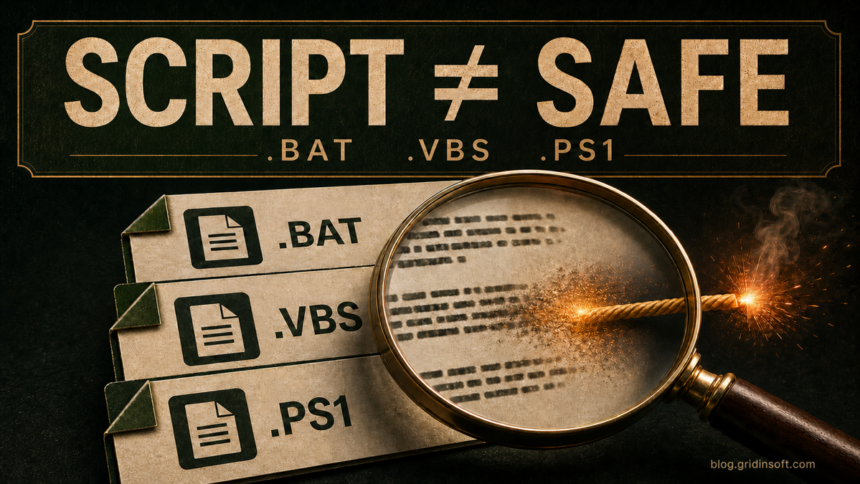
BAT, CMD, VBS, JS, WSF, and PS1 files are not automatically malicious, but they are executable instructions rather than ordinary documents. A script can install software, change Windows settings, download another payload, create persistence, or delete data with your user permissions. Do not double-click an unexpected script. Verify its source, open it as text without running it, inspect what it calls, and scan the file and any related download before deciding whether to execute it.
The extension tells Windows which interpreter should read the file; it does not provide a safety verdict. A harmless administrator script and a malicious attachment can use the same extension and many of the same legitimate Windows tools.
What each Windows script file can do
.bator.cmd: Batch commands normally run throughcmd.exe. They can automate safe maintenance, but they can also launch programs, edit the registry, create scheduled tasks, download files, or erase data..vbs: VBScript normally runs through Windows Script Host. Treat an unexpected invoice, statement, or support script as high risk, especially if it arrived in chat or email..js: On Windows, a local JavaScript file may run through Windows Script Host rather than a browser. Do not assume that it is only web-page code..wsf: A Windows Script File can combine script languages and multiple jobs in one container. Its XML-like wrapper may hide the part that actually runs..ps1: A PowerShell script can use Windows administration and .NET features. Execution policy and signatures provide useful signals, but neither proves that a script is harmless.
How to inspect a script without running it
- Keep the file closed and show its full extension. In File Explorer, enable View > Show > File name extensions. A name such as
invoice.pdf.vbsis a script, not a PDF. If the file is still inside an archive, do not extract and launch other files merely to investigate it. - Check where it came from. A script you wrote or obtained from a documented internal administrator is different from one sent through Discord, WhatsApp, Telegram, email, a fake CAPTCHA, a crack, or a random download mirror. Confirm the sender through another channel when the message was unexpected.
- Open it explicitly as text. Start Notepad first, then use File > Open and select the script. Alternatively, use the file’s Open with menu and choose a text editor. Do not double-click the file and do not choose Run as administrator.
- Read the entire file, not only the first screen. Look for long encoded strings, commands assembled from many variables, hidden windows, delayed execution, or a second file fetched from the internet. Comments and friendly status messages are not evidence of safety.
- Check the hash, signature, and security verdict. For a non-private file, calculate a SHA-256 hash and scan it without running it. PowerShell scripts may carry an Authenticode signature; check the signer and certificate status, but remember that signed code can still be malicious and unsigned code can still be legitimate.
- Verify every dependency. A short script may only launch an EXE, DLL, MSI, archive, or remote URL. The script is not safe until those referenced files and domains are also understood.
If you only downloaded the file and did not preview, extract, open, or run it, use the more detailed downloaded-but-not-opened response guide. Do not run an unknown script inside Windows Sandbox as proof that it is safe: a script may behave differently in a test environment, wait for user activity, or use enabled networking. Our Windows Sandbox safety guide explains those limits.
Suspicious commands and behavior to look for
No single command proves malware. Legitimate deployment and support scripts can use powerful tools, too. Risk rises when the source is untrusted and several behaviors appear together:
- Downloads and hidden launches: commands that retrieve another file, start a hidden process, invoke
powershell.exe,mshta.exe,rundll32.exe,regsvr32.exe, or another interpreter without explaining why. - Obfuscation: very long Base64-like text, reversed strings, character-by-character assembly, compressed blobs, or code decoded only at runtime.
- Security changes: attempts to disable antivirus protection, add exclusions, weaken firewall settings, clear logs, or bypass PowerShell policy.
- Persistence: creation of scheduled tasks, services, Startup-folder items, or values under
HKCU\Software\Microsoft\Windows\CurrentVersion\Run. - Credential and browser access: searches for browser profiles, cookies, password stores, wallet data, authentication tokens, or cloud-sync folders.
- Destructive actions: recursive deletion, disk formatting, backup or restore-point removal, shadow-copy deletion, or mass file renaming.
- Misleading presentation: document-like filenames, instructions to disable protection, pressure to run as administrator, or claims that an error can be fixed only by pasting a command.
A script can also hide its real behavior in another stage. For example, Microsoft documented a 2026 WhatsApp campaign in which a VBS attachment started a multi-stage chain that established persistence and installed remote-access components. Our WhatsApp VBS campaign guide shows why a familiar sender and readable first-stage file are not enough to establish safety.
Are PowerShell execution policy and signatures enough?
No. Microsoft describes PowerShell execution policy as a safety feature, not a security boundary. A user or program can bypass it, and a policy change does not inspect what the code will do. Do not accept instructions to use -ExecutionPolicy Bypass, Unblock-File, or a broad policy change until you already trust the script and understand why the change is needed.
With RemoteSigned, Windows can require a trusted signature for scripts marked as downloaded from the internet. That is useful context, but the result still needs interpretation:
Validmeans the file has not changed since signing and the certificate chain is accepted; it does not mean every action inside the script is safe.NotSignedis common for personal and internal scripts, but an unexpected downloaded script should remain blocked until its source and contents are verified.HashMismatch,NotTrusted, or an unexpected signer is a strong reason not to run the file.
If a PowerShell window or outbound alert keeps returning after startup, follow the recurring PowerShell connection investigation instead of repeatedly closing the window.
What to do after an unknown script already ran
- Disconnect the affected PC from networks. Do not sign in to more accounts or reconnect cloud drives while you assess what happened.
- Preserve the script and context. Record its original path, filename, hash, source message or page, time of execution, and any prompt you approved. Do not run it again to reproduce the behavior.
- Check what launched and what persists. Review recent processes, downloads, installed apps, browser extensions, Startup items, Task Scheduler, services, and the Run keys. A missing-script popup after reboot may mean the file was removed while its launcher remains; use the Windows Script Host startup-error guide for that case.
- Run a full security scan. Quarantining the visible script may leave a downloaded payload, scheduled task, service, browser change, exclusion, or bundled module behind. Gridinsoft Anti-Malware can check those persistence locations and related files; reboot and scan again if the alert or behavior returns.
- Recover accounts from a clean device when needed. If the script accessed browser profiles, passwords, session cookies, wallets, email, or cloud data, change passwords, revoke sessions, rotate recovery codes, and contact the relevant provider from a different trusted device.
- Confirm cleanup. Use the post-malware Windows security audit to check that tasks, startup entries, exclusions, browser changes, and suspicious network activity do not return.
FAQ
Can a BAT file contain a virus?
A BAT file is plain text, but its commands can download or launch malware, alter Windows, create persistence, or delete data. The danger is what runs, not whether the file contains traditional executable bytes.
Is it safe to open a BAT or VBS file in Notepad?
Opening the file explicitly from inside a text editor is normally a non-executing way to inspect it. Do not double-click the script first, and verify that Windows is showing the full extension so a disguised file is not mistaken for a document.
Can antivirus tell whether a script is safe?
A scan can identify known malicious content and suspicious behavior, but clean results are not proof. Scripts can be new, obfuscated, or dependent on a remote payload that is unavailable during scanning.
Should I run an unknown script in Windows Sandbox?
No, not as a safety verdict. Networking, clipboard sharing, mapped folders, delayed behavior, and sandbox detection can all distort the result. Static inspection and source verification should come first.
Does a valid PowerShell signature prove a PS1 file is safe?
No. A valid signature identifies the signer and shows that the file has not changed since signing. It does not guarantee that the signer is trustworthy or that the script’s actions are appropriate for your computer.
References
- Microsoft. “about_Execution_Policies.” Microsoft Learn, accessed July 27, 2026. PowerShell execution-policy documentation.
- Microsoft. “about_Signing.” Microsoft Learn, accessed July 27, 2026. PowerShell script-signing documentation.
- Microsoft Defender Security Research Team. “WhatsApp Malware Campaign Delivers VBScript and MSI Backdoors.” Microsoft Security Blog, March 31, 2026. Microsoft campaign analysis.