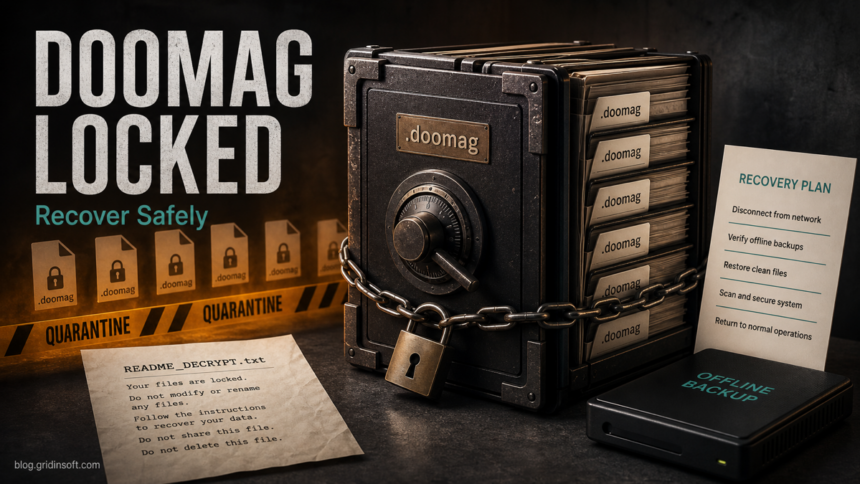
Doommageddon ransomware is a file-encrypting extortion threat reported with the .doomag extension and a ransom note named README_DECRYPT.txt. If you see those signs, disconnect the affected computer or server from the network, preserve the ransom note and several encrypted files, and do not restore backups until the active payload and any persistence are removed. Cleanup can stop more damage, but it does not decrypt files that were already encrypted.
The important first decision is not whether to pay. It is whether you can preserve evidence, identify the exact ransomware, clean the endpoint, and restore from a backup or legitimate decryptor without causing more data loss. Doommageddon also has a reported Tor leak-site angle, so account review and incident-response planning matter even if only one Windows machine appears locked.
What Is Doommageddon Ransomware?
Doommageddon is ransomware: malware built to encrypt documents, pictures, archives, databases, and shared files so the victim is pressured into contacting the attackers. Public analysis of recent samples reports that encrypted files keep their original names but receive the extra .doomag extension. A file such as photo.jpg becomes photo.jpg.doomag.
The same reports describe a text ransom note named README_DECRYPT.txt. The note claims RSA-2048 encryption, tells victims to contact the attackers through the Session messenger, and warns against modifying encrypted files. Treat those claims as attacker pressure, not as recovery advice. Keep a copy of the note, but do not follow payment or contact instructions before you have isolated the system and checked recovery options.
How To Recognize The .doomag Infection
| Sign | What it means |
|---|---|
Files end with .doomag |
The files were renamed after encryption. Do not bulk-rename them back; that does not reverse encryption and can damage later evidence. |
README_DECRYPT.txt appears in folders |
This is the ransom note. Preserve it because it may contain contact, victim ID, or family clues useful for identification. |
| Session messenger contact is listed | The attacker wants private negotiation. Do not contact them before you preserve evidence and understand legal, insurance, and recovery options. |
| A Tor leak-site threat is mentioned or discovered | Assume possible data exposure until you review logs, accounts, file shares, and sensitive folders from a clean environment. |
| Security tools report trojan or Wacatac-like detections | Keep detections quarantined and scan for loaders, startup entries, scheduled tasks, and remote-access leftovers before restore. |
What To Do In The First 30 Minutes
- Disconnect the affected device. Pull Ethernet, disable Wi-Fi, and stop VPN connections. If a server or file share is involved, isolate it from other machines before more files are touched.
- Do not rename or edit encrypted files. Keep several encrypted samples and the ransom note exactly as found. Recovery tools and investigators may need the original extension pattern.
- Take photos or screenshots of visible notes. Record file paths, timestamps, user accounts, shares, mapped drives, and the first folder where the issue was noticed.
- Stop backup synchronization if it is still running. Pause OneDrive, Google Drive, NAS sync, or backup agents from a clean admin console if there is a chance encrypted files are being copied over good versions.
- Check other endpoints. Look for the same
.doomagextension, new ransom notes, failed logins, unknown admin sessions, remote-access tools, and unusual scheduled tasks. - Plan cleanup before restore. Restoring files onto a still-infected system can lead to another encryption round.
Is There A Free Doommageddon Decryptor?
As of July 1, 2026, I did not find a public free decryptor specifically for Doommageddon or .doomag in the common ransomware-decryptor sources checked for this run. That can change, so keep encrypted samples and the ransom note if storage allows. Do not run random “Doommageddon decryptor” downloads from search results; fake decryptors are a common second-stage infection risk.
Use reputable decryptor indexes such as No More Ransom, and search by the ransomware family name, extension, ransom note name, and attacker contact. If a tool appears later, test only on copies of encrypted files from a clean machine. If no decryptor exists, recovery usually depends on offline backups, immutable snapshots, shadow copies that survived, or professional incident-response work.
Remove Active Malware Before Restoring Files
File recovery and malware cleanup are separate jobs. Deleting README_DECRYPT.txt or moving encrypted files does not remove the payload that caused the incident. A loader, scheduled task, service, remote-access tool, stolen admin session, or malicious executable can still be present under paths such as %TEMP%, %APPDATA%, %LOCALAPPDATA%, %USERPROFILE%\Downloads, or C:\ProgramData.
On a personal Windows PC, start from a clean administrative account where possible. Remove suspicious startup entries, review Task Scheduler and Services, check recently installed apps, inspect browser extensions, and keep detections quarantined. Then run a full Gridinsoft Anti-Malware scan to look for ransomware leftovers, droppers, hidden files, bundled malware, startup entries, and persistence that could reintroduce the problem after restore. Reboot and scan again if suspicious activity returns. The same backup-first logic applies to KalinkaCrypt .Sezar files, where the ransom note is Contact-Note.txt.
If the process path is wrong, the name imitates a Windows component, or high CPU started after an unknown installer, scan for hidden miners, services, startup entries, and bundled components.
Scan for ransomware leftoversHow To Treat The Leak-Site Risk
Doommageddon has been reported with a Tor-based leak site that lists victims and uses status labels such as leaked, upcoming, negotiating, or negotiated. The ransom note in one sample may not fully describe data theft, but the existence of a leak-site workflow means you should not treat this as only a local file-locking problem.
For home users and small offices, review browser-saved passwords, email sessions, cloud drives, password managers, crypto wallets, Steam or Discord accounts, remote desktop exposure, and any files stored on shared folders. For business systems, preserve logs, identify affected accounts, check outbound remote-access tools, and involve legal or incident-response support before making statements about data exposure.
Recovery Checklist
- Identify the pattern. Confirm
.doomag,README_DECRYPT.txt, affected folders, first-seen time, and any attacker contact details. - Preserve evidence. Keep a copy of the note, encrypted samples, suspicious executables, and security-tool detection names if your policy allows safe storage.
- Clean or rebuild. For high-value systems, rebuilding from a trusted image is safer than trying to manually delete every suspicious file.
- Validate backups offline. Make sure backups predate the encryption and were not overwritten or encrypted by sync.
- Restore to a clean machine first. Test a small folder before reconnecting shares or production drives.
- Rotate credentials. Change passwords and revoke sessions from a clean device, especially for accounts used on the infected machine.
- Watch for re-encryption. Repeated ransom notes, new
.doomagfiles, or recurring detections after reboot mean cleanup is incomplete.
If the extension pattern is unclear, the .Xyz ransomware triage guide explains how to identify a family before trying recovery tools. For another exact-extension recovery example, compare the SquadLocker .SquadLocker guide, the Payouts King .ZWIAAW guide, and the Hommy .hommy guide. To reduce repeat risk after recovery, use the broader ransomware protection checklist.
Should You Contact Or Pay The Attackers?
Payment is a business, legal, and risk decision, not a technical fix. Attackers can disappear, send a broken decryptor, demand more money, or publish data anyway. Contacting them can also reveal more about your environment. If a company network, customer data, regulated data, or insurance coverage is involved, involve incident-response, legal, and leadership stakeholders before negotiation.
For a personal PC, the safer order is isolation, evidence, cleanup, backup validation, decryptor checks, account review, and then a restore decision. Do not send encrypted files, identity documents, remote-access access, or payment details to strangers found through the ransom note.
FAQ
Can I remove the .doomag extension to recover files?
No. Removing .doomag changes the filename but does not reverse encryption. Keep encrypted samples unchanged so future tools or investigators can identify the ransomware correctly.
Will antivirus decrypt Doommageddon files?
No. Antivirus or anti-malware cleanup can remove active malware and leftovers, but it does not decrypt files that were already encrypted. You still need backups, a legitimate decryptor if one becomes available, or professional recovery planning.
Should I delete README_DECRYPT.txt?
Do not delete the note until you have copied it safely. It may contain family clues, contact details, or victim identifiers needed for identification, insurance, or incident-response work.
What if my backup drive was connected during the attack?
Disconnect it and inspect it from a clean machine. If files on the backup also received .doomag or the backup was synced after encryption, do not assume it is usable until you test older snapshots or offline copies.
Does Doommageddon always mean data was stolen?
Not always, but the reported leak-site behavior means you should review accounts, shared folders, remote access, and sensitive data exposure. Treat data theft as possible until logs and affected systems are checked.
References
- PCrisk research team. “Doommageddon Ransomware.” PCrisk, July 2026. Accessed July 1, 2026. https://www.pcrisk.com/removal-guides/35523-doommageddon-ransomware
- Cybersecurity and Infrastructure Security Agency. “#StopRansomware Guide.” CISA, updated March 2025. Accessed July 1, 2026. https://www.cisa.gov/resources-tools/resources/stopransomware-guide
- No More Ransom Project. “Decryption Tools.” No More Ransom, accessed July 1, 2026. https://www.nomoreransom.org/en/decryption-tools.html