
Phishing emails are turning the November 12 Microsoft 365 outage into a reason to click a fake mail-recovery button. Microsoft Threat Intelligence says the campaign copies service-health notices and cites the genuine Exchange Online incident number, EX1550543. Some messages detected on November 13 warn that delayed mail will disappear within a day unless the recipient acts.
The incident number is real. The demand to rescue messages through the email’s button is the bait. Microsoft observed similar messages across several US sectors; it has not confirmed credential collection or malware delivery in this campaign.
A familiar outage gives the warning its credibility
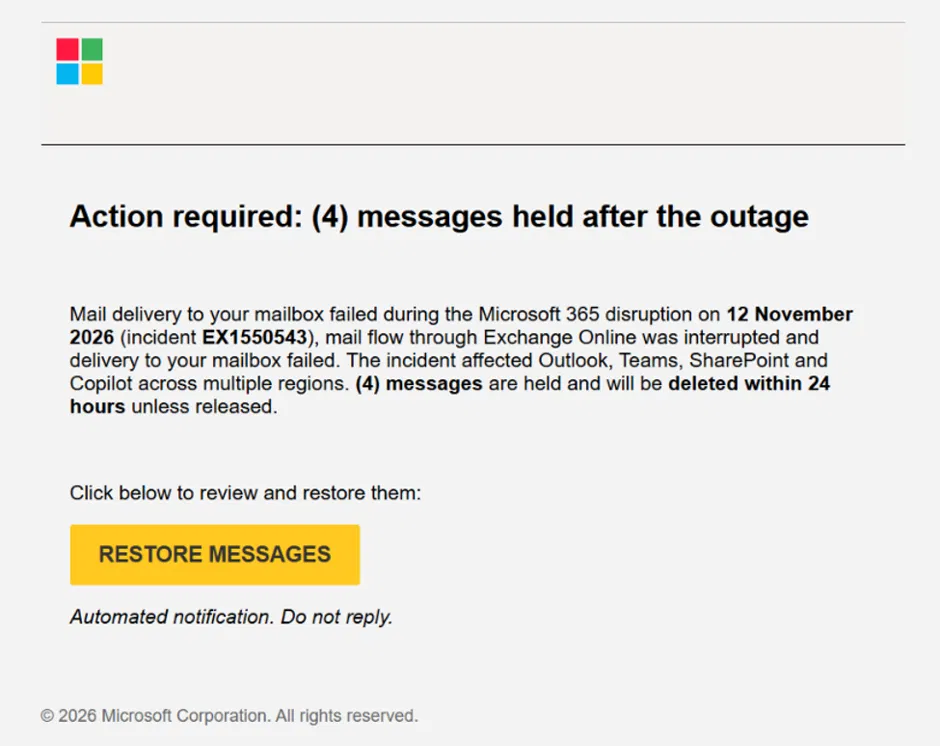
The notice starts from a problem recipients may already recognize: mail stopped arriving during the disruption. It then substitutes a different explanation for the delay—messages supposedly need to be released by the user—and adds a deletion deadline. That changes the reader’s task from waiting for service recovery to urgently following the sender’s instructions.
Microsoft’s published sample claims four messages are being held and offers a yellow RESTORE MESSAGES button. Naming the affected products and quoting a genuine incident identifier make the message look informed. Neither detail authenticates its sender.
The sender name and the link tell different stories
Microsoft describes subjects beginning with Outage - followed by a six-character code. Display names combine organization-specific wording with labels such as Service Health or Outage Notification. The campaign’s sender domains were moments-notice[.]com, planetmaison[.]com and newbooker[.]com.
The links add another layer: recipient-specific SendGrid tracking redirects to reallifeaccounting[.]com, including the observed path /themelist0.html. A familiar delivery or tracking service is an intermediate step, rather than a guarantee about the final destination. These are reported campaign indicators, not links to visit.
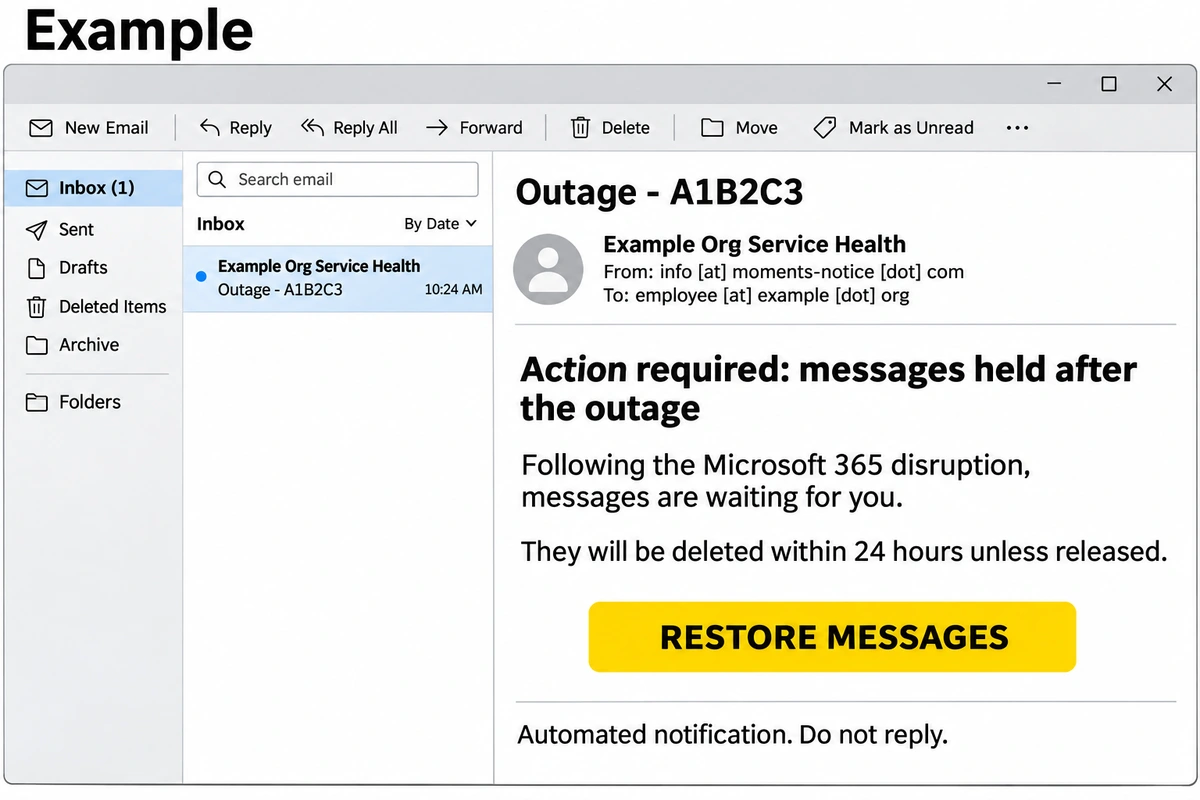
Example
Subject: Outage – A1B2C3
Display name: Example Org Service Health
Sender: info [at] moments-notice [dot] com
Messages delayed by the Microsoft 365 interruption are waiting for you. Release them within a day to prevent deletion.
Button: RESTORE MESSAGES
The combination to recognize is an outage reference, a short deletion deadline and a recovery button. The example uses an invented organization and code; the campaign’s observed wording and original sample are described above.
Verify the incident without taking the email’s route
Employees expecting missing mail should use their usual IT support channel or open their normal mailbox directly. Administrators can check service health by navigating independently to the Microsoft 365 admin center. A genuine interruption can be checked without trusting a link in an unexpected warning.
For security teams, Microsoft points to Threat Explorer and the Defender XDR tables EmailEvents, EmailUrlInfo and UrlClickEvents to connect suspicious messages, their URLs and user clicks. Check the destination as well as the display name. Properly configured Safe Links adds time-of-click protection; Microsoft also says its products block campaign domains and quarantine the phishing messages. Those controls do not make every service-health email trustworthy.
If someone followed the link and entered credentials, tell the organization’s security team what was entered and when. Review sign-ins and sessions through the normal account-recovery process; the account-compromise response guide explains why password changes and session review are separate steps. A click alone does not establish that this campaign stole credentials.
The useful distinction is between evidence that an outage occurred and evidence that a particular recovery instruction is legitimate. The attackers borrow the first to make readers assume the second.
References
- Microsoft Threat Intelligence. Warning about phishing exploiting the November 12 Microsoft 365 service disruption. Microsoft, November 14, 2026; accessed November 16, 2026.
- Microsoft Threat Intelligence. Update on blocking campaign domains and phishing emails. Microsoft, November 14, 2026; accessed November 16, 2026.