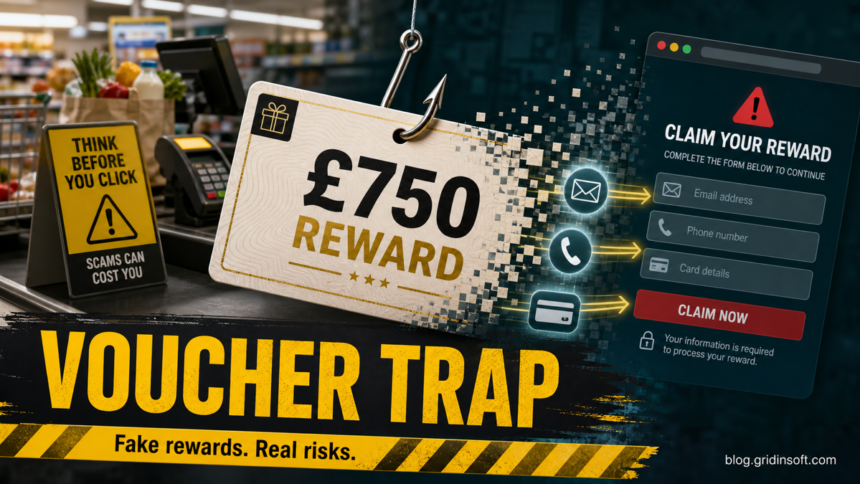
CreditMyCart.com is not an official Tesco rewards page, and its £750 Tesco voucher pitch should be treated as unsafe until proven otherwise. The page promises a large supermarket voucher after registration, sponsored deals, surveys, trials, or app downloads. Do not enter your email, phone number, home address, payment details, gift-card codes, or account passwords on the site.
If you already clicked through, your risk depends on what happened next. A simple visit is different from submitting a form, allowing notifications, completing deals, entering card details, or installing an app. Use the checklist below to decide what to do now.
What Is CreditMyCart.com?
CreditMyCart.com is a reward-funnel style website built around a high-value £750 Tesco voucher offer. The visible page uses familiar shopping language: register, complete sponsored deals, and receive vouchers after verification. That can look like a normal promotion, especially on a phone screen or after a social-media ad.
The important detail is the domain and the claim flow. A real Tesco promotion should be verifiable from Tesco-owned pages, the official app, or a trusted Tesco customer-service channel. A third-party domain that asks visitors to create a profile, complete partner offers, or install apps is not the same thing as a Tesco-run voucher giveaway.
Why The £750 Tesco Voucher Offer Is Suspicious
- The address is not Tesco. A logo or brand-colored page is not proof of ownership; the browser address bar matters first.
- The reward amount is unusually high. A £750 voucher for a short registration or a few tasks is the kind of hook used in reward and survey scams.
- The site asks for data before proving legitimacy. Names, emails, phone numbers, and addresses can be monetized or reused in later phishing attempts.
- Deal completion changes the offer. “Sponsored deals,” trials, surveys, subscriptions, and app downloads can expose users to charges or unwanted software.
- The button leads away from the main domain. During this run, the claim button routed through a tracking affiliate URL rather than a Tesco-owned path.
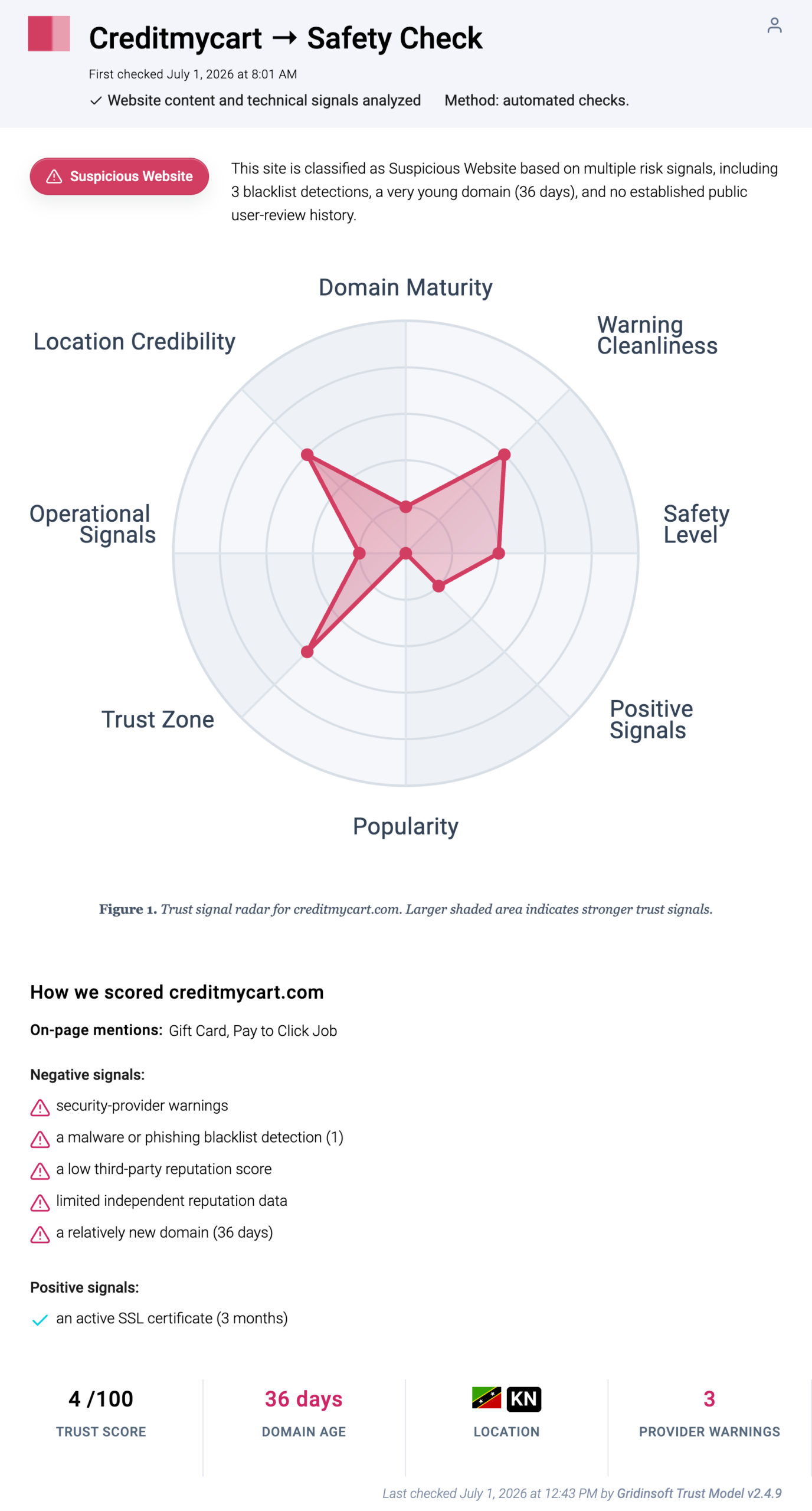
- Independent reputation signals are poor. Gridinsoft Website Reputation Checker classifies CreditMyCart.com as suspicious with a 4/100 trust score.
Is CreditMyCart.com Legit?
The evidence does not support treating CreditMyCart.com as a safe official Tesco offer. Gridinsoft’s URL report shows a suspicious website verdict, a 4/100 trust score, blacklist-related warnings, a young domain, and limited independent reputation history. That does not mean every visitor is instantly infected, but it does mean the site is not a safe place to provide personal or payment information.
Tesco Bank also maintains scam-awareness guidance that calls out gift-card and voucher scams as a known fraud category. If a reward page cannot be verified from a Tesco-owned channel, treat it as an unverified third-party lead funnel, not a trusted Tesco promotion.
What Not To Enter On CreditMyCart.com
Do not submit any of the following:
- name, home address, email address, phone number, date of birth, or postcode;
- Tesco account credentials, supermarket account passwords, or one-time verification codes;
- card details for “verification,” “shipping,” “activation,” “trial,” or “processing” fees;
- gift card numbers, voucher codes, claim codes, or PINs;
- identity documents, bank screenshots, wallet-transfer confirmations, or selfies;
- permission for browser notifications, unknown extensions, coupon apps, or support tools.
If You Only Opened The Page
If you only visited CreditMyCart.com and did not type anything, buy anything, install anything, or click “Allow” for notifications, close the tab. Clear site data for the domain and avoid returning through ads, shortened links, social posts, or “winner” messages.
You can check the domain again with Gridinsoft Website Reputation Checker. For similar reward-page mechanics, compare the Giftcardcart.com Costco gift card warning, the DealsLedger.com Walmart gift card warning, and the broader fake Walmart gift card reward guide.
If You Submitted Personal Information
Expect follow-up spam or phishing. Reward funnels often monetize email addresses, phone numbers, and address data through lead sales, sponsored offers, or later scam attempts. Be suspicious of texts, calls, and emails that mention a pending Tesco voucher, delivery fee, eligibility check, final verification step, or prize code.
Do not reply with verification codes or more personal information. Open Tesco manually through the official app or a bookmarked Tesco-owned page if you need to check a real account. If you reused a password on the reward page, change it from a clean device and enable two-factor authentication where available.
If You Entered Card Details Or Paid For A Deal
Contact your card issuer quickly. Explain that you entered card details through a suspicious reward page and ask about blocking the card, disputing unauthorized charges, and watching for recurring subscriptions. Sponsored-deal funnels may start with a small trial or verification charge and then create recurring billing.
Save screenshots, confirmation emails, merchant names, receipt pages, transaction IDs, and any cancellation links before closing everything. Do not send more money to unlock the voucher, and do not buy or reveal a gift card code as a condition of receiving a prize.
If Notifications, Downloads, Or Pop-Ups Followed
If browser alerts keep appearing after the tab is closed, remove notification permission for CreditMyCart.com and any unknown domains allowed around the same time. Notification spam can look like antivirus warnings, delivery alerts, or reward reminders even though it comes from a browser permission.
If the page led you to install an extension, coupon app, survey app, support tool, or “security” download, uninstall it and scan the computer. Gridinsoft Anti-Malware can help check for adware, suspicious browser changes, bundled apps, hidden startup entries, and other leftovers that may remain after a fake reward page or sponsored download.
How To Check A Tesco Voucher Before You Trust It
- Read the address bar first. If the page is not on a Tesco-owned domain, treat it as third-party and unverified.
- Search Tesco’s own scam guidance. Use official Tesco or Tesco Bank safety pages rather than the reward page’s footer claims.
- Look for deal or subscription language. “Complete deals,” “trial,” “activation,” “shipping,” and “partner offer” change the risk.
- Check domain reputation. Use a URL reputation report before entering data.
- Do not trust social proof alone. Short videos, comments, “winner” screenshots, and fake review widgets can be reused across domains.
- Report phishing routes. The UK NCSC explains how to report suspicious emails, texts, websites, and calls tied to phishing scams.
FAQ
Is CreditMyCart.com an official Tesco promotion?
No evidence in this run showed CreditMyCart.com as a Tesco-owned or Tesco-operated page. Treat the offer as unverified and unsafe for personal or payment details.
Can I really get a £750 Tesco voucher from CreditMyCart.com?
Do not count on it. The offer uses a high-value voucher hook and sponsored-deal language, while Gridinsoft classifies the domain as suspicious with a 4/100 trust score.
What if I entered only my email address?
Expect more spam or phishing. Do not click follow-up reward links, do not share one-time codes, and be cautious with texts or calls claiming the voucher is waiting.
What if I allowed browser notifications?
Remove notification permission for CreditMyCart.com and any unknown domains allowed around the same time. If alerts continue, check extensions and recently installed apps, then scan for adware.
Should I report the page?
Yes. Report the route you received through the platform, ad network, browser safe-browsing flow, or the UK phishing-reporting guidance if the link arrived by email, text, website, or call.
References
- Gridinsoft. “Creditmycart.com Scam Check: Blacklist Warning (4/100 Trust Score).” Gridinsoft Website Reputation Checker, last checked July 1, 2026, accessed July 2, 2026. https://gridinsoft.com/online-virus-scanner/url/creditmycart-com
- Tesco Bank. “Latest Scams to Look Out For.” Tesco Bank Security and Fraud Hub, accessed July 2, 2026. https://www.tescobank.com/security/latest-scams/
- National Cyber Security Centre. “How to Spot & Report Phishing Scams.” NCSC, accessed July 2, 2026. https://www.ncsc.gov.uk/collection/phishing-scams